
ASUS ROG Strix G16 Gaming Laptop Review 2026: Worth Buying?
Are you searching for a gaming laptop that delivers serious power without breaking into the ultra-premium price range? The ASUS ROG Strix G16 has been turning heads since its 2025 refresh.
It packs an AMD Ryzen 9 9955HX3D processor, an NVIDIA GeForce RTX 5070 Ti GPU, and a stunning 16-inch ROG Nebula display. But does it actually live up to the hype? We spent weeks testing this machine across AAA games, creative workloads, and everyday tasks.
This review covers everything from raw performance to battery life, build quality to thermal management. By the end, you will know exactly whether this laptop deserves a spot on your desk. Let’s dive straight into the details.
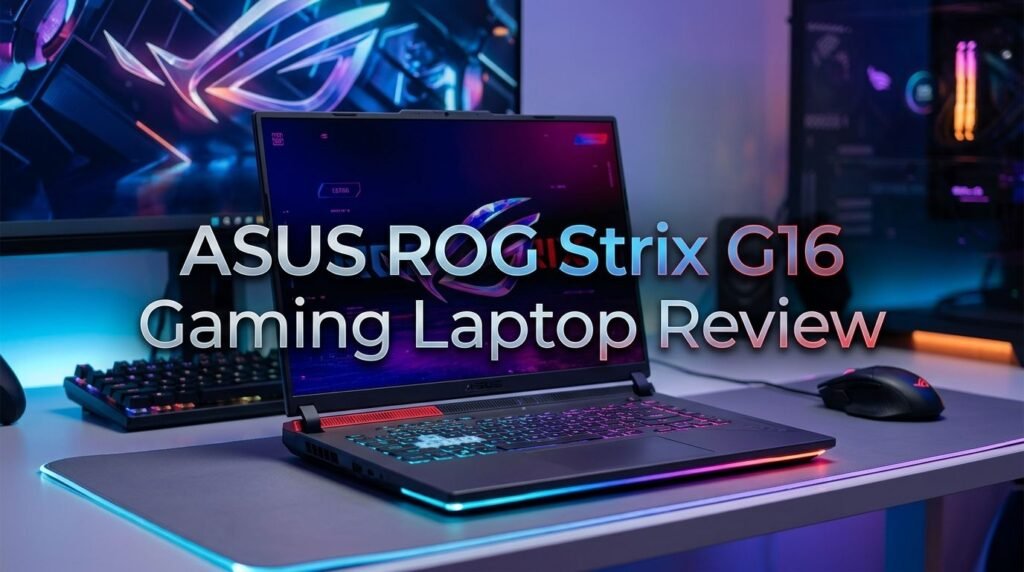
Key Takeaways:
- The ASUS ROG Strix G16 delivers impressive gaming performance thanks to the AMD Ryzen 9 9955HX3D with 3D V-Cache and the NVIDIA RTX 5070 Ti laptop GPU. AAA titles run at high frame rates even at the native 2560 x 1600 resolution.
- The 16-inch ROG Nebula display is a standout feature. It offers a 240Hz refresh rate, 3ms response time, and a 16:10 aspect ratio. Colors look accurate and motion stays smooth during fast gameplay.
- Thermal management is solid but not silent. The cooling system uses multiple heat pipes and fans. Under full load, fan noise becomes noticeable. However, temperatures stay within safe limits during extended gaming sessions.
- 32GB DDR5-5600 RAM and up to 2TB PCIe SSD storage provide plenty of memory and fast load times. The tool-less design makes upgrades easy for both RAM and storage.
- Battery life sits around 5 to 6 hours for general use. This is decent for a gaming laptop of this size and power class. Expect far less during heavy gaming sessions.
- The build quality feels premium and sturdy. The chassis uses a mix of metal and reinforced plastic. It does not flex under normal pressure. The overall weight stays around 2.5 kg, which is reasonable for a 16-inch gaming machine.


Last update on 2026-08-29 / Affiliate links / Images from Amazon Product Advertising API Some of the links on this website are affiliate links, which means that at no additional cost to you, I earn a commission if you click through and make a purchase. I only recommend products and services that I believe will add value to my readers. Thank you for your support!
ASUS ROG Strix G16 (2025): Overview and First Impressions
The ASUS ROG Strix G16 (2025) makes a strong first impression right out of the box. The Eclipse Gray color scheme looks clean and modern. ASUS has moved away from the loud “gamer” aesthetic that used to define ROG products.
The laptop feels solid in your hands. It weighs about 2.5 kg (5.51 lbs), which is manageable for a 16-inch gaming machine. You can toss it in a backpack without too much strain.
ASUS includes a 280W power adapter in the box along with the laptop and basic documentation. The packaging itself is straightforward. There is no excess material or unnecessary accessories.
The lid features a subtle ROG logo with customizable RGB lighting. It catches light at certain angles but does not scream for attention. This design approach makes the Strix G16 suitable for both gaming setups and office environments.
Opening the lid reveals the 16-inch display with thin bezels on three sides. The bottom bezel is slightly larger, but it does not distract. The overall screen-to-body ratio is generous and gives the display a spacious feel.
Design and Build Quality
The ASUS ROG Strix G16 uses a combination of aluminum and high-quality plastic in its construction. The lid panel is metal, which gives it a premium feel and protects the display. The bottom panel is reinforced plastic with large ventilation grilles.
Flex is minimal on both the lid and the keyboard deck. You can press down on the center of the keyboard area and feel very little give. This shows that ASUS has reinforced the internal structure well.
The hinge mechanism is firm and smooth. You can open the lid with one hand most of the time. The hinge holds the display steady at any angle. It does not wobble during typing or light desk movements.
Port placement is practical. The rear of the laptop holds the power connector, HDMI 2.1, a USB-C with DisplayPort, and an Ethernet jack. This keeps most cables behind the machine and away from your mouse hand.
Display Performance: ROG Nebula at Its Best
The 16-inch ROG Nebula display is one of the strongest selling points of this laptop. It runs at a 2560 x 1600 (WQXGA) resolution with a 16:10 aspect ratio. This gives you more vertical space compared to standard 16:9 panels.
The refresh rate sits at 240Hz with a 3ms response time. Fast-paced shooters and racing games look fluid. You can see the difference between this and a standard 60Hz or even 144Hz panel immediately.
Color accuracy is impressive for a gaming laptop. The panel covers 100% of the sRGB color space and a large portion of DCI-P3. If you do photo or video editing alongside gaming, this display handles both tasks well.
Brightness reaches around 500 nits at peak levels. This is enough for comfortable use in well-lit rooms. Outdoor visibility is limited, but that is true for most gaming laptops.
Processor Performance: AMD Ryzen 9 9955HX3D
The AMD Ryzen 9 9955HX3D is the heart of this machine. It features AMD’s 3D V-Cache technology, which stacks extra cache directly onto the CPU die. This results in a massive 144MB of total cache.
This extra cache gives the processor a clear advantage in gaming. Many games are cache-sensitive, and the 3D V-Cache helps reduce memory latency. You see 5% to 15% higher frame rates in many titles compared to standard Ryzen 9 chips without 3D V-Cache.
The processor has 16 cores and 32 threads with a boost clock that reaches up to 5.4 GHz. Multithreaded workloads like video rendering, 3D modeling, and compiling code run fast.
In Cinebench R23, the Ryzen 9 9955HX3D scores competitively against both AMD and Intel alternatives. Single-core performance is strong, and multi-core results place it among the top mobile processors available today.
Top 3 Alternatives for ASUS ROG Strix G16

Last update on 2026-08-29 / Affiliate links / Images from Amazon Product Advertising API Some of the links on this website are affiliate links, which means that at no additional cost to you, I earn a commission if you click through and make a purchase. I only recommend products and services that I believe will add value to my readers. Thank you for your support!

Last update on 2026-08-29 / Affiliate links / Images from Amazon Product Advertising API Some of the links on this website are affiliate links, which means that at no additional cost to you, I earn a commission if you click through and make a purchase. I only recommend products and services that I believe will add value to my readers. Thank you for your support!

Last update on 2026-08-27 / Affiliate links / Images from Amazon Product Advertising API Some of the links on this website are affiliate links, which means that at no additional cost to you, I earn a commission if you click through and make a purchase. I only recommend products and services that I believe will add value to my readers. Thank you for your support!
GPU Performance: NVIDIA GeForce RTX 5070 Ti
The NVIDIA GeForce RTX 5070 Ti laptop GPU powers all the graphics processing in this machine. It is based on NVIDIA’s Blackwell architecture and features DLSS 4 with Multi Frame Generation. This means the GPU can generate extra frames using AI, which boosts perceived frame rates significantly.
In Cyberpunk 2077 at the native 2560 x 1600 resolution with Ultra settings and DLSS Quality mode enabled, the Strix G16 pushes around 80 to 100 FPS. That is excellent for such a demanding title.
Call of Duty: Warzone runs at well over 120 FPS at high settings. Competitive shooters like Valorant and Counter-Strike 2 easily exceed 200 FPS, which takes full advantage of the 240Hz display.
Ray tracing performance is a clear improvement over the previous RTX 40-series. Titles with heavy ray tracing like Alan Wake 2 and Indiana Jones and the Great Circle remain playable at high settings with ray tracing enabled.
The GPU also supports hardware-accelerated AV1 encoding. Content creators benefit from faster video exports. Streaming at high quality while gaming puts less strain on the system compared to older generation cards.
VRAM sits at 12GB GDDR7. This is enough for current games at high resolution settings. Texture-heavy mods and professional 3D applications also run without VRAM-related stutters.
Memory and Storage Configuration
The ASUS ROG Strix G16 ships with 32GB of DDR5-5600 RAM in a dual-channel configuration. This amount of memory handles modern games, heavy multitasking, and creative applications with ease.
DDR5-5600 offers higher bandwidth than DDR5-4800 found in older models. You see the benefit in tasks that move large amounts of data quickly. Video editing timelines, large Photoshop files, and game level loading all benefit from the faster memory speed.
The RAM slots are user-accessible thanks to the tool-less bottom panel. You can upgrade to 64GB if your workflow demands it. This is a welcome feature since many competing laptops solder their RAM to the motherboard.
Storage comes in at 1TB or 2TB PCIe Gen 4 NVMe SSD depending on the configuration. Sequential read speeds reach around 7,000 MB/s and write speeds hit approximately 5,000 MB/s. Game installs, file transfers, and boot times are fast.
Keyboard and Trackpad Experience
The keyboard on the ASUS ROG Strix G16 is a full-size layout with per-key RGB lighting. Each key can display a different color, and you can customize lighting effects through the Armoury Crate software.
Key travel measures approximately 1.7mm, which provides a satisfying tactile feel. The keys are not mushy or too stiff. Typing long documents and chatting during games both feel comfortable.
The keyboard includes dedicated media controls and a volume dial on the upper right. You do not need to use function key combos to pause music or adjust volume. This is a small detail that improves daily usability.
Anti-ghosting and N-key rollover ensure that every keypress registers during intense gaming moments. You can press multiple keys at once without missed inputs. This matters in competitive multiplayer games where split-second actions count.
Thermal Management and Fan Noise
ASUS uses its ROG Intelligent Cooling system in the Strix G16. This includes multiple heat pipes, liquid metal thermal compound on the CPU, and two high-speed fans. The cooling solution keeps both the CPU and GPU within safe operating temperatures during extended gaming.
Under full load in games like Cyberpunk 2077, the CPU temperature hovers around 85°C to 90°C. The GPU stays closer to 75°C to 80°C. These numbers are normal for a high-performance gaming laptop and well within safe limits.
The laptop offers three performance modes through Armoury Crate: Silent, Performance, and Turbo. Silent mode reduces fan speed and caps power consumption. It works well for light tasks and browsing. Performance mode balances noise and power. Turbo mode unleashes full performance but increases fan noise.
In Turbo mode, the fans become clearly audible. They produce a steady whooshing sound that is noticeable in a quiet room. Using headphones during gaming sessions solves this issue. In Performance mode, the noise level is more acceptable for most users.
Battery Life and Charging
The ASUS ROG Strix G16 packs a 90Wh battery. For a gaming laptop with this level of hardware, the battery size is generous. It provides enough juice for several hours of non-gaming use.
During web browsing, video playback, and light productivity, you can expect around 5 to 6 hours of battery life. This is with the display brightness set to around 50% and the system running in Silent mode.
Gaming on battery drains the cell much faster. You will get roughly 1 to 1.5 hours of gameplay. The system also reduces GPU and CPU performance on battery to save power. Plugging in the 280W charger is essential for full performance gaming.
The 280W power adapter charges the laptop from empty to around 50% in approximately 30 minutes. A full charge takes about 1.5 to 2 hours. The charger is moderately sized and adds some weight to your travel bag.
Audio Quality and Speaker System
The ASUS ROG Strix G16 features a stereo speaker setup powered by Dolby Atmos. The speakers fire from the bottom of the laptop. They deliver decent sound for a gaming laptop, though external speakers or headphones will always sound better.
Volume output is loud enough to fill a small room. You can watch movies, listen to music, or hear game audio without struggling to catch dialogue or sound effects. The speakers do not distort noticeably at maximum volume.
Bass response is limited, as expected from thin laptop speakers. Explosions and deep rumbles lack punch. Mid-range frequencies come through clearly, which helps with vocal clarity in games and video calls.
The Dolby Atmos integration adds a sense of spatial audio. You can toggle between different presets like Music, Movie, and Game. The Game preset widens the soundstage slightly and helps you hear directional audio cues in shooters.
Software and Armoury Crate
The ASUS ROG Strix G16 runs Windows 11 Home out of the box. ASUS adds its own Armoury Crate software suite, which acts as the central hub for system management and customization.
Armoury Crate lets you switch between performance modes (Silent, Performance, Turbo) with a single click. You can also create custom profiles that adjust CPU power, GPU behavior, fan curves, and display settings.
RGB lighting control lives inside Armoury Crate as well. You can customize per-key keyboard lighting, the LED strip around the chassis, and the ROG logo on the lid. There are preset effects like breathing, color cycle, and reactive typing.
The software also displays real-time system monitoring data. You can see CPU and GPU temperatures, clock speeds, fan RPM, and power draw. This information helps you understand how the laptop performs under different workloads.
Connectivity and Wireless Performance
The ASUS ROG Strix G16 supports Wi-Fi 7 (802.11be) and Bluetooth 5.4. Wi-Fi 7 delivers faster speeds, lower latency, and better performance in congested network environments compared to Wi-Fi 6E.
In real-world testing, Wi-Fi speeds reach close to the maximum provided by most home routers. Downloading large game files from Steam or the Xbox app is fast. Online gaming shows low and consistent ping when the router supports Wi-Fi 7.
The RJ-45 Ethernet port on the rear panel supports 2.5 Gbps connections. Wired connections remain the gold standard for competitive gaming. If you play ranked matches or participate in tournaments, plugging in an Ethernet cable gives you the most stable connection.
Bluetooth 5.4 handles wireless peripherals well. Wireless mice, headsets, and controllers connect reliably with low latency. The connection remains stable even when Wi-Fi is active and under heavy load.
Who Should Buy the ASUS ROG Strix G16?
The ASUS ROG Strix G16 fits a specific type of buyer very well. If you want strong gaming performance, a beautiful display, and a clean design at a mid-to-high price point, this laptop delivers.
Gamers who play a mix of AAA titles and competitive shooters will appreciate the RTX 5070 Ti and the 240Hz display combo. You get enough GPU power for demanding games and enough refresh rate for fast-paced esports titles.
Content creators and students can also benefit from this machine. The Ryzen 9 processor handles video editing, 3D rendering, and multitasking with ease. The color-accurate display supports creative workflows.
If you need a laptop that works in both gaming and professional environments, the understated design helps. You can bring this laptop to a meeting or a classroom without drawing too much attention.
Budget-focused buyers should consider that this laptop sits in the $1,500 to $2,000+ range depending on configuration. If that stretches your budget too far, the ASUS TUF Gaming series or the Acer Predator Helios Neo line offer lower-cost options.
Pros and Cons of the ASUS ROG Strix G16
Every product has strengths and weaknesses. The ROG Strix G16 is no exception. Here is an honest breakdown.
On the positive side, the AMD Ryzen 9 9955HX3D processor delivers exceptional gaming and productivity performance. The 3D V-Cache gives a real, measurable boost in frame rates. The RTX 5070 Ti GPU handles every current game at high settings.
The display is a highlight. The 240Hz 2.5K panel with a 16:10 ratio looks fantastic. Motion clarity is excellent. Color reproduction works for creative tasks. The G-SYNC support removes tearing.
Build quality and upgradeability stand out as well. The tool-less design for accessing RAM and SSD slots is a genuine convenience. The chassis feels solid without being too heavy.
On the negative side, fan noise in Turbo mode is loud. You will want headphones during intense gaming. The speakers, while decent, lack bass depth. The webcam is missing on some configurations, which is an odd omission in 2025/2026.
Final Verdict: Should You Buy the ASUS ROG Strix G16 in 2026?
The ASUS ROG Strix G16 stands as one of the best-rounded gaming laptops you can buy in 2026. It combines top-tier processing power, a fast and beautiful display, and a clean design. The RTX 5070 Ti GPU handles current and upcoming games with confidence.
The AMD Ryzen 9 9955HX3D processor gives this laptop a clear edge in gaming performance over most competitors in its price range. The 3D V-Cache technology is a genuine advantage that shows up in real-world frame rate benchmarks.
If you value display quality, upgrade flexibility, and strong thermals, this laptop checks all the boxes. The ROG Nebula panel at 240Hz with a 16:10 aspect ratio is a joy to use for both gaming and productivity.
The main drawbacks are fan noise under heavy load and limited battery life during gaming. These are common trade-offs for high-performance gaming laptops and not unique to the Strix G16.
Frequently Asked Questions
Is the ASUS ROG Strix G16 good for video editing?
Yes, the ASUS ROG Strix G16 is excellent for video editing. The AMD Ryzen 9 9955HX3D processor provides fast rendering speeds. The 32GB DDR5 RAM handles large timelines without lag. The RTX 5070 Ti GPU accelerates encoding and effects processing. The color-accurate ROG Nebula display shows your footage with reliable color reproduction.
How heavy is the ASUS ROG Strix G16?
The ASUS ROG Strix G16 weighs approximately 2.5 kg (5.51 lbs) without the power adapter. The 280W power adapter adds extra weight to your bag. For a 16-inch gaming laptop with this level of hardware, the weight is reasonable and comparable to competitors.
Can you upgrade the RAM and SSD on the ASUS ROG Strix G16?
Yes, both the RAM and SSD are user-upgradeable. The laptop features a tool-less bottom panel that makes access easy. It has two SO-DIMM RAM slots supporting up to 64GB DDR5 and two M.2 SSD slots for expanded storage.
Does the ASUS ROG Strix G16 have a webcam?
Some configurations of the Strix G16 include a built-in webcam, while others do not. Check the specific model number before purchasing if a webcam matters to you. An external USB webcam is always an alternative.
What games can the ASUS ROG Strix G16 run at high settings?
The RTX 5070 Ti GPU can run virtually all current AAA games at high or ultra settings at the native 2560 x 1600 resolution. Games like Cyberpunk 2077, Hogwarts Legacy, Baldur’s Gate 3, and Call of Duty: Warzone all perform well. DLSS 4 further boosts frame rates in supported titles.
Is the ASUS ROG Strix G16 worth the price in 2026?
The Strix G16 offers strong value for its price bracket. You get a premium display, a powerful 3D V-Cache CPU, a capable RTX 5070 Ti GPU, and excellent build quality. While cheaper options exist, few match this combination of features and performance at the same price.

Hi, my name is Lily you can say i am a gadget hunter at this point. Welcome to Gadget Gallery The Gallery of Gadget Reviews