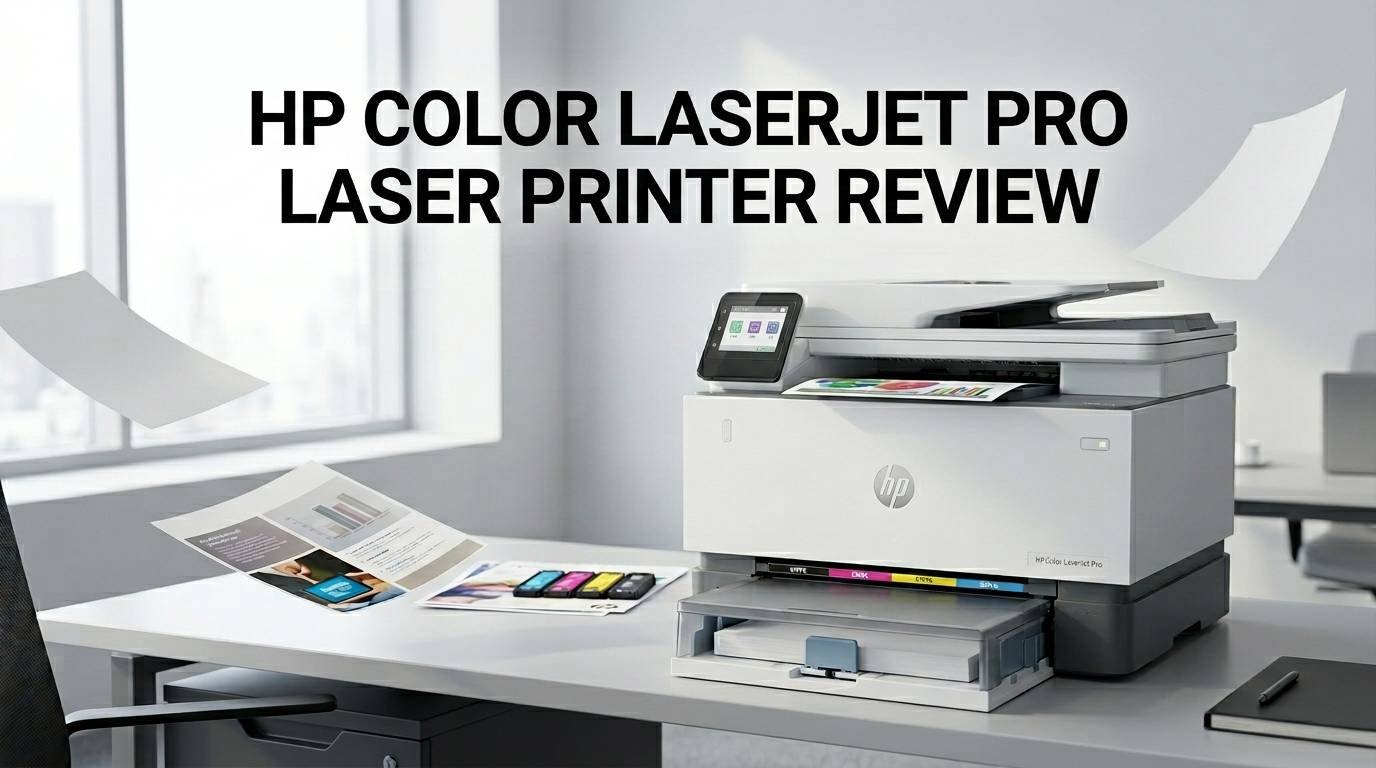
HP Color LaserJet Pro Laser Printer Review 2026: Good or Bad?
Are you looking for a reliable color laser printer for your home office or small business? The HP Color LaserJet Pro series has been one of the top choices for years.
In 2026, the lineup includes strong options like the HP Color LaserJet Pro 3201dw and the HP Color LaserJet Pro 4201dw. But are they truly worth your investment?
In this detailed review, we break down every feature, speed test, print quality result, and toner cost for the HP Color LaserJet Pro laser printers.
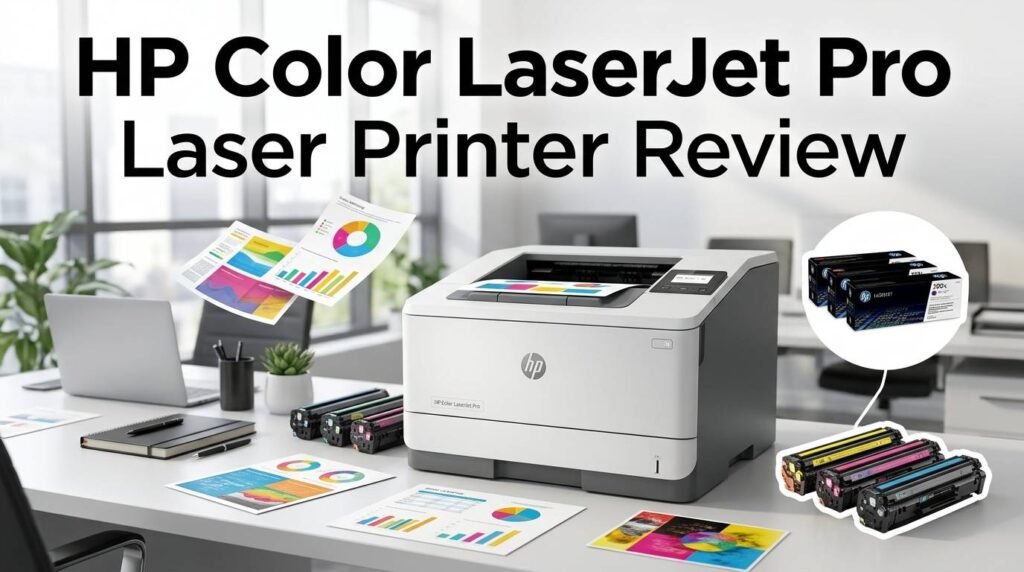
Key Takeaways:
- The HP Color LaserJet Pro 3201dw costs around $339 and delivers excellent print quality with vibrant colors and sharp text. It is best for light to moderate printing needs.
- The HP Color LaserJet Pro 4201dw costs around $569 and offers faster speeds (up to 35 ppm), higher paper capacity, and better per-page toner costs than the 3201dw.
- Both printers feature strong connectivity options, including USB 2.0, gigabit Ethernet, dual-band Wi-Fi, Wi-Fi Direct, Apple AirPrint, and Mopria mobile printing.
- Toner costs can add up over time. The 3201dw charges about 3.1 cents per black page and 17 cents per color page. The 4201dw is more affordable at 2.5 cents per black page and 15.2 cents per color page.
- Print quality is outstanding. Both models produce near-typesetter-quality text and natural-looking photo prints. The 4201dw slightly edges ahead with some of the best photo output from a color laser.
- Competitors like the Brother HL-L3295CDW offer lower toner costs, especially for color pages. Consider your monthly print volume before purchasing.


Last update on 2026-10-11 / Affiliate links / Images from Amazon Product Advertising API Some of the links on this website are affiliate links, which means that at no additional cost to you, I earn a commission if you click through and make a purchase. I only recommend products and services that I believe will add value to my readers. Thank you for your support!
HP Color LaserJet Pro 3201dw: Design and Build Quality
The HP Color LaserJet Pro 3201dw measures just 10 by 15.4 by 16.5 inches (HWD). This makes it one of the most compact color laser printers available today. You can easily place it on a desk, shelf, or small table without taking up too much space.
It weighs only 30.4 pounds. That is lighter than many competitors. For example, the Brother HL-L3295CDW weighs 36.8 pounds and the Canon LBP674Cdw weighs 35.5 pounds. If you need to move your printer around, the 3201dw is easy to handle.
The overall build feels solid for its price point. The paper tray and cartridge access door do not feel flimsy. HP kept manufacturing costs down, but the chassis still gives a reassuring feel. You will not find obvious shortcuts in the construction quality.
The printer has a white and blue exterior that looks clean and modern. It blends well into a home office or small business setting. Overall, the 3201dw packs good build quality into a very compact body.
HP Color LaserJet Pro 3201dw: Print Speed and Performance
HP rates the 3201dw at 26 pages per minute (ppm) for both black and color documents. In real-world testing, the printer actually hit 27 ppm in simplex mode and about 17.2 images per minute in duplex mode. That is slightly above its rated speed.
Where the 3201dw really shines is with mixed business documents that include text, graphics, and charts. It printed a full suite of six business documents in just 96 seconds. That works out to about 16 ppm, which is impressive for a printer at this price.
Photo printing is also respectable. A standard 4-by-6-inch test snapshot took about 9 seconds. That is quite fast for a color laser. You will not get photo printer quality, but the results are good enough for brochures and newsletters.
The printer does struggle slightly with first-page-out time. The first page takes a bit longer than expected. After that, subsequent pages print quickly and consistently. For light to moderate office use, the 3201dw performs well.
HP Color LaserJet Pro 3201dw: Print Quality and Output
The print quality on the 3201dw is a major highlight. Text output reaches near-typesetter quality. Standard business fonts are readable down to a tiny 4-point size. You will see no stray marks or extra lines on your pages.
Color output is equally impressive. Charts and graphs display pleasing saturation and contrast. Colors appear distinct without looking overblown. Everything looks clean and professional on standard office paper.
Photo prints stand out with natural-looking skin tones. This is not always easy for a color laser printer to achieve. While you cannot print borderless photos like an inkjet, the results work great for casual business materials like flyers and real estate listings.
Black-and-white prints are crisp and deep. The toner lays down evenly across the page. If you need a printer that produces professional-looking documents, the 3201dw delivers at a very competitive price point.
Top 3 Alternatives for HP Color LaserJet Pro Laser Printer

Last update on 2026-10-11 / Affiliate links / Images from Amazon Product Advertising API Some of the links on this website are affiliate links, which means that at no additional cost to you, I earn a commission if you click through and make a purchase. I only recommend products and services that I believe will add value to my readers. Thank you for your support!

Last update on 2026-10-11 / Affiliate links / Images from Amazon Product Advertising API Some of the links on this website are affiliate links, which means that at no additional cost to you, I earn a commission if you click through and make a purchase. I only recommend products and services that I believe will add value to my readers. Thank you for your support!

Last update on 2026-10-11 / Affiliate links / Images from Amazon Product Advertising API Some of the links on this website are affiliate links, which means that at no additional cost to you, I earn a commission if you click through and make a purchase. I only recommend products and services that I believe will add value to my readers. Thank you for your support!
HP Color LaserJet Pro 4201dw: Design and Build Quality

Last update on 2026-10-11 / Affiliate links / Images from Amazon Product Advertising API Some of the links on this website are affiliate links, which means that at no additional cost to you, I earn a commission if you click through and make a purchase. I only recommend products and services that I believe will add value to my readers. Thank you for your support!
The HP Color LaserJet Pro 4201dw measures 11.3 by 16.6 by 16.8 inches (HWD). It is slightly larger than the 3201dw but still compact for a color laser printer. It fits comfortably on most office desks.
The printer weighs 36 pounds. That is about average for this category. It feels sturdy and well-built. The extra weight over the 3201dw comes from improved paper handling components and a larger internal frame.
The white and blue design carries over from the 3201dw. It looks professional and clean. The 50-sheet multipurpose tray sits at the front, and the main 250-sheet tray slides out smoothly from the bottom.
HP also offers an optional 550-sheet paper tray ($229) for the 4201dw. This brings total paper capacity to 850 sheets. That is a big advantage for busy offices that print frequently. The build quality on this model reflects its higher $569 price point.
HP Color LaserJet Pro 4201dw: Print Speed and Performance
HP rates the 4201dw at a fast 35 pages per minute. In testing, it actually reached 35.5 ppm in simplex mode and 27.3 images per minute in duplex mode. That is 0.5 ppm above its rated speed.
The 4201dw nearly tied with the Canon LBP674Cdw in head-to-head speed tests. The HP edged ahead by just 0.4 ppm. Given possible margins of error, these two printers are essentially equal in raw text speed.
With a mixed business document suite, the 4201dw completed all six files in 86 seconds (about 17 ppm). That is 10 seconds faster than the 3201dw. The Canon still finished fastest at 70 seconds, but the 4201dw holds its own against strong competition.
Photo printing is fast too. A 4-by-6-inch snapshot took about 7 seconds. That is 2 seconds faster than the 3201dw. If you print a lot of business materials with photos, the 4201dw saves meaningful time over the course of a month.
HP Color LaserJet Pro 4201dw: Print Quality Results
The 4201dw produces some of the best print quality you will find in a color laser printer at this price. Text output is near-typesetter quality, readable down to 4-point fonts. Business documents look sharp, clean, and professional.
Color charts and graphs print with excellent saturation and contrast. Colors are distinct without appearing oversaturated. This makes the 4201dw a solid choice for presentations, marketing materials, and reports.
The standout feature is photo printing. The 4201dw delivered some of the best photographic prints from any color laser printer tested. Skin tones appear natural. Detail in shadows and highlights is well-preserved. You cannot print borderless photos, but the quality exceeds what most offices need.
Black-and-white output is equally strong. Toner coverage is even and consistent. There are no streaks, smudges, or stray marks. The 4201dw clearly benefits from HP’s refined toner and imaging technology.
Connectivity and Mobile Printing Features
Both the 3201dw and 4201dw come with a full set of connectivity options. You get USB 2.0, gigabit Ethernet, 802.11ac dual-band Wi-Fi, and Wi-Fi Direct. This covers wired and wireless setups in any office.
Mobile printing is well-supported. Both models work with Apple AirPrint and Mopria. You can print documents and photos directly from your iPhone, iPad, or Android device without extra software.
The HP Smart app adds extra functionality. You can print photos, documents, or even what your phone camera captures in real time. The app also lets you create shortcuts for repetitive tasks. For example, you can set up a one-tap shortcut to print a weekly report at specific settings.
The 4201dw adds one bonus feature. It has a USB port on the front for printing directly from a USB thumb drive. The 3201dw does not offer this. If you often receive files on USB drives, the 4201dw gives you a direct printing option.
Paper Handling and Monthly Duty Cycle
The 3201dw has a 250-sheet input tray and a single-sheet override tray. There is no option for an additional tray. The output bin holds 100 sheets. HP recommends a monthly print volume of 2,500 pages. This suits light-duty environments.
The 4201dw steps up significantly. It has a 250-sheet input tray plus a 50-sheet multipurpose tray. You can add an optional 550-sheet tray, bringing the total to 850 sheets. The output bin holds 150 sheets.
HP recommends a monthly volume of 4,000 pages for the 4201dw. The maximum monthly duty cycle is 50,000 pages. This matches the Brother HL-L3295CDW and Canon LBP674Cdw. The 4201dw can handle a moderately heavy workload.
If you print more than a few hundred pages per month, the 4201dw is the smarter choice. Its larger paper capacity means fewer tray refills. Its higher duty cycle means the printer can sustain heavier use without premature wear.
Toner Costs and Running Expenses
Toner cost is one of the most important factors for any laser printer. The 3201dw charges about 3.1 cents per black page and about 17 cents per color page with high-yield cartridges. These costs are higher than average for this class.
The 4201dw improves significantly. It costs about 2.5 cents per black page and about 15.2 cents per color page with high-yield cartridges. The monochrome cost matches the Brother HL-L3295CDW. The color cost is still higher than the Brother’s 12.9 cents.
Over time, toner costs can erase the savings from a lower purchase price. If you buy the 3201dw at $339 but print 1,000 color pages a year, the extra toner expense adds up. After a few years, you may have spent more overall than if you bought a printer with cheaper toner.
For heavy color printing, the Brother HL-L3295CDW at 12.9 cents per color page offers the best value. For mostly monochrome printing, the HP 4201dw is competitive at 2.5 cents per black page.
Setup Process and Software Experience
Both HP printers offer a simple setup experience. The toner cartridges come pre-installed. You turn on the printer, enter basic information, and choose your connection method. The entire process takes about 10 to 15 minutes.
For USB connections, you download and install drivers from HP’s website. The software package is minimal. You get print drivers and a shortcut to the HP Print and Scan Doctor. This diagnostic tool helps troubleshoot connection issues.
The HP Smart app provides additional setup guidance on mobile devices. It walks you through Wi-Fi configuration step by step. The app also lets you manage printer settings, check toner levels, and order replacement supplies.
One small disappointment is the lack of a full software suite. More expensive printers from Brother and Canon include richer software packages with scanning utilities, OCR tools, and advanced print management features. HP keeps things lean here.
Display and Control Panel
The 3201dw has a 2.0-inch monochrome LCD that is not a touch screen. You navigate menus with a small navigation wheel and an OK button. The display resolution is only 200 by 114 pixels. It shows basic settings like toner levels, paper sizes, and network configuration.
The 4201dw upgrades to a four-line graphic LCD with an LED backlight. It is still not a touch screen. HP replaced the navigation wheel with a 360-degree dial controller. The dial can feel somewhat awkward to use at first.
Both displays fall short compared to competitors. The Brother HL-L3295CDW has a 2.7-inch color touch screen. The Canon LBP674Cdw has an impressive 5.0-inch color touch screen. If you value an intuitive on-printer interface, the HP models may feel limited.
However, if you manage most settings from your computer or phone, the small display may not matter. The HP Smart app and the web-based management portal handle most tasks that the small LCD cannot.
HP Color LaserJet Pro 3201dw vs 4201dw: Which Should You Buy?
The 3201dw is the budget-friendly option at $339. It delivers excellent print quality, decent speed at 26 ppm, and compact design. It is best for users who print fewer than 2,500 pages per month and want to keep upfront costs low.
The 4201dw costs $569 but brings meaningful upgrades. You get 35 ppm print speed, larger paper capacity, USB thumb drive printing, and lower per-page toner costs. The recommended monthly volume of 4,000 pages makes it better for busier offices.
If you print mostly in black and white, the 4201dw’s 2.5 cents per page matches the competition. The higher purchase price pays off through lower running costs over time.
If you print a lot of color pages, neither HP model offers the cheapest toner. The Brother HL-L3295CDW saves about 2 to 4 cents per color page. That difference adds up with heavy color printing. Choose the HP for its superior print quality or the Brother for lower long-term costs.
Security Features and Firmware Updates
HP includes several security features in both models. Built-in firmware updates keep the printer protected against new threats. HP Wolf Security provides protection at the hardware, BIOS, and firmware level.
The printers support secure boot and run-time intrusion detection. If the printer detects tampering, it can automatically restart into a safe state. This is valuable for offices that handle sensitive documents.
Network security options include WPA3 encryption, 802.1X authentication, and IPsec. You can also set up user authentication to control who can access the printer. These features bring enterprise-level security to small office printers.
HP does require its printers to use cartridges with HP chips. This means third-party toner cartridges may not work. Some users see this as a drawback, while others appreciate the quality assurance that comes with genuine HP supplies.
Pros and Cons of the HP Color LaserJet Pro Series
The biggest strengths of the HP Color LaserJet Pro series are print quality and compact design. Both the 3201dw and 4201dw produce outstanding text and color output. The small footprint makes them easy to place in tight workspaces.
Speed is another highlight, especially on the 4201dw. At 35 ppm, it matches or beats most competitors in its price range. Connectivity is excellent across both models with Wi-Fi, Ethernet, USB, and mobile printing support.
On the downside, toner costs are higher than some competitors. The 3201dw’s 17 cents per color page is expensive for heavy color users. Even the 4201dw’s 15.2 cents per color page trails the Brother HL-L3295CDW.
The control panels on both models are disappointing. A small monochrome LCD without touch support feels outdated in 2026. Competitors offer color touch screens at similar or lower price points. HP could improve this area in future updates.
Final Verdict: Is the HP Color LaserJet Pro Worth It in 2026?
The HP Color LaserJet Pro series remains a strong choice for small offices and home users in 2026. The 3201dw offers excellent value at $339 if you print lightly. The 4201dw is the better investment at $569 for moderate to heavy workloads.
Print quality is the biggest selling point. Both models produce some of the best text and photo output in their class. If document appearance matters to your business, these printers deliver.
The main concern is toner cost. Budget-conscious buyers who print a lot of color pages should compare running costs carefully. The Brother HL-L3295CDW offers lower per-page color costs and earns strong reviews as a budget alternative.
Overall, the HP Color LaserJet Pro printers earn a solid recommendation. They combine great print quality, fast speeds, compact design, and strong connectivity into reliable packages. Just be sure to factor in toner expenses when calculating total ownership cost.
Frequently Asked Questions
Is the HP Color LaserJet Pro 3201dw good for home use?
Yes, the 3201dw is an excellent choice for home use. Its compact size fits easily on a desk. The 250-sheet paper tray handles typical home printing needs. Print quality is outstanding for documents, reports, and casual photos. The main thing to watch is toner cost if you plan to print a lot of color pages each month.
How fast is the HP Color LaserJet Pro 4201dw?
The 4201dw prints at up to 35 pages per minute in both black and color. In testing, it actually hit 35.5 ppm for simplex printing and 27.3 images per minute for duplex printing. This makes it one of the fastest color laser printers in its price range.
Can I use third-party toner in the HP Color LaserJet Pro printers?
HP requires cartridges with an HP chip. Third-party toner without an HP chip may not work in these printers. Some remanufactured cartridges with compatible chips do work, but HP recommends using genuine HP toner for the best print quality and reliability.
What is the difference between the HP Color LaserJet Pro 3201dw and 4201dw?
The 4201dw costs more ($569 vs. $339) but prints faster (35 ppm vs. 26 ppm), holds more paper, has a USB thumb drive port, and offers lower per-page toner costs. The 3201dw is more compact and cheaper upfront. Choose the 3201dw for light use and the 4201dw for heavier workloads.
Does the HP Color LaserJet Pro support wireless printing?
Yes, both the 3201dw and 4201dw support 802.11ac dual-band Wi-Fi, Wi-Fi Direct, Apple AirPrint, and Mopria. You can also use the HP Smart app on your phone or tablet to print documents and photos wirelessly.
How long do the toner cartridges last on the HP Color LaserJet Pro?
Toner life depends on your printing volume and coverage. High-yield cartridges for the 3201dw and 4201dw typically last several thousand pages. The exact yield varies by cartridge type. Black high-yield cartridges generally last longer than color cartridges. Check HP’s official page yield estimates for the specific model you choose.

Hi, my name is Lily you can say i am a gadget hunter at this point. Welcome to Gadget Gallery The Gallery of Gadget Reviews