TECKNET Bluetooth Keyboard Review: Your Complete Guide
Are you tired of being chained to your desk with a wired keyboard? Do you dream of a workspace where you can switch between your laptop, tablet, and phone without juggling multiple keyboards?
Well, grab a coffee and settle in because I have found something that might just change your typing life forever.
The TECKNET Bluetooth Keyboard has been making waves on Amazon, and today we are diving deep into what makes this affordable wireless keyboard tick.
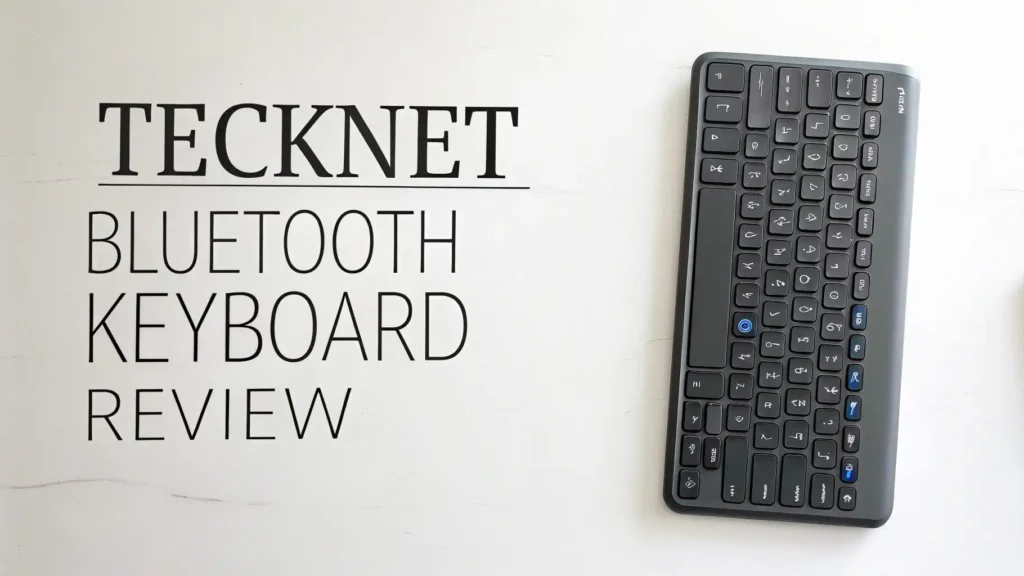
Key Takeaways:
- Multi-Device Magic: This keyboard lets you connect up to 4 different devices simultaneously through 3 Bluetooth channels plus one 2.4GHz wireless connection. You can type on your work laptop, then switch to your iPad with just one button press. No more disconnecting and reconnecting every time you change devices.
- Battery Life That Actually Lasts: Forget about buying batteries every month. The built-in 500mAh rechargeable battery gives you up to 180 days of use on a single 2-hour charge. That means you charge it twice a year and forget about it. The keyboard also has smart sleep mode that kicks in after 30 minutes of inactivity.
- Whisper Quiet Typing Experience: With 90% noise reduction technology and upgraded scissor-switch keys, this keyboard is perfect for quiet offices or late-night work sessions. Your roommates or family will thank you for not waking them up with loud clacking sounds.
- Full-Size Layout with Multimedia Keys: You get a complete 110-key layout with dedicated multimedia controls. This means you can adjust volume, play music, and control media without switching windows. The keys are rated for 10 million keystrokes, so this keyboard will last you for years.
- Universal Compatibility: Works seamlessly with Windows, iOS, macOS, Android, and Chrome OS. Whether you have an iPad, MacBook, Windows laptop, Android tablet, or Smart TV, this keyboard has you covered. For devices without Bluetooth, just plug in the included USB receiver.

What Is the TECKNET Bluetooth Keyboard
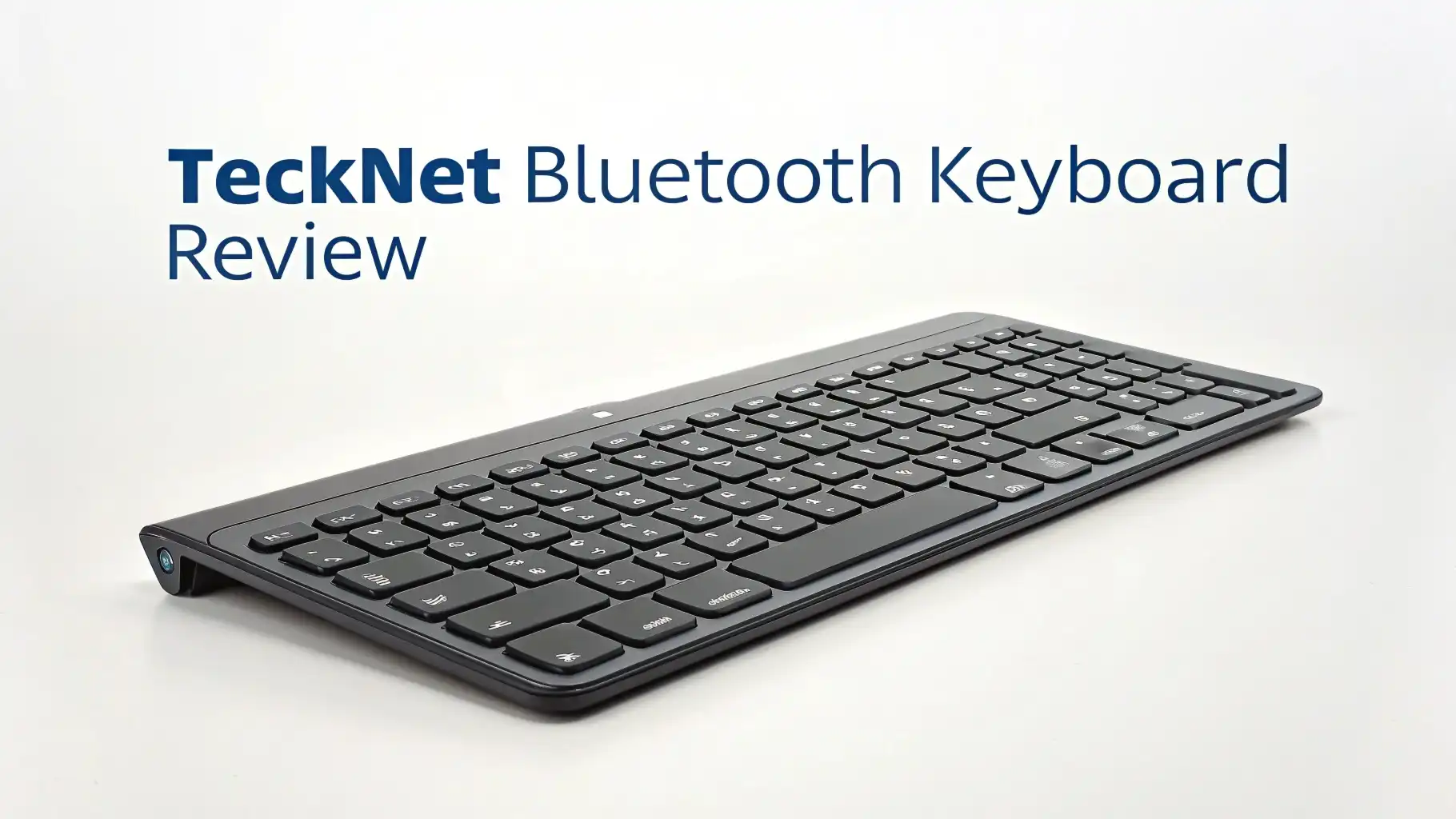
The TECKNET Bluetooth Keyboard is a full-size wireless keyboard designed for people who need flexibility and reliability without breaking the bank. This keyboard sits in the budget-friendly category but does not compromise on features that matter.
Think of it as your Swiss Army knife of keyboards. It handles everything from professional work tasks to casual web browsing and even light gaming. The ultra-slim profile gives it a modern look that fits perfectly in any home office or professional workspace.
What sets it apart from other budget keyboards is the combination of multi-device connectivity and long battery life. Many cheap keyboards force you to choose between Bluetooth or wireless dongle. This one gives you both options plus the ability to connect multiple devices at once.
Design and Build Quality That Surprises
When you first take this keyboard out of the box, you notice how incredibly thin it is. The ultra-slim profile gives it a premium look that rivals keyboards costing twice as much. The matte finish on the keys feels smooth under your fingers and resists fingerprints beautifully.
The keyboard body uses high-quality plastic that feels solid without being heavy. This is important because you want a keyboard that stays put when you type but is light enough to move around or pack in your bag. TECKNET nailed this balance perfectly.
At the bottom, you will find 5 extended non-slip pads that keep the keyboard stable on your desk. These rubber feet work amazingly well, even on smooth glass desks. No more keyboards sliding around while you are in the middle of typing an important email.
The adjustable kickstand lets you choose between a 3-degree or 7-degree angle. Some people love a flat keyboard, while others prefer a slight tilt. Having this option means you can customize the typing angle to match your comfort level and reduce wrist strain during long typing sessions.
Connection Options: Freedom to Switch Devices

Here is where the TECKNET keyboard really shines. The 4-mode connection system is a game changer for anyone who works with multiple devices throughout the day.
You get three Bluetooth channels labeled BT1, BT2, and BT3 on the keyboard. Each channel can remember a different device. For example, BT1 could be your work laptop, BT2 your personal iPad, and BT3 your Android phone. Switching between them takes one second with the press of a button.
The fourth connection option uses the included 2.4GHz USB receiver. This is perfect for devices without Bluetooth or when you want the absolute lowest latency connection. Just plug the tiny USB dongle into your computer and you are connected instantly.
The connection range extends up to 15 meters (about 50 feet). This means you can sit across the room and still type comfortably. Great for controlling media on your smart TV or giving presentations from the back of the conference room.
Battery Performance: Charge Once, Type for Months
Battery anxiety is real when it comes to wireless keyboards. Nobody wants their keyboard dying in the middle of an important video call or while finishing a deadline project. The TECKNET keyboard eliminates this worry completely.
The built-in 500mAh lithium battery provides power for up to 180 days based on 2 hours of daily use. Even if you use it more heavily, you are still looking at several months between charges. This is possible because of the intelligent power management system.
The keyboard automatically enters sleep mode after 30 minutes of inactivity. Press any key and it wakes up instantly without any lag. You will not even notice the sleep mode exists because the wake-up is so fast.
Charging takes about 2 hours using the included USB-C cable. The USB-C port is located on the top edge of the keyboard for easy access. While charging, you can still use the keyboard in wired mode, so your work never gets interrupted.
A battery indicator LED on the keyboard lets you know when power is running low. This gives you plenty of warning to charge it overnight before it dies on you.
Top 3 Alternatives for TECKNET Bluetooth Keyboard


Typing Experience: Quiet Comfort for All-Day Use
The moment you start typing on this keyboard, you notice how incredibly quiet it is. The scissor-switch keys use a special design that reduces typing noise by 90% compared to traditional mechanical keyboards. This makes it perfect for shared workspaces or quiet home environments.
Each key has 2mm of travel distance, which hits the sweet spot between laptop-style shallow keys and traditional deeper keyboards. The moderate rebound gives you tactile feedback without requiring heavy finger pressure. You can type for hours without your fingers getting tired.
The keycaps feature silk-screened letters with a matte UV coating. This special coating makes the letters wear-resistant, so you will not end up with faded keys after a few months of use. The letters stay crisp and clear even after years of heavy typing.
The 110-key layout includes everything you need. Full QWERTY layout, number pad, function keys, and 12 dedicated multimedia keys. The multimedia keys handle volume control, media playback, brightness, and quick access to email and web browser.
Key spacing follows standard dimensions, so if you are used to typing on a regular keyboard, you will feel right at home immediately. There is no learning curve or adjustment period needed.
Multimedia Keys and Productivity Features
Those 12 multimedia hotkeys across the top of the keyboard are absolute productivity boosters. You can control music playback without alt-tabbing out of your work. Adjust volume with dedicated keys instead of fiddling with software controls.
The hotkeys include quick access to your email client, web browser, home page, search function, and calculator. These shortcuts save you countless clicks throughout the day. Once you get used to them, you will wonder how you ever worked without these conveniences.
The Fn key combinations unlock even more functionality. Screen brightness control, screen lock, and special character access all work through simple Fn shortcuts. The keyboard comes with a user manual that lists all available shortcuts.
Compatibility: Works with Everything You Own
One of the best features of the TECKNET keyboard is its universal compatibility. It works flawlessly with Windows 10/11, macOS, iOS, Android, and Chrome OS. No matter what devices you own, this keyboard plays nicely with all of them.
For iPad and iPhone users, the keyboard automatically maps to iOS-specific shortcuts. The Command and Option keys work exactly as you expect. For Android tablets and phones, the keyboard supports all standard Android shortcuts and functions.
Smart TV compatibility is a bonus feature that many people overlook. Connect this keyboard to your Samsung, LG, Sony, or any Android TV, and suddenly browsing Netflix or searching YouTube becomes 100 times easier than using a remote control.
The keyboard also works perfectly with Raspberry Pi, Linux systems, and Chrome OS devices. Tech enthusiasts will appreciate the plug-and-play functionality across different operating systems.
Ergonomics and Comfort for Long Sessions
Good ergonomics can make the difference between productive workdays and painful wrists. The TECKNET keyboard addresses ergonomic concerns through thoughtful design choices.
The curved keycap design matches the natural shape of your fingertips. This reduces the awkward finger stretching that causes fatigue during extended typing sessions. Your fingers rest comfortably on the keys without tension.
The adjustable kickstand lets you find your perfect typing angle. The 3-degree option works great for flat desk setups, while the 7-degree angle is better if you prefer a traditional tilted keyboard position. Experiment with both to find what feels best for your wrists.
The low-profile design means your wrists stay in a more neutral position compared to thick keyboards. This reduces the angle your wrists need to bend, which helps prevent repetitive strain injuries over time.
For people who type all day, these ergonomic features add up to significantly less hand and wrist fatigue. Your body will thank you after long work sessions.
Value for Money: Premium Features at Budget Price
When you consider everything this keyboard offers, the value proposition becomes incredibly compelling. You get multi-device connectivity, rechargeable battery, quiet typing, full-size layout, and universal compatibility at a fraction of the cost of premium keyboards.
Compare this to similar keyboards from major brands that cost $60 to $100, and you realize TECKNET delivers almost identical features for much less. The build quality holds up well against more expensive competitors too.
The 36-month warranty shows that TECKNET stands behind their product. This extended warranty coverage gives you peace of mind that your investment is protected. If anything goes wrong, their customer support team will take care of you.
For students, remote workers, and budget-conscious professionals, this keyboard hits the perfect balance of affordability and functionality. You do not need to compromise on features just because you are watching your budget.
What Users Love About This Keyboard
Real user reviews on Amazon paint a very positive picture. People consistently praise the easy setup process and reliable connections. Many reviewers mention they had the keyboard connected and working within minutes of opening the box.
The battery life is another frequently mentioned highlight. Users report going months without needing to recharge, which matches the manufacturer’s claims. Several reviewers specifically mention this as their favorite feature.
Quiet typing gets rave reviews from people working in shared spaces. Parents appreciate being able to work after kids go to bed without disturbing the household. Office workers love not annoying their coworkers with loud keyboard clacking.
The multi-device switching receives consistent praise from people who juggle multiple devices throughout the day. Tech reviewers and productivity enthusiasts especially appreciate this feature.
Minor Drawbacks to Consider
No product is perfect, and the TECKNET keyboard has a few minor limitations worth mentioning. The keyboard lacks backlighting, which means typing in dark rooms requires adequate ambient lighting. For people who work late nights or in dimly lit spaces, this might be a deal-breaker.
The plastic construction, while solid, does not feel as premium as aluminum keyboards costing significantly more. If you want that high-end metal feel, you will need to look at more expensive options.
Some users mention the keys feel slightly mushier than high-end mechanical keyboards. This is subjective and depends on personal preference, but if you are used to clicky mechanical switches, the scissor switches might feel less satisfying.
The USB receiver is quite small, which makes it easy to lose if you remove it from your computer. Consider keeping it plugged in permanently or storing it in a designated spot when not in use.
How Does It Compare to Competitors
Compared to the Logitech K380, the TECKNET offers similar multi-device functionality but adds the 2.4GHz dongle option and longer battery life. The Logitech has round keys which some people love or hate, while the TECKNET uses traditional square keys.
Against Arteck Bluetooth keyboards, the TECKNET provides better build quality and more reliable connections according to user reviews. The Arteck keyboards are slightly cheaper but sacrifice some durability and features.
Compared to Apple Magic Keyboard, the TECKNET offers way better value and works with more devices. The Apple keyboard only works well with Apple products and costs three times as much.
For gaming, dedicated gaming keyboards offer features like RGB lighting, programmable macros, and faster switches. However, for casual gaming and general use, the TECKNET handles basic gaming needs perfectly fine.
Who Should Buy This Keyboard
This keyboard is perfect for remote workers who need to switch between work and personal devices throughout the day. The multi-device feature alone makes this worth considering.
Students will appreciate the quiet typing for library study sessions and the long battery life that means one less thing to remember charging. The full-size layout with number pad helps with math and data entry tasks.
Budget-conscious professionals who want a reliable wireless keyboard without spending $100 or more should definitely consider this option. You get premium features at a fraction of premium prices.
Smart TV users who are tired of hunting and pecking with a remote control will love how much easier web browsing becomes with a proper keyboard.
Anyone with multiple devices (laptop, tablet, phone, smart TV) benefits enormously from the seamless device switching capability.
Final Verdict: Should You Buy It
The TECKNET Bluetooth Keyboard delivers exceptional value for anyone needing a reliable wireless keyboard without breaking the bank. It checks all the important boxes: long battery life, multi-device connectivity, quiet typing, and universal compatibility.
The few minor drawbacks like lack of backlighting and plastic construction are easily overlooked when you consider the price point. For what you pay, you get a keyboard that performs admirably for everyday typing, work tasks, and casual use.
I recommend this keyboard for anyone who values flexibility, reliability, and value over premium aesthetics and materials. It performs its core function beautifully and makes multi-device workflows significantly easier.
If you need a wireless keyboard that just works without fuss, delivers months of battery life, and does not cost a fortune, the TECKNET Bluetooth Keyboard deserves serious consideration. Give it a try, and you might be pleasantly surprised by how much keyboard you get for so little money.
Frequently Asked Questions
How long does the TECKNET Bluetooth keyboard battery really last?
The keyboard lasts up to 180 days on a single charge based on 2 hours of daily use. Even with heavier use of 4 to 6 hours per day, you can expect 60 to 90 days between charges. The built-in 500mAh battery charges fully in about 2 hours using the included USB-C cable. The smart sleep mode helps conserve power by automatically putting the keyboard to sleep after 30 minutes of inactivity.
Can I use this keyboard while it is charging?
Yes, absolutely. The keyboard continues working in wired mode while connected to the USB-C charging cable. You do not need to stop working or wait for the battery to charge. This is especially helpful if you forget to charge overnight and need to use the keyboard immediately. Just plug it in and keep typing without interruption.
How do I switch between connected devices?
Switching between devices is incredibly simple. Press the BT1, BT2, or BT3 button to switch between your three Bluetooth-connected devices. Press the 2.4G button to switch to the device connected via USB dongle. The switch happens instantly within one second. You can seamlessly move from typing on your laptop to responding to messages on your tablet with just one button press.
Does this keyboard work with iPad and iPhone?
Yes, the TECKNET keyboard works perfectly with iPad and iPhone. It automatically maps iOS-specific keys like Command and Option correctly. You can use all standard iOS keyboard shortcuts. The keyboard is compatible with all iPad models including iPad Pro, iPad Air, iPad Mini, and regular iPad. It also works with iPhones running iOS 13 or later.
Is the keyboard loud when typing?
No, this keyboard is designed specifically for quiet typing. The scissor-switch keys reduce typing noise by 90% compared to traditional keyboards. The sound level is similar to laptop keyboards, making it perfect for quiet offices, libraries, or late-night work sessions when others are sleeping. If you need a silent keyboard for shared spaces, this is an excellent choice.
Can I connect this keyboard to my Smart TV?
Yes, the TECKNET keyboard works great with Smart TVs that support Bluetooth connections. This includes Samsung Smart TV, LG Smart TV, Sony Android TV, and most other modern Smart TVs. Simply pair the keyboard through your TV’s Bluetooth settings. Using a keyboard makes searching for shows, entering passwords, and browsing much faster than using a TV remote control.
What is included in the box?
The package includes the TECKNET Bluetooth keyboard, one USB-C charging cable for recharging the battery, one 2.4GHz USB receiver for non-Bluetooth devices, a user manual with setup instructions and shortcuts, and warranty information for the 36-month coverage period. Everything you need to get started comes in the box.
Does the keyboard have backlit keys?
No, this keyboard does not include key backlighting. The keys are not illuminated in dark environments. If you frequently type in dark rooms or dimly lit spaces, you will need adequate ambient lighting to see the keys clearly. This is one of the trade-offs for the budget-friendly price point. If backlighting is essential for you, consider looking at keyboards specifically designed with LED illumination.