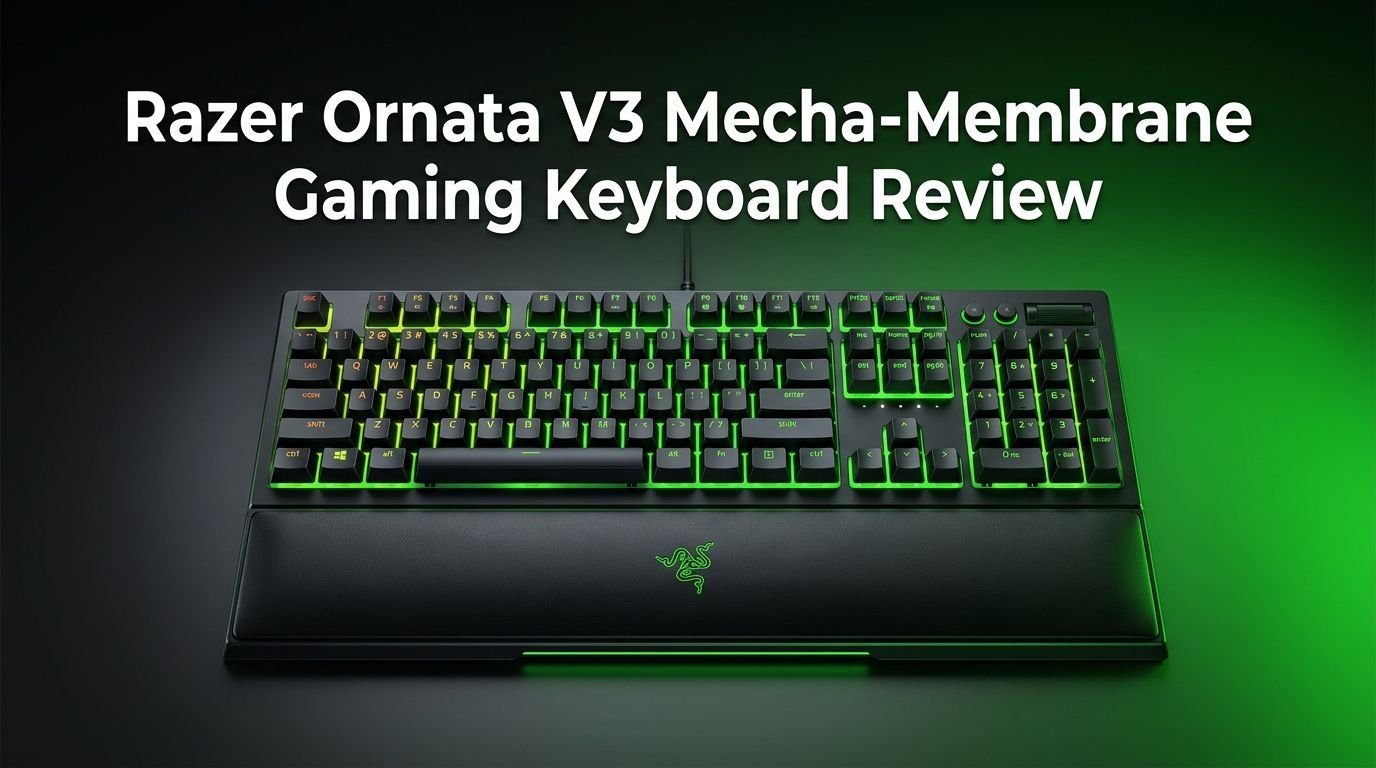
Razer Ornata V3 Mecha-Membrane Gaming Keyboard Review 2026
If you love the clicky feel of a mechanical keyboard but also enjoy the soft cushion of a membrane board, the Razer Ornata V3 might be your perfect match.
This keyboard sits in a unique spot in the market. It does not try to be a full mechanical keyboard. It does not settle for a basic membrane board either. Instead, it blends both technologies into one slim, RGB-lit package.
Razer calls this blend “mecha-membrane.” The idea is simple. You get the tactile click of a mechanical switch with the soft landing of a rubber dome.
Key Takeaways:
- The mecha-membrane switch offers a unique feel. It combines the clicky feedback of a mechanical switch with the soft cushion of a membrane. This gives you satisfying keystrokes without the harshness of pure mechanical boards.
- Low-profile keys reduce hand and wrist strain. The keycaps sit lower than standard keyboards. This promotes a more natural hand position for long gaming or typing sessions.
- UV-coated keycaps add durability. The protective coating fights fading and scratches. Your keycap legends stay visible even after months of heavy use.
- Razer Chroma RGB with 10 lighting zones looks impressive. You can customize 16.8 million colors and sync lighting effects with hundreds of compatible games through Razer Synapse.
- The magnetic wrist rest is a welcome bonus. It snaps onto the keyboard base with magnets. The soft-touch surface gives your wrists solid support during extended sessions.
- Snap Tap support boosts competitive gaming input. This feature lets you prioritize the latest directional input between two keys. It gives faster directional changes in games like CS2 or Valorant.

Razer Ornata V3 Mecha-Membrane Gaming Keyboard Overview
The Razer Ornata V3 is a full-size wired gaming keyboard built around Razer’s proprietary mecha-membrane switch technology. It launched as the third generation in the Ornata lineup. The keyboard targets gamers and everyday users who want something different from the standard mechanical or membrane options.
The full-size layout includes a number pad, arrow keys, and a row of function keys. The top right corner holds four dedicated, backlit media keys. These let you control playback and volume without reaching for your mouse. The overall form factor is slim, measuring just 27.05mm in height and 4.40mm keycap thickness.
Razer built the body from ABS plastic. The finish is matte black. It resists fingerprints well and feels solid enough for daily use. The keyboard connects through a single USB cable. There is no wireless option here. This keeps the price lower and removes any input lag concerns.
The Ornata V3 also supports Razer Synapse 4 software. This gives you full control over key bindings, macros, lighting profiles, and the Snap Tap feature. The keyboard works with Windows 10 and Windows 11. Mac support is limited.
At a retail price around $69.99, the Ornata V3 sits in the mid-range category. It costs less than most mechanical gaming keyboards from Razer. This makes it an attractive option for budget-conscious gamers who still want the Razer ecosystem.
Unboxing and First Impressions
Opening the Razer Ornata V3 box gives you a clean, well-organized package. Inside, you find the keyboard itself, the magnetic wrist rest, a quick start guide, and Razer stickers. The packaging uses recycled materials, which is a nice touch.
The keyboard feels lighter than expected. It weighs about 950 grams without the wrist rest. This makes it easy to move around your desk or pack for a LAN event. However, the lighter weight does mean it can slide a bit during intense gaming. The rubber feet on the bottom help, but they could be grippier.
The matte black finish looks sleek. It does not attract fingerprints like glossy surfaces do. Running your fingers across the keycaps, you notice the smooth UV coating right away. The keycaps feel premium to the touch.
Attaching the wrist rest takes less than a second. The magnets snap it into place with a satisfying click. The fit is tight and does not wobble. First-time users will appreciate how easy the setup is. You plug in the USB cable, download Razer Synapse 4, and the keyboard is ready.
The RGB lighting fires up immediately with a default wave effect. Even before any software customization, the keyboard looks vibrant. The low-profile design stands out on a desk. It sits much flatter than traditional keyboards, and this difference is visible right away.
Mecha-Membrane Switch Performance
The heart of the Ornata V3 is its Razer Mecha-Membrane switch. This hybrid switch uses a mechanical click mechanism placed on top of a rubber dome base. Each keypress produces a distinct click sound followed by a soft cushioned landing.
The actuation force sits at a comfortable level. It does not require heavy pressing. This makes rapid key presses during gaming sessions feel effortless. The actuation point is consistent across all keys, which helps with accuracy.
Typing on the mecha-membrane switch feels different from both pure mechanical and pure membrane keyboards. The click gives you clear tactile feedback. You always know a keypress has registered. The rubber dome base then absorbs the impact. This reduces finger fatigue over long sessions.
For gaming, the switch performs well. Fast-paced games like first-person shooters and MOBAs benefit from the crisp actuation. The keys reset quickly, so double-tapping is reliable. However, hardcore mechanical keyboard fans may find the switch too soft at the bottom. The cushioned landing removes the hard “bottoming out” feel that some gamers prefer.
For typing and office work, the mecha-membrane switch shines. The clicky feedback is satisfying without being too loud. Coworkers or family members in the same room will hear the clicks, but they are not as sharp as Cherry MX Blue switches. The overall noise level is moderate, sitting between a silent membrane board and a loud mechanical one.
Top 3 Alternatives for Razer Ornata V3
1. Corsair K55 RGB PRO

2. SteelSeries Apex 3

3. Logitech G213 Prodigy

Low-Profile Keycap Design and Comfort
The Razer Ornata V3 uses low-profile keycaps that sit much closer to the keyboard base than standard keys. The keycap height measures just 4.40mm. The total keyboard height with keycaps is 27.05mm. This slim profile changes the typing angle significantly.
Your fingers rest in a more natural, flatter position. This reduces the upward bend of your wrists. Over time, this lower angle can decrease strain on your wrists and forearms. Gamers who play for several hours a day will feel the difference.
The keycaps themselves have a slightly concave surface. This subtle dip helps your fingertips sit comfortably on each key. The UV coating adds a smooth feel without making the keys slippery. Your fingers glide between keys during fast typing or gaming sequences.
The low-profile design also means shorter key travel. Each key moves a smaller distance before hitting the actuation point. This results in faster key presses and quicker reset times. Speed-focused gamers will appreciate this.
One small drawback is the adjustment period. If you come from a full-height keyboard, the flat layout can feel strange for the first few days. Your muscle memory needs to adjust to the shallower key travel. After a week of use, most users adapt and begin to enjoy the lower profile.
The keyboard offers two incline settings through flip-out feet on the bottom. You can use it flat or with a slight tilt. Both positions feel comfortable thanks to the already low profile.
UV-Coated Keycaps: Durability That Lasts
Razer added a UV coating to every keycap on the Ornata V3. This protective layer serves two main purposes. First, it protects the printed legends from fading. Second, it guards the keycap surface against scratches and wear.
Standard ABS keycaps tend to develop a shiny, worn look after months of use. The legends can start to fade, making certain keys hard to read in low light. The UV coating on the Ornata V3 slows this process down significantly.
After extended use, the keycaps still look clean and the legends remain readable. The coating holds up well against oils from your fingers. This is a common issue with cheaper keyboards where keys become slick and shiny within weeks.
The UV coating also adds a subtle matte texture to each keycap. This texture gives your fingers a better grip compared to standard glossy ABS caps. The keys do not feel sticky or rough. They strike a good balance between smooth and grippy.
However, the UV coating is not a permanent solution. Heavy daily use over a year or more will still show some wear. But compared to keyboards without any protective coating, the Ornata V3 keycaps last much longer before showing visible signs of use.
Razer does not sell replacement keycaps for the Ornata V3 separately. This means you cannot swap them out easily. The mecha-membrane switch design uses a different keycap mount than standard mechanical switches. Keep this in mind if you like customizing your keyboard appearance.
Razer Chroma RGB Lighting
The Ornata V3 features 10 Razer Chroma RGB lighting zones. Each zone covers a section of the keyboard and can display any color from a palette of 16.8 million options. The lighting is bright, vivid, and visible in both dark and well-lit rooms.
Four built-in lighting effects come loaded on the keyboard: Breathing, Spectrum Cycling, Static, and Wave. These work out of the box without any software. For deeper customization, Razer Synapse 4 opens up many more options.
Through Synapse, you can create custom color profiles, layer multiple effects, and set reactive lighting that responds to your key presses. The software also connects your lighting to hundreds of Chroma-integrated games. In supported titles, the keyboard lighting reacts to in-game events like health drops, ability cooldowns, and environmental changes.
The 10-zone system does have a limit. Unlike per-key RGB keyboards, you cannot assign a unique color to each individual key. Instead, groups of keys share the same color within each zone. This is a trade-off for the lower price point. Most users will find 10 zones more than enough for eye-catching setups.
The RGB LEDs shine through the keycap legends clearly. The low-profile keycaps let light spill around the edges, creating a pleasant glow effect. In a dark room, the Ornata V3 looks stunning.
Power users who want advanced lighting profiles and cross-device sync will enjoy the Razer Chroma ecosystem. You can match your keyboard lighting with other Razer peripherals like mice, headsets, and mouse pads.
Magnetic Wrist Rest Experience
The included magnetic soft-touch wrist rest is one of the Ornata V3’s best features. Many keyboards at this price point either skip the wrist rest or include a cheap plastic one. Razer gives you a quality padded rest with magnetic attachment.
The wrist rest uses a leatherette surface that feels soft and cool to the touch. It does not absorb sweat easily. The padding underneath has enough give to cushion your wrists without being too squishy. The firmness level is well balanced.
Magnetic attachment works flawlessly. The wrist rest snaps to the keyboard base and holds firm. It does not slide or detach during use. If you need to remove it, a gentle pull separates it cleanly. This makes storage and transport easy.
The wrist rest spans the full width of the keyboard. It supports both wrists evenly during typing and gaming. The height matches the low-profile keyboard perfectly. There is no awkward step between the wrist rest surface and the keycap level.
Using the keyboard without the wrist rest is fine for short sessions. But for gaming marathons or long work days, the wrist rest makes a noticeable difference. Your wrists stay supported and relaxed. This can help reduce discomfort and the risk of repetitive strain.
The only downside is cleaning. The leatherette surface can collect dust and oils over time. A damp cloth wipes it clean, but you need to do this regularly to keep it looking fresh.
Razer Snap Tap Feature for Competitive Gaming
Razer Snap Tap is a software-based input feature available through Razer Synapse 4. It allows you to prioritize the latest directional input between two selected keys without releasing the first one. This gives faster direction changes in competitive games.
Here is how it works. In a game like CS2 or Valorant, you press “A” to move left. While still holding “A,” you press “D” to move right. Without Snap Tap, the game registers both keys and you stop moving. With Snap Tap enabled, the game registers only “D” because it was pressed last. Your character moves right instantly.
This feature gives a real advantage in strafing and counter-strafing. Pro players in tactical shooters rely on fast directional changes for peeking and dodging. Snap Tap automates part of this process, giving you quicker response times.
Setting up Snap Tap takes just a few clicks in Synapse 4. You select the key pairs you want to use. The most common pair is A and D for left-right movement. You can also set it for W and S if needed.
The feature is toggleable, so you can turn it on or off based on the game you play. Some games may not benefit from it. Others might have rules against input automation in competitive settings. Check your game’s policies before using Snap Tap in ranked modes.
This is a meaningful addition for competitive gamers. Casual users may not notice the difference. But if you play fast-paced shooters at a high level, Snap Tap can genuinely improve your movement mechanics.
Razer Synapse 4 Software Integration
The Ornata V3 pairs with Razer Synapse 4, Razer’s unified hardware configuration software. Synapse 4 handles key remapping, macro creation, lighting customization, and the Snap Tap feature. It runs on Windows 10 and Windows 11.
The software interface is clean and organized. Key rebinding is straightforward. You click a key on the virtual keyboard layout, then assign a new function, macro, or shortcut. Macro recording supports both timed and instant playback. You can set complex key sequences for productivity or in-game actions.
Lighting customization goes deeper in Synapse than on-board controls. You pick colors for each zone, layer effects, adjust brightness, and set speed controls for animated effects. Profiles can be saved to the cloud, so your settings follow you to any PC with Synapse installed.
The software also connects to the Razer Chroma Workshop and third-party integrations. Apps like Philips Hue, Nanoleaf, and Wallpaper Engine can sync with your Ornata V3 lighting. This lets you extend your RGB theme beyond the keyboard.
Synapse 4 does require an internet connection for initial setup and cloud syncing. After that, most features work offline. The software runs in the background and uses minimal system resources. Some users prefer keyboards with full on-board memory. The Ornata V3 has limited on-board storage for profiles, so Synapse is essential for the full experience.
Updates roll out regularly through the software. Razer adds new features and fixes bugs over time. The Snap Tap feature itself arrived as a software update, which shows that the Ornata V3 can gain new abilities post-purchase.
Gaming Performance and Response Time
The Razer Ornata V3 delivers solid gaming performance for its price bracket. The wired USB connection ensures zero wireless latency. Every keypress registers without delay. For competitive gaming, this reliability matters.
The polling rate sits at 1000Hz, which means the keyboard communicates with your PC 1,000 times per second. This is the standard for gaming keyboards and provides a 1ms response time. Most gamers will not need anything faster at this price level.
Anti-ghosting is supported across the keyboard. This allows multiple simultaneous key presses to register correctly. In fast-paced games where you press movement, ability, and modifier keys at the same time, each input goes through. The Ornata V3 handles complex key combinations without dropping inputs.
The low-profile keys and short actuation distance work well for rapid actions. Spamming keys in games feels responsive. The mecha-membrane switch resets fast enough for double-tapping techniques in shooters and fighting games.
In testing with games like Valorant, Fortnite, and League of Legends, the keyboard performed well. Key inputs felt instant and consistent. The clicky feedback helped confirm each keypress without looking at the screen. This audio and tactile confirmation can improve reaction times during gameplay.
The full-size layout gives you easy access to all keys. The number pad works well for MMO players who bind abilities to numpad keys. The dedicated media keys let you adjust volume between rounds without tabbing out of the game.
Spill Resistance and Build Quality
Razer built the Ornata V3 with spill-resistant construction. The keyboard can survive minor liquid spills. A knocked-over water glass or a coffee splash will not kill the keyboard if you clean it up quickly. This protection adds peace of mind for desk setups near drinks.
The main body uses ABS plastic. It feels solid and does not flex under normal typing pressure. The finish is matte and resists fingerprints. The overall build quality sits in the good range for a keyboard at this price. It does not feel premium like aluminum-frame keyboards, but it does not feel cheap either.
The underside features rubber feet and two-stage flip-out stands. The rubber feet keep the keyboard from sliding on smooth surfaces. The stands give you a flat or tilted typing position. The stands feel sturdy when deployed and do not collapse during use.
Cable management is basic. The USB cable exits from the center of the keyboard. There is no cable routing channel. The cable itself is a braided textile cable that resists tangling. It feels durable and should hold up well over years of use.
The keycaps are press-fit onto the mecha-membrane switches. They sit firmly and do not wobble. The stabilizers on larger keys like the spacebar, shift, and enter work well. There is minimal rattle on stabilized keys, which is impressive for this price range.
Overall, the Ornata V3 feels well-built for a sub-$70 keyboard. It will not match the build quality of a $150 aluminum mechanical board. But it holds its own against other keyboards in its category.
Who Should Buy the Razer Ornata V3?
The Razer Ornata V3 is ideal for several types of users. If you enjoy the tactile click of mechanical switches but find them too harsh on your fingers, the mecha-membrane switch offers a great middle ground. The soft cushion reduces impact fatigue during long sessions.
Budget-conscious gamers who want Razer quality without the mechanical keyboard price tag should consider this board. It costs about $30 to $50 less than most Razer mechanical keyboards. You still get Chroma RGB, Synapse 4 support, and Snap Tap.
Office workers who also game will appreciate the Ornata V3. The clicky feedback makes typing satisfying. The low-profile design keeps your hands comfortable through work hours. Then you can jump into a gaming session with the same keyboard.
Gamers who play competitive shooters and want the Snap Tap advantage will find value here. The feature gives real movement benefits in games like CS2 and Valorant. It is a rare feature in this price range.
This keyboard is not the best pick for mechanical purists who want hot-swappable switches, PBT keycaps, or full per-key RGB. It also falls short for users who need wireless connectivity. The wired-only design may not suit clean desk setups.
If you want a reliable, comfortable, and feature-rich gaming keyboard under $70, the Razer Ornata V3 earns a strong recommendation. It does what it promises and does it well. The mecha-membrane switch remains a unique offering that no other major brand replicates.
Final Verdict on the Razer Ornata V3
The Razer Ornata V3 stands as a smart pick in 2026 for gamers and typists on a budget. The mecha-membrane switch delivers a typing and gaming experience you cannot find elsewhere. The low-profile design keeps your hands comfortable. The UV-coated keycaps hold up against wear. The Chroma RGB lighting brings visual flair to your setup.
The Snap Tap feature adds competitive gaming value that goes beyond what most keyboards offer at this price. The magnetic wrist rest is a genuine comfort boost, not just a marketing extra. Razer Synapse 4 gives you deep customization options for lighting, macros, and key bindings.
On the downside, the all-plastic build does not feel as premium as metal-frame keyboards. The 10-zone RGB lighting lacks the per-key control of higher-end boards. You cannot easily swap keycaps due to the proprietary switch design. There is no wireless option.
But these trade-offs make sense at the $69.99 price point. You get a well-rounded keyboard that performs well in games, types comfortably, and looks great on a desk. The Razer Ornata V3 earns a solid 8 out of 10 for offering strong value in a crowded market.
Frequently Asked Questions
Is the Razer Ornata V3 a mechanical keyboard?
The Ornata V3 is not a traditional mechanical keyboard. It uses Razer’s mecha-membrane switches, which combine a mechanical click mechanism with a rubber dome base. This hybrid design gives you the tactile click of a mechanical switch with the soft landing of a membrane board.
Does the Razer Ornata V3 come with a wrist rest?
Yes. The Ornata V3 includes a magnetic soft-touch wrist rest in the box. It attaches to the keyboard base with magnets and provides comfortable support for your wrists during long sessions.
Can you use the Razer Ornata V3 on a Mac?
The keyboard connects via USB and can work on Mac for basic typing. However, Razer Synapse 4 is only available for Windows. This means you lose access to lighting customization, macros, and the Snap Tap feature on Mac.
What is Razer Snap Tap and does the Ornata V3 support it?
Snap Tap lets you prioritize the latest directional input between two keys without releasing the first key. The Ornata V3 supports Snap Tap through Razer Synapse 4. It is especially useful in competitive shooters for faster strafing and counter-strafing.
Is the Razer Ornata V3 good for typing and office work?
Yes. The low-profile keycaps and mecha-membrane switches make the Ornata V3 comfortable for extended typing. The clicky feedback helps with typing accuracy. The included wrist rest adds comfort for full workdays.
How loud is the Razer Ornata V3?
The keyboard produces a moderate click sound with each keypress. It is quieter than most mechanical keyboards with blue switches but louder than silent membrane boards. It works fine in shared spaces but is not completely silent.