PHILIPS Bluetooth Keyboard Review: Worth the Price Tag?
Are you tired of dealing with tangled wires on your desk? Do you want a keyboard that connects to multiple devices without breaking the bank? You’ve come to the right place.
Philips Bluetooth keyboards have become popular choices for professionals, students, and home users who need reliable wireless typing solutions.
This comprehensive review will help you understand everything about these keyboards, from their features to real performance insights.

Key Takeaways
- Multi-Device Connectivity: Philips Bluetooth keyboards connect to three devices simultaneously through Bluetooth 3.0, Bluetooth 5.0, and 2.4GHz wireless connection. You can switch between your computer, tablet, and phone instantly without re-pairing devices each time.
- Silent Typing Experience: These keyboards feature quiet keys that reduce typing noise significantly. This makes them perfect for shared workspaces, libraries, or late-night work sessions when you don’t want to disturb others around you.
- Extended Battery Life: Philips keyboards include intelligent power management that extends battery life for months. The automatic sleep mode activates when you’re not typing, conserving energy and reducing the frequency of battery replacements.
- Ergonomic Design Features: Many models come with detachable palm rests and optimized key spacing. These design elements reduce hand strain during long typing sessions and promote better posture while working at your desk.
- Universal Compatibility: Works seamlessly with Windows, macOS, iOS, Android, and Chrome OS. You don’t need different keyboards for different devices, making it a cost-effective solution for multi-platform users.

Understanding Philips Bluetooth Keyboard Technology
Philips Bluetooth keyboards use advanced wireless technology to deliver reliable connections. The keyboards support three connection methods.
You get Bluetooth 3.0 for older devices, Bluetooth 5.0 for newer gadgets, and 2.4GHz wireless with a USB dongle for computers without Bluetooth. This triple connectivity option makes these keyboards extremely versatile.
The working distance reaches about 10 meters for Bluetooth connections and 15 meters for 2.4GHz wireless. This gives you freedom to type from across the room.
You can control presentations from a distance or type while sitting comfortably away from your screen. The signal remains stable even with obstacles between the keyboard and your device.
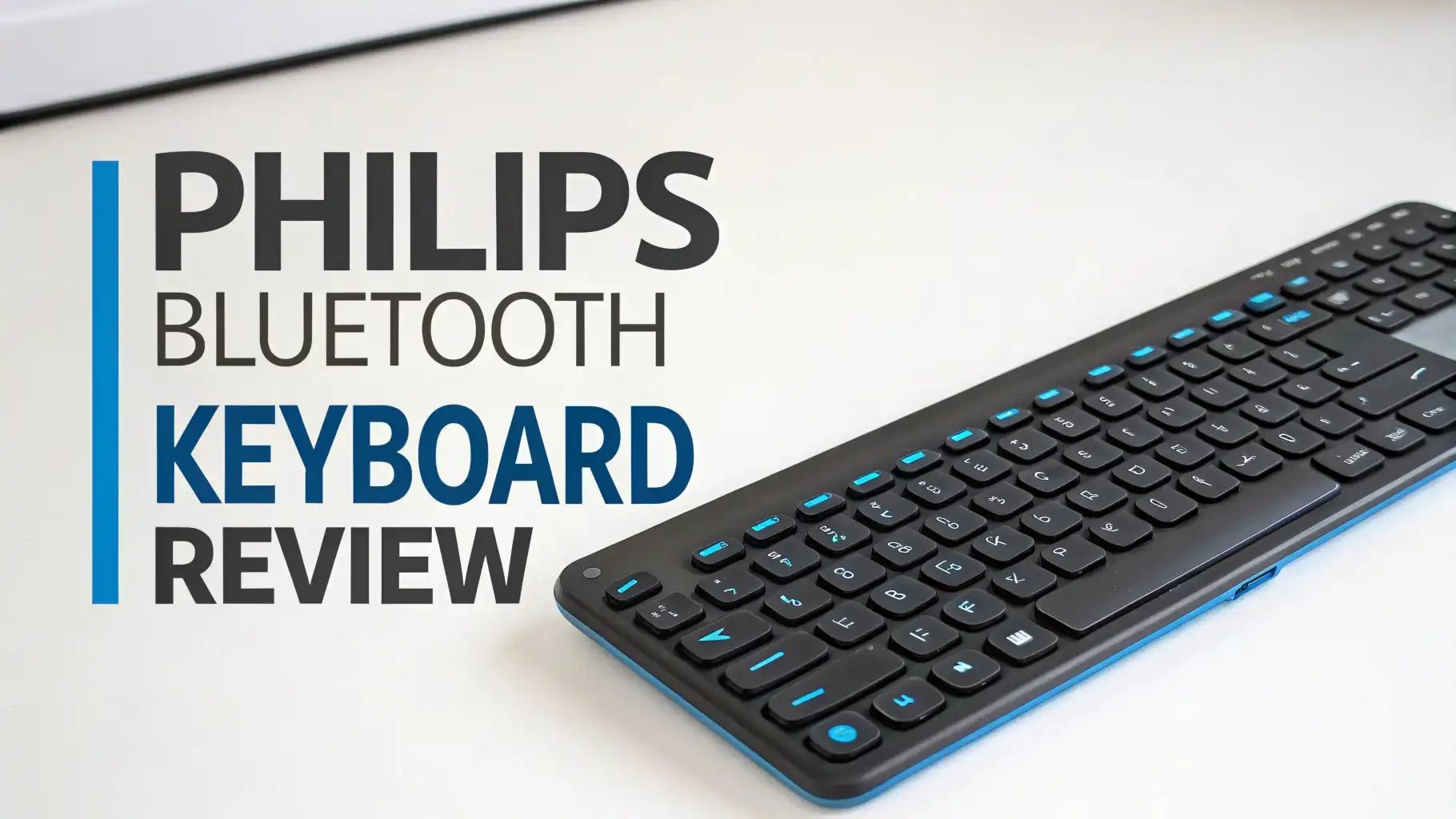
Philips keyboards feature full-sized layouts with number pads. This makes data entry faster for accountants, analysts, and anyone who works with numbers regularly. The keys use laser engraving that resists fading even after millions of keystrokes. Each key is built to last, giving you reliable performance for years.
Silent Key Technology for Distraction Free Work
Silent typing is one of the standout features of Philips Bluetooth keyboards. Traditional keyboards create clicking sounds that can annoy coworkers in open offices. Philips solved this problem with specialized key switches that absorb sound. The keys still provide satisfying tactile feedback but generate minimal noise.
The quiet operation benefits remote workers who attend video calls frequently. Your keyboard clicks won’t interrupt important meetings or webinars. People working in shared spaces like cafes, libraries, or coworking spaces also appreciate this feature. You can type without worrying about disturbing others nearby.
These keyboards achieve silence without sacrificing typing speed. The key travel distance remains optimal at 3.8mm, matching industry standards. Your fingers don’t need to adjust to shallow keys that slow down your typing. The comfortable key spacing prevents accidental presses while maintaining a natural typing rhythm.
Battery Life and Power Management Features
Philips keyboards excel in battery efficiency. Most models run for several months on a single set of batteries. The intelligent power management system automatically detects when you stop typing. After a period of inactivity, the keyboard enters sleep mode to conserve power.
You can wake the keyboard instantly by pressing any key. There’s no frustrating delay or reconnection process. The battery indicator light warns you when power runs low, giving you time to replace batteries before they die completely. Some newer models use rechargeable batteries that eliminate the need for disposable cells.
The 2.4GHz wireless mode consumes slightly more power than Bluetooth but offers stronger signal stability. You can choose the connection method based on your priorities. If you value longer battery life, use Bluetooth. If you need maximum reliability for gaming or fast-paced work, the 2.4GHz mode serves you better.
Top 3 Alternatives for Philips Bluetooth Keyboard


Ergonomic Design and Comfort During Extended Use
Ergonomics plays a crucial role in keyboard design. Philips keyboards feature detachable palm rests that support your wrists during long typing sessions. The palm rest reduces strain on your carpal tunnel and prevents wrist fatigue. You can remove it when you need a more compact setup for travel.
The keyboard height includes adjustable stands that change the typing angle. A proper angle reduces stress on your hands and forearms. The optimized key spacing follows natural finger movements, making touch typing more comfortable. Keys are positioned to minimize finger travel distance between common letter combinations.
These keyboards use eco-friendly materials that feel pleasant to touch. The surface doesn’t become sticky or uncomfortable even during hot weather. The keys have a matte finish that prevents finger slippage. Your hands maintain good grip even when typing quickly for extended periods.
Multi-Device Switching for Modern Workflows
Modern professionals use multiple devices throughout their workday. You might start an email on your computer, continue it on your tablet during lunch, and finish it on your phone during your commute. Philips keyboards make this workflow seamless with dedicated device switching buttons.
Press the device selection button to instantly switch between paired devices. The keyboard remembers up to three devices simultaneously. You don’t need to disconnect from one device before connecting to another. This feature saves time and reduces frustration when moving between your computer, tablet, and smartphone.
The universal compatibility extends across operating systems. The same keyboard works with Windows laptops, MacBooks, iPads, Android tablets, and Chromebooks.
The function keys automatically adapt to match your device’s operating system. Media controls, brightness adjustment, and volume buttons work correctly regardless of which device you’re using.
Wireless Range and Connection Stability
Connection stability matters more than you might think. A keyboard that disconnects randomly disrupts your work and causes typos. Philips keyboards maintain stable connections even in environments with multiple wireless devices. The 15-meter range for 2.4GHz connections gives you flexibility in positioning your devices.
The Bluetooth 5.0 version offers improved signal strength compared to older Bluetooth versions. You experience fewer dropouts and faster reconnection times. The keyboard automatically reconnects when you return to your desk after a break. You don’t need to press buttons or go through pairing menus again.
Interference from other devices rarely affects these keyboards. The 2.4GHz frequency avoids the crowded areas used by WiFi routers. Even if you have multiple wireless devices in a small office, the keyboard maintains its connection. The USB dongle for 2.4GHz mode uses advanced frequency hopping to find clear channels automatically.
Full-Size Layout with Number Pad Benefits
The full-size layout includes all standard keys plus a dedicated number pad. Data entry professionals appreciate this feature. Entering numbers using the top row keys slows down your work. The number pad allows you to input numerical data much faster using one hand.
Accountants, financial analysts, and anyone working with spreadsheets benefit from the number pad. The 104-key layout matches standard desktop keyboards. You don’t need to learn new key positions or adjust your typing habits. All keys are exactly where you expect them to be.
The keyboard includes multimedia shortcuts for common tasks. Dedicated buttons control music playback, volume adjustment, and screen brightness. You don’t need to press multiple key combinations to perform these actions. Single button presses make your workflow more efficient throughout the day.
Build Quality and Durability Expectations
Philips builds these keyboards to last for years. The keys withstand 10 million keystrokes, far exceeding typical usage patterns. Heavy typists who write thousands of words daily can expect several years of reliable service. The laser-engraved key legends resist fading even with intense use.
The keyboard chassis uses high-quality plastic that doesn’t flex or creak during typing. The stable base prevents the keyboard from sliding across your desk. Rubber feet on the bottom provide excellent grip on smooth surfaces. You can type vigorously without the keyboard moving around.
Spill resistance protects the keyboard from accidental liquid damage. Small spills won’t immediately destroy the electronics. You have time to flip the keyboard over and let it dry. This protection proves valuable in busy homes with children or coffee-loving office workers.
Setup Process and Pairing Instructions
Setting up your Philips Bluetooth keyboard takes less than five minutes. Insert the batteries or charge the keyboard if it’s a rechargeable model. Turn on the power switch located on the back or side. The LED indicator lights up to show the keyboard is ready.
For Bluetooth pairing, press and hold the Bluetooth button until the light flashes rapidly. Open Bluetooth settings on your device and look for the keyboard in the available devices list. Select it to complete pairing. Some models require entering a code that appears on your screen.
The 2.4GHz wireless mode requires even simpler setup. Plug the USB dongle into your computer. The keyboard connects automatically without any pairing process. This mode works perfectly for desktop computers where you don’t need to switch devices frequently. Keep the dongle plugged in for instant use whenever you sit down to work.
Price Value and Warranty Information
Philips Bluetooth keyboards offer excellent value for their price range. They typically cost between twenty-five and forty-five dollars, depending on the model and included features. This price point makes them affordable for students, home users, and businesses buying multiple units.
The warranty coverage varies by model and purchase location. Most keyboards include a one-year manufacturer’s warranty covering defects in materials and workmanship. Extended warranties may be available through retailers. Keep your purchase receipt to facilitate warranty claims if needed.
Compared to premium keyboard brands, Philips provides similar features at lower prices. You get multi-device connectivity, silent keys, and ergonomic design without paying premium prices. The cost savings add up when purchasing keyboards for multiple family members or employees.
Comparing Philips Models and Variants
Philips offers several keyboard models to match different user needs. The SPK6407 series focuses on basic wireless connectivity with 2.4GHz technology. These models work well for users who need simple, reliable keyboards without Bluetooth features. They’re typically the most affordable option in the Philips lineup.
The SPT6607 series adds Bluetooth connectivity and comes bundled with a wireless mouse. This combo provides complete wireless desktop setup in one package. The included mouse features adjustable DPI settings up to 3200, making it suitable for both office work and casual gaming.
Newer models include SPT6348 with enhanced ergonomic features and premium build quality. These keyboards feature improved key switches for better tactile response. They include longer battery life and more robust wireless connections. Choose based on your specific needs and budget constraints.
User Experience and Real-World Performance
Daily users report positive experiences with Philips Bluetooth keyboards. The quiet typing proves especially popular among remote workers and students in shared living spaces. People appreciate being able to work late without disturbing sleeping family members.
The multi-device switching receives high praise from users who own multiple Apple and Windows devices. Switching between a MacBook, iPad, and Windows desktop becomes effortless. This feature particularly benefits content creators who use different devices for different tasks throughout their workday.
Some users mention the keyboard feels slightly lighter than premium mechanical keyboards. This lighter weight makes it portable but might feel less substantial on your desk. The trade-off benefits travelers who pack the keyboard in their bags regularly. The lightweight design doesn’t compromise typing comfort or key stability.
Maintenance and Cleaning Tips
Maintaining your Philips keyboard keeps it working well for years. Turn off the keyboard before cleaning to prevent accidental key presses. Use compressed air to blow out dust and debris from between the keys. Hold the keyboard at an angle so particles fall out instead of going deeper inside.
Wipe the keyboard surface with a slightly damp microfiber cloth. Avoid using excessive water or harsh chemical cleaners. These can damage the key legends or seep into the electronics. For stubborn stains, use isopropyl alcohol on a cloth rather than spraying directly on the keyboard.
Replace batteries when the indicator light shows low power. Remove old batteries if you won’t use the keyboard for extended periods. This prevents battery leakage from damaging the internal components. For rechargeable models, fully charge the battery at least once every few months to maintain battery health.
What Makes Philips Keyboards Stand Out
Philips keyboards shine through their balanced feature set. They don’t try to be the cheapest option or the most feature-rich. Instead, they provide the right combination of functionality, comfort, and affordability. This balance appeals to practical buyers who want quality without overspending.
The reliable brand reputation behind Philips products gives buyers confidence. Philips has decades of experience in consumer electronics. Their understanding of user needs shows in thoughtful design details like the detachable palm rest and intelligent power management.
Customer support from Philips typically exceeds expectations for keyboards in this price range. Their support team helps with technical questions and warranty issues. The widespread availability of Philips products means you can easily find replacement parts or accessories when needed.
Is Philips Bluetooth Keyboard Right for You?
A Philips Bluetooth keyboard fits your needs if you want reliable wireless typing without complicated setup. Students working on multiple devices benefit from the multi-device connectivity. Remote workers appreciate the quiet keys during video calls. Home users enjoy the clean, wireless workspace these keyboards create.
Heavy typists who write thousands of words daily will find these keyboards comfortable for extended sessions. The full-size layout with number pad suits data entry work, accounting, and spreadsheet management. Travelers benefit from the lightweight design and long battery life.
However, gaming enthusiasts might prefer mechanical keyboards with faster response times and customizable RGB lighting. Professional programmers might want keyboards with programmable macro keys. If you need those specialized features, consider keyboards designed specifically for those purposes instead.
Frequently Asked Questions
How do I connect my Philips Bluetooth keyboard to multiple devices?
You can connect your Philips keyboard to three devices simultaneously. Press the mode switch button to cycle between Bluetooth 3.0, Bluetooth 5.0, and 2.4GHz wireless modes. For Bluetooth pairing, hold the Bluetooth button until the light flashes quickly, then select the keyboard from your device’s Bluetooth menu. The keyboard remembers all paired devices and switches between them instantly when you press the device selection button.
How long does the battery last on a Philips Bluetooth keyboard?
Battery life varies based on usage patterns and connection mode. Most Philips keyboards last several months on standard AA or AAA batteries with typical office use. The intelligent power management automatically puts the keyboard to sleep after inactivity, extending battery life significantly. Rechargeable models typically last weeks between charges. The Bluetooth mode consumes less power than 2.4GHz wireless mode, so choosing Bluetooth extends your battery life further.
Can I use a Philips Bluetooth keyboard with an iPad or Android tablet?
Yes, Philips Bluetooth keyboards work perfectly with iPads, Android tablets, and other mobile devices. The universal compatibility extends across iOS, iPadOS, Android, Chrome OS, Windows, and macOS. The function keys automatically adapt to your device’s operating system. You can use the same keyboard for your tablet during the day and your computer in the evening without any compatibility issues.
What is the difference between Bluetooth and 2.4GHz wireless connection?
Bluetooth connections work directly between your keyboard and device without requiring a USB dongle. This saves USB ports and works great with tablets and smartphones. The 2.4GHz wireless mode requires a USB dongle plugged into your computer but offers slightly faster response times and stronger signal stability over longer distances. Bluetooth consumes less battery power, while 2.4GHz provides more reliable performance in environments with lots of wireless interference.
Are Philips Bluetooth keyboards good for typing long documents?
Philips keyboards excel at long-form typing tasks. The full-size layout with proper key spacing reduces typing errors. Silent keys allow you to type for hours without creating disruptive noise. The ergonomic features like detachable palm rests and adjustable height reduce hand strain during extended sessions. The keys are designed to withstand 10 million keystrokes, ensuring consistent performance even after years of heavy use.
How do I clean my Philips Bluetooth keyboard safely?
Turn off your keyboard before cleaning. Use compressed air to remove dust and debris from between keys. Wipe the surface with a slightly damp microfiber cloth, avoiding excessive moisture. For stubborn stains, apply isopropyl alcohol to your cloth rather than spraying directly on the keyboard. Never submerge the keyboard in water. Clean the keyboard every few weeks to maintain optimal performance and appearance.
Does the Philips keyboard work while charging?
For rechargeable Philips keyboard models, yes, you can use the keyboard while it charges. Simply connect the USB charging cable to the keyboard and a power source. The keyboard continues functioning normally during charging. This feature ensures you never experience downtime. Standard battery-powered models don’t support charging, but you can replace batteries quickly and continue working immediately.
Can I use the keyboard without the palm rest?
Yes, the palm rest on many Philips keyboard models is completely detachable. You can remove it for a more compact setup or when traveling. Some users prefer typing without a palm rest, while others find it essential for comfort. The keyboard functions identically with or without the palm rest attached. Try both configurations to discover which feels more comfortable for your typing style.