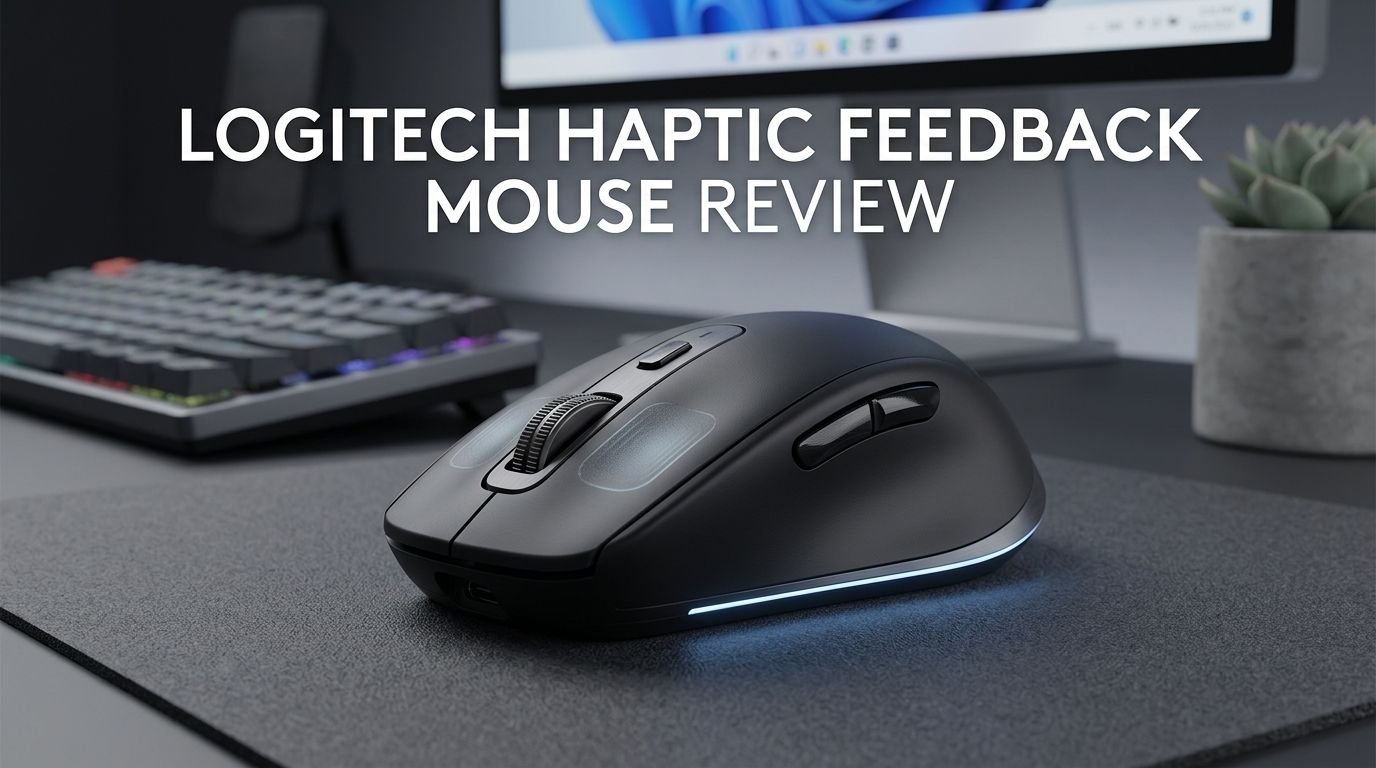
Logitech Haptic Feedback Mouse Review 2026: Worth It?
Your mouse clicks are about to feel completely different. Logitech has gone all in on haptic feedback technology in 2026.
The company released two standout mice this year: the Logitech G PRO X2 SUPERSTRIKE for gamers and the Logitech MX Master 4 for productivity users. Both ditch traditional mechanical switches for something far more advanced.
The PRO X2 SUPERSTRIKE uses a Haptic Inductive Trigger System (HITS) that replaces physical click mechanisms with electromagnetic induction. The MX Master 4 features a Haptic Sense Panel that gives you tactile cues on shortcuts and notifications.
Key Takeaways:
- The Logitech G PRO X2 SUPERSTRIKE costs $179.99 and delivers the fastest click response in any consumer mouse. Its HITS technology allows adjustable actuation with 10 levels of sensitivity, giving gamers a real competitive advantage in fast shooters.
- The Logitech MX Master 4 retails at $119.99 and uses haptic feedback for productivity. The Haptic Sense Panel sends tactile cues for shortcuts, notifications, and scrolling, making multitasking smoother and more intuitive.
- Battery life remains strong despite the haptic motors. The SUPERSTRIKE delivers about 90 hours of use (varies with haptic intensity), and the MX Master 4 lasts even longer with USB C quick charging on both.
- The haptic clicks do not feel identical to mechanical clicks. They feel close enough that most users adjust within a day or two. Several reviewers describe the sensation as “lighter and snappier” than traditional switches.
- Both mice use premium sensors. The SUPERSTRIKE features the HERO 2 sensor with up to 44,000 DPI and 888 IPS tracking speed. The MX Master 4 uses a Darkfield sensor for precise tracking on any surface.
- These mice are premium products with premium prices. Budget buyers should consider alternatives, but anyone who values cutting edge technology will find strong value here.

Logitech G PRO X2 SUPERSTRIKE: Full Overview
The Logitech G PRO X2 SUPERSTRIKE launched in February 2026 at $179.99. It builds on the popular PRO X2 Superlight 2 design. The shape, size, and weight feel familiar. The big change lives inside the main buttons.
Logitech replaced traditional mechanical switches with its Haptic Inductive Trigger System (HITS). This system uses electromagnetic induction to register clicks. There is no physical contact between switch components. The result is faster actuation, zero debounce delay, and a lifespan that far exceeds mechanical switches.
The mouse weighs just 61 grams. It connects via LIGHTSPEED wireless, Bluetooth, or USB C cable. The HERO 2 sensor tracks at up to 44,000 DPI with 888 IPS max speed and 88G acceleration. These are elite specs for competitive gaming.
Logitech’s G HUB software lets you customize actuation points across 10 levels. You can also enable rapid trigger functionality. This means the click resets as soon as you start lifting your finger. Competitive FPS players will find this feature extremely useful.
How Does Haptic Feedback Work in a Mouse?
Haptic feedback in a mouse replaces the physical “click” sensation with a vibration generated by a small motor. In the SUPERSTRIKE, this motor sits beneath each main button. The click registration happens through electromagnetic induction rather than a mechanical leaf spring.
The mouse detects your finger position using magnetic fields. As you press down, the inductive sensor measures how far the button has traveled. Once it passes the set actuation point, the click registers. The haptic motor then fires a short, sharp vibration that mimics the feel of a click.
This approach eliminates several problems. Mechanical switches wear out over time. They also have debounce delay, which is a brief pause the firmware adds to prevent double clicking. Inductive switches need no debounce, so the click registers faster.
The MX Master 4 uses haptic feedback differently. Its Haptic Sense Panel sits on the left side of the mouse. It delivers vibrations tied to specific software actions. You feel a pulse when you switch desktops, trigger a shortcut, or receive a notification. This creates a physical layer of communication between you and your computer.
Logitech MX Master 4: Productivity Meets Haptics

The Logitech MX Master 4 arrived in October 2025 at $119.99. It carries forward the legendary ergonomic shape of the MX Master series. The big addition is the Haptic Sense Panel on the thumb rest area.
This panel responds to your workflow. You can program it to deliver different vibration patterns for different actions. Switching between virtual desktops gives a soft tap. Copying text gives a double pulse. These subtle cues keep your hands on the mouse and your eyes on the screen.
The MX Master 4 also features ultra fast MagSpeed scrolling. The scroll wheel can fly through long documents at high speed. A single flick scrolls up to 1,000 lines per second. The wheel shifts between ratchet mode and free spin automatically based on scroll speed.
Connectivity is excellent. You get Bluetooth, Logi Bolt wireless, and USB C. The mouse pairs with up to three devices simultaneously. An Easy Switch button on the bottom lets you jump between a laptop, tablet, and desktop in seconds. USB C charging provides hours of use from just a one minute charge.
Top 3 Alternatives for Logitech Haptic Feedback Mouse
1. Razer DeathAdder V4 Pro

2. Razer Viper V3 Pro

3. SteelSeries Rival 3 Wireless Gen 2

SUPERSTRIKE HITS Technology: A Deep Dive
The Haptic Inductive Trigger System is the core innovation of the SUPERSTRIKE. Logitech developed this technology over several years. It debuted at the Logitech G Play 2025 event in September and shipped to consumers in February 2026.
HITS works by measuring magnetic field changes as you press a button. A small magnet sits inside the button assembly. An inductive sensor beneath it tracks the magnet’s position in real time. This gives the mouse an analog understanding of your finger movement.
Traditional switches are binary. They are either pressed or not pressed. HITS gives the SUPERSTRIKE a full range of input depth. You can set the actuation point at level 1 (extremely light touch) through level 10 (full depression). Level 1 registers a click with almost no physical travel.
The rapid trigger feature adds another layer. Once a click registers, the reset point is not fixed. The button resets as soon as your finger moves upward by a specified distance. This eliminates the need to fully release the button before clicking again. Gamers report click speeds that are 30 milliseconds faster than traditional switches.
Build Quality and Design
Both mice reflect Logitech’s premium build standards. The SUPERSTRIKE has a symmetrical, ambidextrous shape. It measures 125 mm x 63.5 mm x 40 mm. The shell uses a smooth matte finish that resists fingerprints and provides a dry grip even during intense sessions.
The mouse feet are 100% PTFE and cover a large area on the base. They glide well on most mouse pads. Some early reviewers noted the feet felt slightly scratchy out of the box, but they smooth out after a few days of use.
The MX Master 4 uses a sculpted, right handed ergonomic shape. It fills your palm comfortably. The thumb rest has a soft touch coating. The overall build feels solid and premium without being heavy. Logitech used recycled materials in the shell construction, which is a welcome environmental touch.
Both mice charge via USB C. Neither uses replaceable batteries. The SUPERSTRIKE cable is a lightweight paracord style. The MX Master 4 cable is standard rubber coated. Both charge quickly and can be used while charging.
Gaming Performance: SUPERSTRIKE in Action
The SUPERSTRIKE delivers outstanding gaming performance. The HERO 2 sensor tracks flawlessly at every DPI setting. There is zero spin out, zero acceleration, and no smoothing at default settings. The sensor handles fast flicks, slow tracking, and sudden direction changes without any issues.
Click latency is the star of the show. The HITS technology removes debounce delay entirely. In competitive shooters like Counter Strike 2 and Valorant, the difference is noticeable. Rapid fire tapping feels faster and more responsive than any mechanical switch mouse we have tested.
The adjustable actuation is a game changer for certain play styles. Setting the actuation to level 1 or 2 creates an extremely hair trigger response. Some players find this too sensitive at first. It takes practice to avoid accidental clicks. But once you dial in your preferred setting, the speed advantage is real.
Polling rate reaches 2,000 Hz via LIGHTSPEED for smooth cursor movement. The mouse supports 4K and 8K polling with compatible setups. Battery life sits at roughly 90 hours with haptic feedback enabled. Reducing haptic intensity extends battery life further.
Productivity Performance: MX Master 4 in Action
The MX Master 4 excels as a daily productivity mouse. The ergonomic shape reduces wrist strain during long work sessions. The thumb wheel handles horizontal scrolling in spreadsheets and timelines. The gesture button lets you trigger custom actions with thumb swipes.
The Haptic Sense Panel adds a new dimension to productivity. In Adobe Creative Suite, you can program it to vibrate when snapping to guides. In video editing software, you feel a pulse at each cut point on the timeline. These small physical cues reduce the need to stare at the screen for visual confirmation.
Logitech Options+ software manages all customization. You can create app specific profiles. The mouse automatically switches button mappings and haptic settings based on the active application. This feature works seamlessly across macOS and Windows.
Flow, Logitech’s cross computer feature, also works perfectly. You can move your cursor from one computer to another by pushing it off the edge of the screen. Files drag and drop between machines. The MX Master 4 handles this with zero lag and rock solid connection stability.
Haptic Feedback: Pros and Cons
Pros of haptic clicking are clear. Speed improves because there is no debounce delay. Switch longevity increases because there are no physical contacts to wear out. Customization opens up because actuation points are software defined rather than hardware fixed.
The tactile sensation is also programmable. You can adjust the haptic intensity to feel stronger or softer. Some users prefer a pronounced click feel. Others want the lightest possible touch. The SUPERSTRIKE accommodates both preferences through G HUB settings.
The main con is the unfamiliar feel. Haptic clicks do not replicate the exact sensation of a mechanical switch. Multiple reviewers describe the feeling as a “simulated” or “artificial” click. It is close but not identical. Most users adapt within one to three days.
Another concern is battery drain. The haptic motor consumes extra power. The SUPERSTRIKE’s 90 hour battery life is slightly lower than the Superlight 2’s 95 hours. This trade off is minimal, but worth noting for users who dislike frequent charging.
Sound is different too. Haptic clicks produce a softer, more muted sound. If you enjoy the crisp, loud click of mechanical switches, you may miss that auditory feedback. However, the quieter click is a major advantage in shared workspaces and late night gaming sessions.
Software and Customization Options
The Logitech G HUB software controls the SUPERSTRIKE. You can adjust actuation points, haptic intensity, DPI stages, button mapping, polling rate, and lighting (though the SUPERSTRIKE has no RGB). Profiles save to onboard memory for tournament use.
Actuation customization gives you 10 levels per button. You can set the left and right buttons to different actuation points. This is useful if you want a lighter click for shooting and a heavier click for aiming down sights. Rapid trigger distance is also adjustable.
The Logitech Options+ software handles the MX Master 4. It offers app aware profiles, gesture customization, Flow setup, and haptic feedback configuration. The interface is clean and intuitive. You can assign specific haptic patterns to different actions within each application.
Both software platforms receive regular updates. Logitech has improved G HUB significantly over the past year. It runs lighter, crashes less, and supports more granular settings. Options+ has always been one of the better mouse software packages available.
Price and Value: Is It Worth the Money?
The SUPERSTRIKE at $179.99 sits at the top end of the gaming mouse market. This is not a budget option. You are paying for brand new technology that no other manufacturer offers yet. For serious competitive gamers, the investment makes sense.
The MX Master 4 at $119.99 is more reasonably priced. It competes with other premium productivity mice. The haptic feedback adds genuine value for power users. If you spend eight or more hours a day at a computer, the comfort and efficiency gains justify the price.
Value depends on how much you prioritize click speed and customization. If you play competitive FPS games at a high level, the SUPERSTRIKE gives you a measurable edge. If you use your mouse for casual gaming and general browsing, a $60 to $80 mouse will serve you fine.
Compared to alternatives, the Razer DeathAdder V4 Pro offers a similar weight and sensor quality for slightly less. But it uses traditional optical switches. The haptic technology is exclusive to Logitech right now, and that exclusivity comes at a premium.
Battery Life and Charging
The SUPERSTRIKE delivers approximately 90 hours of battery life on a full charge. This number varies based on haptic intensity. Lower haptic settings extend the battery. Higher settings drain it faster. At maximum intensity, expect closer to 70 to 75 hours.
USB C charging is fast. A 15 minute charge provides enough power for several hours of use. The included cable is lightweight and flexible, so gaming while charging does not feel restrictive. The charging port sits at the front of the mouse.
The MX Master 4 offers even longer battery life. Logitech rates it at up to 70 days on a full charge under typical productivity use. The Haptic Sense Panel uses minimal power because it activates only during specific programmed events. A one minute USB C charge gives you three hours of use.
Both mice display battery status in their respective software. The SUPERSTRIKE also shows a low battery warning through subtle haptic pulses. This is a clever use of the haptic system itself. You feel the battery warning rather than seeing it on screen.
Who Should Buy the Logitech Haptic Feedback Mouse?
The SUPERSTRIKE is ideal for competitive gamers. If you play ranked matches in shooters, battle royale games, or MOBAs, the faster click response gives you an advantage. Esports professionals and aspiring competitive players will benefit most.
It also suits tech enthusiasts who want the latest innovation. The HITS technology is genuinely new. Owning and using it puts you ahead of the curve. If you enjoy being an early adopter, this mouse delivers that experience.
The MX Master 4 targets professionals who work with creative software, spreadsheets, or multiple computers. Designers, video editors, data analysts, and developers will appreciate the haptic cues and customization options. The ergonomic design also helps anyone dealing with wrist or hand fatigue.
Who should skip these mice? Budget buyers should look elsewhere. Casual users who do not need advanced features will not get their money’s worth. Gamers who prefer heavier mice with more buttons should consider the Logitech G502 X instead.
Logitech Haptic Feedback Mouse vs. Traditional Mouse
The biggest difference is click feel and speed. A traditional mouse uses a physical switch that bends a metal leaf to make contact. This creates a tactile bump and an audible click. A haptic mouse uses induction and vibration. The feel is similar but not identical.
Speed goes to the haptic mouse every time. No debounce delay means clicks register faster. Rapid trigger functionality means reset is faster. For any task that requires fast, repeated clicking, the haptic mouse wins.
Durability also favors haptic technology. Mechanical switches degrade over millions of clicks. The contacts oxidize. The spring tension changes. Inductive switches have no physical contacts. They should theoretically last much longer before any degradation occurs.
Traditional mice have one advantage: familiarity. Everyone knows how a mechanical click feels. There is no learning curve. Haptic mice require a brief adjustment period. Some users report accidental clicks during the first day or two as they learn the new sensitivity.
Final Verdict: Our Rating
The Logitech G PRO X2 SUPERSTRIKE earns a 9 out of 10 from us. It introduces a genuine innovation with the HITS technology. Click speed is unmatched. Build quality is excellent. Battery life is solid. The only drawback is the premium price and the brief adjustment period for new users.
The Logitech MX Master 4 earns an 8.5 out of 10. It is the best productivity mouse available today. The haptic feedback adds practical value rather than just novelty. Ergonomics, connectivity, and software support are all top tier.
Logitech has set a new standard with haptic feedback technology. Other manufacturers will follow. But for now, these two mice stand alone as the best haptic mice you can buy in 2026. If your budget allows it, either mouse is a worthwhile upgrade that will change how you interact with your computer.
Frequently Asked Questions
Does the Logitech SUPERSTRIKE haptic feedback feel like a real click?
It feels close but not identical to a mechanical click. The haptic motor produces a sharp vibration that mimics the tactile bump of a switch. Most users adjust within one to three days. The sensation is lighter and snappier than a traditional click.
Can you turn off haptic feedback on the SUPERSTRIKE?
Yes. You can adjust the haptic intensity through Logitech G HUB software. You can reduce it to the lowest setting for a very subtle feel. However, you cannot fully disable it while keeping the click functional, since the haptic motor provides the tactile response.
Is the Logitech MX Master 4 good for gaming?
The MX Master 4 handles casual gaming fine. However, it is not built for competitive play. Its sensor and polling rate are optimized for productivity. The SUPERSTRIKE is the right choice if gaming performance is your priority.
How long does the battery last with haptic feedback on maximum?
The SUPERSTRIKE lasts about 70 to 75 hours at maximum haptic intensity. At default settings, expect around 90 hours. The MX Master 4 lasts up to 70 days under normal productivity use because its haptic panel activates only during specific events.
Is the Logitech SUPERSTRIKE worth $179.99?
It depends on your use case. Competitive gamers will see real performance benefits from faster clicks and rapid trigger functionality. Casual users may not notice enough difference to justify the price. The technology is genuinely new and offers features no other mouse currently matches.
Can you use the SUPERSTRIKE for work and not just gaming?
Absolutely. The SUPERSTRIKE works well for any task. Its lightweight design, precise sensor, and customizable buttons suit office work, creative tasks, and browsing. The haptic clicks are quieter than mechanical switches, which is a bonus in shared office spaces.