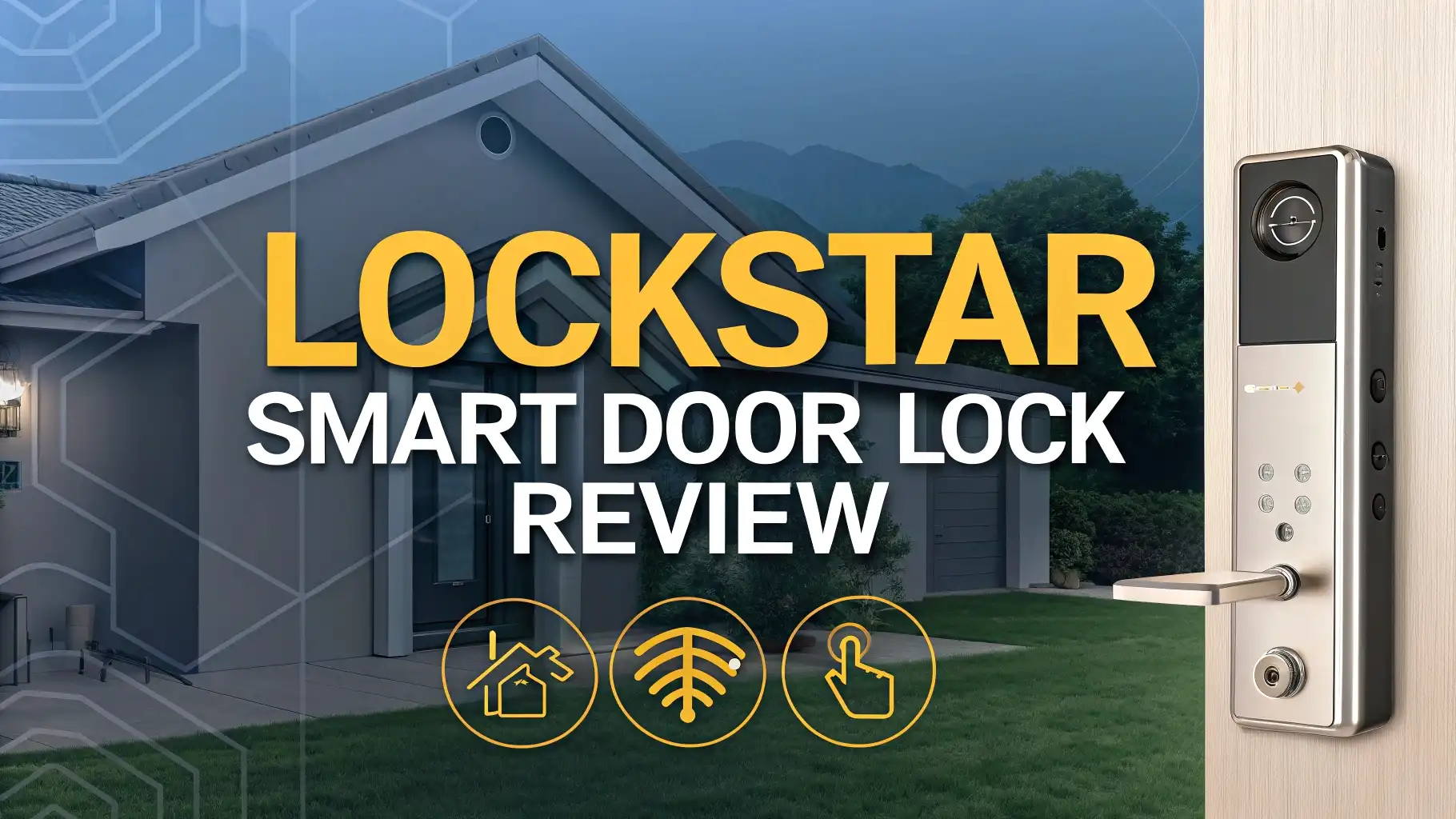
Lockstar Smart Door Lock Review: Complete Guide 2026
Your home security starts right at your front door. Traditional keys are becoming a thing of the past. Smart door locks are now changing how we protect our homes.
The Lockstar Smart Door Lock stands out as one of the most popular options on Amazon today.
This lock offers multiple entry methods including app control, fingerprint scanning, keypad codes, card FOB, and traditional keys. You get all these features at an affordable price point of just $139.97.
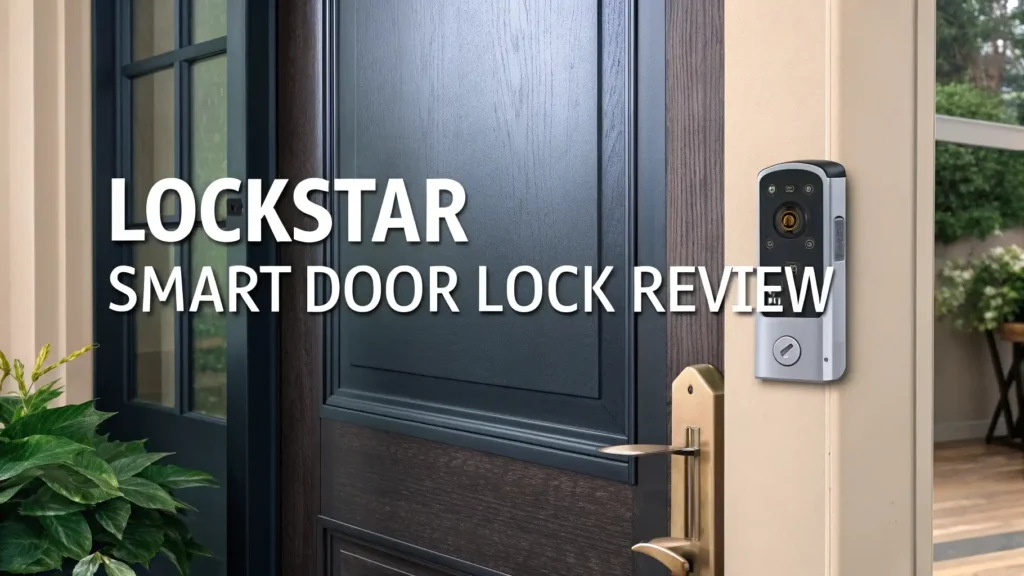
Key Takeaways:
- Multiple Access Methods Give You Freedom The Lockstar lock provides six different ways to unlock your door. You can use your smartphone app, fingerprint sensor, numeric keypad, RFID card, FOB, or traditional key. This flexibility ensures you never get locked out.
- Easy Installation Saves Time and Money The lock fits standard doors without professional help. You only need a screwdriver. The complete kit includes everything necessary. Most users complete installation within 20 to 30 minutes.
- Smart Home Integration Works Seamlessly The lock connects with Alexa and Google Home Assistant. You can control your door lock through voice commands. Integration with smart home ecosystems makes your life easier.
- Long Battery Life Reduces Maintenance The lock runs on 8 AA batteries that last approximately 8 to 12 months. Low battery warnings alert you weeks in advance. You can still use the traditional key if batteries die.
- Real Time Notifications Keep You Informed The smartphone app sends instant alerts whenever someone unlocks your door. You can track entry and exit times. This feature provides peace of mind when you’re away from home.
- Affordable Price Point Beats Competition At $139.97, the Lockstar offers premium features found in locks costing $200 or more. The value proposition makes it an excellent choice for budget conscious homeowners.

What Makes the Lockstar Smart Door Lock Special
The Lockstar Smart Door Lock combines cutting edge technology with practical home security. This lock removes the hassle of carrying keys. You gain complete control over who accesses your home and when.
The lock features a sleek modern design that complements any door style. The matte black or silver finish looks professional. The touch sensitive keypad responds quickly to your input. The fingerprint sensor recognizes your print in less than one second.
Build quality exceeds expectations for this price range. The lock housing uses durable zinc alloy construction. Weather resistant seals protect internal components from rain and moisture. The deadbolt extends a full inch for maximum security.
The smartphone app provides intuitive controls. You can create temporary access codes for guests or service providers. Set specific time windows when codes work. Delete codes remotely when no longer needed. The app works on both iOS and Android devices.
Installation simplicity stands out as a major advantage. The lock fits standard door preparations. You don’t need to drill new holes. The package includes detailed instructions with clear diagrams. Video tutorials are available online if you need extra guidance.
Battery management deserves special mention. The lock uses readily available AA batteries. You won’t need to order special battery types. The low battery warning gives you plenty of time to replace batteries. An emergency power port allows external battery connection if batteries die unexpectedly.
Six Different Ways to Access Your Door
The Lockstar lock truly shines with its versatile access methods. Each method serves different situations and preferences. This flexibility ensures you always have a backup option.
Smartphone App Control gives you the most advanced features. Unlock your door from anywhere with internet connection. Grant remote access to family members or trusted friends. Monitor all lock activity through detailed logs. The app connects via WiFi and Bluetooth for reliable communication.
Fingerprint Recognition provides the fastest unlocking experience. The advanced sensor stores up to 100 different fingerprints. Registration takes about 30 seconds per finger. The system recognizes fingerprints even when your hands are slightly wet or dirty. False rejection rates remain extremely low at less than 1%.
Keypad Entry works perfectly when you don’t have your phone. Create codes between 4 to 12 digits long. The lock stores up to 50 unique access codes. Each family member can have their own code. You can track who used which code and when. The touch sensitive buttons light up in darkness for easy nighttime use.
Top 3 Alternatives for Lockstar Smart Door Lock


Installation Process Made Simple
Installing the Lockstar Smart Door Lock requires no special skills. You can complete the entire process yourself. The lock works with standard door preparations used by traditional deadbolts.
Tools You Need include only a Phillips head screwdriver. A tape measure helps verify alignment. The package includes all mounting hardware. You receive screws, strike plates, and alignment templates.
Step One involves removing your old deadbolt. Unscrew the interior and exterior plates. Pull out the deadbolt mechanism. Clean the door surface where the new lock will mount. Check that the door hole measures 2 1/8 inches in diameter.
Step Two covers installing the deadbolt. Insert the deadbolt through the door edge. Secure it with the provided screws. Ensure the bolt extends and retracts smoothly. The bolt should move without friction or binding.
Step Three involves mounting the exterior assembly. Thread the cable through the door. Position the keypad and fingerprint scanner on the outside. Align the mounting holes carefully. The exterior plate must sit flush against the door.
Security Features That Protect Your Home
Security stands as the primary reason for choosing a smart lock. The Lockstar delivers multiple layers of protection beyond traditional locks.
Anti Peep Technology prevents shoulder surfing. You can enter random numbers before and after your real code. The lock ignores the fake digits. This feature stops people from learning your code by watching you enter it.
Auto Lock Function secures your door automatically. Set the lock to engage after 5, 10, or 30 seconds. You never worry about forgetting to lock the door. This feature reduces home break-in risks significantly.
Tamper Alerts notify you of forced entry attempts. The lock detects unusual vibrations or manipulation. Your smartphone receives instant warnings. The built in alarm sounds loudly to deter intruders.
Freeze Mode activates after multiple wrong attempts. The lock disables for 3 minutes after 5 incorrect codes. This prevents brute force attacks. The security measure protects against random code guessing.
Smartphone App Features and Controls
The Lockstar mobile app transforms your phone into a powerful control center. The interface design focuses on simplicity and functionality.
User Management allows creating profiles for family members. Assign different access permissions to each user. Some users can manage settings while others just unlock doors. You control exactly what each person can do.
Temporary Access Codes solve visitor challenges. Create one time codes for delivery drivers. Set time limited codes for house cleaners or pet sitters. Codes automatically expire after use or at scheduled times. You never need to change your main codes.
Access Logs provide detailed entry records. See who unlocked the door and when. Check if kids arrived home from school on time. Review access patterns to identify unusual activity. Logs store data for up to 90 days.
Remote Unlocking lets you open the door from anywhere. Grant access to early arriving guests. Let in service providers when you’re at work. This feature requires active internet connection on both your phone and the lock.
Battery Life and Power Management
Power efficiency matters greatly for smart locks. The Lockstar handles battery management exceptionally well.
Battery Duration typically ranges from 8 to 12 months. Actual life depends on usage frequency. Heavy use reduces battery life to around 6 months. Light use can extend batteries beyond one year.
Battery Type uses standard AA alkaline batteries. You need 8 batteries total. Purchase batteries anywhere. No special or expensive battery types required. High quality batteries like Duracell or Energizer provide best results.
Low Battery Warnings start when power drops to 20%. The keypad displays a battery icon. The app sends smartphone notifications. You hear audible beeps when using the lock. These warnings give you several weeks to replace batteries.
Fingerprint Scanner Performance and Accuracy
The fingerprint recognition system represents advanced biometric technology. The scanner delivers fast and reliable performance.
Sensor Quality uses optical fingerprint recognition. The sensor captures high resolution fingerprint images. It identifies unique ridge patterns and minutiae points. The technology works similarly to smartphone fingerprint sensors.
Recognition Speed averages less than one second. Touch your finger to the sensor. The lock recognizes your print almost instantly. The deadbolt retracts immediately. This speed matches or exceeds premium smart locks.
Fingerprint Storage accommodates up to 100 different prints. Register multiple fingers for each family member. Add fingerprints for trusted friends or relatives. Each print receives a unique identifier in the system.
Registration Process requires about 30 seconds per finger. Place your finger on the sensor multiple times. The system captures your print from different angles. This thorough registration ensures high accuracy during daily use.
WiFi Connectivity and Smart Home Integration
Modern homes need seamless smart device integration. The Lockstar excels in connecting with your existing smart home ecosystem.
WiFi Setup takes just a few minutes. The lock connects to your 2.4GHz WiFi network. Enter your network password through the app. The lock establishes connection automatically. 5GHz networks are not supported currently.
Alexa Integration enables voice control features. Say “Alexa, lock the front door” to secure your home. Ask “Alexa, is the front door locked?” to check status. The integration requires linking your Lockstar account with Alexa app.
Google Assistant Support provides similar voice capabilities. Use commands like “Hey Google, check the front door lock.” Lock or unlock using voice commands. Set up routines that include locking your door automatically.
Remote Access Requirements need stable internet on both ends. Your home WiFi must remain active. Your smartphone needs data or WiFi connection. Both conditions must be met for remote unlocking to work.
Keypad Function and Code Management
The illuminated keypad provides reliable numeric access. This traditional yet modern entry method never fails.
Keypad Design features large touch sensitive buttons. Numbers light up when touched. The backlight helps with nighttime entry. Button layout follows standard phone pad configuration.
Code Length Flexibility supports 4 to 12 digit codes. Longer codes provide better security. Shorter codes offer quicker entry. Choose the length that balances security and convenience for you.
Multiple Code Storage accommodates up to 50 unique codes. Assign codes to family members, house cleaners, or regular visitors. Each code can be identified and tracked separately. Delete unused codes easily through the app.
One Time Codes serve temporary visitors perfectly. Generate a code through the app. The code works only once. Great for one time deliveries or service calls. The code automatically deletes after use.
Pros and Cons Based on Real User Experience
Real world testing and customer feedback reveal important insights. Understanding both strengths and limitations helps make informed decisions.
Major Advantages include the impressive feature set at this price point. Users consistently praise the multiple access methods. The fingerprint scanner receives high marks for accuracy. Installation simplicity impresses even non technical users. Battery life exceeds expectations for most users.
The smartphone app functionality works reliably. Users appreciate the detailed access logs. Remote unlocking proves useful for family situations. The auto lock feature provides peace of mind. Voice control integration adds convenience to daily routines.
Build quality surpasses expectations for a mid range lock. The materials feel solid and durable. Weather resistance performs well in various climates. The lock operates smoothly in temperatures from 5°F to 140°F.
Comparing Lockstar to Other Popular Smart Locks
Understanding how Lockstar stacks up against competitors helps justify your purchase decision. The market offers many options at various price points.
Eufy Security Smart Lock C220 costs $99.99 with built in WiFi. This lock provides fingerprint and keypad access. The lower price point means fewer features. Eufy includes 8 month battery life and IP53 waterproofing. The Lockstar offers more access methods including card and FOB options.
Sifely Keyless Entry Lock sells for $79.99 as a budget option. This lock includes handle and deadbolt combination. Fingerprint and keypad access come standard. App control requires separate WiFi bridge. The lower price reflects fewer smart features and basic construction.
Philips Smart Lock with Handles retails at $129.99. This comprehensive system includes two level handles. Fingerprint, PIN, and app unlocking work reliably. The design suits replacement projects rather than simple deadbolt swaps. Installation takes longer due to handle components.
Yale Assure Lock 2 represents premium territory at $180+. Yale offers superior build quality and brand reputation. The lock includes advanced security features. Integration with smart home systems works flawlessly. The higher price brings modest feature improvements over Lockstar.
Who Should Buy the Lockstar Smart Door Lock
This lock serves specific user groups particularly well. Understanding your needs helps determine if Lockstar fits your situation.
First Time Smart Lock Buyers find Lockstar ideal. The multiple access methods let you explore different unlocking styles. The affordable price reduces risk if smart locks don’t suit your lifestyle. The easy installation builds confidence for future smart home projects.
Tech Savvy Homeowners appreciate the comprehensive app features. Remote access and detailed logging appeal to data driven users. Smart home integration expands automation possibilities. The WiFi connectivity enables advanced control scenarios.
Budget Conscious Families get exceptional value. The lock provides features found in much more expensive models. Multiple access methods accommodate different family member preferences. Temporary codes eliminate key cutting expenses for occasional visitors.
Maintenance Tips and Troubleshooting Common Issues
Proper maintenance extends lock life and ensures reliable operation. Simple care prevents most common problems.
Regular Cleaning keeps sensors functioning properly. Wipe the fingerprint scanner weekly with soft cloth. Clean the keypad to remove dirt and oils. Use mild soap solution for stubborn grime. Avoid harsh chemicals that might damage the finish.
Battery Monitoring prevents unexpected lockouts. Check battery level monthly through the app. Replace batteries when level drops below 30%. Use quality alkaline batteries for best performance. Keep spare batteries handy for quick replacement.
Lubrication maintains smooth mechanical operation. Apply lock lubricant to the deadbolt twice yearly. Use graphite or Teflon based products. Avoid oil based lubricants that attract dust. Proper lubrication prevents jamming and extends life.
Firmware Updates fix bugs and add features. Enable automatic updates in the app. Install updates promptly when notified. Updates improve security and performance. Keeping firmware current ensures optimal operation.
Frequently Asked Questions
How difficult is it to install the Lockstar Smart Door Lock by myself
Installation is quite straightforward for most people. You only need a Phillips head screwdriver. The lock fits standard door preparations used by traditional deadbolts. Detailed instructions come in the package. Video tutorials are available online. Most users complete installation in 20 to 30 minutes. The lock works with doors 1 3/8 to 2 inches thick.
Can the lock be hacked or is it secure from cyber attacks
The Lockstar uses military grade encryption for all communications. The connection between your phone and the lock remains protected. Hackers cannot easily intercept or decode the data. The lock includes anti tamper features that alert you to manipulation attempts. Regular firmware updates patch security vulnerabilities. The physical key backup works even if electronics fail. Overall security is strong for a residential smart lock.
What happens if my phone battery dies or I lose my smartphone
You have multiple backup access methods. Use the fingerprint scanner without your phone. Enter your access code on the keypad. Use your RFID card or FOB. The traditional key works as ultimate backup. Only remote unlocking and app features become unavailable without your phone. All local access methods continue functioning normally.
How many fingerprints and access codes can I store in the lock
The lock stores up to 100 different fingerprints. You can program up to 50 unique access codes. This capacity accommodates large families or multiple authorized users. Each fingerprint and code can be labeled in the app for easy identification. You can delete and add new fingerprints and codes anytime through the app or master code.
Does the lock work with Apple HomeKit or only Alexa and Google
Currently the Lockstar integrates with Alexa and Google Assistant. Apple HomeKit support is not available at this time. You can still use the lock with iPhones through the dedicated app. The app works equally well on iOS and Android devices. Voice control remains limited to Amazon and Google platforms for now.
What is the warranty coverage and customer support quality
The Lockstar comes with a one year manufacturer warranty. The warranty covers defects in materials and workmanship. Customer support is available through email and phone. Response times vary but typically range from 24 to 48 hours. Some users report slower support during peak periods. The warranty does not cover damage from improper installation or misuse.
Can I use rechargeable batteries instead of alkaline batteries
Yes, you can use rechargeable AA batteries. However, rechargeable batteries typically provide lower voltage. This may result in shorter battery life and earlier low battery warnings. Alkaline batteries deliver more consistent voltage throughout their life. Many users report better performance with quality alkaline batteries like Duracell or Energizer. If you choose rechargeable batteries, select high capacity NiMH batteries.
Will the lock work during power outages or internet disruptions
Yes, the lock operates independently during power and internet outages. The lock runs on batteries, not household electricity. All local access methods continue working. Fingerprint scanner, keypad, cards, and physical key function normally. Only remote features through the app become unavailable without internet. The lock remains fully functional for people physically at the door.