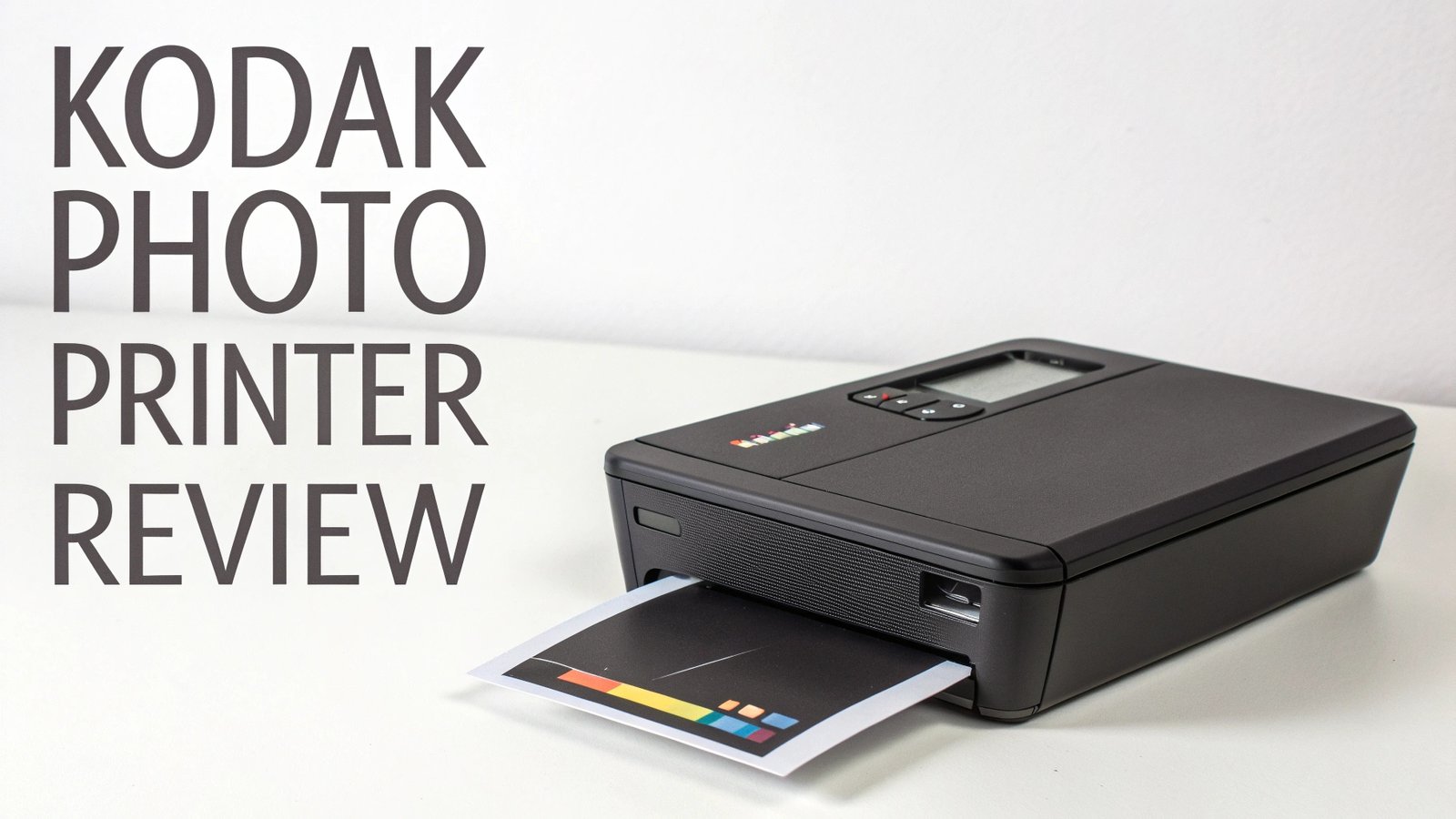
Kodak Photo Printer Review: Complete Guide In 2026
Photo printing has evolved tremendously over the years, and Kodak continues to lead the portable photo printer market with innovative designs and cutting-edge technology.
Whether you want to print memories from your smartphone instantly or create professional-quality photos on the go, Kodak photo printers offer exceptional value and convenience.
This comprehensive review examines the best Kodak photo printers available on Amazon, helping you make an informed decision based on your specific needs and budget.
Key Takeaways
- Kodak Mini 3 ERA stands out as the most advanced portable printer with 4PASS technology, offering 24-bit color depth and water-resistant prints perfect for modern photography needs
- Budget-conscious buyers will find excellent value in the Kodak Step series, which uses ZINK technology and provides affordable printing solutions starting under $80
- Print quality varies significantly between models, with 4PASS technology delivering superior color accuracy and longevity compared to ZINK-based alternatives
- Size compatibility matters when choosing your printer – models range from 2×3 inch prints to larger 4×6 formats, affecting both portability and print impact
- Connectivity options include Bluetooth, NFC, and direct USB connections, with newer models offering enhanced smartphone app integration for editing and customization
- Cost per print should be factored into your decision, as specialized cartridges and paper can vary significantly between different Kodak printer models

Kodak Mini 3 ERA 4PASS Portable Photo Printer
The Kodak Mini 3 ERA represents the pinnacle of portable photo printing technology. This compact device delivers exceptional print quality using advanced 4PASS dye sublimation technology, producing vibrant colors with 24-bit depth and supporting over 16.7 million color combinations.
Design and portability are standout features of the Mini 3 ERA. The printer measures just 3 inches in depth, 4 inches in width, and 3 inches in height, making it incredibly pocket-friendly for travel and daily use. The retro-inspired design pays homage to classic 35mm film aesthetics while incorporating modern functionality.
Print quality exceeds expectations for a portable device. The 4PASS technology creates four separate color layers, resulting in exceptional color accuracy and water-resistant prints that can withstand everyday handling. Each print measures 3×3 inches, perfect for social media sharing and scrapbooking applications.
Connectivity proves seamless with both iOS and Android devices through Bluetooth pairing. The companion app offers extensive editing features, including filters, borders, and text overlays. Setup takes less than two minutes, and the intuitive interface makes printing straightforward for users of all technical levels.
Kodak Step Instant Smartphone Photo Printer

The Kodak Step represents excellent value in the portable photo printer market. This device utilizes ZINK (Zero Ink) technology, eliminating the need for ink cartridges while still delivering colorful 2×3 inch prints with sticky backing for easy sharing and decoration.
Simplicity defines the Step’s appeal. The printer weighs less than one pound and connects instantly via Bluetooth or NFC technology. No complicated setup processes are required – simply pair your device and start printing immediately. The battery life extends up to 25 prints per charge, making it ideal for events and gatherings.
Print quality delivers satisfactory results for casual photography needs. While not matching the precision of 4PASS technology, ZINK prints offer vibrant colors and decent detail reproduction. The sticky-back feature adds versatility, allowing prints to function as instant stickers for personalizing notebooks, phones, and other surfaces.
Cost-effectiveness makes the Step particularly attractive to budget-conscious consumers. The initial investment remains low, and ZINK paper costs significantly less than specialized cartridge systems. Perfect for students, casual photographers, and gift-giving, this printer prioritizes affordability without sacrificing basic functionality.
Kodak Mini 2 Retro 4PASS Portable Photo Printer

The Mini 2 Retro bridges the gap between the entry-level Step and premium Mini 3 ERA models. This printer combines 4PASS technology with a compact form factor, delivering professional-quality 2.1×3.4 inch prints in a device small enough for pocket carry.
Retro aesthetics distinguish this model from contemporary printer designs. The vintage-inspired color schemes and compact dimensions appeal to photographers who appreciate classic camera styling. Despite its small size, the Mini 2 Retro maintains robust build quality and reliable performance.
4PASS technology ensures superior print longevity compared to ZINK alternatives. Each print develops through four separate color passes, creating rich, detailed images with enhanced durability. The laminated surface protects against fingerprints, moisture, and fading, making prints suitable for long-term preservation.
Bundle packages typically include initial paper supplies and carrying accessories, providing excellent value for new users. The printer supports both iOS and Android devices through Bluetooth connectivity, with a companion app offering basic editing tools and print customization options.
Top 3 Alternatives for Kodak Photo Printers


Kodak Dock Plus 4PASS Instant Photo Printer
The Dock Plus represents Kodak’s desktop printing solution, designed for users who prioritize print size and quality over portability. This model produces full-size 4×6 inch photographs using the same advanced 4PASS technology found in portable models.
Larger print format makes the Dock Plus ideal for traditional photo albums and professional presentation needs. The 4×6 inch output matches standard photo sizes, ensuring compatibility with existing frames and storage solutions. Print quality rivals professional photo lab results at a fraction of the cost.
Dock design requires smartphones to be placed directly on the printer during operation. While this limits mobility compared to wireless models, it ensures stable connections and reduces printing errors. The system supports both iOS and Android devices through direct connection or Bluetooth pairing.
Professional applications benefit from the Dock Plus’s consistent output quality and larger format. Real estate agents, photographers, and small businesses find this printer particularly useful for client presentations and marketing materials. The cost per print remains competitive with professional printing services.
Kodak Mini Shot 3 Retro Instant Camera Printer
The Mini Shot 3 Retro combines camera and printer functionality in a single device, appealing to users who want immediate photo capture and printing capabilities. This 2-in-1 system eliminates the need for separate devices while maintaining high print quality standards.
Camera specifications include autofocus, face detection, and a 1.77-inch LCD screen for composition and review. The built-in editing features allow adjustment of brightness, contrast, and color before printing. The camera produces digital files while simultaneously creating physical prints.
Instant gratification defines the Mini Shot 3 experience. Users can capture and print memories immediately, making it perfect for parties, events, and travel situations. The nostalgic appeal of instant photography combines with modern digital convenience.
Print quality maintains 4PASS standards despite the integrated camera design. Each 3×3 inch print displays rich colors and sharp details comparable to dedicated printer models. The device includes initial paper supplies and supports additional cartridge purchases for extended use.
Print Quality Comparison Analysis
4PASS technology consistently outperforms ZINK alternatives in color accuracy, detail reproduction, and print longevity. The four-layer color process creates depth and vibrancy that single-pass systems cannot match, making it the preferred choice for serious photography applications.
Color reproduction varies significantly between different Kodak models. The Mini 3 ERA’s 24-bit color depth produces the most accurate results, while budget models sacrifice some precision for affordability. Understanding these differences helps buyers choose appropriate models for their quality expectations.
Durability testing reveals substantial differences between printing technologies. 4PASS prints resist water, fingerprints, and UV exposure more effectively than ZINK alternatives. Professional users should prioritize 4PASS models for archive-quality results and long-term preservation.
Print size considerations affect both image impact and detail visibility. Larger 4×6 prints from the Dock Plus display more detail than compact 3×3 formats, but portability decreases with size. Users must balance print quality desires with mobility requirements.
Connectivity Features and App Integration
Bluetooth connectivity remains standard across all current Kodak photo printer models. Connection stability varies between devices, with newer models offering improved pairing reliability and faster data transfer. Most printers maintain connections within 30 feet of paired devices.
Mobile app functionality enhances the printing experience significantly. The Kodak app provides editing tools, template options, and print management features that transform smartphone photos into professional-looking prints. Regular app updates add new features and improve compatibility.
NFC capability appears in select models, enabling one-touch pairing with compatible Android devices. This feature streamlines the connection process for users who frequently switch between different smartphones or tablets. iPhone users rely on Bluetooth for all connectivity needs.
Social media integration allows direct printing from Instagram, Facebook, and other platforms through the mobile app. Users can import photos directly from social accounts, apply filters, and print without manual file transfers. This feature particularly appeals to younger users and social media enthusiasts.
Cost Analysis and Value Proposition
Initial investment costs range from under $80 for basic Step models to over $200 for premium devices. The price differential reflects technology differences, with 4PASS models commanding higher prices due to superior print quality and durability features.
Ongoing printing costs significantly impact total ownership expenses. ZINK paper costs approximately $0.75 per print, while 4PASS cartridges average $1.25 per print. High-volume users should calculate annual printing costs when selecting models to ensure budget compatibility.
Bundle packages often provide better value than individual printer purchases. Many retailers offer starter kits including extra paper, carrying cases, and accessories at discounted prices. These bundles reduce initial setup costs and provide everything needed for immediate use.
Professional cost comparisons reveal significant savings versus commercial printing services. Home printing costs range from 40-60% less than retail photo services, making these printers economically attractive for users who print regularly or need immediate results.
Battery Life and Power Management
Battery performance varies considerably between Kodak printer models. Compact devices like the Step typically provide 20-25 prints per charge, while larger models like the Dock Plus require continuous power connections. Understanding power requirements helps users plan for extended use scenarios.
Charging methods include USB-C for newer models and micro-USB for older designs. Charging times range from 2-4 hours for full battery restoration. Most printers indicate battery status through LED displays or smartphone app notifications.
Power-saving features help extend battery life during periods of inactivity. Printers automatically enter sleep mode after 10-15 minutes without use, preserving battery charge for actual printing operations. Wake-up times remain minimal, typically under 10 seconds.
Portable power solutions enhance field usability for professional applications. External battery packs and car chargers extend operational time for event photographers and mobile businesses. Some users invest in multiple batteries for uninterrupted printing capability.
Paper and Cartridge Compatibility
Paper compatibility remains model-specific across the Kodak printer range. The Mini 3 ERA requires 3×3 inch 4PASS cartridges, while the Step uses standard ZINK paper. Cross-compatibility does not exist between different printing technologies, requiring careful paper selection.
Cartridge availability affects long-term printer usability. Major retailers stock most Kodak paper types, but specialty formats may require online ordering. Users should verify paper availability in their region before committing to specific printer models.
Storage requirements for paper and cartridges vary by format. 4PASS cartridges include both paper and ink ribbons, creating larger storage footprints than ZINK alternatives. Temperature and humidity control help maintain paper quality during extended storage periods.
Bulk purchasing options reduce per-print costs for high-volume users. Many suppliers offer multi-pack discounts and subscription services for regular paper deliveries. Professional users should explore these options to minimize operational expenses.
Portability and Design Considerations
Size optimization remains crucial for truly portable photo printing. The smallest Kodak models measure under 4 inches in any dimension, fitting easily in purses, camera bags, and cargo pockets. Weight typically ranges from 8-12 ounces for portable models.
Build quality varies between price points, with premium models featuring metal components and reinforced housing. Budget options utilize durable plastics that withstand normal use but may show wear more quickly. Professional users should prioritize robust construction for frequent transport.
Aesthetic appeal influences purchase decisions for many consumers. Kodak’s retro-inspired designs evoke nostalgia while maintaining modern functionality. Color options allow personalization, with popular choices including black, white, and various accent colors.
Accessory compatibility enhances portability and protection. Carrying cases, straps, and protective sleeves are available for most models. Some accessories include additional paper storage and cable management features that streamline mobile printing setups.
Troubleshooting Common Issues
Connection problems represent the most frequent user complaints with portable photo printers. Bluetooth pairing failures often resolve through device restarts and app updates. Maintaining updated printer firmware prevents many connectivity issues from occurring.
Print quality problems typically stem from paper handling or environmental factors. Proper paper storage and clean printer surfaces ensure optimal results. Users should avoid touching print surfaces and allow adequate drying time between prints.
Battery issues develop over time with regular use. Calibrating battery indicators and avoiding complete discharge cycles helps maintain accurate power readings. Replacement batteries are available for most models when original components fail.
Software compatibility problems arise with operating system updates. Regular app updates address compatibility issues and add new features. Users should enable automatic updates to maintain optimal printer performance with their mobile devices.
Professional Use Applications
Event photography benefits significantly from instant printing capabilities. Wedding photographers, party planners, and corporate event managers use portable printers to provide immediate photo souvenirs for attendees. The instant gratification enhances customer satisfaction and creates memorable experiences.
Real estate applications utilize photo printers for property marketing materials. Agents can create instant listing photos and client handouts during property visits. The professional appearance of 4×6 prints from Dock Plus models enhances marketing effectiveness.
Educational environments incorporate photo printers for classroom projects and student activities. Teachers use instant printing for science projects, art assignments, and student recognition programs. The immediate results maintain student engagement and enthusiasm.
Small business marketing leverages photo printers for customer engagement initiatives. Retail stores, restaurants, and service providers create instant promotional materials and customer mementos. The personal touch of physical photos enhances brand connection and customer loyalty.
Future Technology Trends
Wireless connectivity continues evolving with newer standards offering faster data transfer and improved reliability. Wi-Fi Direct and enhanced Bluetooth protocols will reduce connection issues and support higher resolution image transmission in future models.
Print technology advancement focuses on improving color accuracy and reducing costs. Next-generation 4PASS systems may offer expanded color gamuts and faster printing speeds while maintaining current quality standards. Environmental considerations drive research into sustainable printing materials.
Smart integration with voice assistants and cloud services represents growing market demand. Future printers may support voice commands and automatic cloud photo importing from various platforms. These features will streamline the printing process for casual users.
Augmented reality features could enhance photo printing experiences through interactive elements. AR-enabled prints might include embedded digital content accessible through smartphone scanning. This technology would bridge physical and digital photo sharing methods.
Frequently Asked Questions
What is the difference between 4PASS and ZINK printing technology?
4PASS technology uses dye sublimation with four separate color layers to create rich, durable prints that resist water and fading. ZINK technology embeds color crystals in special paper that activate when heated, producing instant prints without ink cartridges. 4PASS delivers superior quality and longevity, while ZINK offers convenience and lower costs.
How long do Kodak photo printer batteries typically last?
Battery life varies by model and usage patterns. Most portable Kodak printers provide 20-30 prints per full charge under normal conditions. Factors like ambient temperature, Bluetooth usage, and print density affect battery performance. Regular charging and proper storage help maintain optimal battery life.
Are Kodak photo prints compatible with standard photo albums and frames?
Yes, most Kodak printer outputs match standard photo dimensions. The Dock Plus produces 4×6 inch prints that fit traditional photo albums and frames perfectly. Smaller formats like 3×3 inches from Mini series printers work well with square format albums and specialized frames designed for social media prints.
Can I print photos directly from social media platforms?
The Kodak mobile app supports direct printing from various social media platforms including Instagram, Facebook, and camera roll imports. Users can access, edit, and print photos without manual downloading through integrated platform connections. This feature requires internet connectivity and current app versions.
What should I do if my printer won’t connect to my smartphone?
Start with basic troubleshooting steps: restart both devices, ensure Bluetooth is enabled, and verify the printer has adequate battery charge. Delete existing pairings and re-establish connections through the mobile app. Update the Kodak app and smartphone operating system if problems persist. Contact customer support for hardware-related connection issues.
How much does it cost per print for different Kodak printer models?
Printing costs vary by technology and paper format. ZINK prints from Step models cost approximately $0.60-0.75 per print, while 4PASS prints range from $1.00-1.50 depending on size and retailer. Bulk paper purchases and promotional pricing can reduce per-print costs significantly for high-volume users.