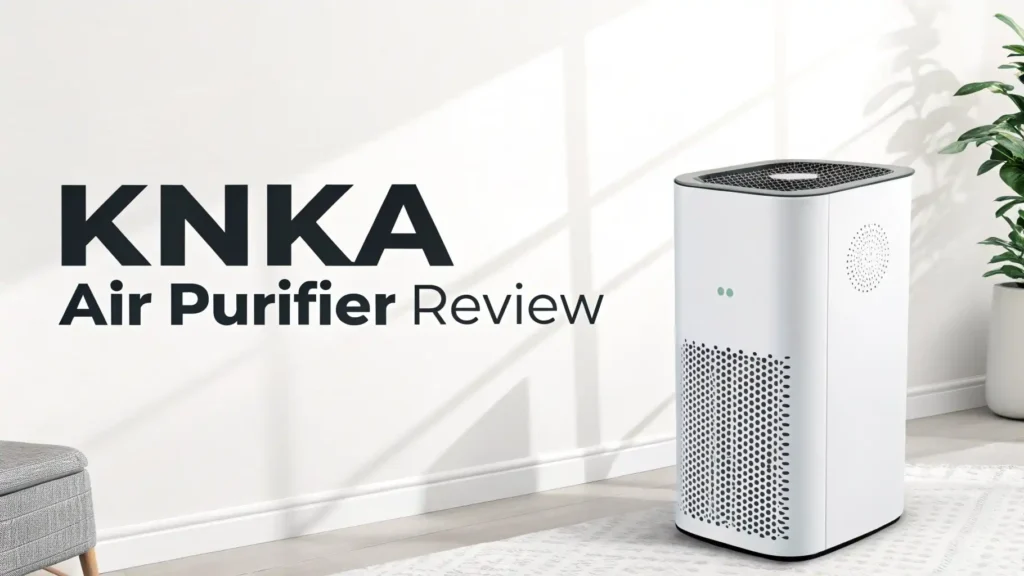
KNKA Air Purifier Review: A Comprehensive Guide
Breathing clean air at home should never feel like a luxury. You work hard to keep your space tidy, but what about the invisible dust, pollen, and pet dander floating around you every single day?
The KNKA Air Purifier promises to tackle these problems without breaking your bank account. This affordable device brings hospital-grade filtration right into your bedroom, living room, or office.
Whether you have allergies, pets, or just want fresher air, this review will show you exactly what this purifier can do for you and your family.
Key Takeaways
- Coverage That Works: The KNKA APH3000 model purifies spaces up to 2,325 square feet, while the APH4000 handles an impressive 3,500 square feet. You can use these units in large living rooms, master bedrooms, or open-concept spaces without worrying about weak performance.
- Triple-Layer Protection: The three-stage filtration system includes a washable pre-filter, an H13 True HEPA filter, and an activated carbon layer. This combination captures 99.9% of airborne particles as small as 0.3 microns, including dust, smoke, pollen, and pet dander.
- Smart Monitoring Features: Built-in air quality sensors continuously track your indoor air and display real-time readings through an AQI color-coded indicator. The device automatically adjusts fan speed based on detected pollution levels, making your life easier.
- Whisper-Quiet Operation: Running at just 13 decibels on sleep mode, this purifier stays quieter than a whisper. You can sleep peacefully while it works through the night cleaning your bedroom air.
- Budget-Friendly Choice: Priced between $56 and $119 depending on the model, KNKA offers exceptional value. Replacement filters cost only $18 to $23, much lower than many competitor brands that charge $40 or more per filter.

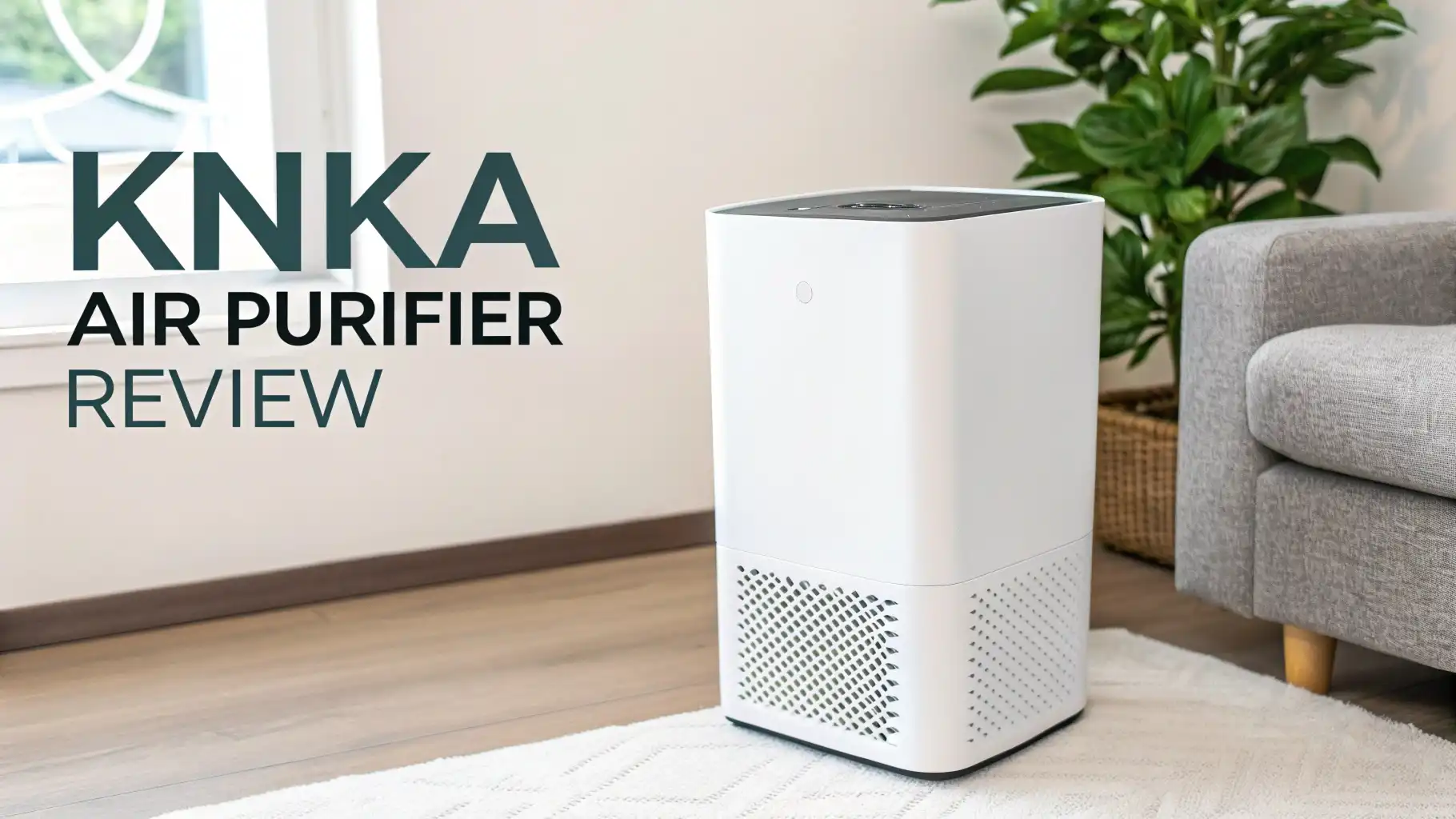
KNKA Air Purifier for Home Large Room Bedroom Up to 2325 Ft²
The KNKA APH3000 model stands out as the most popular choice in the product line. This unit delivers powerful purification for medium to large rooms without taking up too much floor space.
The compact design measures about 12 inches wide, making it easy to place in corners or beside furniture.
What makes this model special? The washable pre-filter saves you money over time. You simply remove it, rinse under water, let it dry, and reinstall. This pre-filter catches larger particles like hair and lint before they reach the main HEPA filter, extending the lifespan of your replacement filters significantly.
The turbo mode kicks the fan into high gear when you need rapid air cleaning. Maybe you just finished cooking fish, or someone smoked near your front door.
Hit the turbo button, and the APH3000 will clear the air in about 30 minutes for a standard bedroom. Users report this feature works incredibly well for removing cooking odors and smoke.
KNKA Air Purifier APH4000 for Extra Large Spaces

Need coverage for bigger areas? The APH4000 model steps up the game with its ability to purify spaces reaching 3,500 square feet.
This unit features dual air intake vents on the front and back, plus dual outlets on the sides. This four-directional airflow design creates faster air circulation throughout your room.
The APH4000 earned AHAM VERIFIDE certification, meaning independent testing confirmed its performance claims.
You can trust the specifications listed on the box actually match real-world results. Many budget air purifiers skip this certification process to save money, leaving you guessing about true effectiveness.
This larger model includes additional smart features like ECO mode and Pet mode. ECO mode reduces energy consumption by running the fan at optimal speeds only when needed.
Pet mode specifically targets pet dander and odors with specialized filter operation patterns. If you have dogs or cats at home, this mode makes a noticeable difference in reducing that “pet smell” many owners struggle with.
Top 3 Alternatives for KNKA Air Purifier


How the HEPA Filtration System Works
Understanding the technology helps you appreciate what you’re buying. The H13 True HEPA filter represents medical-grade filtration used in hospitals and laboratories. This filter must capture at least 99.97% of particles measuring 0.3 microns to earn the “True HEPA” designation.
Why 0.3 microns specifically? That size represents the most difficult particle to filter. Smaller particles bounce around more randomly, making them easier to trap.
Larger particles have more mass, so filters catch them readily. The 0.3-micron sweet spot challenges filters the most, so meeting standards at this size proves the filter works for all particle sizes.
The activated carbon layer handles gases, odors, and volatile organic compounds that pass through the HEPA material.
Carbon has a porous structure with millions of tiny pockets that absorb smelly molecules. This layer tackles cigarette smoke, cooking odors, paint fumes, and chemical smells the HEPA filter alone cannot remove.
Real-Time Air Quality Monitoring Explained
The built-in air quality sensor represents one of KNKA’s best features. This sensor continuously measures particle concentration in your room air. The device processes this data and displays it through a color-coded LED indicator on the control panel.
Green light means your air quality rates as good, with low particle counts. Yellow indicates moderate air quality with some pollutants present.
Red signals poor air quality, triggering the purifier to increase fan speed automatically. You don’t need to guess whether the unit is working or manually adjust settings.
How accurate are these sensors? They measure particulate matter at the PM2.5 level, the same standard used by government air quality agencies. PM2.5 refers to particles 2.5 microns or smaller, the size most dangerous to human health because they can enter your lungs deeply and even pass into your bloodstream.
Sleep Mode for Nighttime Comfort
Many people want air purification while sleeping but worry about noise disrupting their rest. KNKA addresses this concern with a dedicated sleep mode that dims all indicator lights and reduces fan speed to whisper-quiet levels.
At 13 decibels, sleep mode operates quieter than a library, rustling leaves, or even normal breathing. You will not hear this purifier running while you sleep. The unit still circulates and filters air continuously, just at a gentler pace suitable for overnight operation.
The light-dimming feature deserves special mention. Many air purifiers include bright LED displays that light up your bedroom like a Christmas tree. KNKA’s sleep mode turns off all lights except for one tiny indicator dot, ensuring complete darkness for better sleep quality.
Coverage Area and Room Size Guidance
Choosing the right model depends heavily on your room size. The KNKA APH3000 handles rooms up to 2,325 square feet, which translates to a space about 48 feet by 48 feet. This covers most master bedrooms, large living rooms, and even small studio apartments.
The APH4000 extends coverage to 3,500 square feet, suitable for open-concept homes where your kitchen, dining area, and living room flow together. You can place this unit centrally and purify your entire main living space with one device.
What happens if you use a purifier in a room larger than its rated coverage? The unit will still work, but it will take longer to clean the air and may struggle to keep up with continuous pollution sources. You might need to run it on higher fan speeds more often, increasing energy costs and noise levels.
Energy Efficiency and Operating Costs
Air purifiers run 24/7 in many homes, making energy consumption an important consideration. The KNKA models operate on 24 to 56 watts depending on fan speed. Even at maximum power, this draws less electricity than a standard light bulb.
Running the APH3000 continuously for a month costs approximately $2 to $3 in electricity, assuming average US energy rates. This minimal expense means you can keep your purifier operating all day and night without guilt about your electric bill.
The ECO mode reduces power consumption even further by operating the fan at minimal speed when air quality is already good. This feature can cut your operating costs by 30 to 40% compared to running on constant high speed.
Setup Process and User-Friendliness
Getting started with your KNKA purifier takes about 5 minutes. Remove the unit from the box, take off the protective plastic wrapping around the filter, insert the filter into the device, plug it in, and press the power button. That’s all.
The control panel uses simple icons and buttons that make sense intuitively. A power button, fan speed controls, mode selector, and timer settings occupy the top panel. You don’t need to read a manual to figure out basic operation, though KNKA includes a clear instruction booklet in multiple languages.
The washable pre-filter slides out from the back panel without tools. Many users appreciate this tool-free maintenance design. You don’t need screwdrivers, clips, or special knowledge to access and clean the pre-filter every few weeks.
Noise Levels Across Different Modes
Understanding noise levels helps you set appropriate expectations. On sleep mode at 13 decibels, you cannot hear the KNKA unless you put your ear right next to it. This mode works perfectly for bedrooms, nurseries, and any space where silence matters.
On low fan speed, the unit operates at about 24 decibels, comparable to a quiet whisper or rustling paper. You might notice a gentle whooshing sound if you focus on it, but it fades into background noise quickly. Most people find this level completely comfortable for working, reading, or watching television.
Medium fan speed reaches approximately 40 decibels, similar to a quiet library or light rainfall. You can hear the purifier working, but it doesn’t interfere with conversation or concentration. This level works well for everyday air maintenance in active living spaces.
Maintenance Requirements and Filter Life
Proper maintenance keeps your KNKA running efficiently for years. The washable pre-filter needs rinsing every 2 to 3 weeks, depending on how dusty your environment is.
Hold it under running water, let it air dry completely, and reinstall. This simple task takes 5 minutes and significantly extends your main filter’s lifespan.
The H13 HEPA and activated carbon filter should be replaced every 6 to 8 months. The unit includes a filter replacement indicator that tracks operating hours and alerts you when it’s time for a new filter.
You can also check the filter visually by removing the back panel and looking at its color. A gray or darkened filter needs replacement.
Some users try to vacuum or wash the HEPA filter to extend its life. Don’t do this. HEPA filters are delicate, and washing or vacuuming damages their structure, reducing filtration efficiency. Once the HEPA filter reaches the end of its life, replace it completely rather than trying to clean it.
Smart Features and Automatic Operation
The automatic mode represents the KNKA’s smartest feature. The air quality sensor continuously monitors your room, and the unit adjusts fan speed automatically based on pollution levels. This hands-off operation means you can set it and forget it for weeks at a time.
The timer function allows you to schedule operation periods. Set the timer for 2, 4, or 8 hours if you want the purifier to shut off automatically. This feature works well for people who want air cleaning while they sleep but prefer the unit off during the day to save energy.
Some KNKA models include WiFi connectivity and smartphone app control. Through the app, you can monitor air quality remotely, adjust settings from another room, and track filter life. The app also provides historical air quality data, showing you how your indoor air changes throughout the day.
Best Rooms and Placement Tips
Where you place your air purifier significantly affects its performance. The best location puts the unit in a central position with open space on all sides. Avoid tucking it into corners, behind furniture, or against walls, as these positions restrict airflow and reduce efficiency.
Bedrooms benefit most from air purification because you spend 6 to 8 hours sleeping there. Place the KNKA about 3 to 5 feet from your bed. This distance provides clean air near your breathing zone without directing airflow directly at you, which some people find uncomfortable.
Living rooms and family rooms often harbor the most airborne particles from foot traffic, pets, and activities. Position your purifier in the room’s most-used area rather than off in a distant corner. If you have an open floor plan, placing the unit centrally allows it to serve multiple spaces simultaneously.
What Real Users Say About KNKA
Customer reviews reveal consistent themes about KNKA purifiers. The most common praise mentions noticeable allergy relief within the first week of use. People with seasonal allergies, pet allergies, and dust sensitivities report reduced sneezing, fewer watery eyes, and better breathing, especially at night.
Many users appreciate the visible air quality indicator. They enjoy watching the light change from red to yellow to green as the room air improves. This immediate feedback makes the purchase feel worthwhile and proves the unit actually works rather than just blowing air around.
Some customers initially worry about the affordable price compared to $300+ purifiers from premium brands. After using KNKA for several months, most report it performs just as well as expensive alternatives. The value proposition wins people over, especially when they discover how cheap replacement filters are.
Does KNKA Work for Pet Owners?
Pet owners face unique air quality challenges from dander, hair, and odors. The KNKA handles these issues impressively well for its price point. The pre-filter catches visible pet hair before it reaches the HEPA filter, and the activated carbon layer absorbs pet odors effectively.
The Pet mode on APH4000 model specifically targets these concerns by adjusting filtration patterns. This mode runs the fan slightly faster than normal auto mode and cycles more frequently to maintain consistently clean air. Pet owners report the “dog smell” and “cat odor” noticeably decrease after a few days of operation.
Place the purifier in the room where your pets spend the most time. If your dog sleeps in your bedroom, put the unit there. If your cats lounge in the living room all day, that’s where it will do the most good. You can move the lightweight unit between rooms as needed.
Frequently Asked Questions
How often do I need to replace the KNKA air purifier filters?
The H13 HEPA filter needs replacement every 6 to 8 months with normal use. The washable pre-filter never needs replacement, you just rinse it every 2 to 3 weeks. The unit includes a filter replacement indicator that alerts you when it’s time for a new filter. Heavy use in very dusty environments might require more frequent changes, while light use in clean spaces can extend filter life beyond 8 months.
Can the KNKA air purifier remove cigarette smoke and cooking odors?
Yes, the KNKA effectively reduces cigarette smoke and cooking odors thanks to its activated carbon filter layer. The carbon absorbs smoke particles and odor molecules that the HEPA filter alone cannot capture. For best results, run the unit on turbo mode immediately after smoking or cooking to clear the air quickly. Keep in mind that extremely heavy smoke or persistent odors may require longer filtration time.
Is the KNKA air purifier loud enough to disturb sleep?
Not at all in sleep mode. The unit operates at just 13 decibels, quieter than a whisper or normal breathing. The sleep mode also dims all lights completely, creating a dark and silent environment. Many users run their KNKA all night in sleep mode without any disturbance. If you need faster air cleaning while sleeping, the low fan speed at 24 decibels remains quiet enough for most people.
Will the KNKA air purifier help with seasonal allergies?
Absolutely. The H13 True HEPA filter captures 99.9% of pollen, dust mites, mold spores, and other common allergens as small as 0.3 microns. Most users report noticeable allergy symptom reduction within 3 to 7 days of continuous use. For maximum benefit, run the purifier continuously and keep windows closed during high pollen seasons. Place the unit in your bedroom for the greatest impact since you spend significant time there sleeping.
How much does it cost to run a KNKA air purifier continuously?
The KNKA uses 24 to 56 watts depending on fan speed, costing approximately $2 to $3 per month in electricity when run continuously. This calculation assumes average US electricity rates of about $0.13 per kilowatt-hour. The ECO mode reduces costs even further by operating at minimal power when air quality is good. Your actual costs may vary based on local electricity rates and how often you use high fan speeds.
Can I use the KNKA air purifier in a small apartment?
Yes, the KNKA works excellently in small apartments. The APH3000 model covers up to 2,325 square feet, which exceeds most studio and one-bedroom apartment sizes. You can place one unit centrally and purify your entire living space. The compact footprint fits easily in small rooms without taking up valuable floor space. The quiet operation makes it ideal for apartment living where you might share walls with neighbors.
Does the KNKA air purifier produce ozone?
No, the KNKA does not produce ozone. It uses purely mechanical HEPA filtration and activated carbon absorption, which generate zero ozone. Some air purifiers use ionizers or UV lights that create ozone as a byproduct, but KNKA avoids these technologies. This makes KNKA safe for continuous operation around children, pets, and people with respiratory sensitivities. You can run it 24/7 without any health concerns about ozone exposure.