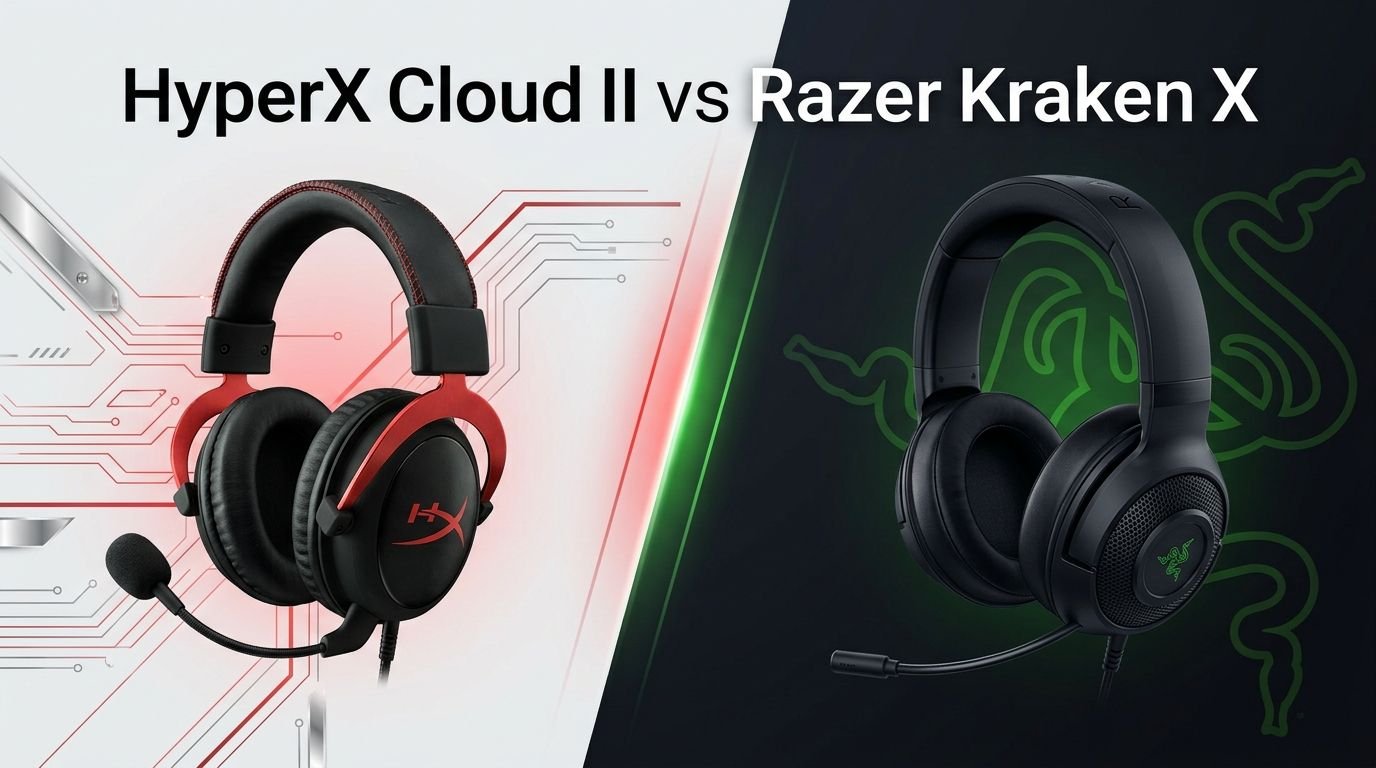
HyperX Cloud II vs Razer Kraken X: The Ultimate Showdown
Choosing a gaming headset can feel like picking a favorite child. You love the idea of great sound, but you also want comfort, a solid mic, and a price that doesn’t empty your wallet.
The HyperX Cloud II and the Razer Kraken X are two of the most popular budget-friendly gaming headsets on the market. Both have earned loyal fan bases, and both promise a great gaming experience without breaking the bank.
But here’s the thing. These two headsets are very different once you look under the hood. One uses an aluminum frame and memory foam ear pads.
Key Takeaways
- The HyperX Cloud II features 53mm drivers with neodymium magnets, a detachable noise-cancelling microphone, and a durable aluminum frame. It weighs 350g and connects via 3.5mm and USB.
- The Razer Kraken X weighs only 250g, making it one of the lightest gaming headsets available. It uses 40mm custom-tuned drivers and connects through a 3.5mm jack.
- Sound quality favors the HyperX Cloud II. It delivers a more balanced audio profile with better bass extension down to 10Hz compared to the Kraken X’s 12Hz low end.
- Comfort is strong on both headsets, but the Cloud II earns higher marks thanks to its thick memory foam ear pads and plush leatherette cushions. The Kraken X counters with its feather-light weight.
- The Cloud II includes virtual 7.1 surround sound through its USB sound card. The Razer Kraken X does not include surround sound in its standard 3.5mm version.
- Budget-wise, the Razer Kraken X is the cheaper option. If you want a solid headset at the lowest possible price, the Kraken X delivers decent value. But the Cloud II offers more features per dollar.
HyperX Cloud II Gaming Headset Overview

The HyperX Cloud II has been a fan favorite since it first launched. This headset has earned its reputation through years of reliable performance. It uses a 53mm driver unit with neodymium magnets. These larger drivers produce richer, fuller sound compared to smaller alternatives.
The headset connects through both 3.5mm audio and USB. The included USB sound card enables virtual 7.1 surround sound on PC. This feature adds depth to games where positional audio matters, like first-person shooters and battle royale titles.
Build quality is a standout feature. The aluminum frame gives the Cloud II a premium feel that most budget headsets lack. The headband uses leatherette padding, and the ear cups feature thick memory foam covered in soft material. Many users report wearing this headset for hours without discomfort.
The detachable microphone uses a noise-cancelling design with a frequency response of 50Hz to 18,000Hz. This wide range captures voice clearly during team chats. The mic plugs into the left ear cup and can be removed when you don’t need it.
Pros:
- 53mm neodymium drivers deliver rich, balanced sound
- Durable aluminum frame with premium build quality
- Memory foam ear pads offer excellent long-session comfort
- Includes USB sound card with virtual 7.1 surround sound
- Detachable noise-cancelling microphone
Cons:
- Heavier at 350g compared to lighter competitors
- The USB sound card can introduce slight audio compression
- Leatherette ear pads may feel warm during extended summer sessions
Razer Kraken X Gaming Headset Overview

The Razer Kraken X targets gamers who want Razer’s signature style at an entry-level price. This headset keeps things simple. It uses 40mm custom-tuned drivers and connects through a standard 3.5mm audio jack. The design is clean, all-black, and lightweight.
At just 250g, the Kraken X is remarkably light. Razer calls it “ultralight,” and that claim holds up. You can wear this headset for marathon gaming sessions without feeling any neck strain. The headband has generous padding, and the ear cups use plush memory foam for a comfortable seal.
The bendable cardioid microphone stays permanently attached to the left ear cup. It bends and flexes to position near your mouth. The mic picks up frequencies between 100Hz and 10,000Hz. This range is narrower than the Cloud II’s microphone, but it still handles voice chat well enough for casual gaming.
Platform compatibility is solid. The 3.5mm connection works with PC, Mac, PlayStation, Xbox, Nintendo Switch, and mobile devices. You won’t need adapters or special software. Just plug it in and play.
Pros:
- Ultra-lightweight at only 250g for fatigue-free gaming
- Affordable price point makes it accessible for budget gamers
- Wide platform compatibility through 3.5mm connection
- Comfortable memory foam ear cushions
- Clean, understated Razer design
Cons:
- All-plastic build feels less durable than metal alternatives
- Microphone has a narrower frequency response (100Hz to 10,000Hz)
- No detachable mic option
- Lacks included surround sound in the standard version
Sound Quality Comparison
Sound quality is the most important factor for most gamers. The HyperX Cloud II pulls ahead in this category. Its 53mm drivers produce a frequency response range of 10Hz to 23,000Hz. This means deeper bass and solid mid-range performance. Music, explosions, and dialogue all sound clear and full.
The Razer Kraken X uses 40mm drivers with a frequency range of 12Hz to 28,000Hz. While the Kraken X reaches higher frequencies, its bass can sound boomy and overpowering at times. The mid-range stays even, but the overall balance doesn’t match the Cloud II’s natural tone.
Reviews from sites like RTINGS confirm this difference. The Cloud II delivers a more balanced, neutral sound profile. The Kraken X leans toward a bass-heavy signature that some gamers enjoy but others find muddy. For competitive gaming, the Cloud II’s cleaner sound helps you hear footsteps and directional cues more clearly.
The Cloud II also offers virtual 7.1 surround sound through its USB sound card. This adds a spatial dimension to audio that the standard Kraken X simply cannot match. If positional awareness matters to you, the Cloud II has a clear advantage here.
Comfort and Fit
Both headsets earn good marks for comfort, but they achieve it in different ways. The HyperX Cloud II uses thick memory foam ear pads wrapped in soft leatherette. The cushions create a plush seal around your ears. The padded headband distributes weight evenly across the top of your head.
User reviews consistently rate the Cloud II’s comfort at 8.7 out of 10. The ear cups are large enough to fit most ear sizes. The clamping force strikes a good balance between secure and relaxed. You can wear these for 4 to 6 hours without discomfort.
The Razer Kraken X takes a different approach. It relies on its ultra-light 250g weight. The headband offers nine adjustable positions for a custom fit. The ear cushions use memory foam, though the padding is thinner than the Cloud II’s.
The Kraken X earns 7.4 out of 10 for comfort in user reviews. It’s still a comfortable headset. The lighter weight reduces pressure on your head and neck. But the thinner padding means the ear cups don’t cushion as deeply as the Cloud II’s plush pads.
Build Quality and Durability
Build quality shows the biggest gap between these two headsets. The HyperX Cloud II uses an aluminum frame that feels solid and premium. The metal construction resists bending and cracking. The headband hinges are sturdy, and the overall feel is confidence-inspiring.
User reviews rate the Cloud II’s build quality at 8.2 out of 10. Many owners report using the same headset for years without structural issues. The detachable cable also helps with longevity. If the cable fails, you replace the cable instead of the whole headset.
The Razer Kraken X uses an all-plastic frame. This keeps the weight down, but it introduces durability concerns. Several users on Reddit report the plastic cracking after six months to a year of regular use. The stress points around the headband adjustment mechanism seem particularly vulnerable.
The Kraken X earns 6.4 out of 10 for build quality in user reviews. If you handle it carefully, it can last a long time. But if you toss it on your desk or bend it roughly, the plastic won’t forgive you the way the Cloud II’s aluminum frame does.
Microphone Performance
A good microphone matters for team communication. The HyperX Cloud II’s detachable mic captures audio between 50Hz and 18,000Hz. This wide frequency range means your voice sounds natural and clear. The noise-cancelling feature reduces background sounds like keyboard clicks and fan noise.
The mic attaches to the left ear cup and detaches easily. This is useful if you want to use the headset for music or video without a microphone sticking out. The mic sensitivity sits at -39 dBV, which captures voice at a good volume without picking up too much room noise.
The Razer Kraken X has a permanently attached bendable mic. Its frequency response runs from 100Hz to 10,000Hz. This narrower range means the mic cuts off some lower and higher voice frequencies. Your voice will still sound acceptable for game chat, but it lacks the richness of the Cloud II’s microphone.
The Cloud II mic earns 7.5 out of 10 from users, while the Kraken X mic scores 6.4 out of 10. For casual gaming and Discord calls, both work fine. For streaming or content creation, the Cloud II’s mic is the better choice.
Platform Compatibility
Both headsets work across multiple platforms. The HyperX Cloud II connects via 3.5mm audio or USB. The 3.5mm connection works with PC, PlayStation, Xbox, and Nintendo Switch. The USB connection adds virtual 7.1 surround sound on PC and provides a dedicated sound card.
The Razer Kraken X uses a single 3.5mm connection. It works with PC, Mac, PS4, PS5, Xbox One, Xbox Series X|S, Nintendo Switch, and mobile devices. The simplicity of one universal plug means zero compatibility headaches. You grab the headset, plug it in, and go.
The Cloud II offers more connectivity options. The Kraken X offers more plug-and-play simplicity. If you switch between platforms often and want the easiest possible setup, the Kraken X has a slight edge. If you want the surround sound benefits of USB on PC, the Cloud II wins.
Both headsets work well on consoles for game audio and voice chat. Neither requires additional software to function at a basic level, though the Cloud II benefits from the HyperX NGENUITY software on PC for advanced settings.
Design and Aesthetics
The HyperX Cloud II comes in two color options: black/red and black/gunmetal. The design looks professional and slightly aggressive. The red accents on the black model add personality without being too flashy. The aluminum frame gives it a sleek, metallic finish.
The headset has a classic over-ear gaming look. The ear cups are large and round. The headband features visible stitching on the leatherette padding. It looks like a headset that means business, and it feels that way too.
The Razer Kraken X sticks to an all-black design with subtle Razer branding. The look is clean and minimal. The Razer logo sits on each ear cup in a matte finish. There’s no RGB lighting on this model, which keeps the design understated.
For gamers who prefer a low-key aesthetic, the Kraken X fits well. For those who want something with more visual presence and premium materials, the Cloud II stands out. Both headsets avoid the gaudy, over-the-top designs that plague some gaming peripherals.
Driver Technology and Audio Details
The 53mm neodymium drivers in the HyperX Cloud II are larger than what most budget headsets offer. Bigger drivers move more air, which generally produces fuller bass and richer sound. The closed-back design also isolates sound effectively, reducing audio bleed in both directions.
The Cloud II has an impedance of 60 Ohms. This is higher than average for gaming headsets. It means the headset benefits from a proper amplifier or sound card. The included USB sound card handles this well, but plugging directly into a phone or weak audio source may result in lower volume.
The Razer Kraken X uses 40mm custom-tuned drivers with an impedance of just 32 Ohms. The lower impedance means the headset reaches full volume easily from any source. You can plug it into a phone, a Switch, or a controller and get solid volume output without any amplification.
The Kraken X has a sound pressure level of 109 dB/mW, compared to the Cloud II’s 98 dB/mW. This means the Kraken X gets louder per unit of power. If you want a headset that gets loud with minimal effort, the Kraken X has an advantage in raw volume.
Weight and Portability
Portability matters if you carry your headset to LAN parties, a friend’s house, or between rooms. The Razer Kraken X weighs just 250g. That’s 100 grams lighter than the HyperX Cloud II’s 350g. You’ll notice the difference the moment you pick both up.
The Kraken X’s lighter weight also makes it more comfortable for travel. You can slip it into a backpack without adding much bulk. The foldable design (where the ear cups rotate flat) helps it fit into tighter spaces.
The Cloud II is heavier but more durable for transport. The aluminum frame handles bumps and pressure better than the Kraken X’s plastic. However, the Cloud II doesn’t include a carrying case by default. You’ll need to find a separate case if you want to protect it during travel.
For stationary desk setups where the headset stays in one place, weight matters less. But for gamers on the move, the Kraken X’s featherweight design earns a real advantage. It barely feels like you’re wearing anything.
Cable and Connection Quality
The HyperX Cloud II includes a 1-meter braided cable that connects the headset to the USB sound card. The sound card itself has a 2-meter cable, giving you a total reach of 3 meters. The braided cable resists tangling and feels durable. The detachable design means you can swap cables if one wears out.
The Razer Kraken X has a 1.3-meter cable with a 3.5mm plug. The cable is slightly longer than the Cloud II’s headset cable alone. However, without an extension or USB adapter, the total reach is limited. The cable doesn’t feature braided construction, so it may tangle more easily.
The Cloud II’s USB sound card acts as an external DAC (digital-to-analog converter). This processes audio outside your computer’s built-in sound card, which can improve sound quality on systems with noisy internal audio hardware. It also adds in-line volume and mic mute controls.
The Kraken X keeps things simple with a single 3.5mm plug. No adapters, no dongles, no extra pieces to lose. This simplicity appeals to gamers who hate dealing with accessories.
Value for Money
Price is a key factor for budget gamers. The Razer Kraken X typically costs less than the HyperX Cloud II. If your budget is tight, the Kraken X delivers a solid gaming experience at a lower entry price. You get decent sound, comfortable wear, and broad compatibility.
The HyperX Cloud II costs more but offers more. You get a USB sound card, virtual 7.1 surround, an aluminum frame, larger drivers, and a better microphone. The extra cost buys meaningful upgrades that affect daily use.
Think of it this way. The Kraken X gives you 80% of the experience at a lower price. The Cloud II gives you the full package with premium touches. If you plan to use your headset for several years, the Cloud II’s durability alone may save you money by lasting longer.
For a first gaming headset or a secondary backup, the Kraken X makes sense. For your primary, everyday headset, the Cloud II offers better long-term value.
Which Headset Should You Buy?
The answer depends on your priorities. Choose the HyperX Cloud II if you want better sound quality, stronger build quality, a superior microphone, and virtual 7.1 surround sound. It costs more, but it delivers more. It’s the smarter investment for gamers who take audio seriously.
Choose the Razer Kraken X if you prioritize ultra-light weight, a lower price, and simple plug-and-play connectivity. It works great as a casual gaming headset. It handles team chat, game audio, and music well enough for everyday use.
For competitive FPS gamers, the Cloud II wins. Its balanced sound and surround sound feature give you an edge in hearing enemy positions. For casual gamers or console-only players who want a comfortable, affordable headset, the Kraken X holds its own.
Both headsets serve their target audiences well. Neither is a bad choice. But the HyperX Cloud II earns the overall recommendation for most gamers based on its superior sound, build, and feature set.
Frequently Asked Questions
Is the HyperX Cloud II good for PS5 and Xbox Series X?
Yes, the HyperX Cloud II works with both PS5 and Xbox Series X through its 3.5mm audio connection. You plug it into the controller’s headphone jack. The USB sound card works on PS4 and PS5 but does not support Xbox consoles. For Xbox, stick with the 3.5mm cable for full compatibility.
Does the Razer Kraken X have surround sound?
The standard Razer Kraken X with a 3.5mm connection does not include surround sound. Razer offers a USB version (Kraken X USB) that supports 7.1 virtual surround sound on PC through Razer Synapse software. Make sure to check which version you’re buying if surround sound matters to you.
Can I replace the ear pads on the HyperX Cloud II?
Yes. The HyperX Cloud II ear pads pop off and snap back on easily. HyperX sells replacement ear pads, and many third-party options exist on Amazon. This is a big advantage for long-term ownership since ear pads wear out before the headset itself.
Which headset has better noise isolation?
The HyperX Cloud II offers better passive noise isolation. Its thicker memory foam ear pads and closed-back design block more external sound. The Razer Kraken X also uses a closed-back design, but its thinner padding lets more ambient noise through.
Are these headsets good for music and movies?
Both headsets handle music and movies well enough. The Cloud II sounds better for music due to its balanced audio profile and larger drivers. The Kraken X works fine for casual listening but may sound bass-heavy with certain genres. Neither replaces dedicated audiophile headphones, but both deliver enjoyable entertainment audio.
How long do these headsets typically last?
The HyperX Cloud II commonly lasts 3 to 5 years with regular use, thanks to its aluminum frame and replaceable parts. The Razer Kraken X typically lasts 1 to 3 years. The all-plastic build is more prone to wear, especially around the headband adjustment areas. Careful handling extends the lifespan of both models.