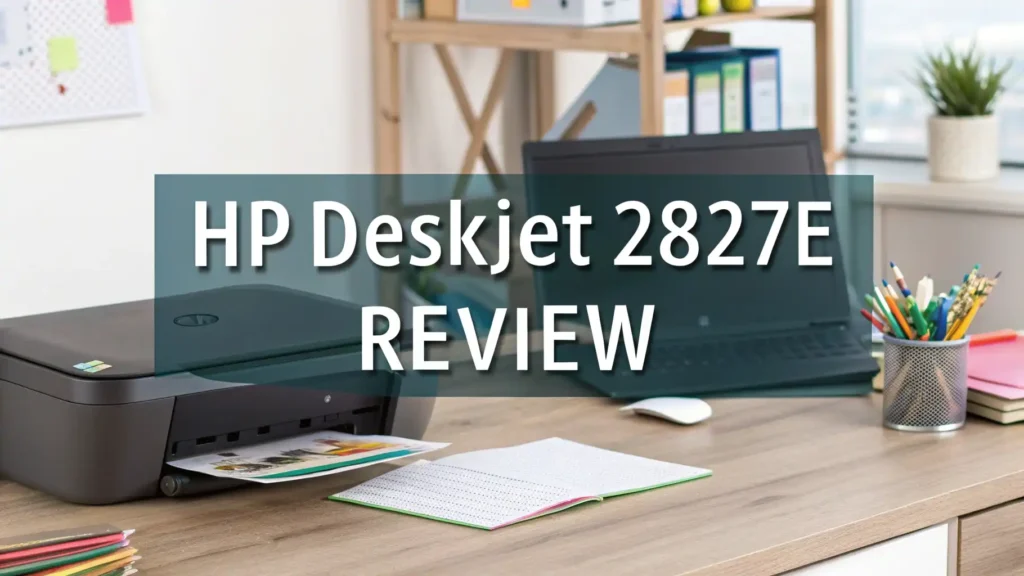
HP DeskJet 2827e Review 2026: Is It Worth the Money?
Are you tired of spending hours searching for the perfect home printer that won’t drain your wallet? The HP DeskJet 2827e might just be your answer. This compact printer promises to deliver quality prints without the premium price tag.
But does it really live up to the hype in 2026? Stick around because we’re diving deep into every feature, benefit, and quirk of this popular printer. You’ll discover whether this little machine deserves a spot on your desk or if you should keep searching.
We’ve tested everything from print quality to wireless connectivity, and we’re sharing the honest truth that nobody else tells you.
Key Takeaways
- The HP DeskJet 2827e stands out as one of the most affordable all-in-one printers available in 2026. This printer combines printing, scanning, and copying functions in a compact design.
- AI-enabled printing technology helps you save paper and ink by formatting web pages and emails perfectly. No more wasted pages with awkward cuts or missing content.
- Print speeds reach up to 7.5 pages per minute for black documents and 5.5 pages per minute for color prints. These speeds work great for home users who print occasionally.
- The 3 months of free Instant Ink service included with HP+ saves you money on ink cartridges. This subscription service delivers ink automatically before you run out.
- Wireless connectivity makes printing from smartphones, tablets, and laptops incredibly easy through the HP Smart app. You can print from anywhere in your home.
- The printer uses HP 67 ink cartridges which are widely available and reasonably priced. You can find both standard and XL versions for different printing needs.

HP DeskJet 2827e Overview and Key Features
The HP DeskJet 2827e represents excellent value for home users in 2026. This all-in-one printer measures compact enough to fit on any desk or shelf. The white design looks clean and modern in any home office setup.
Print resolution reaches up to 1200 x 1200 dpi for black prints and an impressive 4800 x 1200 optimized dpi for color prints. These numbers translate to crisp text documents and decent quality photos.
The 60-sheet input tray handles regular printing tasks without constant refilling. You also get a 25-sheet output tray to collect your finished prints neatly.
The printer connects through 2.4 GHz WiFi, which works perfectly for most home networks. You can also use USB connectivity if you prefer a wired connection. The HP Smart app transforms your smartphone into a powerful printing tool. You can print, scan, and manage your printer settings from anywhere in your home.
Print Quality and Performance Analysis
Print quality matters more than fancy features when choosing a printer. The HP DeskJet 2827e delivers solid performance for everyday documents. Text appears sharp and readable even at smaller font sizes. Black text prints look professional enough for homework assignments, resumes, and business letters.
Color prints show good saturation and decent accuracy. Photos come out acceptable for casual home printing but don’t expect professional photography lab results.
The printer handles graphics and charts well for presentations and school projects. Some users report that the print quality remains consistent over time with proper maintenance.
The monthly duty cycle reaches up to 1,000 pages. This limit works fine for typical home users who print occasionally. However, heavy users should consider more robust options.
Print speeds won’t break any records but they’re reasonable for a budget printer. You’ll wait about 8 seconds for the first page and then prints continue at the rated speeds.
Setting Up Your HP DeskJet 2827e
Setting up this printer takes minimal effort and technical knowledge. The process starts when you unbox the printer and remove all protective materials. HP includes setup cartridges to get you started immediately.
Download the HP Smart app on your smartphone or computer first. This app guides you through the entire setup process step by step. The app automatically detects your printer on the network. You’ll connect to your WiFi network by entering your password through the app.
Cartridge installation requires simply opening the cartridge door and snapping the ink cartridges into place. The printer will automatically align the cartridges during the first setup. This alignment process takes a few minutes but ensures optimal print quality.
You can complete the entire setup in under 15 minutes even if you’re not tech savvy. The HP Smart app makes everything intuitive and straightforward. Once connected, you can print from any device on your network without additional setup.
Top 3 Alternatives for HP DeskJet 2827e


Wireless Connectivity and Mobile Printing
Wireless printing transforms how you interact with your printer daily. The HP DeskJet 2827e supports WiFi connectivity through standard 2.4 GHz networks. This compatibility ensures the printer works with virtually all home routers.
The HP Smart app serves as your command center for all printing tasks. You can print documents and photos directly from your phone’s photo gallery.
The app also lets you scan documents using your phone’s camera and send them directly to the printer. AirPrint support means iPhone and iPad users can print without installing any apps.
Voice printing works through Amazon Alexa and Google Assistant integration. Simply say “Alexa, print my shopping list” and your printer springs into action.
This hands-free printing feels futuristic and convenient. The printer maintains a stable WiFi connection according to most user reviews. You won’t experience constant disconnection issues that plague cheaper models.
Ink Costs and Instant Ink Service
Ink costs can destroy your budget faster than the printer’s purchase price. The HP DeskJet 2827e uses HP 67 black and HP 67 tricolor cartridges. Standard cartridges print approximately 120 pages for black and 100 pages for color. XL cartridges offer better value with 240 black pages and 200 color pages.
HP Instant Ink subscription service changes the game completely. You pay a monthly fee based on pages printed rather than buying individual cartridges. Plans start at just a few dollars per month for 10 pages. HP automatically ships new cartridges before you run out based on your printer’s ink levels.
The 3 months free trial included with HP+ lets you test the service risk-free. Many users find they save 50% or more on ink costs with this subscription. The cartridges also contain more ink than retail versions. You can cancel anytime without penalties if the service doesn’t suit your needs. Unused pages roll over to the next month within limits.
Scanning and Copying Capabilities
The flatbed scanner sits on top of the printer and handles documents up to letter size. Scanning resolution reaches 1200 x 1200 dpi which captures fine details clearly. You can scan documents, photos, receipts, and other flat items easily.
Scan to email, cloud, and device functions work through the HP Smart app. You can save scans directly to Google Drive, Dropbox, or other cloud services.
The app automatically detects document edges and adjusts perspective for straight scans. Color and black and white scanning both produce good results for typical home use.
Copying functions work independently without a computer connection. Simply place your document on the scanner glass and press the copy button.
You can make multiple copies by selecting the number before starting. Copy quality matches the original document fairly well for text and simple graphics. Photos lose some detail when copied but remain recognizable.
Paper Handling and Media Types
The 60-sheet input tray accommodates various paper sizes and types. Standard letter and A4 paper work perfectly. You can also print on legal size paper, envelopes, and photo paper. The tray’s adjustable guides keep paper aligned properly during printing.
Photo paper up to 5×7 inches fits in the input tray for borderless printing. Results look good for casual photo printing and crafts. The printer handles cardstock up to 200 gsm which works for greeting cards and invitations. Envelope printing requires careful alignment but produces acceptable results.
The 25-sheet output tray catches finished prints neatly. This capacity works fine for most home printing sessions.
Some users report occasional paper feed issues especially with thin or thick paper. Keeping the input tray properly adjusted and using quality paper minimizes these problems. Regular cleaning of the paper feed rollers also helps maintain smooth operation.
Maintenance and Troubleshooting Tips
Regular maintenance keeps your HP DeskJet 2827e running smoothly for years. Clean the printhead monthly using the HP Smart app’s built-in tool. This automatic cleaning process clears clogged nozzles and maintains print quality. You’ll use a small amount of ink during cleaning but prevent bigger problems.
Align the cartridges whenever you notice blurry or misaligned prints. The alignment process prints a test page and scans it automatically. This calibration takes just a few minutes and significantly improves output quality. Update firmware regularly through the HP Smart app to fix bugs and add new features.
Common issues include paper jams, WiFi disconnections, and print quality problems. Paper jams usually occur from overloading the tray or using damaged paper.
Remove jammed paper carefully by pulling in the direction of paper path. WiFi problems often resolve by restarting both the printer and your router. Print quality issues typically require printhead cleaning or cartridge replacement.
The HP support website offers detailed troubleshooting guides and video tutorials. You can also contact HP customer service for technical assistance. Most problems have simple solutions that don’t require professional repair.
Energy Efficiency and Environmental Impact
The HP DeskJet 2827e earns points for environmental responsibility. The printer contains at least 60% recycled plastic in its construction. This commitment to sustainability reduces environmental impact without compromising quality.
Energy Star certification confirms the printer meets strict energy efficiency standards. It consumes minimal power during printing and drops to low power mode when idle. Auto-off feature shuts down the printer completely after extended inactivity. This feature saves energy and reduces your electricity bills.
HP’s Planet Partners program makes cartridge recycling easy and free. You can mail back used cartridges using prepaid shipping labels. HP recycles these cartridges into new products and keeps them out of landfills. The packaging uses recycled materials and arrives ready for recycling itself.
Choosing printers with environmental certifications helps reduce your carbon footprint. The small energy savings add up over the printer’s lifetime. Supporting companies that prioritize sustainability encourages better industry practices.
Pros and Cons Summary
Advantages of the HP DeskJet 2827e:
The affordable price point makes this printer accessible to budget-conscious shoppers. You get complete all-in-one functionality without spending hundreds of dollars. Compact size fits easily in small spaces like dorm rooms and apartments. The AI-enabled printing saves paper and ink by optimizing web page and email formats.
Wireless connectivity works reliably for convenient mobile printing. The HP Smart app provides excellent control and management features. Instant Ink service dramatically reduces ink costs for regular users. Setup takes minimal time and technical expertise.
Disadvantages to consider:
Print speeds lag behind more expensive models significantly. Heavy users will find themselves waiting frequently. Paper feed issues affect some units according to customer reviews. The printer only supports 2.4 GHz WiFi which limits compatibility with newer dual-band routers.
Photo print quality doesn’t match dedicated photo printers or professional services. The monthly duty cycle of 1,000 pages restricts high-volume printing. Some users report the right paper guide doesn’t slide far enough for perfect letter-size alignment.
Price and Value Proposition
The HP DeskJet 2827e typically retails around $40 to $50 depending on sales and promotions. This price point positions it as one of the most affordable all-in-one printers available. You receive substantial functionality for minimal investment.
Value calculation extends beyond the sticker price to include operating costs. Standard ink cartridges cost approximately $20 for black and $25 for tricolor. XL cartridges offer better per-page costs at around $35 and $40 respectively. Instant Ink subscriptions start at $1.99 monthly for 10 pages and scale up to $11.99 for 300 pages.
The included 3-month Instant Ink trial adds approximately $20 to $30 in value. This trial lets you evaluate whether the subscription model works for your printing habits. Most users find the total cost of ownership remains reasonable over the printer’s expected 2-3 year lifespan.
Comparing alternatives reveals the DeskJet 2827e offers competitive value in its price range. Similar models from Canon and Epson cost slightly more with comparable features. Tank-based printers cost 3-4 times more initially but save money for very high-volume users.
FAQs
Is the HP DeskJet 2827e Right for You?
The HP DeskJet 2827e serves home users, students, and light office users exceptionally well. You’ll appreciate the low cost and reliable performance for occasional printing needs. Families printing homework, recipes, and photos will find it perfectly adequate.
Students benefit from the affordable price and wireless printing from laptops and phones. The included Instant Ink trial helps manage ink costs on tight budgets. Remote workers with light printing needs can rely on this printer for documents and presentations.
What is the print speed of the HP DeskJet 2827e?
The HP DeskJet 2827e prints up to 7.5 pages per minute for black documents and 5.5 pages per minute for color documents. These speeds represent ISO standard measurements under optimal conditions. Real-world speeds may vary slightly based on document complexity and print quality settings.
The first page out time takes approximately 8-10 seconds from receiving the print command. This delay includes printer warm-up and page processing time. Subsequent pages follow at the rated speeds for continuous printing jobs. Draft mode printing increases speeds slightly while reducing quality.
Does the HP DeskJet 2827e work with third-party ink cartridges?
The HP DeskJet 2827e accepts third-party compatible ink cartridges from various manufacturers. However, HP recommends using genuine HP 67 cartridges for best results. Third-party cartridges may void your warranty and potentially cause print quality or reliability issues.
Instant Ink subscribers must use HP-provided cartridges exclusively. The subscription service tracks cartridge usage and won’t recognize third-party options. Non-subscribers can experiment with compatible cartridges at their own risk. Quality varies significantly between third-party manufacturers.
Can you print from a Chromebook to the HP DeskJet 2827e?
Yes, the HP DeskJet 2827e supports printing from Chromebooks through multiple methods. The printer appears automatically in Chrome OS’s printing dialog when connected to the same WiFi network. Google Cloud Print integration allows printing from anywhere with internet access.
The HP Smart app for Chrome OS provides additional functionality and control. You can also print through the browser using the native Chrome printing system. Setup requires no special drivers or complicated configuration.
How long do HP 67 ink cartridges last in the DeskJet 2827e?
Standard HP 67 cartridges print approximately 120 pages for black and 100 pages for color under typical usage. These numbers represent ISO standard page yield measurements. Actual results vary based on document types, coverage, and print quality settings.
HP 67XL cartridges offer better value with yields of 240 black pages and 200 color pages. Heavy users should choose XL cartridges to reduce replacement frequency and costs. Instant Ink subscribers receive cartridges based on pages printed rather than physical cartridge capacity.
What connectivity options does the HP DeskJet 2827e offer?
The HP DeskJet 2827e provides wireless connectivity through 2.4 GHz WiFi networks. This standard ensures compatibility with most home routers and access points. The printer also includes a USB port for direct computer connection.
Mobile printing works through the HP Smart app, AirPrint for Apple devices, and Mopria for Android devices. Voice printing integrates with Amazon Alexa and Google Assistant. The printer does not support Ethernet wired networking or 5 GHz WiFi bands.