FINEDAY Keyboard 2.0 Plus Review: Is This Worth The Hype?
You know that feeling when you see something so beautifully designed that it takes you back in time? The FINEDAY Keyboard 2.0 Plus does exactly that.
This keyboard combines the nostalgic charm of vintage typewriters with the powerful features of modern mechanical keyboards. If you’ve been searching for a keyboard that stands out on your desk while delivering exceptional performance, you’ve found it.
Think about this. Most keyboards look boring. They sit there, doing their job, but offering nothing special. The FINEDAY Keyboard 2.0 Plus changes everything.
Key Takeaways:
- Premium Build Quality: The keyboard features a UV coating body that delivers exceptional durability and a premium finish. The aluminum parts including the lever, wheels, and logo ensure long-lasting strength and quality that you can feel with every touch.
- Massive Battery Life: With a 5000mAh built-in battery, this keyboard offers up to 46 hours of continuous usage. You won’t need to worry about charging it constantly, making it perfect for long work sessions or gaming marathons.
- Multi-Device Connectivity: Connect up to 5 devices simultaneously using three Bluetooth channels, one 2.4G wireless connection, and one wired USB-C connection. Switch between your computer, tablet, phone, and other devices effortlessly.
- Classic Typewriter Experience: The OUTEMU Blue Switches deliver tactile feedback and satisfying clicky sounds that recreate the nostalgic typing experience of vintage typewriters, while the left lever functions as an Enter key just like old-school machines.
- Full-Size Convenience: This keyboard comes with 104 full-size keys including a complete number pad, making it ideal for professionals who need efficient data entry and gaming enthusiasts who want every function at their fingertips.
- Smart Design Features: Dual wheels control LED backlight and volume, LED indicators show battery status and connection type, and the keyboard offers universal compatibility with Windows, Android, Mac, and iOS systems.

FINEDAY Keyboard 2.0 Plus Overview
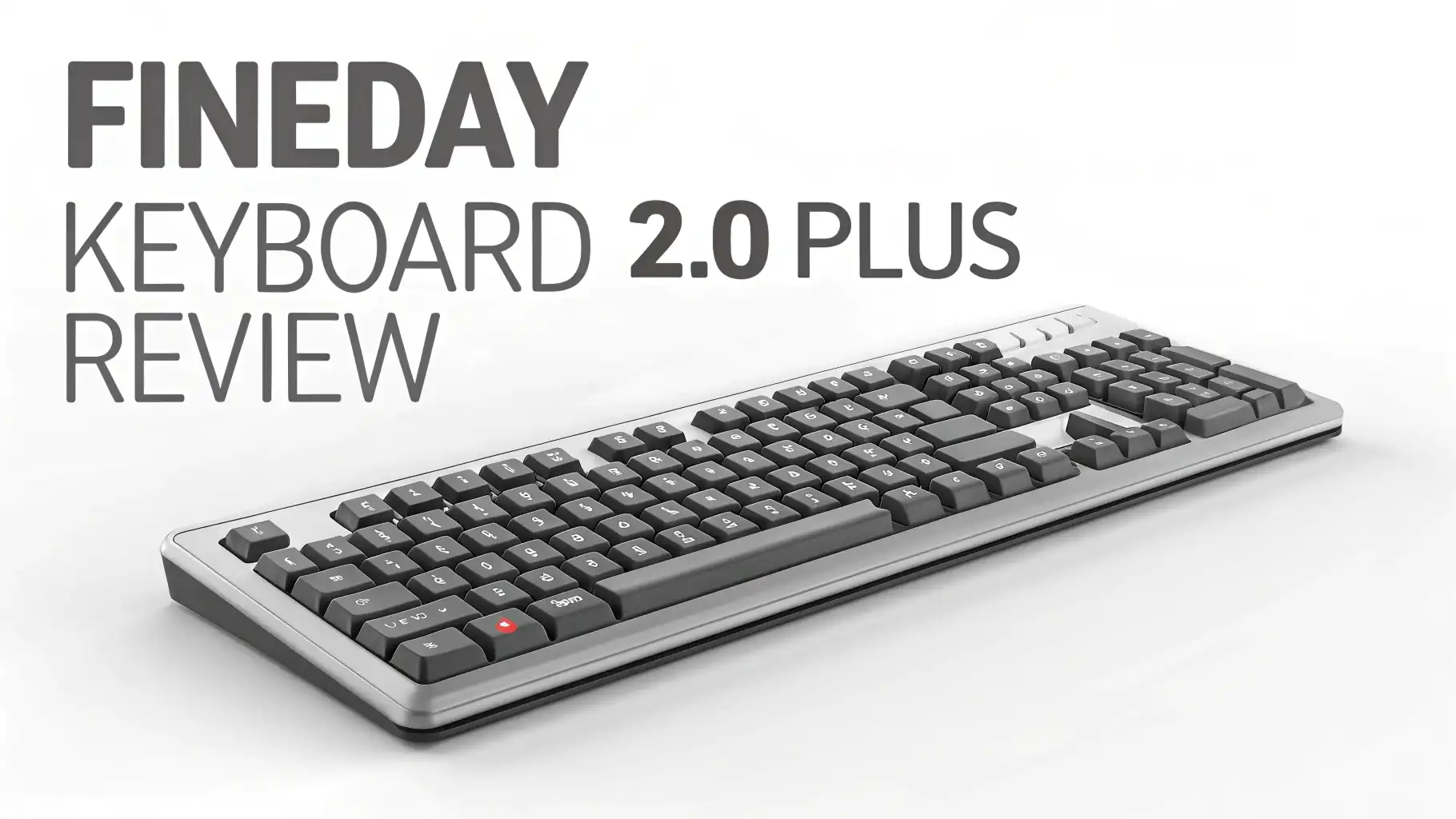
The FINEDAY Keyboard 2.0 Plus represents a new generation of mechanical keyboards. This device doesn’t just type. It makes a statement. The moment you unbox it, you notice the attention to detail. The weight feels substantial. The materials feel premium. The design looks stunning.
This keyboard measures 18.91 x 7.37 x 3.41 inches and weighs 3.4 pounds. The size gives you everything you need. The weight keeps it stable on your desk. Nothing about this keyboard feels cheap or flimsy. Every component speaks quality.
The UV coating technology used on the body creates a surface that hardens instantly. This coating provides exceptional protection against scratches and wear.
It also delivers an eco-friendly solution that looks beautiful. The aluminum components add another layer of quality. These metal parts don’t just look good. They enhance the overall durability.
Build Quality and Design Excellence
Walking up to your desk and seeing the FINEDAY Keyboard 2.0 Plus creates instant satisfaction. The retro-inspired design catches everyone’s eye. The round keycaps remind you of classic typewriters. The color scheme offers both style and sophistication.
The construction uses high-quality materials throughout. The UV coating protects the body while maintaining a smooth, premium finish. The aluminum lever, wheels, and logo stand out as focal points. These metal components don’t bend or flex. They provide solid, reliable control.
The ergonomic design includes a 9.22-degree typing angle. This angle reduces wrist strain during long typing sessions. Your hands rest naturally on the keys. The comfort level exceeds what you’ll find on standard keyboards.
The keyboard includes a device holder that measures 13.66 x 0.55 x 0.86 inches. This holder supports your phone or tablet perfectly. You can view notifications or reference information without cluttering your desk with extra stands.
Typing Experience and Switch Performance
The FINEDAY Keyboard 2.0 Plus features OUTEMU Blue Switches. These switches deliver exactly what mechanical keyboard enthusiasts want. Each keystroke produces a satisfying click. The tactile feedback lets you know exactly when a key registers.
Typing on this keyboard feels different from membrane keyboards. The blue switches require a specific actuation force. This requirement prevents accidental key presses.
The clicky sound creates an auditory confirmation. Some people love this feedback. Others prefer quieter switches. Blue switches suit writers, programmers, and anyone who enjoys hearing their keyboard respond.
The keystroke feel remains consistent across all 104 keys. The quality control ensures no mushy or sticky keys. Every press delivers the same reliable response. The durability rating means these switches will last for millions of keystrokes.
Top 3 Alternatives for FINEDAY Keyboard 2.0 Plus


Battery Life and Power Management
The 5000mAh battery changes how you use a wireless keyboard. Most wireless keyboards require frequent charging. This one doesn’t. The 46-hour battery life means you can work for almost two full days without plugging in.
The charging time takes approximately 7 hours. This duration might seem long. However, the extended usage time makes it worthwhile. You can charge overnight and use the keyboard for days.
The LED indicators show your battery level clearly. You’ll never experience sudden power loss. The indicators also display charging status. This information helps you plan when to charge.
The keyboard supports wired operation during charging. You don’t need to stop working while the battery charges. Simply connect the USB cable and continue typing.
Wireless Connectivity Features
Connecting devices to this keyboard happens easily. The FINEDAY Keyboard 2.0 Plus supports five simultaneous connections. Three Bluetooth channels handle different devices. The 2.4G wireless receiver provides another option. The wired USB-C connection rounds out the choices.
Switching between devices uses simple keyboard shortcuts. Press FN+1, FN+2, or FN+3 to switch Bluetooth devices. Press FN+4 for the 2.4G connection. Press FN+5 for wired mode. The transitions happen instantly. No lag occurs during switching.
The 2.4G receiver stores conveniently on the keyboard’s bottom. You won’t lose this tiny component. The storage solution shows thoughtful design. Pull out the receiver when needed. Store it safely when traveling.
The Bluetooth connectivity works with all major operating systems. Windows, Android, Mac, and iOS devices connect without issues. The Windows logo key functions as a Command key on Mac. This compatibility eliminates confusion.
LED Backlighting and Visual Effects
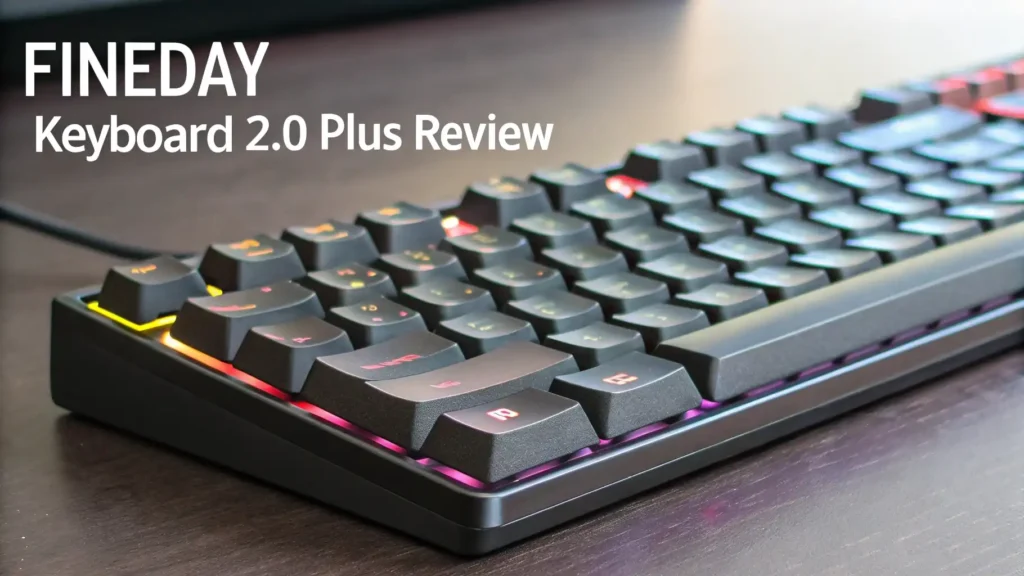
The LED backlighting adds both function and style. Multiple backlight patterns provide variety. Press FN+L to cycle through different lighting modes. Each pattern creates a different atmosphere.
The left wheel controls the LED backlight intensity. Rotate the wheel to adjust brightness. This control method feels intuitive. You don’t need to remember complicated key combinations.
The lighting remains visible without being overwhelming. The illumination helps you see keys in dark environments. The patterns look attractive without being distracting. The balance between style and function works perfectly.
Additional LED indicators show important status information. Number Lock, Caps Lock, battery status, and connection type all have dedicated indicators. These small lights provide valuable information at a glance.
Volume Control and Multimedia Functions
The right wheel controls system volume. This feature provides convenient audio adjustment. No need to reach for on-screen controls. Simply rotate the wheel to increase or decrease volume.
The wheel action feels smooth and precise. Each rotation produces a clear response. The control works immediately. The feedback helps you adjust volume accurately.
The left lever serves as an Enter key. This design choice recreates the classic typewriter experience. Pulling the lever delivers a satisfying mechanical action. The functionality adds novelty while remaining practical.
Compatibility Across Multiple Platforms
The FINEDAY Keyboard 2.0 Plus works with virtually every device. Windows computers connect seamlessly. Mac systems recognize the keyboard immediately. Android tablets and phones pair without issues. iOS devices work perfectly.
The keyboard automatically adjusts certain keys for different operating systems. The Windows key becomes a Command key on Mac. This automatic switching eliminates manual configuration. You can move between devices without adjusting settings.
The universal compatibility makes this keyboard ideal for multi-device users. Connect your work computer, personal laptop, tablet, and phone. Switch between them effortlessly. The productivity gains from easy switching add up quickly.
Package Contents and Accessories
Opening the FINEDAY Keyboard 2.0 Plus box reveals everything you need. The package includes the keyboard, a user guide, a USB cable, a keycap remover, and extra switches.
The user guide explains all features clearly. The quick start section gets you typing immediately. The detailed instructions cover advanced functions. The guide includes troubleshooting tips for common issues.
The USB cable supports both charging and wired operation. The cable length provides adequate reach for most desk setups. The quality matches the keyboard’s premium feel.
The keycap remover helps you customize or clean your keyboard. The tool prevents damage during keycap removal. The extra switches let you replace damaged switches. This inclusion shows the manufacturer’s confidence in user maintenance.
Performance for Different Users
Writers appreciate the tactile feedback and comfortable typing angle. The clicky switches provide satisfying confirmation. The ergonomic design reduces fatigue during long writing sessions. The full-size layout includes all necessary keys.
Programmers benefit from the complete key layout. The number pad speeds up data entry. The function keys provide quick access to development tools. The reliable switches ensure accurate code entry.
Gamers find the responsive switches advantageous. The clicky feedback confirms every command. The anti-ghosting technology prevents missed inputs. The wireless freedom eliminates cable drag. The battery life supports extended gaming sessions.
Office workers enjoy the professional appearance. The retro style impresses colleagues. The multi-device connectivity streamlines workflow. The quiet enough operation doesn’t disturb coworkers too much. The volume control wheel provides convenient audio adjustment.
Value and Price Consideration
The FINEDAY Keyboard 2.0 Plus retails for $191.25. This price positions it in the premium keyboard category. The cost reflects the quality materials, thoughtful design, and advanced features.
Compared to basic keyboards, this investment seems significant. However, compared to other premium mechanical keyboards, the price remains competitive. The retro design, multi-device connectivity, and long battery life justify the cost.
The keyboard’s durability means it should last for years. The replaceable switches extend the useful life. The premium materials resist wear. The total cost of ownership over time makes this keyboard a smart investment.
The Amazon’s Choice designation indicates customer satisfaction. The 4.6-star rating from 31 reviews shows positive user experiences. The combination of quality and features delivers excellent value.
Maintenance and Care Tips
Maintaining your FINEDAY Keyboard 2.0 Plus requires minimal effort. The UV coating resists fingerprints and smudges. Regular dusting keeps the keyboard looking new. Use compressed air to remove debris between keys.
The keycap remover allows deep cleaning. Remove keycaps periodically to clean underneath. Wipe the switches and plate with a slightly damp cloth. Let everything dry completely before reassembling.
The battery requires no special maintenance. Allow the battery to discharge occasionally. This practice maintains battery health. Avoid extreme temperatures during storage.
The switches should last for millions of keystrokes. If a switch fails, use the included extras for replacement. The hot-swappable design makes switch replacement easy.
Who Should Buy This Keyboard
The FINEDAY Keyboard 2.0 Plus suits several user types. Creative professionals appreciate the inspiring design. The retro aesthetic sparks creativity. The comfortable typing experience supports long work sessions.
Multi-device users benefit from the connection flexibility. Switching between devices saves time. The universal compatibility eliminates compatibility concerns. The convenience enhances productivity.
Mechanical keyboard enthusiasts will love the build quality. The premium materials satisfy quality expectations. The blue switches deliver classic mechanical keyboard feel. The retro design offers something different from gaming-focused keyboards.
Anyone wanting a unique keyboard should consider this option. The distinctive appearance makes a statement. The conversation-starting design impresses visitors. The functional features back up the attractive exterior.
Frequently Asked Questions
Can I use this keyboard while it’s charging?
Yes, you can use the FINEDAY Keyboard 2.0 Plus while charging. Simply connect the USB cable and continue typing. The keyboard switches to wired mode automatically. This feature ensures you never need to stop working due to a dead battery.
How loud are the blue switches?
The OUTEMU Blue Switches produce noticeable clicking sounds. These switches are louder than membrane keyboards and quieter switches. The sound level suits home offices and personal workspaces. Consider quieter switches if you work in noise-sensitive environments.
Does this keyboard work with gaming consoles?
The keyboard’s compatibility focuses on computers, tablets, and phones. Some gaming consoles support USB keyboards. Check your specific console’s compatibility before purchasing. The keyboard works best with PC and Mac gaming.
Can I replace the keycaps with custom ones?
The round keycaps create the retro appearance. Standard mechanical keyboard keycaps have different shapes. Finding compatible round keycaps might prove challenging. The included keycaps offer good quality and durability.
How do I switch between connected devices?
Press FN+1, FN+2, or FN+3 to switch between Bluetooth devices. Press FN+4 for the 2.4G wireless connection. Press FN+5 for wired mode. The switching happens instantly. LED indicators show your current connection.
What’s the difference between 2.4G and Bluetooth connections?
The 2.4G connection uses the included wireless receiver. This connection typically offers lower latency. Bluetooth doesn’t require a receiver. Bluetooth works better for devices without USB ports. Both connections provide reliable performance.
How long does the battery really last?
The 5000mAh battery provides up to 46 hours of use. Actual battery life depends on usage patterns. Heavy backlight use reduces battery life. Typing intensity affects power consumption. Most users will get multiple days between charges.
Is the keyboard too heavy for travel?
At 3.4 pounds, this keyboard weighs more than compact travel keyboards. The weight ensures desk stability. The size makes it less portable than smaller keyboards. Consider a compact keyboard if frequent travel is important.