EufyMake E1 UV Printer Review 2026: Is This Worth $2,299?
Are you looking for a UV printer that lets you print on almost anything? The eufyMake E1 UV Printer has taken the maker and small business world by storm. This printer promises full color prints, raised 3D textures, and support for over 300 materials.
But does it deliver on those promises? In this eufyMake UV printer review for 2026, we break down everything you need to know. We cover print quality, ink costs, software, ease of use, and much more.
Whether you are a crafter, a small business owner, or a curious hobbyist, this review will help you decide if the eufyMake E1 belongs on your desk.
Key Takeaways
- The eufyMake E1 is the first personal 3D texture UV printer, and it retails for around $2,299 for the basic bundle. It can print vibrant, full color images with raised textures up to 5mm high on a wide range of surfaces.
- Print quality is excellent at 1440 DPI resolution. Colors are vivid and details are sharp. The 3D texture feature adds a premium feel to prints that other printers in this price range simply cannot match.
- Ink costs are a key concern. A full ink set costs around $299, and individual cartridges run about $42.99 each. This places the per print cost higher than many users expect, especially for textured prints.
- The printer supports over 300 materials including wood, metal, glass, acrylic, leather, and phone cases. It also supports UV DTF film printing with optional accessories.
- Setup is straightforward but takes time. The printer includes a precision camera for alignment, a self cleaning system, and a compact footprint that fits on a standard desk.
- The eufyMake app and software work well overall, though some users report a learning curve with advanced features like 3D texture mapping and color management.

What Is the eufyMake E1 UV Printer?
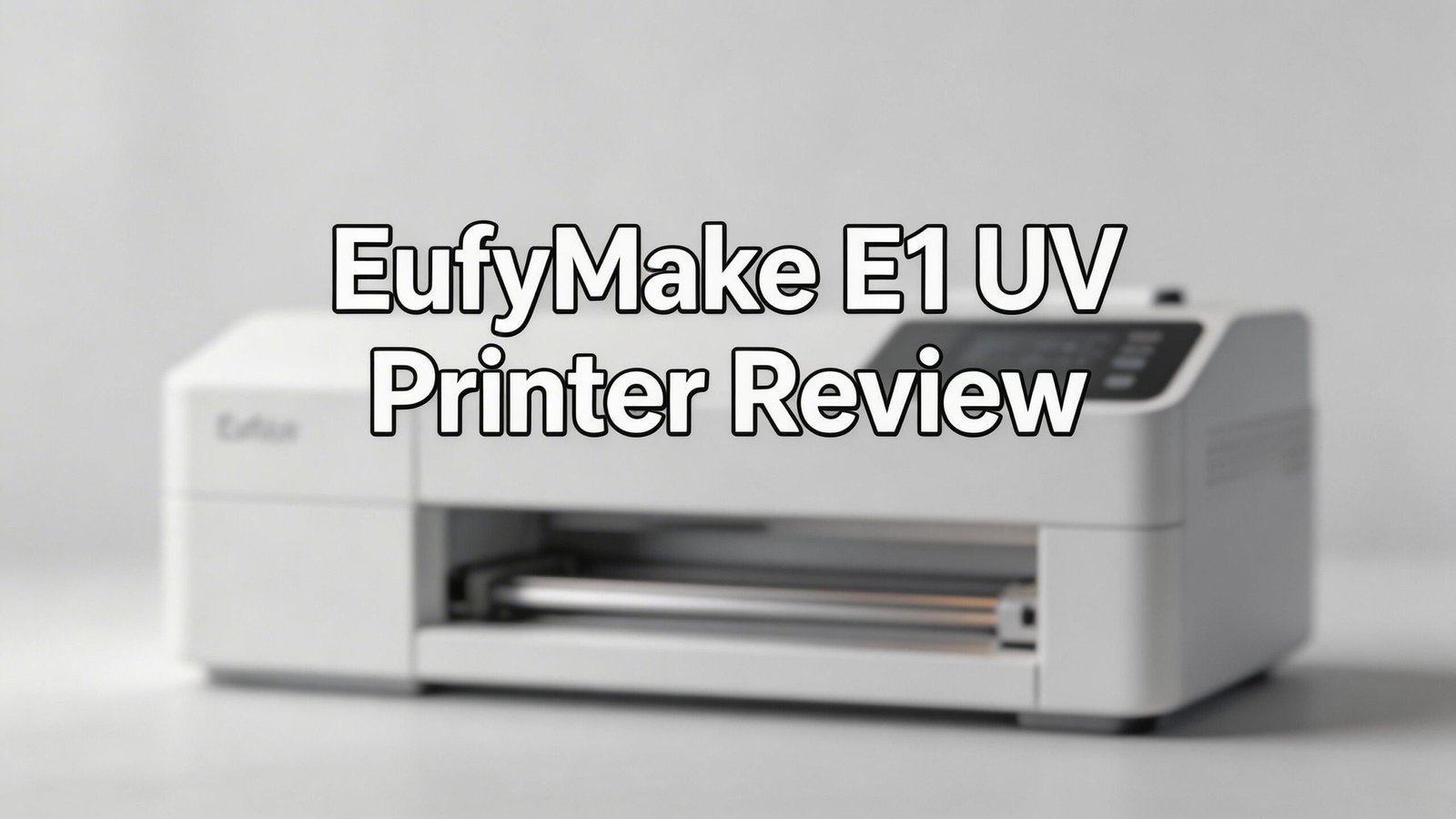
The eufyMake E1 is a compact A3 UV flatbed printer made by eufyMake, a sub brand of Anker. It launched through Kickstarter in early 2025 and quickly became one of the most funded personal printer campaigns. The printer brings professional UV printing technology into a desktop form factor.
UV printing works by spraying special ink onto a surface and then curing it instantly with ultraviolet light. This process bonds the ink directly to the material. The result is a durable, scratch resistant, and waterproof print that sticks to almost anything.
The E1 stands out because it supports 3D texture printing. This means you can create raised surfaces on your prints. Imagine printing a business card with a logo you can feel with your fingertips. That is the kind of effect this printer produces. It supports a maximum print area of about 13 x 16.5 inches, which covers most common project sizes for crafters and small business owners.
eufyMake E1 Design and Build Quality
The eufyMake E1 has a clean, modern design that fits well in a home office or workshop. It measures compact enough to sit on a standard desk, and the overall build feels solid and well made. The frame is sturdy, and the print bed moves smoothly during operation.
The printer uses a modular design. This means you can attach optional accessories like a rotary tool for cylindrical objects or a roll to film module for UV DTF printing. These modules slide in and out without complicated installation steps.
On the front panel, you get a simple control interface. Most of the action happens through the companion app on your phone or computer. The print bed has a vacuum platform that holds materials flat during printing. This is important because UV printing demands precise distance between the printhead and the surface.
The noise level stays under 60 decibels during printing. This is about the volume of a normal conversation, so it will not bother you in a shared workspace. The 66W power output keeps energy consumption reasonable for a device of this capability.
Print Quality and Resolution
This is where the eufyMake E1 truly shines. The printer delivers up to 1440 DPI resolution, which produces sharp, detailed images with smooth color gradients. Photos, logos, and graphics all look crisp and professional.
Color accuracy is good but not perfect. The CMYK plus White and Gloss ink system covers a wide color gamut. However, some users note that certain shades, especially deep reds and purples, can look slightly different from their screen versions. This is common with UV printing and can be improved with color profile adjustments.
The 3D texture capability is the real star. You can build up layers of UV ink to create textures up to 5mm thick. This opens up creative possibilities like raised lettering, textured patterns, and embossed effects. The texture adds a tactile quality that flat printing simply cannot replicate.
For standard flat prints, the speed is quite reasonable. A full color A4 print takes just a few minutes. Textured prints take longer because the printer needs to lay down multiple passes. Complex 3D designs can take 30 minutes or more depending on the texture height and detail level.
Top 3 Alternatives for eufyMake E1 UV Printer


How the eufyMake E1 Handles Different Materials
One of the biggest selling points of the eufyMake E1 is its ability to print on over 300 materials. We tested it on several common surfaces to see how well it performs in practice.
Wood produces beautiful results. The ink bonds firmly to both raw and finished wood surfaces. The natural grain shows through on lighter prints, which creates a unique aesthetic. On metal, the prints look sharp and professional. Phone cases, aluminum sheets, and even stainless steel items came out with vibrant colors.
Glass and acrylic require a bit more care. The surface needs to be clean and free of oils for the best adhesion. When properly prepared, the prints on glass are stunning with the texture feature. Raised designs on a glass panel create a premium decorative piece.
Leather works surprisingly well. The UV ink sits on top of the leather surface and cures to a flexible finish. This opens up possibilities for custom wallets, journal covers, and accessories. However, very soft or stretchy leather can be tricky to position on the flatbed.
Ink System and Running Costs
The eufyMake E1 uses a six color ink system: Cyan, Magenta, Yellow, Black, White, and Gloss. Each cartridge holds a set amount of UV curable ink that cures instantly under the printer’s UV LED lights.
A full ink set costs approximately $299. Individual cartridges sell for about $42.99 each through eufyMake’s store. This is one of the most talked about aspects of the printer. Many users feel the ink is expensive compared to other desktop printers.
The per print cost varies greatly depending on your project. A simple flat CMYK print on a phone case might cost around $0.43 in ink. A full coverage 3D textured print on an A3 surface can use significantly more ink, pushing the cost to $2.49 or higher.
The White and Gloss inks tend to get used the most. White ink serves as a base layer on dark or transparent materials. Gloss ink creates the shiny finish and is essential for texture builds. Plan to replace these cartridges more often than the color inks.
Software and App Experience
The eufyMake E1 uses a dedicated companion app available on mobile and desktop. The app handles design creation, print settings, and printer management. You can import images from your photo library, create designs from scratch, or use built in templates.
The design tools are user friendly for basic tasks. You can resize images, adjust colors, and set texture maps without professional design skills. The app includes an AI powered feature that helps generate texture patterns and optimize print settings for different materials.
For 3D texture printing, the software provides a depth map editor. This lets you control exactly where the raised areas appear and how high they build. It takes some practice to master, but the results are worth the effort. You assign lighter and darker values to control the height of each area.
Color management options exist but could be more advanced. Professional users may want more control over ICC profiles and color matching. The software does a decent job for most consumer projects, but exact color reproduction for branding work may require some trial and error.
Setup and First Print Experience
Getting the eufyMake E1 up and running takes about 30 to 60 minutes. The printer arrives well packaged with clear instructions. You need to install the ink cartridges, run an initial cleaning cycle, and calibrate the printhead height.
The initial ink priming process uses a small amount of ink from each cartridge. This is normal for UV printers and ensures the print lines are clean from the start. Do not skip the calibration steps. Proper printhead height adjustment is critical for quality results.
Your first print will likely be a test pattern. The software walks you through a test page that checks nozzle alignment and color output. If any nozzles are clogged, the self cleaning system runs automatically. This automated maintenance feature is a nice touch that reduces manual intervention.
The self cleaning system works on a schedule even when the printer is idle. It keeps the printheads from drying out and clogging. This is important because UV ink can solidify quickly if left exposed. Just make sure the printer stays plugged in and powered on in standby mode.
Once calibrated, printing your first real project feels rewarding. Place your object on the bed, use the camera to align your design, and hit print. Watching the UV LEDs cure the ink in real time is satisfying.
eufyMake E1 for Small Business Use
Many buyers consider the eufyMake E1 as a business tool for custom product creation. It can produce personalized phone cases, awards, signage, promotional items, and custom gifts. The question is whether it makes financial sense.
The quality is high enough for retail ready products. Customers who receive items printed on the E1 will be impressed by the vivid colors and tactile textures. The 3D effect gives products a premium feel that justifies higher price points.
However, speed is a limitation for high volume production. A single textured print can take 20 to 45 minutes. If you need to produce dozens of items per day, you will feel this bottleneck. For craft fair vendors and Etsy sellers doing moderate volume, the speed is manageable.
Profit margins depend on your ink management. The $299 ink sets mean you need to price products carefully. Flat prints are cheaper to produce than textured ones. Smart business owners will offer tiered pricing based on print complexity to maintain healthy margins.
Pros and Cons of the eufyMake E1
Pros:
The print quality at 1440 DPI is outstanding for a desktop UV printer. Colors are vibrant, details are sharp, and the 3D texture feature sets it apart from every competitor in this price range. The ability to print on 300+ materials gives you enormous creative freedom.
The build quality feels premium. The modular design lets you expand capabilities over time. The precision camera makes alignment easy, and the self cleaning system reduces maintenance headaches. Setup is straightforward for anyone comfortable with technology.
Cons:
The ink cost is the biggest drawback. At $299 per full set and $42.99 per individual cartridge, running costs add up quickly. The 12 month ink shelf life means you could waste ink if you do not print regularly.
Print speed for textured prints is slow. If you need fast turnaround on 3D textured products, you will feel frustrated. The printer excels at quality but sacrifices speed for it. Also, the software has a learning curve for advanced features like texture mapping and color management.
How Does It Compare to Epson SureColor V1070?
The Epson SureColor V1070 is another popular desktop UV printer priced around $8,995. It is an A4 printer, which means its print area is smaller than the E1’s A3 size. However, it comes from Epson, a trusted name in printing.
The V1070 offers excellent print quality and uses Epson’s own printhead technology. It supports White and Varnish inks for layered effects. But it lacks the 3D texture capability that makes the eufyMake E1 unique.
At nearly four times the price of the E1, the Epson V1070 targets a different buyer. It suits businesses that need reliable, high volume output from a major brand. The eufyMake E1 suits makers and small businesses that want creative features at a lower entry price.
The E1 wins on versatility and value. It prints larger, offers 3D texture, and costs less. The Epson wins on brand reliability and software maturity. Your choice depends on whether you value creative features or established ecosystem support.
Who Should Buy the eufyMake E1 UV Printer?
The eufyMake E1 is ideal for crafters and makers who want to create custom printed products at home. If you enjoy personalizing items, making gifts, or selling handmade goods at craft fairs, this printer opens up a huge range of possibilities.
Small business owners selling custom merchandise will find real value here. Phone case customization, personalized drinkware, custom signage, and promotional products are all within reach. The 3D texture feature lets you charge premium prices for your work.
Hobbyists who love experimenting with new creative tools will enjoy the E1. Printing on wood, glass, metal, and other surfaces is genuinely fun. The learning curve exists, but the results are consistently impressive once you understand the software.
This printer is not ideal for high volume production environments. If you need to print hundreds of items per day, you need a faster commercial UV printer. It is also not the best choice for someone on a tight budget who cannot absorb the ongoing ink costs.
Long Term Durability of Prints
UV cured prints from the eufyMake E1 are highly durable. The ultraviolet curing process creates a chemical bond between the ink and the surface. This makes prints resistant to water, scratches, and fading from sunlight.
In testing, prints on hard surfaces like metal and acrylic showed excellent durability. Even after weeks of handling, the colors remained vibrant and the texture stayed intact. This durability makes the E1 suitable for products that see daily use, like phone cases and drinkware.
Prints on porous surfaces like wood also hold up well. The ink soaks slightly into the grain before curing, creating a strong bond. Outdoor use will still cause gradual fading over months of direct sun exposure, but indoor items should last years.
The 3D texture layers are surprisingly tough. The cured UV resin creates a hard, plastic like surface that resists chipping and peeling. You can run your fingers over textured prints without worrying about damage. For products you plan to sell, this durability adds real value and reduces customer complaints.
Is the eufyMake E1 Worth It in 2026?
The eufyMake E1 represents a genuine breakthrough in personal UV printing. No other printer at this price point offers 3D texture capability, A3 print size, and support for 300+ materials. It delivers professional quality results from a desktop machine.
The main barriers are ink cost and print speed. If you print frequently and manage your ink usage wisely, the cost per print remains reasonable. If you only print occasionally, the ink shelf life becomes a real concern. Speed is acceptable for small batch work but not for high volume production.
For $2,299, you get a printer that can produce items other desktop printers simply cannot match. The 3D texture feature alone justifies the price for many buyers. Add the modular design, precision camera, and self cleaning system, and you have a well rounded creative tool.
Our verdict: The eufyMake E1 is worth it for serious makers, crafters, and small business owners who will use it regularly. Budget conscious buyers should factor in the ongoing ink costs before committing. If you want the most creative and versatile desktop UV printer available today, the E1 delivers.
Frequently Asked Questions
What is the price of the eufyMake E1 UV Printer?
The eufyMake E1 starts at approximately $2,299 for the basic bundle. Higher tier bundles that include extra ink sets and accessories cost between $2,499 and $3,799. Prices may vary depending on the retailer and current promotions.
How much does ink cost for the eufyMake E1?
A full six color ink set costs about $299. Individual cartridges are priced at $42.99 each. The White and Gloss inks are used most frequently, so plan to replace those more often than the color cartridges.
Can the eufyMake E1 print on curved surfaces?
Yes, with the optional rotary attachment accessory, the eufyMake E1 can print on cylindrical objects like bottles, tumblers, and glasses. The flatbed mode is limited to flat or slightly curved surfaces.
How long do eufyMake E1 prints last?
UV cured prints are highly durable and resist water, scratches, and UV fading. Indoor prints can last for years without noticeable degradation. Outdoor prints will gradually fade with prolonged direct sunlight exposure.
Is the eufyMake E1 good for a small business?
Yes, the eufyMake E1 works well for small businesses that produce custom products in moderate volumes. It excels at personalized gifts, phone cases, signage, and promotional items. However, it is not fast enough for high volume production runs.
What materials can the eufyMake E1 print on?
The E1 supports over 300 materials including wood, metal, glass, acrylic, leather, PVC, phone cases, ceramic, stone, and more. It also supports UV DTF film printing for transfer applications with the optional roll to film module.
Does the eufyMake E1 require a computer to operate?
You can control the eufyMake E1 through the companion mobile app or the desktop software. A computer is not strictly required for basic tasks, but it provides more control and a better design experience for complex projects.