eufy FamiLock S3 Max Smart Lock Review: Is This Worth Your Money?
Your front door is the gateway to your home. It keeps you safe. It welcomes your family. But what if your door could do so much more? The eufy FamiLock S3 Max is not just a smart lock.
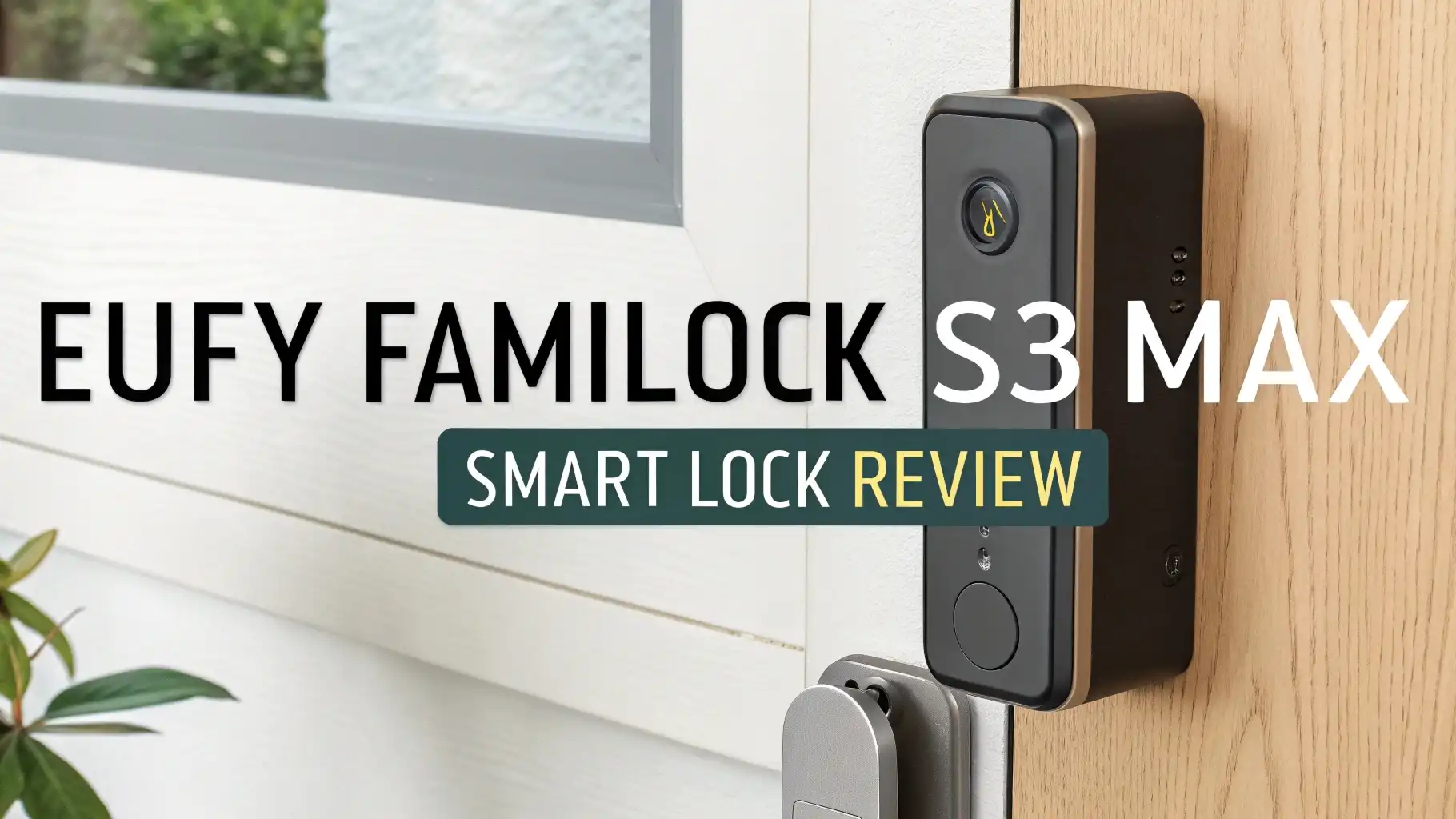
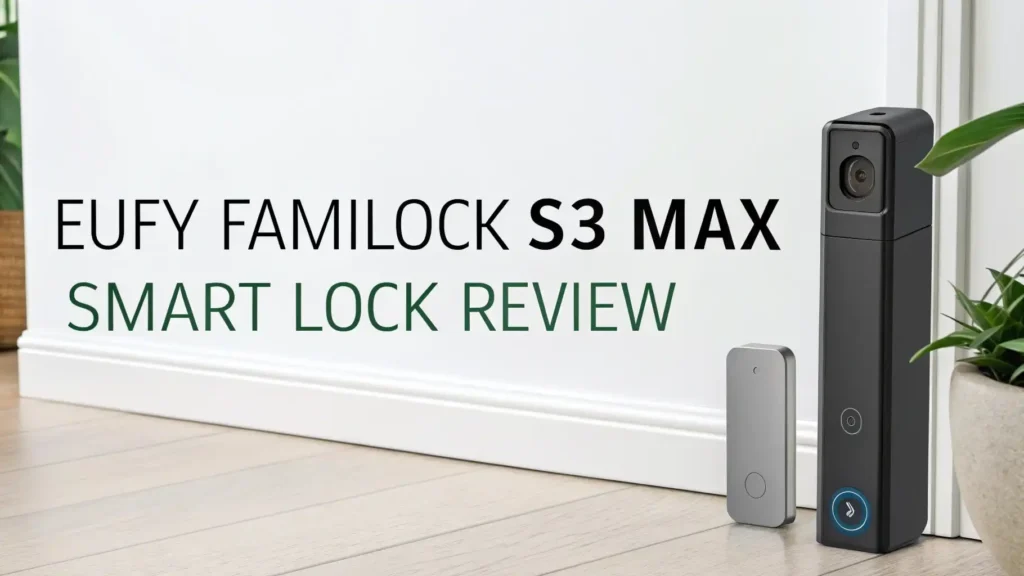
It’s a complete security system packed into one device. This lock combines palm vein scanning, a 2K video doorbell, and a keypad into a single unit.
This review explores every feature of this amazing device. We will look at its strengths and weaknesses. We will help you decide if this is the right smart lock for your home.
Key Takeaways:
- Advanced Palm Vein Technology unlocks your door with incredible accuracy. The system recognizes the unique vein patterns under your skin. It achieves 99.9% accuracy and unlocks in just 0.6 seconds. This technology is virtually impossible to forge or hack.
- Complete 3-in-1 Design combines three devices into one package. You get a smart lock, a 2K HDR video doorbell, and a security camera. The device saves you money compared to buying these items separately. It also saves installation time and space on your door.
- Unique Interior Display shows you who is outside without opening the door. The 4-inch 1080p screen acts like a digital peephole. This feature is perfect for homes without windows in the door. You can see visitors clearly before deciding to open.
- No Monthly Fees Required for basic operation and video storage. The lock includes 15.5GB of internal storage for videos. You own your data and keep it private. Optional cloud backup is available but not necessary for most users.
- Long Battery Life keeps your door secure for months. The 15,000mAh rechargeable battery lasts up to five months. Four AAA backup batteries provide an additional month of power. You will never get locked out due to dead batteries.

What Makes the eufy FamiLock S3 Max Different from Other Smart Locks
The smart lock market is filled with options. Most locks offer fingerprint scanning or keypads. Some include cameras. But the eufy FamiLock S3 Max takes a different approach. This device combines features that you usually need to buy separately.
The palm vein scanner is the standout feature. Unlike fingerprint readers, this technology reads the vein patterns inside your hand. These patterns are invisible to the eye. They cannot be copied or stolen. The system works even if your hands are wet or dirty.
The integrated video system sets this lock apart from competitors. You get a 2K camera on the outside. You get a 4-inch color display on the inside.
This means you can see who is at your door without looking through a peephole. The camera captures video with a 180-degree field of view. Night vision ensures clear video even in darkness. The motion sensors detect movement and start recording automatically.
Palm Vein Recognition: The Future of Home Security
Palm vein recognition is cutting-edge technology. Your palm contains a unique network of veins. These veins are different from every other person on Earth.
The eufy FamiLock S3 Max uses infrared light to scan these veins. The scanner sits at the top of the exterior unit. A white LED border glows during the scanning process.
The recognition process is incredibly fast. You simply wave your hand near the scanner. The system identifies your palm in 0.6 seconds. The lock opens immediately. You can store up to 50 different palm scans. Each user can register up to two palms. This means 25 people can have access to your home.
The accuracy is remarkable. The system achieves 99.9% recognition accuracy. False rejections are extremely rare. The technology works at different angles. You do not need to position your hand perfectly. The system adapts to your natural hand position.
Video Doorbell and Camera Performance
The camera system is a major highlight. The eufy FamiLock S3 Max includes a 2K HDR camera on the front. This camera records video at 1600 x 1600 pixels.
The video quality is sharp and detailed. Colors appear rich and accurate. The wide-angle lens captures a 180-degree field of view. This means you can see everything from head to toe. You can see packages left at your feet. You can see the face of visitors clearly.
Night vision works excellently. The camera uses infrared LEDs for black-and-white night recording. The video remains clear up to 20 feet away. Motion detection is intelligent.
The lock includes dual motion sensors. These sensors reduce false alarms by 95%. The system can distinguish between humans and other objects. You only get notifications when a person approaches. This eliminates alerts from passing cars or animals.
The interior display is truly innovative. The 4-inch 1080p screen shows live video from the camera. You can check who is outside without opening the door. This is perfect for apartments or homes with solid doors.
Top 3 Alternatives for eufy FamiLock S3 Max


Keypad and Multiple Access Methods
The touch screen keypad offers another access option. The keypad stays dark to save battery power. When you press a button, the numbers light up with white LED backlighting.
The buttons are responsive and easy to press. The keypad supports up to 100 different PIN codes. You can assign different codes to family members. You can create temporary codes for guests. You can set up scheduled access for service providers.
The scramble passcode feature adds extra security. This clever option protects your code from prying eyes. You can enter random numbers before your actual code. You can add random numbers after your code. The system ignores the extra digits. It only recognizes your real PIN. This prevents anyone from watching and learning your code.
Traditional key access is still available. The keyhole is hidden behind the doorbell button. You slide the button away to reveal the keyway. The lock comes with two physical keys.
Smart Home Integration and App Control
The eufy mobile app provides complete control. The app is available for Android and iOS devices. The interface is clean and easy to navigate.
The lock appears on the home screen with a live image. Tapping the image opens a full live video stream. You can lock or unlock the door with a button press. The button requires a press and hold action. This prevents accidental operation.
Matter support is a significant advantage. Matter is the new universal smart home standard. The lock works with Amazon Alexa, Apple HomeKit, Google Home, and Samsung SmartThings.
You can use voice commands to lock or unlock. You can check the lock status with your voice. You can integrate the lock into automation routines. For example, the lock can automatically secure when you leave home.
The settings menu offers extensive customization. You can adjust motion detection sensitivity. You can set detection ranges from 3 to 20 feet. You can create activity zones. The system only monitors specific areas. You can configure loitering detection.
Battery Life and Power Management
Battery performance is outstanding. The eufy FamiLock S3 Max uses a dual battery system. The primary battery is a rechargeable 15,000mAh lithium-ion pack.
This massive battery provides up to five months of operation. The battery life depends on usage patterns. More video recordings reduce battery life. Fewer access events extend battery life.
The backup system ensures you never get locked out. Four AAA batteries provide backup power. These batteries activate when the main battery depletes. They provide an additional month of operation.
This gives you plenty of time to recharge the main battery. The system sends notifications when battery levels drop. You receive alerts through the app. You can plan recharging before power runs out.
Power management features help extend battery life. You can choose different recording modes. Optimal surveillance mode records up to 60 seconds per event. Balance surveillance mode limits recording to 20 seconds.
Installation Process and Setup
Installing the eufy FamiLock S3 Max is straightforward. The lock fits standard doors. It works with door thicknesses from 1-3/8 to 2-1/6 inches.
The crossbore diameter can be 1-1/2 or 2-1/8 inches. The package includes all necessary mounting hardware. You get a strike plate, deadbolt assembly, and screws. You also get a detailed quick start guide.
The installation process takes about an hour. First, you remove your existing lock. Then you install the deadbolt assembly in the door. Next, you attach the exterior escutcheon to the mounting plate.
Two cables connect the exterior and interior parts. One cable handles data. The other cable provides Wi-Fi connectivity. Finally, you secure the interior escutcheon to the mounting plate.
App setup is quick and easy. You download the eufy app first. You create an account if you do not have one. Then you scan the QR code in the battery compartment. The app launches a video tutorial. You can also access text-based instructions.
Video Storage and Recording Options
Local storage is generous. The lock includes 15.5GB of internal storage. This eMMC flash memory stores video clips directly in the lock. You own your data completely. Your videos stay private. No one else can access them. The storage capacity holds many days of footage. The exact number depends on recording settings and motion frequency.
Cloud backup is optional. eufy offers a cloud storage service. The basic plan costs $3 per month or $30 per year. This covers one device.
The premium plan costs $10 per month or $100 per year. This covers up to 10 devices. Cloud storage keeps videos for 30 days. Note that prices are scheduled to increase in 2026. However, cloud storage is not necessary for most users.
Video management is simple. The app shows all recorded events. You see lock and unlock actions. You see motion detection clips. You see doorbell press recordings.
Each event includes a thumbnail image. You can play videos directly in the app. You can download videos to your phone. You can share videos with others. You can delete videos you do not need.
Security Features and Privacy Protection
Security is paramount with any smart lock. The eufy FamiLock S3 Max takes security seriously. Palm vein data stays on the device. The information never uploads to the cloud. Your biometric data remains private. Even eufy cannot access your palm scans. This local storage approach protects your privacy completely.
Wrong-try protection defends against unauthorized access attempts. The system tracks failed access attempts. After multiple wrong codes or palm scans, the lock temporarily disables.
You can set the threshold from 3 to 10 failed attempts. The lockout period ranges from 1 to 5 minutes. This prevents brute force attacks. It stops people from guessing codes repeatedly.
Encryption protects all communications. Data between the lock and your phone is encrypted. Video streams are secure. Command signals are protected. This prevents hackers from intercepting information. The lock also uses secure authentication. Only authorized devices can control the lock.
Pros and Cons of the eufy FamiLock S3 Max
Every product has strengths and weaknesses. The eufy FamiLock S3 Max excels in many areas. However, it also has some limitations. Understanding both sides helps you make an informed decision.
The advantages are significant. The palm vein scanner is incredibly convenient and secure. You never carry keys. You never remember codes. The interior display is unique and useful. You see visitors without opening the door.
The build quality is exceptional. The device feels solid and premium. The battery life is excellent. You rarely need to recharge. The no subscription model saves money. You get full functionality without monthly fees.
The disadvantages are worth considering. The price is high at nearly $400. This is more expensive than many alternatives. The size is very large. The lock occupies substantial space on your door. The weight is considerable at almost three pounds.
Installation requires handling this heavy device. The palm scanner can be finicky. It sometimes struggles with angled hand positions. The feature list adds complexity. Some users may find the system overwhelming.
Who Should Buy the eufy FamiLock S3 Max
This smart lock is not for everyone. The ideal buyer has specific needs and preferences. Apartment dwellers benefit greatly from the interior display. Many apartments have solid doors without windows. The video screen replaces a traditional peephole. You can see visitors clearly before opening the door.
Families with multiple members appreciate the palm scanning. Each family member gets quick access. Children can enter without losing keys. Elderly relatives avoid fumbling with small keys. The system accommodates up to 50 palm scans. Large families have plenty of capacity.
Tech enthusiasts love the feature-rich design. The lock offers cutting-edge palm vein technology. The Matter support enables extensive smart home integration. The customization options satisfy tinkerers. You can adjust countless settings. You can create complex automation routines.
Security-conscious homeowners value the ANSI Grade 1 certification. This rating ensures maximum physical security. The local video storage protects privacy. The multiple authentication methods provide flexibility. The wrong-try protection defends against attacks.
How Does It Compare to Other eufy Smart Locks
eufy offers several smart lock options. The eufy FamiLock S3 is a close relative. It includes the same palm vein scanner. It has the same keypad. However, it lacks the camera and interior display. The S3 costs $50 less at $349.99. This makes sense for homes with existing doorbells. It is perfect for doors with windows or sidelights.
The eufy Smart Lock C220 is a budget option. It costs only $98.49. This lock includes fingerprint scanning and a keypad. It has built-in Wi-Fi. It offers app control.
However, it lacks palm vein scanning. It has no camera or doorbell. The build quality is BHMA Grade 3 instead of Grade 1. This is a good choice for secondary doors or rental properties.
The eufy Video Smart Lock S330 sits in the middle. It costs $244.99. This lock combines a camera, doorbell, and fingerprint scanner. It offers 2K video recording. However, it uses fingerprint scanning instead of palm veins. It lacks the interior display. This is a good alternative for those who prefer fingerprint access.
Is the eufy FamiLock S3 Max Worth the Price
The price is the biggest question. At $399.99, this lock costs more than most alternatives. However, the value proposition is strong. You get three devices in one package.
A quality video doorbell costs $150 to $200. A premium smart lock costs $200 to $300. Buying these separately totals $350 to $500. The eufy FamiLock S3 Max falls within this range.
The features justify the cost. Palm vein scanning is rare in smart locks. The technology is expensive to implement. The interior display is unique to this model. No other smart lock offers this feature. The ANSI Grade 1 certification indicates superior build quality. Cheaper locks use lower-grade materials and construction.
The long-term savings matter. You avoid monthly subscription fees. Many video doorbells require subscriptions for cloud storage. These fees add up over years. The eufy system saves $36 to $120 annually. Over five years, this totals $180 to $600 in savings. The upfront cost becomes more reasonable when considering lifetime expenses.
Final Verdict: Should You Buy the eufy FamiLock S3 Max
The eufy FamiLock S3 Max is an impressive smart lock. It combines innovative technology with practical features. The palm vein scanner is fast, accurate, and secure.
The 2K video doorbell captures excellent footage. The interior display provides unprecedented convenience. The build quality is outstanding. The battery life is excellent. The no-subscription model protects your wallet.
However, this lock is not perfect for everyone. The high price limits its appeal. The large size may not fit all doors. The palm scanner can be temperamental.
The feature complexity may overwhelm simple users. Consider alternatives if you have a door with windows. The interior display becomes less valuable when you can see outside naturally.
For the right user, this lock is excellent. If you want cutting-edge technology, this delivers. If you have a solid door without windows, the display is invaluable. If you value privacy and hate subscriptions, the local storage is perfect.
Frequently Asked Questions
How long does the battery last on the eufy FamiLock S3 Max?
The main 15,000mAh rechargeable battery lasts up to five months under normal use. The four AAA backup batteries provide an additional month of power. Battery life varies based on usage patterns, video recording frequency, and outdoor temperature conditions.
Can the palm vein scanner work with wet or dirty hands?
Yes, the palm vein scanner reads internal vein patterns beneath the skin surface. Unlike fingerprint readers, the system works with wet, dirty, or slightly injured hands. The infrared technology penetrates the skin to read the vein structure underneath.
Does the eufy FamiLock S3 Max require a subscription?
No subscription is required for basic operation. The lock includes 15.5GB of local storage for video recordings. Optional cloud backup is available for $3 per month or $30 per year, but most users find local storage sufficient.
Is the lock compatible with all smart home platforms?
The lock supports Matter, which works with Amazon Alexa, Apple HomeKit, Google Home, and Samsung SmartThings. However, advanced features like palm scanning and video access are limited through Matter. Full functionality requires the eufy app.
What happens if the battery dies completely?
The lock includes a USB-C port on the exterior. You can connect any portable battery pack or USB power adapter to provide temporary power. This allows you to unlock the door and access the battery compartment for recharging.
Can I install this lock myself or do I need a professional?
Most homeowners can install this lock themselves. The process takes about one hour. Basic tools are required. The app provides video tutorials. However, professional installation is available if you prefer expert assistance.
How many people can have access to the lock?
The lock stores up to 50 palm vein scans, with up to two palms per user. This means 25 people can have palm access. Additionally, you can create up to 100 different PIN codes for keypad access.
Does the camera record continuously or only on motion?
The camera records only when motion is detected or when someone presses the doorbell. Continuous recording would drain the battery too quickly. You can adjust recording duration from 10 to 60 seconds per event based on your power management preferences.