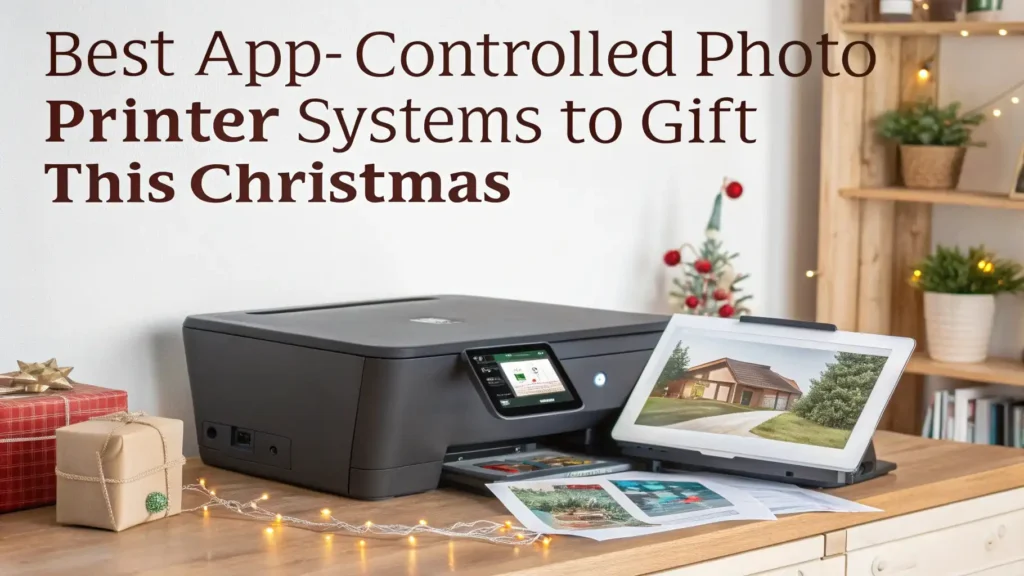
8 Best App-Controlled Photo Printer Systems to Gift This Christmas 2026
The holiday season brings the perfect opportunity to give the gift of instant memories. App-controlled photo printers have transformed how we share and preserve our favorite moments.
These portable devices connect directly to your smartphone and let you print stunning photos anywhere, anytime.
This Christmas 2026, surprise your loved ones with a photo printer that brings digital memories to life in seconds.
Key Takeaways
- Print Quality and Size Options: Most portable printers create 2×3 inch prints, while professional models offer 4×6 inch photos with superior color accuracy and detail. Dye-sublimation technology produces the best results for long-lasting prints that resist fading.
- Smartphone Compatibility: Every printer on this list works with both iOS and Android devices through Bluetooth or WiFi connections. The companion apps let you edit photos, add filters, and customize prints before sending them to the printer.
- Battery Life and Portability: Compact designs fit in your bag or pocket, making them perfect for parties, travel, and events. Most models print 20 to 50 photos on a single charge, depending on the battery capacity.
- Paper Types and Costs: Zero Ink (ZINK) technology eliminates ink cartridges, while dye-sublimation printers use ribbon cartridges. Consider the ongoing cost per print when choosing your system.
- Creative Features: Modern photo printer apps include AR effects, collage makers, QR code printing, and fun frames that make each print unique and memorable.
KODAK Step Instant Photo Printer

The KODAK Step stands as one of the most popular portable photo printers on the market today. This compact device fits easily in your pocket and connects to your smartphone through Bluetooth in seconds. The printer uses ZINK paper technology, which means you never need to buy expensive ink cartridges or ribbons.
Your photos come out as 2×3 inch prints with a sticky backing that lets you place them anywhere. The KODAK Step app offers dozens of editing tools, filters, and frames to personalize your pictures before printing. You can add borders, text, and even AR effects that bring your photos to life.
Print quality delivers vibrant colors and sharp details that look great for casual snapshots. The device prints one photo in about 60 seconds, making it fast enough for parties and events. Battery life supports around 25 prints per charge, which covers most social gatherings without needing a recharge.
Pros:
- Affordable price point under $80
- No ink cartridges required
- Sticky-back photos for easy display
- Lightweight and truly portable
- Fun editing app with many features
- Compatible with both iPhone and Android
Cons:
- Smaller print size than some competitors
- ZINK paper can be expensive
- Print quality not as professional as dye-sub printers
- Limited battery capacity for extended use
Canon SELPHY CP1500 Wireless Photo Printer

Canon brings professional quality to portable printing with the SELPHY CP1500. This printer produces stunning 4×6 inch photos that rival prints from photo labs. The dye-sublimation printing technology creates smooth color gradients and exceptional detail that ZINK printers cannot match.
The wireless connectivity options include WiFi and Bluetooth, giving you flexibility in how you connect your devices. The Canon SELPHY Photo Layout app lets you create collages, calendars, and greeting cards right from your phone. Print quality stays consistent across hundreds of prints, making this system reliable for serious photographers.
You can also print directly from cameras that support wireless PictBridge, giving you more options than phone-only printers. The compact design still fits in a backpack, though it weighs more than ultra-portable models. Battery operation requires an optional battery pack, but standard AC power works great for home use.
Pros:
- Professional 4×6 inch print size
- Excellent color accuracy and detail
- Wireless and USB connectivity options
- Prints from cameras and computers too
- Long-lasting prints that resist fading
- Reliable dye-sublimation technology
Cons:
- Higher price point around $180
- Larger and heavier than mini printers
- Requires paper and ink cartridge purchases
- Optional battery costs extra
- Slower printing than ZINK models
Fujifilm Instax Mini Link 3 Smartphone Printer

The Fujifilm Instax Mini Link 3 delivers that classic instant photo experience everyone loves. This printer creates credit-card-sized photos with the authentic look and feel of traditional instant film. The prints develop right before your eyes, adding an element of excitement that digital prints lack.
Instax film produces warm, nostalgic colors that give your photos a unique artistic quality. The printer connects via Bluetooth and works with the Instax Mini Link app, which includes games and creative features. You can use motion sensors to control the printer by tilting your phone, making the printing process interactive and fun.
The app lets you test different looks before printing, saving film and money. Special features include split-screen printing, QR code creation, and match test games that analyze compatibility between people. The compact size makes it perfect for parties where guests want instant photo souvenirs.
Pros:
- Authentic instant film experience
- Unique artistic photo quality
- Interactive app with games
- Compact and stylish design
- Fast printing process
- No charging needed for film
Cons:
- Instax film costs more per print
- Smaller print size than some options
- Film expires and requires proper storage
- Cannot reprint photos without using more film
- Limited editing compared to digital printers
HP Sprocket Portable Photo Printer
![HP Sprocket Portable Photo Printer (2nd Edition) – Instantly print 2x3' sticky-backed photos from your phone – [Luna Pearl] [1AS85A]](https://gadgetgallery.blog/wp-content/plugins/aawp/public/image.php?url=YUhSMGNITTZMeTl0TG0xbFpHbGhMV0Z0WVhwdmJpNWpiMjB2YVcxaFoyVnpMMGt2TkRGc2VGVkhPVFozWmt3dVgxTk1NVFl3WHk1cWNHYz18MTc3NjAzNDg5Mw=)
HP Sprocket brings style and convenience together in a slim, pocket-sized package. This printer measures just over half an inch thick and weighs only a few ounces, making it the most portable option on this list. The sleek design comes in several attractive colors that appeal to younger users.
ZINK technology provides zero-hassle printing without ink mess or cartridge changes. The sticky-backed prints work perfectly for decorating dorm rooms, planners, and photo albums. The HP Sprocket app offers augmented reality features that let you embed video clips into printed photos using your phone’s camera.
Print quality works well for social media photos and casual snapshots. The 2×3 inch size matches standard wallet photo dimensions. Battery life extends to about 40 prints per charge, which beats many competitors. The printer connects quickly through Bluetooth and remembers your device for future sessions.
Pros:
- Ultra-slim and lightweight design
- Good battery life for size
- AR video feature is unique
- Multiple color options available
- User-friendly app interface
- Quick Bluetooth pairing
Cons:
- Print quality acceptable but not exceptional
- Smaller prints than some users want
- Paper costs add up over time
- Limited to 2×3 inch format only
Canon Ivy 2 Mini Photo Printer

Canon Ivy 2 combines affordability with reliable performance in a compact form factor. This updated version improves on the original with better Bluetooth connectivity and an enhanced app experience. The printer produces 2×3 inch sticky-backed photos using ZINK technology.
The design includes a built-in LED light bar that flashes during printing, adding a fun visual element. Color reproduction performs well for casual prints, and the app offers basic editing tools that cover most needs. The price point makes this printer accessible to budget-conscious shoppers who still want quality results.
Print speed matches industry standards at about 50 seconds per photo. The rechargeable battery handles around 20 prints before needing power. The printer works equally well with iOS and Android devices, making it a versatile gift choice for any smartphone user.
Pros:
- Budget-friendly pricing under $100
- Compatible with all major smartphones
- LED light bar adds personality
- Sticky-back convenience
- Decent print quality for the price
- Compact and portable
Cons:
- Battery life shorter than competitors
- App features less advanced than others
- Print longevity not as good as dye-sub
- Limited professional applications
Liene 4×6 Photo Printer

Liene offers serious photo printing capability at a competitive price point. This printer creates full-size 4×6 inch photos using dye-sublimation technology that delivers professional results. The color accuracy and detail rival much more expensive photo lab prints.
WiFi connectivity allows printing from anywhere in your home, while Bluetooth works for portable printing sessions. The printer supports both iOS and Android devices through a well-designed app. You can also print directly from social media accounts, cloud storage, and email attachments.
The thermal dye sublimation process creates prints that last up to 30 years without fading when stored properly. Each print costs less than professional lab printing, making this system economical for frequent use. The printer includes 20 sheets of paper and one color cartridge to get you started immediately.
Pros:
- Professional 4×6 inch print quality
- WiFi and Bluetooth connectivity
- Affordable per-print cost
- Prints last decades without fading
- Works with multiple photo sources
- Good value for the features
Cons:
- Larger size reduces portability
- Requires paper and ribbon purchases
- Slower printing than ZINK systems
- Setup more complex than simpler models
Polaroid Hi-Print 2×3 Pocket Printer

Polaroid brings decades of instant photo expertise to modern smartphone printing. The Hi-Print uses dye-sublimation technology in a compact format, creating 2×3 inch photos with exceptional quality. The prints feature smooth color transitions and impressive detail that ZINK paper cannot achieve.
The second-generation model improves connectivity reliability and print speed. The printer connects through Bluetooth and works with the Polaroid app, which offers filters, templates, and creative tools. The dye-sublimation process means your prints resist water and fingerprints better than ZINK alternatives.
Print durability stands out as a key advantage of this system. The photos feel more substantial and professional than cheaper alternatives. Battery life supports about 20 prints per charge, and the compact design fits easily in bags and large pockets.
Pros:
- Superior dye-sub print quality
- Water and smudge resistant prints
- Trusted Polaroid brand heritage
- Compact for dye-sub technology
- Good app with creative features
- Professional-looking results
Cons:
- Higher paper cartridge costs
- Smaller battery capacity
- Heavier than ZINK printers
- Slower printing process
- Limited to 2×3 size format
KODAK Mini 2 Retro Photo Printer

The KODAK Mini 2 Retro combines vintage aesthetics with modern printing technology. This printer uses 4PASS dye-sublimation technology that passes the ribbon over the paper four times, creating exceptional color depth and detail. The prints measure 2.1×3.4 inches, slightly larger than standard mini prints.
The retro design appeals to users who appreciate classic camera styling. The printer feels solid and well-built compared to ultra-budget models. Print quality exceeds ZINK technology significantly, with better color accuracy and longer-lasting results. The prints resist fading, water, and fingerprints better than paper-based alternatives.
The KODAK app offers standard editing features and connects reliably through Bluetooth. Battery life allows about 20-25 prints per charge. The printer comes with a starter pack of photo paper to begin printing immediately after unboxing.
Pros:
- Attractive vintage design
- 4PASS technology for quality
- Durable, long-lasting prints
- Slightly larger print size
- Solid construction quality
- Good color reproduction
Cons:
- Paper cartridges cost more
- Limited battery life
- Slower than instant ZINK printers
- Heavier than competitors
- App less feature-rich than others
Understanding Photo Printer Technologies
The type of printing technology affects your final results significantly. ZINK (Zero Ink) technology uses special paper with embedded dye crystals that activate when heated. This eliminates the need for ink cartridges and makes printers smaller and lighter. ZINK prints work great for casual use but may fade faster than other methods.
Dye-sublimation printers use heat to transfer dye from a ribbon onto special paper. This process creates smooth color gradients and professional-quality results. The prints last much longer than ZINK and resist water and fingerprints. However, dye-sub printers cost more and require both paper and ribbon cartridges.
Instant film printers like the Fujifilm Instax use traditional chemical development processes. These create authentic instant photos with unique characteristics. The prints have a distinct look that digital printing cannot replicate, though they cost more per photo.
Choosing the Right Printer for Your Needs
Consider how you plan to use your photo printer before making a decision. Casual users who want convenient printing at parties should choose lightweight ZINK printers. These models offer the best portability and ease of use without worrying about ink supplies.
Serious photographers and professionals benefit more from dye-sublimation systems. The superior print quality and longevity justify the higher initial cost and larger size. If you sell prints or create photo gifts, invest in a 4×6 inch dye-sub printer for professional results.
Budget plays an important role in your choice. Entry-level ZINK printers start around $80, while professional dye-sub systems cost $150-200. Factor in ongoing costs for paper and supplies when calculating total ownership expenses.
App Features That Matter Most
Modern photo printer apps do much more than just send photos to print. Look for apps that offer comprehensive editing tools including filters, brightness adjustment, and cropping. The best apps let you preview exactly how your print will look before using paper.
Creative features add value to your printing experience. Collage makers let you combine multiple photos into single prints. Border and frame options personalize your photos. Some apps include AR features that embed digital content into physical prints.
Social media integration saves time by allowing direct printing from Instagram, Facebook, and other platforms. Cloud storage connections let you access photos from Google Photos, Dropbox, and iCloud without downloading to your phone first.
Print Size and Format Considerations
The 2×3 inch format dominates portable photo printing because it balances portability with usability. These prints work perfectly for wallets, planners, and scrapbooks. The sticky-backed versions eliminate the need for glue or tape when decorating.
Larger 4×6 inch prints provide more detail and impact for display purposes. These standard photo sizes fit traditional frames and albums easily. Choose this size if you plan to frame prints or create professional-looking photo gifts.
Some printers offer square formats that match Instagram’s traditional aspect ratio. These work well for social media photos and create a distinctive look in albums and displays.
Battery Life and Charging Options
Portable printers rely on rechargeable batteries that vary significantly in capacity. Most models print 20-40 photos per charge, which suits occasional use. Heavy users should choose printers with larger batteries or consider models that can print while charging.
Charging time ranges from 60 to 90 minutes for most models. USB-C charging has become standard on newer printers, allowing faster charging and universal cable compatibility. Some printers include power banks that extend printing sessions during extended events.
Consider buying a spare battery or portable charger if you plan to use your printer away from power sources frequently. This ensures you never run out of power during important moments.
Frequently Asked Questions
Which photo printer offers the best print quality?
Dye-sublimation printers like the Canon SELPHY CP1500 and Liene 4×6 deliver the best print quality. These systems create professional-grade photos with accurate colors, smooth gradients, and excellent detail. The prints last for decades without fading when stored properly. ZINK printers offer acceptable quality for casual use but cannot match dye-sub technology for professional results.
Can these printers work without a smartphone?
Most portable photo printers require a smartphone for operation since they lack built-in screens and controls. However, some models like the Canon SELPHY CP1500 support direct printing from cameras using wireless PictBridge. This feature lets photographers print without using a phone as an intermediary. A few printers also accept USB drives or memory cards for direct printing.
How much do replacement papers cost?
Paper costs vary significantly by printer type. ZINK paper typically costs $0.50 to $0.75 per 2×3 inch sheet when bought in bulk. Instax film runs $0.75 to $1.00 per exposure. Dye-sublimation paper and ribbon combinations cost $0.30 to $0.50 per 4×6 inch print. Consider these ongoing costs when choosing your system since they add up quickly with frequent use.
Are the prints waterproof and fade resistant?
Dye-sublimation prints resist water, fingerprints, and fading much better than ZINK prints. The dye embeds into the paper rather than sitting on the surface, creating more durable results. ZINK prints offer some water resistance but fade faster, especially when exposed to direct sunlight. Instax photos develop chemically like traditional film and resist water well but should be kept away from heat and humidity.
Which printer works best for kids and teens?
The HP Sprocket and KODAK Step offer the best combination of ease of use, fun features, and affordability for younger users. The simple apps, AR features, and sticky-backed prints appeal to teens who want to decorate their spaces. The lightweight designs survive rough handling better than heavier models. The low initial cost makes these printers good first photo printers for young photographers.
Can I print from social media directly?
Yes, most modern photo printer apps support direct printing from Instagram, Facebook, and other social platforms. You simply connect your social media accounts to the printer app and browse your photos without downloading them first. This feature saves storage space on your phone and makes printing your favorite social media posts quick and convenient.
How long do the batteries last?
Battery life ranges from 20 to 50 prints per charge depending on the model. Smaller ZINK printers typically offer 20-30 prints, while larger models with bigger batteries may reach 40-50 prints. Dye-sublimation printers use more power per print than ZINK models because they heat the ribbon multiple times. Actual battery life depends on factors like temperature, photo density, and how long the printer sits idle between prints.