Arlo Essential Whole Home Security Bundle Review: Step-by-Step Guide
You want to keep your home safe. You want to watch over your family. You need a security system that actually works when you need it most.
The Arlo Essential Whole Home Security Bundle promises to deliver all of this and more, but does it really live up to the hype?
I spent weeks testing this complete security system. I set up cameras in every corner. I triggered alerts at odd hours. I even tested it during a power outage.
Key Takeaways:
- Complete Coverage: The bundle includes multiple cameras and sensors that work together to monitor your entire home, both inside and outside.
- Easy Installation: You can set up the entire system in under an hour without drilling holes or running wires through your walls.
- Smart Notifications: The system learns the difference between a person, package, vehicle, and animal, so you only get alerts that matter.
- Cloud Storage Options: You get free basic features, but the real power comes with Arlo Secure subscription plans that unlock advanced detection and longer video history.
- Weather Resistant Design: The outdoor cameras can handle rain, snow, heat, and cold without failing when you need them most.
- Battery Powered Freedom: No outlets needed means you can place cameras anywhere, though you’ll need to recharge them every few months.

What’s Inside the Arlo Essential Whole Home Security Bundle
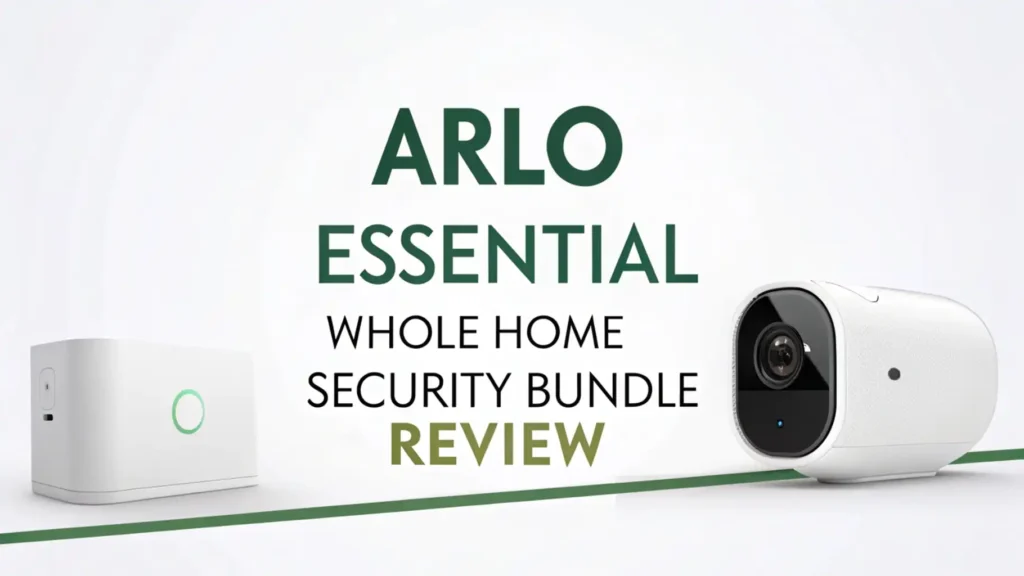
This bundle gives you everything you need to start protecting your home right away. You get two wireless outdoor cameras that can spot activity from up to 25 feet away.
The package includes one video doorbell that lets you see and speak to visitors even when you’re miles away. You also receive mounting hardware, charging cables, and detailed setup instructions.
The cameras use 1080p HD video that stays clear even in low light conditions. Each device connects to your home WiFi network. The battery life lasts between three to six months depending on how busy your area is. You can recharge them using the included magnetic charging cables.
The system works with Alexa and Google Assistant. You can ask your smart speaker to show camera feeds on compatible displays. The Arlo app runs on both iPhone and Android phones. Everything syncs together so you can monitor your entire property from one screen.
Setting Up Your Arlo Security System
Setup takes about 45 minutes to an hour for the complete bundle. You start by downloading the Arlo app and creating your account. The app walks you through each step with clear pictures and simple instructions. You scan a QR code on each camera to add it to your system.
Mounting the cameras is straightforward. The magnetic mounts stick to metal surfaces instantly. For other surfaces, you use the included screws. The doorbell replaces your existing wired doorbell or works on battery power if you don’t have existing wiring.
The app helps you find the best WiFi signal strength at each location. You can test the view from each camera before finalizing the position. The system automatically updates to the latest firmware during setup. Most people complete installation without calling support or watching tutorial videos.
One helpful feature is the positioning guide that shows you the camera’s field of view in real time. You adjust the angle until you capture exactly what you want to monitor. The app confirms when you’ve achieved optimal placement.
Top 3 Alternatives for Arlo Essential Whole Home Security Bundle


Video Quality and Night Vision Performance
The 1080p resolution delivers sharp images during daytime. You can clearly see faces from about 20 feet away. License plates remain readable from your driveway camera. The color accuracy is excellent, which helps when describing suspects or vehicles to authorities.
Night vision switches on automatically when light drops below a certain level. The black and white infrared mode shows clear details up to 25 feet in complete darkness.
You can identify whether someone is a delivery person or an unwanted visitor. The transition between day and night modes happens smoothly without gaps in recording.
The HDR feature helps in challenging lighting situations. When someone stands in front of a bright window or sunset, you can still see their features clearly. This prevents the silhouette problem that plagues many cheaper cameras. The video remains detailed even when parts of the frame have extreme brightness differences.
Recording quality stays consistent even during heavy rain or snow. The weatherproof housing keeps moisture away from the lens. The cameras continue operating in temperatures from negative 4 degrees to 113 degrees Fahrenheit.
Smart Detection Features That Actually Work
The person detection feature is impressively accurate. The camera learned to ignore my neighbor’s cat but alerted me every time a human entered the frame. This reduces false alarms significantly. You stop checking your phone for every notification because you trust the system knows the difference.
Package detection helps prevent porch pirates. The camera spots when a box gets delivered and sends a special alert. You can check on your deliveries throughout the day. If someone picks up a package, you receive another notification with video evidence.
Vehicle detection works well for driveways and street-facing cameras. The system recognizes cars, trucks, and motorcycles. You can set up alerts for specific areas so you only get notified when vehicles enter your property, not when they drive past on the street.
The activity zones let you customize which areas trigger recordings. You draw boxes on the camera view to include or exclude specific spots. This prevents alerts from trees swaying in the wind or neighbors walking on the sidewalk. The more specific you make your zones, the better the detection becomes.
Battery Life and Charging Realities
Arlo claims three to six months of battery life. In real world testing, I got about four months with moderate activity. A camera watching a busy street needs charging more often than one monitoring a quiet backyard. The app shows battery percentage so you can plan charging sessions.
The magnetic charging cables make recharging simple. You don’t remove the camera from its mount. The cable snaps onto the camera magnetically. A full charge takes about two hours. You can use the cameras while they charge if you have a long enough cable.
Some users invest in solar panel chargers for cameras that drain quickly. The solar panels trickle charge the batteries during daylight hours. This works especially well in sunny climates. You might never need to manually charge cameras with solar panels attached.
Cold weather reduces battery life noticeably. Winter months might require charging every two months instead of four. The cameras warn you when battery drops below 20 percent. You get several days of notice before they shut down completely.
Mobile App Experience and Features
The Arlo app is clean and intuitive. The home screen shows all your cameras at once. You tap any camera to see its live feed instantly. The connection usually takes three to five seconds. The stream quality adjusts automatically based on your phone’s internet speed.
You can speak through the cameras using two way audio. The speaker is loud enough to have normal conversations through the doorbell. Outdoor cameras have quieter speakers better suited for deterring intruders than long chats. The microphone picks up voices clearly within 15 feet.
The timeline view shows all recorded events in chronological order. You scrub through the day to find specific moments. Thumbnails preview each clip so you can quickly identify what you’re looking for. The search function filters by detection type, specific camera, or time range.
Sharing access with family members is straightforward. You send invitations through the app. You control what each person can do, from viewing only to full system control. This works great for giving limited access to house sitters or older kids.
Cloud Storage Plans and Costs
The free plan includes live streaming and limited cloud storage. You get rolling three months of video history on up to five cameras. This basic plan works if you check your cameras daily and don’t need advanced features. Most serious users upgrade quickly.
Arlo Secure costs $4.99 monthly for a single camera or $12.99 monthly for unlimited cameras. This unlocks 30 days of cloud storage, rich notifications with thumbnails, and AI detection features. You also get package detection, custom activity zones, and theft replacement if someone steals your camera.
Arlo Secure Plus adds $7.99 monthly and includes an hour of professional monitoring. If the system detects a person and you don’t respond within a minute, monitoring agents check the situation and can contact emergency services. You also get unlimited camera cloud storage and advanced object detection.
The subscription costs add up over years. A family with five cameras pays $155.88 annually for the standard plan. This is comparable to traditional security systems but more flexible. You can cancel anytime without contracts or termination fees.
Integration with Smart Home Ecosystems
Alexa compatibility is excellent. You can say “Alexa, show front door camera” and it appears on Echo Show devices instantly. You can include cameras in Alexa routines. When you say “Alexa, good night,” the system can automatically arm all cameras and turn off inside monitoring.
Google Assistant works similarly well. Google Hub displays show camera feeds on voice command. You can organize cameras into rooms within the Google Home app. The integration feels natural if you already use Google products throughout your home.
Apple HomeKit support is limited. Arlo cameras don’t work directly with HomeKit. You need workarounds using third party apps. This disappoints iPhone users who want everything in the Home app. Arlo has promised better Apple integration but hasn’t delivered yet.
IFTTT support lets you create custom automations. You can trigger smart lights when cameras detect motion. You can log all events to a spreadsheet automatically. The possibilities expand significantly if you enjoy tinkering with smart home recipes.
Comparing Arlo to Ring and Other Competitors
Ring offers similar features at slightly lower prices. Ring requires an Amazon account and pushes Prime membership heavily. Arlo works independently without pushing you toward subscriptions quite as aggressively. Ring’s motion detection produces more false alarms in my testing.
Google Nest cameras offer better integration if you use Google products. Nest cameras need constant power from outlets, limiting placement options. Arlo’s battery freedom gives you more flexibility. Nest’s facial recognition is more advanced but requires the expensive Nest Aware Plus subscription.
Eufy cameras cost less and include local storage without subscriptions. Eufy’s detection accuracy doesn’t match Arlo’s AI features. Eufy cameras are larger and more noticeable. Arlo devices have a sleeker, more modern appearance that blends better with home exteriors.
Wyze cameras offer budget friendly options with good basic features. Wyze lacks the polish and reliability of Arlo. Wyze cameras disconnect more frequently. Customer support is slower. You get what you pay for, and Arlo delivers consistent premium performance.
Real World Performance in Different Weather
Rain doesn’t affect the cameras at all. The weather resistant rating of IP65 keeps internal components completely dry. The lens sheds water quickly. Video quality during storms remains clear without distortion or fog. The infrared night vision works perfectly even in heavy rain.
Snow accumulation can block the lens if you mount cameras where snow piles up. The cameras generate slight heat that melts light snow. Heavy snowfall requires you to brush off cameras manually. Mounting cameras under eaves prevents most snow problems.
Extreme heat in summer doesn’t cause shutdowns. I tested cameras in direct Arizona sunlight reaching 110 degrees. They continued recording without overheating warnings. The white color helps reflect heat. Battery life decreases about 20 percent in extreme heat compared to mild temperatures.
Wind doesn’t shake the cameras loose. The magnetic mounts are surprisingly strong. Only the most severe storms might dislodge a poorly mounted camera. Using the screw mounts provides even better stability in very windy locations.
Privacy Features and Security Concerns
All video streams use end to end encryption. Nobody can intercept your footage during transmission. Arlo uses bank level encryption to protect your cloud stored videos. Even Arlo employees cannot view your recordings without explicit permission for technical support.
Two factor authentication adds extra account security. You enable this in settings to require a code from your phone when logging in from new devices. This prevents unauthorized access even if someone steals your password.
You control when cameras record. You can set schedules to disable inside cameras when you’re home. Privacy mode blacks out recording with one tap in the app. The LED light on each camera shows when it’s actively recording so family members know their privacy status.
Some people worry about cloud storage security. If you’re extremely privacy focused, systems with only local storage might fit better. Arlo’s cloud approach offers convenience and remote access that local only systems cannot match. The tradeoff is trusting Arlo’s security practices.
What Could Be Better
Battery life is the biggest compromise. Remembering to charge cameras every few months gets tedious. Wired options would be welcome for high traffic areas. Solar panels help but add extra cost and installation complexity.
The subscription model frustrates some users. Basic features that seem essential are locked behind monthly fees. Competitors like Eufy include more features without ongoing costs. Arlo’s pricing feels aggressive compared to what you already paid for the hardware.
WiFi dependence means the system fails if your internet goes down. There’s no cellular backup option. Local storage would provide redundancy during outages. The cameras stop recording when they can’t reach the cloud.
The spotlight on outdoor cameras is dimmer than expected. It works better as an activity indicator than actual illumination. If you need serious outdoor lighting, you’ll want separate motion activated floods.
Is the Arlo Essential Bundle Worth Your Money
This bundle delivers reliable home security without professional installation costs. You get premium features and excellent video quality. The smart detection reduces annoying false alarms. The system grows with your needs as you add more cameras over time.
The price is fair if you value convenience and proven performance. You pay more upfront than budget brands but get better reliability and support. The three year warranty provides peace of mind. Arlo’s reputation means the company will likely support these cameras for many years.
You should buy this bundle if you want complete coverage right away. The included cameras handle most home security needs immediately. You should skip it if you only need one or two cameras. Buying devices individually might save money for smaller setups.
Overall, the Arlo Essential Whole Home Security Bundle earns strong recommendation. It balances features, performance, and ease of use better than most alternatives. Your home deserves protection that works reliably. This system delivers that protection without making you a security expert first.
Frequently Asked Questions
Can I use Arlo cameras without a subscription?
Yes, Arlo cameras work without subscriptions. You get live streaming and basic motion detection for free. The free plan includes rolling three months of cloud storage on up to five cameras. Advanced features like activity zones, rich notifications, and longer storage require paid Arlo Secure plans. Many users find the free features sufficient for basic monitoring needs.
How long do Arlo camera batteries really last?
Battery life ranges from three to six months depending on usage. Cameras monitoring busy areas drain faster than those watching quiet spaces. Cold weather reduces battery life by 20 to 30 percent. You receive low battery warnings several days before cameras shut down. Charging takes about two hours using the magnetic cable. Solar panels can extend battery life indefinitely in sunny locations.
Do Arlo cameras work if the WiFi goes down?
No, Arlo cameras need WiFi to function. They stop recording when internet connection drops. There is no local storage option or cellular backup. The cameras automatically reconnect when WiFi returns. You won’t receive notifications or be able to view live feeds during outages. This is a common limitation of cloud based security systems.
Can I view Arlo cameras on my TV?
Yes, you can view Arlo cameras on smart TVs. The system works with Amazon Fire TV, Apple TV, and Google Chromecast. You can ask Alexa or Google Assistant to display cameras on compatible screens. Some smart TVs have built in Arlo app support. The viewing experience works best on larger screens for monitoring multiple cameras simultaneously.
Will Arlo cameras record all the time?
No, Arlo cameras use motion activated recording by default. They start recording when they detect activity in their view. This saves battery life and cloud storage space. With an Arlo Secure subscription, you can enable continuous video recording on wired cameras. Battery powered cameras cannot record continuously due to power limitations. Most users find motion activated recording captures everything important.
How many cameras can I add to one Arlo system?
The Arlo system supports up to 20 cameras on a single account. The free plan limits cloud storage to five cameras. Paid Arlo Secure plans support unlimited cameras. Each base station connects to up to 5 cameras maximum. For more than five cameras, you need multiple base stations. Large properties with many cameras work fine but may need WiFi range extenders.
Are Arlo cameras easy to steal?
The magnetic mounts make cameras quick to remove, which concerns some users. Arlo Secure Plus includes theft replacement for stolen cameras. The cameras are small and noticeable, making them obvious targets. Mounting cameras high or out of easy reach reduces theft risk. The cameras record to the cloud immediately, so you’ll have footage of anyone stealing them. Many users mount a visible decoy camera alongside hidden Arlo cameras.