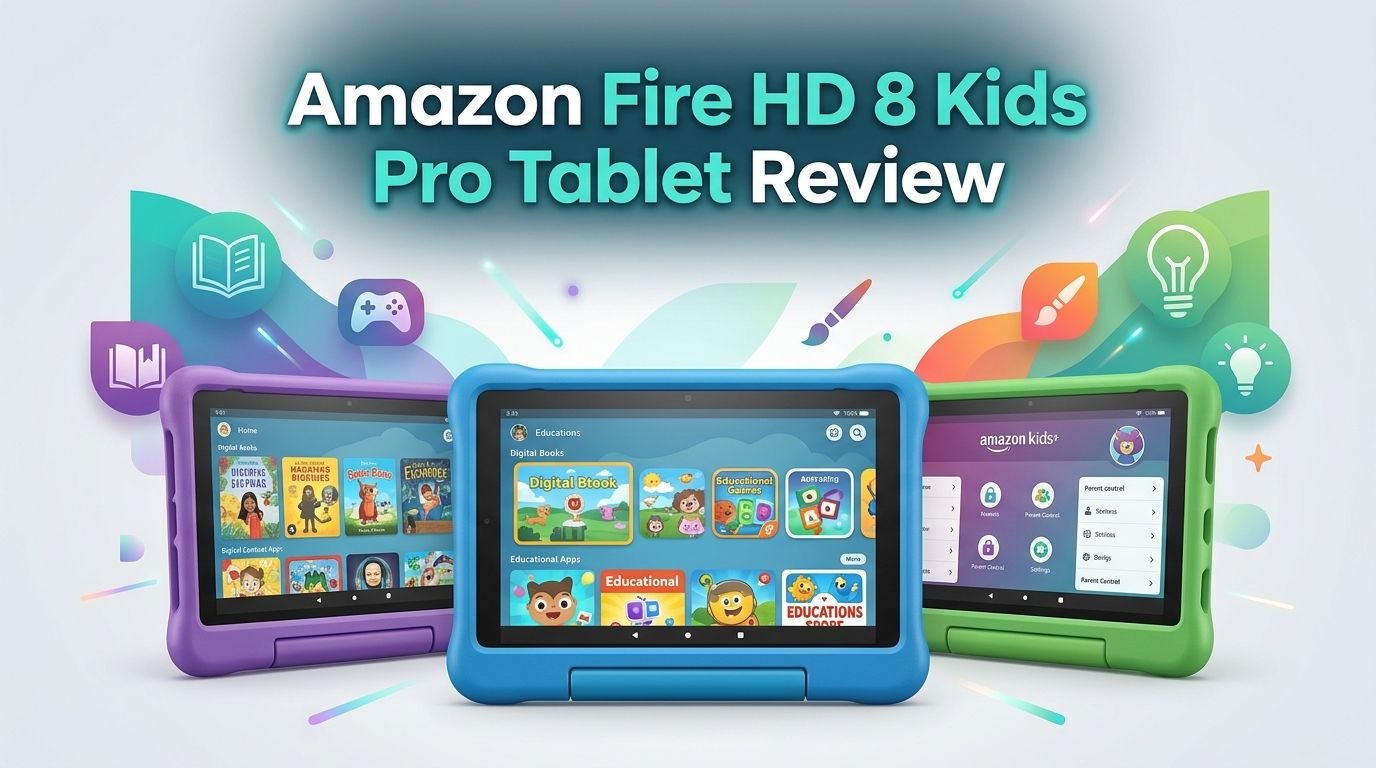
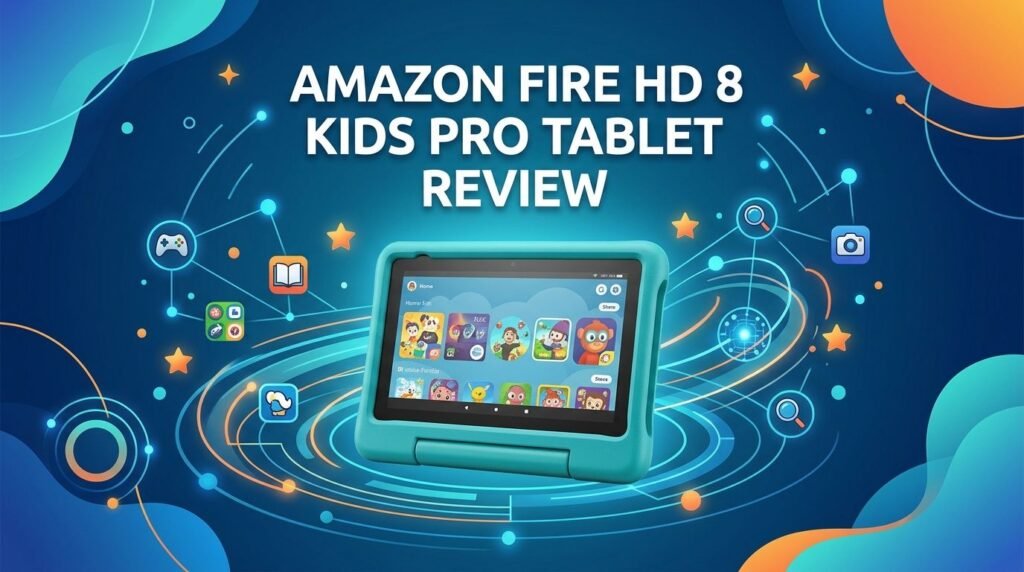
Amazon Fire HD 8 Kids Pro Tablet Review 2026: Worth It?
Are you looking for a safe, fun, and affordable tablet for your child aged 6 to 12? The Amazon Fire HD 8 Kids Pro tablet has been one of the most popular kids’ tablets on the market. It promises parental controls, a durable case, and hours of kid-friendly content. But does it truly deliver in 2026?
In this review, we break down every feature of this tablet. We cover the screen quality, battery life, performance, parental controls, and more.
Whether your child wants to stream videos, read books, or play games, you need to know if this tablet can keep up. We also compare it to top alternatives so you can make the smartest choice for your family.
Key Takeaways:
- The Amazon Fire HD 8 Kids Pro (2024 release) is priced at $139.99 for the 32GB model. It includes a slim kid-proof case, a six-month Amazon Kids+ subscription, and a two-year worry-free replacement guarantee. This makes it a strong value for parents on a budget.
- The tablet features a hexa-core 2.0 GHz processor and 3GB of RAM (or 4GB on the 64GB model). It handles basic apps and video streaming well. However, it can struggle with heavy games like Roblox.
- Battery life is solid. Amazon claims up to 13 hours, and real-world testing shows about 9 hours and 41 minutes of continuous HD video streaming. That is more than enough for a full day of use.
- The 8-inch HD display (1280 x 800 pixels) is bright and clear for indoor use. It uses strengthened aluminosilicate glass for added durability. Outdoor visibility is limited due to screen glare.
- Parental controls are excellent. Parents can set screen time limits, approve app downloads, filter content by age, and block usage during sleeping hours. The Amazon Parent Dashboard gives you full remote control.
- The biggest downside is the Amazon ecosystem lock-in. The tablet runs Fire OS, not standard Android. Access to Google Play apps is not available. Your child relies on the Amazon Appstore and Amazon Kids+ content.

Amazon Fire HD 8 Kids Pro Tablet: Overview and First Impressions
The Amazon Fire HD 8 Kids Pro tablet arrives in a clean, compact box. Inside, you get the tablet already snapped into its protective case. Amazon also includes a USB-C charging cable and a basic 5W charger. Setup instructions are printed on a simple card.
First impressions are positive. The tablet feels lightweight and sturdy in hand. It weighs about 17.9 ounces with the case attached. That is light enough for a 6-year-old to hold comfortably during a car ride or on the couch.
The case itself feels well made. It has a built-in kickstand that clicks into multiple positions. This is a great feature for hands-free video watching. The case edges wrap snugly around the screen, adding protection from drops and bumps.
Powering on the tablet takes just a few seconds. Amazon walks you through a guided setup that includes Wi-Fi connection, Amazon account sign-in, and child profile creation. The whole process takes about 10 to 15 minutes. You can create up to four child profiles on a single device.
The home screen is bright, colorful, and intuitive. Children can find their apps, books, and videos without any confusion. Amazon has clearly spent time making this interface easy for kids to use on their own.
Display Quality: How Does the 8-Inch HD Screen Perform?
The Amazon Fire HD 8 Kids Pro features an 8-inch HD display with a resolution of 1280 x 800 pixels. This is a standard resolution for a budget tablet. It produces clear text and vibrant colors for most children’s content.
The screen uses strengthened aluminosilicate glass. This material is more resistant to scratches and minor impacts than regular glass. For a tablet aimed at kids, this is a smart design choice. It adds a layer of durability that parents will appreciate.
Indoor viewing is where this screen shines. Colors look bright and saturated for cartoons, games, and e-books. Text is sharp enough for comfortable reading. Video playback looks smooth for standard definition and HD content from Amazon Prime Video and other supported apps.
Performance and Processing Power: Can It Keep Up?
The Fire HD 8 Kids Pro runs on a hexa-core 2.0 GHz processor. The 32GB model pairs this with 3GB of RAM, while the 64GB model gets 4GB of RAM. This is a solid upgrade from the 2022 version, which only had 2GB.
For everyday tasks, the tablet performs reasonably well. Switching between apps feels smooth. Loading Amazon Kids+ content, browsing the web, and streaming videos all work without major delays. Younger kids who use simple apps and watch cartoons will have a great experience.
The limitations show up with heavier tasks. Games with 3D graphics can lag and stutter. Apps like Roblox may not run well on this hardware. The tablet can also be slow to wake up from sleep mode, sometimes taking a few extra seconds before the screen responds.
This is a budget tablet, and the performance reflects that price point. If your child is 6 to 9 years old and uses the tablet for reading, videos, and light games, the performance is perfectly fine. Older kids who want to play demanding games may feel frustrated.
Battery Life: Does It Last All Day?
Amazon advertises up to 13 hours of battery life for the Fire HD 8 Kids Pro. In real-world testing by PCMag, the tablet lasted about 9 hours and 41 minutes of continuous HD video streaming. That is an excellent result for a tablet in this price range.
For most families, this means the tablet can easily survive a full school day or a long road trip. Your child can watch movies, play games, and read books for hours without needing a charge. This removes the stress of constantly hunting for an outlet.
Charging speed depends on your charger. The included 5W charger is very slow. It takes about 5 hours to go from zero to full. If you use a 15W USB-C charger (sold separately), charging time drops to around 2 hours. We strongly recommend investing in a faster charger.
Top 3 Alternatives for Amazon Fire HD 8 Kids Pro Tablet


Parental Controls: How Much Control Do Parents Get?
Parental controls are a major selling point of the Amazon Fire HD 8 Kids Pro. Amazon gives parents a level of control that few other tablets can match. Everything is managed through the Amazon Parent Dashboard, which you can access from any web browser or the Amazon Kids app on your phone.
You can set daily screen time limits for each child. You can also create educational goals that require your child to finish reading or learning activities before they can access games and videos. This feature is a smart way to balance fun with education.
Content filtering works based on age. When you set your child’s age during setup, the tablet automatically adjusts what content appears. You can further customize these filters to block specific apps, videos, or websites. Every new app download or in-app purchase requires parent approval.
The tablet also supports a bedtime mode that makes the device unusable during set hours. This prevents late-night screen time. You can review your child’s activity history to see what apps they used and how much time they spent on each one.
One standout feature is video call management. Parents must approve every contact before a child can make or receive video calls. This ensures your child only communicates with people you trust.
Amazon Kids+ Content: What Does Your Child Get?
The Amazon Fire HD 8 Kids Pro includes a six-month trial of Amazon Kids+. This subscription gives your child access to thousands of apps, games, books, videos, and audiobooks. The content is curated for children and filtered by age.
For kids aged 6 to 12, the content library is impressive. Your child can read the entire Harry Potter book series. They can explore Marvel Comics and play games like Angry Birds and Sonic the Hedgehog 2. There are educational games for grades 4, 5, and 6. The mix of learning and entertainment keeps children engaged.
The Quests feature is a fun addition. It encourages kids to read books or watch educational videos based on a theme. Completing quests earns rewards, which motivates continued learning. However, some quest content may feel too easy for older children.
The Videos section includes short educational clips and popular shows. The Audible section offers audiobooks that are perfect for bedtime or car rides.
After the six-month trial ends, Amazon Kids+ costs $5.99 per month (or $48 per year) for Prime members. Non-Prime members pay $7.99 per month (or $79 per year). Without this subscription, the tablet’s content library shrinks significantly. The Amazon Appstore alone is limited compared to Google Play or Apple’s App Store.
Design and Durability: Built for Kids
The Fire HD 8 Kids Pro comes with a slim, protective case that is already attached to the tablet out of the box. The case is designed for children aged 6 to 12 and is thinner than the foam case on the regular Fire HD 8 Kids (which targets ages 3 to 7).
Amazon offers several fun case designs. Options include Discovery (with an image of Earth), Hello Teal, Jungle Cat, and Marvel Avengers. Each case has a built-in handle and kickstand that locks into various positions. The kickstand is sturdy and holds the tablet upright on flat surfaces.
The tablet with the case measures 8.3 by 6.4 by 0.7 inches and weighs 17.9 ounces. It is compact enough to fit in a backpack or a car seat organizer. The slim design appeals to older kids who do not want a bulky, baby-looking tablet.
The case provides good drop protection. Raised edges around the screen guard against face-down falls. However, the tablet does not have an IP rating for water or dust resistance. Keep it away from spills, pools, and sandy beaches.
Amazon also includes a two-year worry-free guarantee. If the tablet breaks for any reason during that period, Amazon will replace it free of charge, no questions asked. This guarantee alone makes the purchase feel risk-free for parents.
Camera Quality: Fun but Basic
The Fire HD 8 Kids Pro has a 5MP rear camera and a 2MP front-facing camera. These cameras serve a basic purpose. They let kids take photos, record videos, and participate in video calls.
Photo quality is below average by modern standards. Images appear muddy and lack fine detail. Colors can look washed out, and low-light photos are especially poor. Faces often get an unnatural glow in dimly lit rooms.
For younger children, the camera is good enough for fun. Kids can snap photos of their toys, pets, or drawings. The camera app is simple. One button takes a photo, another records video, and a third switches to the selfie camera. There are no advanced features like filters, portrait mode, or manual settings.
Video call quality is acceptable. The 2MP selfie camera produces a clear enough image for calls with family or friends. Parents must approve each contact, which adds a layer of safety. Audio during calls is clear through the built-in speakers.
If your child is serious about photography or content creation, this tablet is not the right tool. An iPad or a Samsung Galaxy Tab would offer much better camera performance. But for casual kid use, the cameras get the job done.
Fire OS and App Ecosystem: What You Need to Know
The Fire HD 8 Kids Pro runs Fire OS, Amazon’s own operating system based on Android. Fire OS looks and feels different from standard Android. It is built around the Amazon ecosystem, and every app, book, and service connects back to Amazon.
The biggest limitation is the lack of Google Play Store access. Your child cannot download apps from Google Play. Instead, they use the Amazon Appstore, which has a smaller selection. Many popular apps are available, but some may be missing or outdated compared to their Google Play versions.
Kids will find plenty of entertainment and educational apps within Amazon Kids+ and the Appstore. Netflix, Disney+, and other streaming services are available. However, some niche apps or specific school-required apps may not be on the Amazon platform.
The interface is clean and easy to navigate. Amazon designed Fire OS to be simple for children. Large icons, clear labels, and straightforward menus help kids find what they need quickly. Parents can also switch to an adult profile that provides a more standard tablet experience.
Sideloading apps is possible for tech-savvy parents, but Amazon does not officially support it. This process carries some risk and voids parts of the device’s intended safety features. For most families, sticking with the Amazon Appstore and Kids+ is the best approach.
Storage Options: 32GB vs 64GB
The Fire HD 8 Kids Pro comes in two storage options. The 32GB model starts at $139.99, and the 64GB model costs $169.99. Both versions support microSD card expansion up to 1TB.
The 32GB model offers about 22 to 24GB of usable storage after the operating system and pre-installed apps. This is enough for a moderate collection of apps, books, and downloaded videos. If your child mainly streams content, 32GB will work fine.
The 64GB model gives your child more room to store games and offline content. It also comes with 4GB of RAM instead of 3GB, which provides a slight performance boost. If your child likes to download many games or store videos for offline viewing, the extra $30 is worth it.
Adding a microSD card is the most cost-effective way to expand storage. A 128GB microSD card costs under $15 and provides plenty of extra space. This is a big advantage over tablets like the iPad, which do not support external storage.
For most families, the 32GB model with a microSD card is the smart choice. It keeps the upfront cost low while giving you plenty of room to grow.
Sound Quality: Speakers and Audio Experience
The Fire HD 8 Kids Pro features dual stereo speakers with support for Dolby Atmos audio. On paper, this sounds impressive. In practice, the audio experience is decent but limited.
The speakers produce clear sound at moderate volume. Dialogue in videos is easy to understand. Music sounds acceptable for a small tablet. Dolby Atmos adds a slight sense of depth and spatial audio, which improves the listening experience for movies and shows.
However, the speakers are not very loud. They can fill a small room, but you will notice the lack of volume in a noisy environment. The sound works best when your child sits directly in front of the tablet. At a distance, audio becomes thin and hard to hear.
For a better audio experience, connect wired or Bluetooth headphones. The tablet supports Bluetooth 5.2 and includes a 3.5mm headphone jack. This dual connectivity gives you flexible options. Volume-limiting kids’ headphones are a great accessory to pair with this tablet for hearing safety.
Sound quality is not a dealbreaker. It gets the job done for casual use. But if your child loves music or immersive gaming audio, headphones are a must.
Connectivity: Wi-Fi and Bluetooth
The Fire HD 8 Kids Pro supports Wi-Fi 5 (802.11ac) for internet connectivity. It does not support Wi-Fi 6 or cellular data. For a kids’ tablet, Wi-Fi 5 is perfectly adequate. It provides fast and stable connections for streaming, browsing, and downloading content.
In speed tests, the tablet delivered download speeds of 318 Mbps and upload speeds of 22.5 Mbps on a Wi-Fi 6 router. These are strong results that show the tablet can handle HD video streaming without buffering.
Bluetooth 5.2 is included for connecting wireless headphones, speakers, and other accessories. Pairing is quick and reliable. Bluetooth 5.2 offers improved range and stability compared to older versions.
The tablet has a USB-C port for charging and data transfer. You can connect the tablet to a computer to transfer files. There is also a 3.5mm headphone jack, which is a feature that many modern tablets have removed.
There is no GPS or cellular connectivity. This means the tablet requires a Wi-Fi network to access online content. For most home and school use, this is not a problem. If you need a tablet that works on the go without Wi-Fi, you will need a mobile hotspot.
Pros and Cons of the Amazon Fire HD 8 Kids Pro
The pros are clear. The tablet offers excellent parental controls, long battery life, and a durable kid-proof design. The Amazon Kids+ content library is rich and engaging. The two-year worry-free guarantee removes the fear of costly accidents. The price is competitive and fair for what you get.
The cons deserve attention too. The screen resolution is average and struggles outdoors. Performance dips with demanding apps and games. The camera quality is poor by today’s standards. The 5W charger included in the box is painfully slow.
The Amazon ecosystem lock-in is the most significant drawback. Without access to Google Play, you are limited to Amazon’s app selection. The Amazon Kids+ subscription is almost required to get full value from this tablet, and it adds an ongoing cost after the trial ends.
Despite these drawbacks, the Fire HD 8 Kids Pro remains one of the best kids’ tablets available in 2026 for the price. It does what it promises. It keeps kids safe, entertained, and learning.
Final Verdict: Is the Amazon Fire HD 8 Kids Pro Worth It in 2026?
Yes, the Amazon Fire HD 8 Kids Pro is worth it for most families. It strikes a solid balance between price, safety, and content. The parental controls give you peace of mind. The battery lasts all day. The protective case and replacement guarantee protect your investment.
If your child is between 6 and 9 years old, this tablet is one of the best options available. It provides a safe digital playground filled with books, games, and videos. The simple interface lets kids explore independently while parents stay in control.
For children closer to 10 to 12, consider upgrading to the Fire HD 10 Kids Pro for better performance and a larger screen. And if your family prefers the Google or Apple ecosystem, look at the Samsung Galaxy Tab A9+ Kids Edition or the Apple iPad.
At $139.99, the Fire HD 8 Kids Pro offers real value. It is not perfect, but it does its job well. For a kids’ tablet in 2026, that is exactly what most parents need.
Frequently Asked Questions
Is the Amazon Fire HD 8 Kids Pro good for a 12-year-old?
It can work for a 12-year-old, but many older kids may find the performance limiting. Heavy games like Roblox do not run smoothly. The Fire HD 10 Kids Pro is a better choice for older children who need more power and a bigger screen.
Can you install Google Play apps on the Fire HD 8 Kids Pro?
The tablet does not come with Google Play Store access. It uses the Amazon Appstore. Some parents sideload Google Play, but this is not officially supported and may affect the tablet’s intended safety features.
How long does the Amazon Kids+ free trial last?
The Fire HD 8 Kids Pro includes a six-month Amazon Kids+ trial. After that, the subscription costs $5.99 per month for Prime members or $7.99 per month for non-Prime members.
Does the Fire HD 8 Kids Pro come with a charger?
Yes, it includes a USB-C cable and a 5W charger. However, the 5W charger is very slow. We recommend using a 15W USB-C charger for faster charging times.
Is the screen durable enough for kids?
The screen uses strengthened aluminosilicate glass, which resists scratches and minor impacts. Combined with the protective case, the tablet is well-equipped to handle everyday kid use. Amazon’s two-year worry-free guarantee also covers accidental damage.
Can multiple kids use the same tablet?
Yes, the Fire HD 8 Kids Pro supports up to four child profiles. Each profile has its own age-appropriate content, screen time settings, and app library. This makes it a practical choice for families with multiple children.
Does the tablet work without Wi-Fi?
The tablet works offline for apps, games, books, and videos that have been previously downloaded. However, streaming content, browsing the web, and downloading new apps all require a Wi-Fi connection. There is no cellular option available.