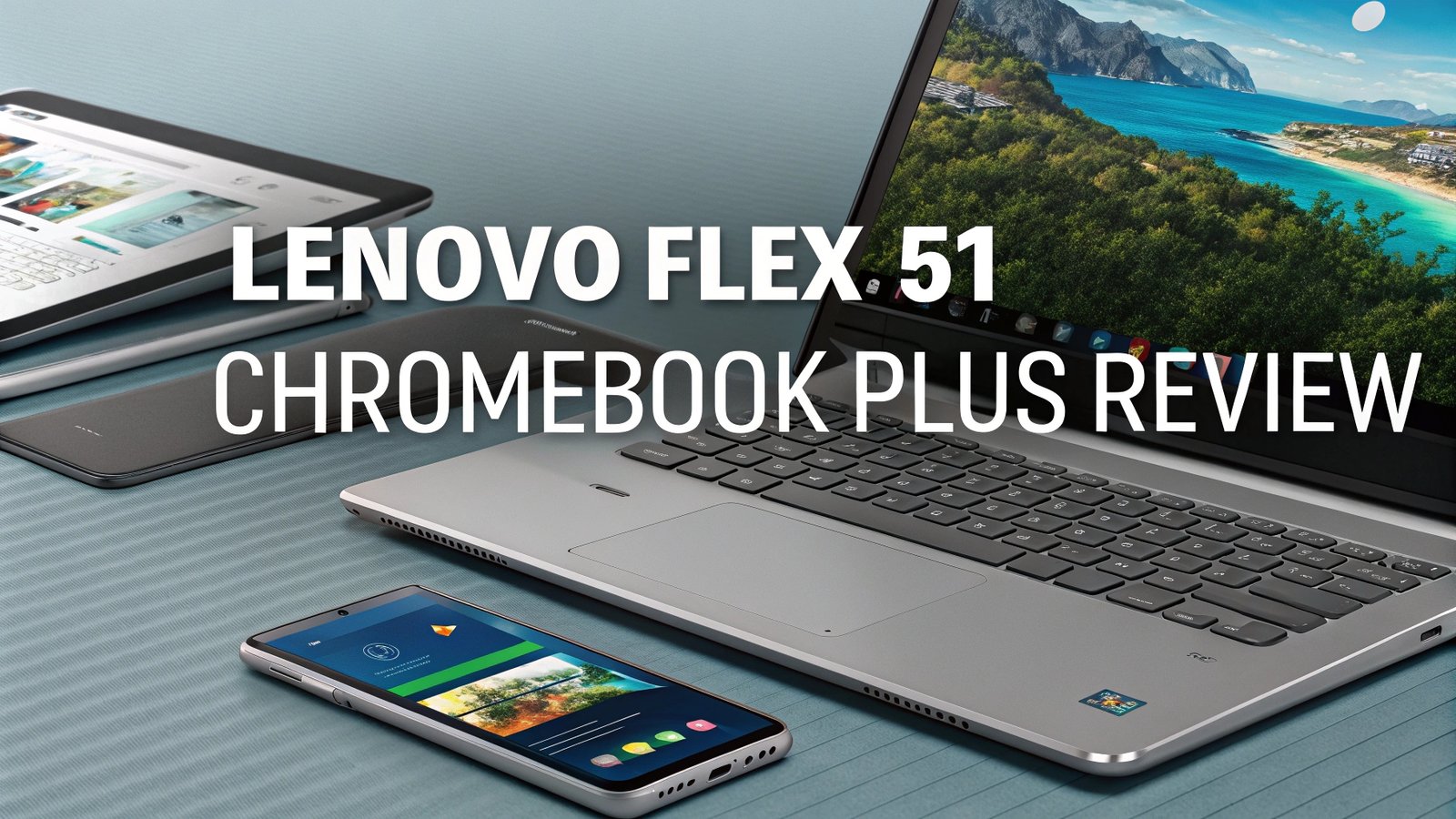
Lenovo Flex 5i Chromebook Plus Review In 2026
Are you searching for a versatile Chromebook that delivers premium features without breaking the bank? The Lenovo Flex 5i Chromebook Plus might just be your answer.
This impressive 2-in-1 convertible laptop combines modern Intel processors, a beautiful touchscreen display, and robust build quality into one compelling package that’s perfect for students, professionals, and everyday users alike.
Key Takeaways
The Lenovo Flex 5i Chromebook Plus stands out in the crowded Chromebook market for several compelling reasons:
- Exceptional Value Proposition – Starting at just $349, this Chromebook Plus device delivers premium features typically found in much more expensive laptops, making it an outstanding choice for budget-conscious buyers seeking quality performance.
- Powerful Performance – Equipped with 13th generation Intel Core processors (i3-1315U or i5-1334U), this device handles multitasking, Android apps, and demanding web applications with remarkable smoothness and efficiency.
- Versatile 2-in-1 Design – The 360-degree hinge transforms this laptop into a tablet, tent, or presentation mode, offering incredible flexibility for different usage scenarios from work presentations to entertainment consumption.
- Premium Display Quality – The 14-inch FHD+ (1920×1200) touchscreen with 16:10 aspect ratio provides more vertical space than traditional displays, enhanced brightness at 300 nits, and responsive touch capabilities.
- Extended Battery Life – With up to 10 hours of battery life, users can work, study, or play throughout the day without constantly searching for power outlets, making it ideal for mobile productivity.
- Enhanced Connectivity – Features include Wi-Fi 6 support, multiple USB ports, and modern connectivity options that ensure fast internet speeds and seamless device integration for today’s connected lifestyle.

Last update on 2026-08-29 / Affiliate links / Images from Amazon Product Advertising API Some of the links on this website are affiliate links, which means that at no additional cost to you, I earn a commission if you click through and make a purchase. I only recommend products and services that I believe will add value to my readers. Thank you for your support!
Lenovo Flex 5i Chromebook Plus Design and Build Quality
The Lenovo Flex 5i Chromebook Plus showcases impressive build quality that rivals laptops costing twice as much. The chassis features a sleek gray finish that resists fingerprints and maintains its professional appearance even with daily use. The laptop weighs approximately 3.64 pounds, making it portable enough for daily commutes while feeling substantial and well-constructed.
The 360-degree hinge mechanism operates smoothly and maintains its position securely in all four modes. Whether you’re using it as a traditional laptop, tablet, tent mode for presentations, or stand mode for media consumption, the hinge provides reliable support without wobbling or slipping. The construction feels solid throughout, with minimal flex in the keyboard deck and a sturdy lid that protects the display effectively.
Port selection includes two USB-C ports, one USB-A port, a headphone jack, and a microSD card reader. This configuration provides adequate connectivity for most users while maintaining the laptop’s slim profile. The power button doubles as a fingerprint reader, adding an extra layer of security and convenience for quick logins.
Display Performance and Visual Experience
The 14-inch display represents one of the strongest features of the Flex 5i Chromebook Plus. The FHD+ resolution of 1920×1200 pixels provides crisp text and vibrant images, while the 16:10 aspect ratio offers approximately 11% more vertical screen space compared to traditional 16:9 displays. This extra height proves particularly beneficial for productivity tasks, web browsing, and document editing.
Brightness levels reach 300 nits, which proves adequate for indoor use and light outdoor conditions. The IPS panel technology ensures consistent colors and viewing angles, making it suitable for sharing content with others or working from different positions. Touch responsiveness feels natural and accurate, supporting multi-touch gestures that enhance the Chrome OS experience.
Color reproduction covers approximately 45% of the NTSC color gamut, which suffices for everyday tasks, web browsing, and casual photo editing. While not suitable for professional color-critical work, the display quality exceeds expectations for a device in this price range. The anti-glare coating reduces reflections moderately, though direct sunlight can still pose visibility challenges.
Performance and Processing Power

Last update on 2026-08-29 / Affiliate links / Images from Amazon Product Advertising API Some of the links on this website are affiliate links, which means that at no additional cost to you, I earn a commission if you click through and make a purchase. I only recommend products and services that I believe will add value to my readers. Thank you for your support!
The 13th generation Intel processors powering the Flex 5i Chromebook Plus deliver impressive performance for Chrome OS applications. The Intel Core i3-1315U processor features 6 cores (2 performance cores and 4 efficiency cores) with a base clock of 1.2 GHz and boost speeds up to 4.5 GHz. The i5-1334U variant offers even better performance with 10 cores and higher boost frequencies.
Multitasking capabilities shine with 8GB of LPDDR4X RAM, allowing users to run multiple browser tabs, Android applications, and Linux applications simultaneously without significant slowdowns. The system handles demanding web applications like Google Workspace, Canva, and video conferencing platforms with remarkable smoothness.
Storage options include 128GB or 256GB of UFS storage, providing faster access speeds than traditional eMMC storage found in budget Chromebooks. Boot times average around 8-10 seconds, and application launches feel snappy and responsive. The inclusion of 2TB of Google One cloud storage for the first year adds significant value for users who need additional storage space.
Top 3 Alternatives for Lenovo Flex 5i Chromebook Plus

Last update on 2026-08-29 / Affiliate links / Images from Amazon Product Advertising API Some of the links on this website are affiliate links, which means that at no additional cost to you, I earn a commission if you click through and make a purchase. I only recommend products and services that I believe will add value to my readers. Thank you for your support!

Last update on 2026-08-29 / Affiliate links / Images from Amazon Product Advertising API Some of the links on this website are affiliate links, which means that at no additional cost to you, I earn a commission if you click through and make a purchase. I only recommend products and services that I believe will add value to my readers. Thank you for your support!

Last update on 2026-08-29 / Affiliate links / Images from Amazon Product Advertising API Some of the links on this website are affiliate links, which means that at no additional cost to you, I earn a commission if you click through and make a purchase. I only recommend products and services that I believe will add value to my readers. Thank you for your support!
Keyboard and Input Experience
The keyboard on the Flex 5i Chromebook Plus provides a comfortable typing experience with 1.5mm key travel and tactile feedback that feels satisfying during extended typing sessions. The layout follows standard Chromebook conventions with Chrome OS specific function keys replacing traditional F-keys. Key spacing feels generous, reducing typing errors and improving overall accuracy.
Backlit keys prove invaluable for low-light conditions, with two brightness levels plus an off setting. The backlighting distributes evenly across all keys, ensuring consistent visibility. The power key integrates a fingerprint scanner that works reliably for Windows Hello equivalent authentication in Chrome OS.
The precision touchpad measures 4.1 x 2.4 inches, providing ample space for gestures and navigation. Multi-touch gestures work smoothly, including two-finger scrolling, three-finger tab switching, and four-finger virtual desktop management. The touchpad surface feels smooth and responsive, with consistent tracking across the entire surface area.
Audio and Multimedia Capabilities
Audio performance through the dual stereo speakers exceeds expectations for a laptop in this price category. The speakers produce clear vocals and adequate bass response for video calls, music streaming, and video content. Maximum volume levels reach comfortable listening levels without significant distortion, though the sound lacks the depth and richness of premium laptop audio systems.
The 1080p webcam delivers sharp video quality for video conferencing and online meetings. The camera includes AI-powered features like automatic framing, background blur, and lighting correction that enhance video call quality significantly. These features work particularly well in challenging lighting conditions, maintaining clear facial details and reducing background distractions.
Microphone quality supports clear voice pickup with noise cancellation that reduces background sounds effectively. The dual-array microphones capture voice clearly from normal speaking distances, making it excellent for video calls, voice recordings, and virtual meetings.
Battery Life and Charging
Real-world battery performance delivers approximately 8-10 hours of mixed usage, including web browsing, document editing, video streaming, and light Android app usage. This endurance comfortably supports a full work or school day without requiring mid-day charging. Battery life varies depending on screen brightness, application usage, and connectivity settings.
Charging speeds through the USB-C port reach approximately 65 watts, providing relatively quick power restoration. A 30-minute charge typically adds 3-4 hours of usage time, making it convenient for users with busy schedules. The laptop supports charging through either USB-C port, adding flexibility for different workspace configurations.
Power management features in Chrome OS optimize battery consumption effectively, with sleep and wake functions working reliably. The laptop resumes from sleep almost instantly, maintaining network connections and application states seamlessly.
Chrome OS and Software Experience
Chrome OS provides a streamlined, secure computing environment that boots quickly and updates automatically in the background. The operating system feels responsive and stable, with excellent integration of Google services and web applications. The interface remains intuitive for users transitioning from Windows or macOS systems.
Android app support through the Google Play Store expands functionality significantly, allowing users to run mobile applications in resizable windows. Popular applications like Microsoft Office, Adobe Creative apps, and social media platforms work well, though some apps feel better optimized for touch input than keyboard and mouse interaction.
Linux development environment support enables advanced users to run development tools, code editors, and terminal applications. This feature transforms the Chromebook into a capable development machine for web development, Python programming, and other coding tasks.
Gaming and Entertainment Performance
While not designed primarily for gaming, the Flex 5i Chromebook Plus handles casual gaming reasonably well. Browser-based games, Android games from the Play Store, and cloud gaming services like GeForce Now and Xbox Cloud Gaming work smoothly. The Intel UHD graphics handle 2D games and light 3D titles without significant performance issues.
Video streaming through services like Netflix, YouTube, Amazon Prime Video, and Disney+ delivers excellent quality up to 1080p resolution. The display and speakers provide an enjoyable viewing experience for movies, TV shows, and video content. Battery life during video streaming typically reaches 6-7 hours depending on brightness settings.
The 2-in-1 design enhances entertainment consumption, particularly in tent or tablet modes. Touch controls work intuitively for games and media applications, while the convertible form factor adapts to different viewing preferences and environments.
Connectivity and Port Selection
The port configuration includes two USB-C ports that support charging, data transfer, and external display connections. One USB-A 3.2 port maintains compatibility with legacy devices and accessories. The 3.5mm headphone jack supports both headphones and external microphones, while the microSD card reader provides expandable storage options.
Wi-Fi 6 connectivity ensures fast and reliable internet connections on compatible networks. Bluetooth 5.1 support enables connections to wireless headphones, speakers, keyboards, and mice with stable performance and good range. The wireless capabilities support modern connectivity needs effectively.
External display support through USB-C enables connections to monitors, projectors, and TVs up to 4K resolution. This capability proves valuable for presentations, extended desktop setups, and media consumption on larger screens.
Value Proposition and Pricing
At its current price point starting around $349-$499, the Lenovo Flex 5i Chromebook Plus delivers exceptional value in the Chromebook Plus category. The combination of modern Intel processors, quality display, solid build construction, and versatile 2-in-1 design typically costs significantly more in competing devices.
Chromebook Plus certification ensures the device meets Google’s enhanced performance standards, including faster processors, better displays, and premium build quality. This certification guarantees compatibility with advanced Chrome OS features and future updates, providing longevity for the investment.
The included 2TB of Google One cloud storage for the first year adds substantial value, particularly for users who rely heavily on cloud-based workflows and storage. This benefit alone provides additional value worth $99.99 annually.
Target Audience and Use Cases
The Flex 5i Chromebook Plus serves multiple user categories effectively. Students benefit from the lightweight design, long battery life, and excellent typing experience for research, writing, and online learning. The 2-in-1 design supports different learning styles and environments, from traditional note-taking to digital art and presentations.
Business professionals find value in the professional appearance, reliable performance, and comprehensive connectivity options. The device handles productivity applications, video conferencing, and document creation efficiently while maintaining portability for travel and remote work scenarios.
Home users appreciate the versatility for entertainment, web browsing, and light creative tasks. The convertible design adapts to different usage scenarios, from cooking recipe viewing in the kitchen to movie watching in bed.
Comparison with Premium Chromebooks
When compared to premium Chromebooks costing $700-$1000, the Flex 5i Chromebook Plus holds its own remarkably well. While it may lack features like higher resolution displays, aluminum construction, or more powerful processors, it delivers 80% of the performance and features at 40-50% of the cost.
Build quality rivals more expensive options, with solid construction and reliable hinges that compare favorably to premium competitors. The display quality, while not matching OLED or higher resolution panels, provides excellent clarity and color reproduction for everyday use.
Performance differences become apparent primarily in demanding tasks like heavy multitasking, intensive Android apps, or Linux development workloads. For typical Chrome OS usage patterns, the performance gap narrows significantly.
Long-term Reliability and Support
Lenovo’s reputation for reliable hardware extends to the Flex 5i Chromebook Plus, with solid construction that should withstand daily use for several years. The hinge mechanism, often a point of failure in convertible laptops, feels robust and well-engineered for repeated use cycles.
Chrome OS update support ensures security patches and feature updates for approximately 8 years from the device’s release date, providing exceptional longevity compared to traditional Windows laptops. This extended support timeline makes the device a sound long-term investment.
Warranty coverage typically includes one year of manufacturer support, with extended warranty options available for users seeking additional protection. Lenovo’s customer service network provides reasonable support for hardware issues and technical questions.
Frequently Asked Questions
Can the Lenovo Flex 5i Chromebook Plus run Microsoft Office applications?
Yes, the Flex 5i Chromebook Plus supports Microsoft Office applications through multiple methods. You can use the web-based Office 365 applications through Chrome browser, download the Android versions of Word, Excel, and PowerPoint from the Google Play Store, or use Google Workspace applications that provide excellent compatibility with Office file formats.
How does the battery life compare to other Chromebooks in this price range?
The Flex 5i Chromebook Plus delivers competitive battery life of 8-10 hours, which matches or exceeds most Chromebooks in the $300-$500 price range. This endurance compares favorably to similar devices like the ASUS Chromebook Plus CX34 and HP Chromebook Plus x360, making it an excellent choice for users who need all-day computing capability.
Is the display bright enough for outdoor use?
The 300-nit brightness level provides adequate visibility for indoor use and light outdoor conditions. While it may struggle in direct sunlight, it performs well in shaded outdoor areas, bright offices, and most typical usage environments. For users who frequently work outdoors, higher-brightness displays found in premium Chromebooks might be more suitable.
Can I upgrade the RAM or storage after purchase?
No, both the RAM and storage are soldered to the motherboard and cannot be upgraded after purchase. It’s important to choose the configuration that meets your long-term needs. However, the included microSD card slot allows for expanded storage, and cloud storage integration provides additional capacity for files and documents.
How well does it handle Android apps and games?
The Flex 5i Chromebook Plus handles most Android applications well, with smooth performance for productivity apps, social media applications, and casual games. The Intel UHD graphics provide adequate performance for 2D games and light 3D titles. However, intensive mobile games or apps may experience some performance limitations compared to dedicated Android tablets.
Does it support Linux applications for development work?
Yes, the device supports Linux applications through Chrome OS’s Linux development environment feature. This capability enables developers to run code editors, development tools, and terminal applications effectively. The 8GB RAM and modern processor provide adequate performance for web development, Python programming, and other development tasks, though extremely resource-intensive development work might benefit from more powerful hardware.

Hi, my name is Lily you can say i am a gadget hunter at this point. Welcome to Gadget Gallery The Gallery of Gadget Reviews