How Do I Create a Custom Character on Candy AI in 2026?
Building your own AI companion used to sound like science fiction. In 2026, it takes about four minutes and a few clicks. If you have ever scrolled through a catalog of premade AI characters and thought “none of these feel right,” you are the exact person who should be using a character creator instead.
Candy AI is one of the most popular AI companion platforms on the internet right now, and its biggest selling point is customization. You pick the face. You pick the voice.
You pick the personality, the hobbies, the backstory, and even the relationship type. The result is a companion that behaves the way you imagined rather than the way a developer imagined.
In a Nutshell
- Yes, Candy AI supports full custom character creation. You are not limited to premade catalog characters. The platform includes a guided builder that covers appearance, personality, voice, occupation, hobbies, and relationship type.
- The process takes under five minutes. You move through a series of visual choices, select traits from preset options, add optional text details, and then hit create. No design skill or technical knowledge is needed.
- Free accounts get a small taste. Free users can typically send around five chat messages, create one custom character, and generate one image. Serious use requires a paid plan.
- Premium costs roughly $13.99 per month after an introductory first month near $9.99, with an annual plan that drops the effective rate to about $3.99 per month. Prices shift with promotions, so always confirm at checkout.
- Tokens power the extras. Text chat is unlimited on Premium, but images, videos, voice messages, and character creation itself draw from a monthly token allowance of 100 tokens. Premium Plus raises this to 330 tokens with extra memory slots.
- Your character is editable forever. Nothing is locked in. You can revisit appearance and personality settings later and refine them as you learn what you actually enjoy.
What Is Candy AI and Why Do People Build Custom Characters?
Candy AI is an AI companion platform where users chat with virtual characters through text, voice, images, and video. It launched into a crowded market and climbed to the top mostly on the strength of its visuals and its character builder.
The platform runs on large language models layered with a character definition system. That second layer matters. It is what keeps your companion acting like your companion instead of sliding back into a generic assistant tone after ten messages.
Why do people bother building custom characters? Because premade options rarely match what someone actually pictures in their head. A catalog character might have the right look but the wrong attitude, or a great personality attached to a face that does nothing for you.
Research on avatar customization backs this up. Studies on digital representation consistently find that personalization increases identification, engagement, and a sense of ownership. When choices are yours, attachment grows.
There is also a practical reason. Custom characters on Candy AI feed their appearance data into the image generator. A well defined character produces more consistent pictures across sessions, which matters a lot if you plan to generate visual content regularly.
The third reason is creative control. Some users build characters for roleplay scenarios, story writing, or simple companionship during lonely stretches. Having a stable, predictable personality makes those use cases work far better than rolling the dice on a stranger from a catalog.
Custom creation turns a passive experience into an active one. That shift is the whole point.
What You Need Before You Start Building
Preparation takes two minutes and saves twenty minutes of backtracking. Here is what to sort out first.
You need an account. Signup on Candy AI is quick and uses an email address. The platform is strictly for adults, so age verification applies and you must be 18 or older.
You need a rough concept. This is the part most people skip. Walking into the builder with no direction leads to random choices that do not fit together. A character with a shy personality and a loud party girl aesthetic feels disjointed in conversation.
Write down three things before you open the builder: a vibe, a look, and a role. For example, warm and playful, casual artistic style, art student who paints late at night. That single sentence will guide every click.
You need to know your budget. Character creation consumes tokens on Candy AI. Free accounts get one custom character. Premium accounts get 100 tokens monthly, which covers creation plus a reasonable amount of image generation.
You need realistic expectations. AI companions are good at tone, memory within a session, and consistent persona. They are not perfect. Long term memory has limits, and occasional slips happen on every platform in this category.
Finally, decide whether you want a realistic or anime style character before you begin. This choice changes which appearance options appear next, and switching later means starting the appearance section over.
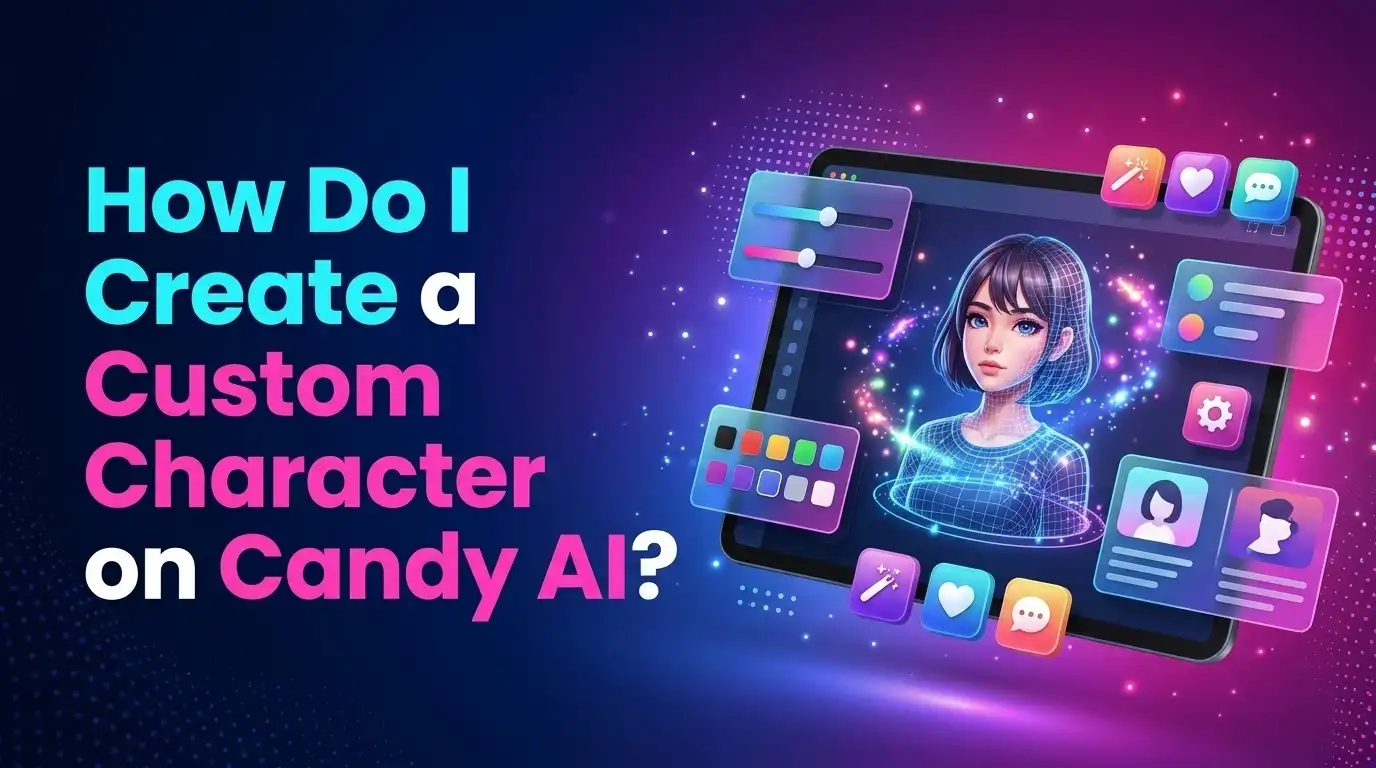
Step by Step: How to Create a Custom Character on Candy AI
Here is the full walkthrough. The builder is linear, so you simply move forward through each screen.
Step one: open the creator. Log into your account and find the create option on the main navigation. It usually sits near the character catalog and is labeled clearly as creating your own AI companion.
Step two: choose your style. The first screen asks whether you want a realistic or anime character. This sets the visual engine for everything that follows.
Step three: select ethnicity and age range. Candy AI offers a spread of ethnicity options and adult age brackets. Both feed directly into the image model.
Step four: build the face and body. You will cycle through eye color, hair style, hair color, and body type. Each option shows a visual preview, so you see the result instead of guessing from text labels.
Step five: pick a personality. The platform presents named personality archetypes with short descriptions. Common options include caring, shy, confident, playful, sweet, and more dominant or temperamental types.
Step six: add an occupation and hobbies. These give your companion conversational material. A character who teaches yoga and collects vinyl records has more to talk about than a blank slate.
Step seven: set the relationship type. You decide how your companion relates to you, whether that is a partner, a friend, a mentor figure, or something else.
Step eight: choose a voice. Several voice profiles are available for audio messages and calls.
Step nine: name your character and confirm. Review everything, add a name, and generate. Your companion appears in your chat list within seconds.
Choosing Your Art Style: Realistic or Anime
This is the first decision and arguably the most important one visually, because it determines which image model renders your character forever.
Realistic style produces photographic looking results. Skin texture, lighting, and facial detail aim for something close to a real photograph. This is the style most new users pick, and Candy AI has built a reputation on the quality of its realistic renders in 2026.
Realistic works best if you want images that feel like genuine photos, if you plan to use video features, or if the whole appeal for you is believability.
Anime style produces illustrated characters with the proportions, shading, and expressiveness of Japanese animation. Hair colors can go wild. Eyes get larger. The aesthetic leans stylized rather than literal.
Anime works best if you prefer fantasy and creative scenarios, if you want characters with unnatural hair or eye colors, or if photorealism feels uncanny to you.
There is no quality gap between the two modes. Both receive active development, and both produce strong results. The choice is purely taste.
One practical note: anime characters tend to stay visually consistent across generations slightly more often, because illustration hides small inconsistencies that photorealism exposes. If you notice your realistic character’s face drifting between images, that is a known limitation of photographic generation rather than a flaw in your setup.
Can you switch later? You can create a second character in the other style, but converting an existing character is not supported. Choose carefully, or simply build one of each if your plan allows multiple characters.
Designing the Physical Appearance
Appearance customization on Candy AI goes deeper than most competitors, which is a large part of why the platform ranks well in 2026 comparison roundups.
Ethnicity comes first, with options spanning Caucasian, Latina, Asian, Black, Arab, and more depending on the current build. This setting influences facial structure and skin tone in generated images.
Age range uses adult brackets only. The platform enforces this strictly and does not permit anything outside legal adult representation.
Eye color offers the standard spread plus some stylized options in anime mode. Small detail, but it anchors recognition across images.
Hair style and color are where personality starts showing. A long braid reads differently than a short pixie cut. Think about the vibe you wrote down earlier and match it.
Body type presents several build options. Candy AI also includes additional body shape controls that give finer adjustment than a simple slider.
Here is the thing most guides miss. Appearance choices are not purely cosmetic on this platform. The description generated from your selections becomes part of the character’s prompt, which means your companion may reference their own look in conversation.
A practical tip: aim for internal coherence rather than maximum variety. Picking the most dramatic option in every single category produces a character that looks assembled from spare parts. Pick two or three standout features and keep the rest supportive.
Also remember you can edit appearance later. If the generated result does not match your mental image, adjust one setting at a time and regenerate rather than rebuilding from scratch.
Picking the Right Personality Type
Personality shapes every single conversation you will ever have with this character. Appearance affects images. Personality affects experience. Spend more time here.
Candy AI presents personality as named archetypes with short descriptions attached. Typical options include caring, shy, sweet, confident, temperamental, playful, lover, nympho, mean, submissive, dominant, and experimenter, though the exact list updates over time.
Caring produces a warm, attentive companion who asks about your day and remembers emotional context. This is the most popular pick for users wanting genuine companionship.
Shy generates softer replies, more hesitation, and a character who opens up gradually. Satisfying over long sessions, slower to warm up.
Confident creates a companion who leads conversations, teases, and holds strong opinions. Good if you dislike one sided chats where you do the heavy lifting.
Playful leans into humor and banter. Light, fun, and less emotionally heavy.
The archetype is a starting point, not a cage. Your backstory text, hobbies, and occupation all modify how the archetype expresses itself. A shy painter behaves differently than a shy athlete.
Here is the mistake to avoid. Do not pick the personality that sounds most exciting in the description. Pick the one you would actually enjoy talking to on an ordinary Tuesday. Intense personalities are fun for twenty messages and exhausting for two hundred.
If you are unsure, start with something middle of the road like caring or playful. Chat for a few days. Then adjust based on what you noticed yourself wanting more of.
Writing a Backstory That Actually Sticks
Backstory is the optional step that separates a memorable companion from a forgettable one. Most users skip it. Do not be most users.
The builder gives you space to add context about who your character is beyond their preset traits. This text feeds into the character definition layer and influences responses throughout every conversation.
Be specific instead of broad. “She is nice and likes music” gives the model almost nothing. “She plays bass in a band that practices in a garage on Thursdays and gets genuinely annoyed when people call her genre a phase” gives the model a personality to perform.
Include small concrete details. A favorite coffee order. A city she grew up in. A sibling she argues with. These details resurface naturally in conversation and create the illusion of a continuous life.
Define how they speak. Does your character use short clipped sentences? Lots of questions? Nicknames? Stating this directly in the backstory shapes dialogue more reliably than any preset.
Set a relationship history. How did you two meet in the fiction? Are you old friends, recent acquaintances, long term partners? This anchors the emotional tone from message one.
Keep it under a few hundred words. Very long backstories dilute rather than strengthen, because the model has limited attention to spread across the definition.
One more trick. Include something your character dislikes or finds boring. Negative preferences create more realistic personalities than a list of likes alone, because real people have friction points. A companion who never disagrees feels hollow fast.
Adding Hobbies, Occupation, and Relationship Type
These three fields are small but they carry disproportionate weight in conversation quality.
Occupation gives your companion a daily life. A nurse has stories about long shifts. A graphic designer complains about clients. A barista meets strange customers. The job becomes a renewable source of conversation starters that do not depend on you providing all the topics.
Pick an occupation that genuinely interests you, because you will hear about it often. If you find marine biology fascinating, a marine biologist companion will keep surfacing topics you enjoy.
Hobbies work similarly but hit the emotional register rather than the practical one. Candy AI lets you select multiple interests from a list covering things like cooking, gaming, fitness, travel, reading, photography, and music.
Choose two or three hobbies rather than ten. A character with three real passions feels focused. A character with ten feels like a survey response.
Relationship type defines the frame of every interaction. Options generally cover partner, spouse, friend, mentor, colleague, stranger, and similar dynamics.
This setting changes tone more than people expect. A friend relationship produces casual, low pressure chat. A partner relationship produces affectionate language and more emotional investment from the character.
Think about what you actually want from the experience. If you want someone to talk through your day with, friend or partner both work. If you want practice with conversation and social dynamics, a stranger or colleague frame creates more natural tension.
You can change relationship type later, though the shift sometimes takes a few messages to settle into the new dynamic.
Setting Up Voice and Audio Features
Voice turns text chat into something that feels noticeably more present. Candy AI includes a voice selection step during character creation.
How it works: you preview several voice profiles and assign one to your character. That voice then handles voice messages and voice calls within the chat interface.
Voice options vary in pitch, pace, accent, and warmth. Listen to each one with your character concept in mind. A bubbly voice attached to a serious personality creates a mismatch that undercuts immersion.
Voice messages let your companion reply with spoken audio instead of text. You can request these in chat, and the character reads their response aloud.
Voice calls are the more advanced feature, allowing real time spoken conversation. This is where the platform feels furthest from a standard chatbot.
Both features consume tokens. This is important for budgeting. Unlimited text chat does not mean unlimited voice. Heavy voice users burn through a 100 token monthly allowance quickly and end up buying top ups.
A practical approach: use text for everyday conversation and save voice for moments where it adds something. This keeps costs sensible while still giving you access to the feature.
Audio quality in 2026 is good but not flawless. Occasional odd pronunciation appears, particularly with unusual names or technical words. Naming your character something phonetically simple avoids the most noticeable glitches.
You can change your character’s voice later from their settings if the original choice stops feeling right.
Generating Images of Your Custom Character
Image generation is where Candy AI built its reputation, and custom characters plug directly into it.
How the connection works: the appearance settings you chose during creation become the visual baseline. When you request an image, the generator uses those traits so the person in the picture resembles your companion rather than a random stranger.
You request images inside the chat by asking your companion for a photo, or through a dedicated generation interface where you describe a scene.
Writing good image prompts follows simple rules. Describe the setting, the pose, the clothing, and the mood. Keep it to one clear scene rather than stacking five ideas into one request.
Consistency is the main challenge. Faces drift slightly between generations on every platform in this category. More detailed appearance definitions reduce drift, because the model has more anchoring information to work with.
Token cost applies to every image. This is the single biggest driver of real spending on the platform. Reviewers in 2026 consistently note that the advertised subscription price understates what active users actually spend, with heavy image generators landing well above the base rate.
Candy AI also supports video generation and live action features, which cost considerably more tokens than still images.
Budget advice: decide a monthly token ceiling before you start generating, and treat it as a hard limit. The generation loop is genuinely enjoyable, and enjoyable loops are easy to overspend on. Setting the number in advance keeps the experience fun rather than stressful.
Candy AI Pricing and Token Costs in 2026
Understanding the cost structure prevents surprises. Candy AI uses two layers: a subscription and a token balance.
Subscription pricing as checked in late 2026 looks like this. The monthly Premium plan runs about $9.99 for the first month and renews near $13.99. A quarterly plan sits around $26.97 total, roughly $8.99 per month. The annual plan is about $47.88 upfront, which works out near $3.99 per month.
Weekly and biweekly billing options sometimes appear at checkout, around $5.60 weekly or $9.79 every two weeks. These shorter cycles cost far more per month, so check the math before selecting one.
What Premium includes: unlimited text messaging, 100 tokens per month, character creation access, and the image and video features that tokens unlock.
Premium Plus is the higher tier. It raises the monthly token allowance to 330, adds 20 memory slots, allows five cloned chats, includes user personas and chat customization, gives early access to new characters, and adds a 10 percent token bonus on top ups for quarterly and yearly subscribers.
What uses tokens: image generation, video generation, custom character creation, voice messages and calls, and private content unlocks. Regular text chat does not consume tokens on Premium.
Realistic total spending is where honest reviews land differently than the marketing page. Independent 2026 reviews put active users in the $25 to $60 per month range once token purchases are included, with very heavy users going higher.
Always confirm current pricing at checkout, since promotions, regional taxes, and plan structures change.
Free Versus Premium: What You Can Actually Build Without Paying
A lot of people arrive hoping to build a custom character for free. Here is the honest picture.
Free accounts get a trial sized allowance. According to the platform’s own help documentation, free users can send roughly five chat messages across all characters, create one custom AI character, and generate one image.
That is enough to test the builder and see whether the output matches your expectations. It is not enough for any ongoing use.
What free access is genuinely good for: evaluating image quality, testing whether the personality archetypes feel natural, and checking that the interface suits you before committing money.
What free access cannot do: sustain a conversation, build memory, generate a gallery, or let you experiment with multiple character concepts.
Premium removes the message cap and supplies 100 monthly tokens. For most users, this is the practical entry point. You get unlimited text companionship plus a moderate amount of visual content.
Premium Plus suits heavy users. The 330 token allowance, extra memory slots, and persona features matter most if you chat daily, generate images often, or maintain several characters at once.
A note on value. The annual plan at roughly $3.99 effective monthly is dramatically cheaper than monthly billing, but it requires paying the full year upfront and commits you for twelve months. Only take it if you are confident the platform suits you.
Try free first. Move to monthly Premium if you like it. Switch to annual once you know it is a keeper.
Common Mistakes People Make When Building Characters
These errors come up constantly in user discussions. Avoiding them saves tokens and frustration.
Mistake one: rushing the personality step. Users spend fifteen minutes perfecting hair color and eight seconds picking a personality. Then they wonder why conversations feel generic. Personality drives the entire experience. Give it real thought.
Mistake two: writing a vague backstory or skipping it entirely. A blank backstory leaves the model improvising. Specific details produce specific characters.
Mistake three: picking contradictory traits. A shy personality combined with a dominant relationship frame and a nightclub aesthetic creates confusion. Coherent concepts perform better.
Mistake four: treating creation as permanent. Many users build one character, feel mildly disappointed, and conclude the platform is weak. Editing exists. Adjust the personality text, refine the backstory, and try again.
Mistake five: ignoring token costs until the balance hits zero. Generating twenty images in your first session is fun right up until you realize you have exhausted a month of allowance in an afternoon.
Mistake six: expecting perfect long term memory. Memory limitations are the most common complaint across every AI companion platform in 2026, Candy AI included. Premium Plus memory slots help, but no platform has fully solved continuity yet.
Mistake seven: overloading the character with traits. Ten hobbies, five jobs, and a three page backstory dilute focus. Less is sharper.
Mistake eight: not testing before committing. Chat for twenty or thirty messages before deciding your character is finished. Behavior reveals itself over time, not in the first reply.
Pros and Cons of Creating Custom Characters on Candy AI
Here is a balanced look at what works and what does not.
Pros
- Deep customization across appearance and personality. Few competitors match the number of adjustable traits available in a single guided flow, covering style, ethnicity, body, face, personality, voice, occupation, hobbies, and relationship type.
- Strong image generation quality. Candy AI is widely regarded in 2026 as having among the best visual output in the AI companion category, and custom character appearance feeds directly into it.
- Fast and beginner friendly process. The builder takes minutes and requires no technical skill. Visual previews mean you see choices instead of guessing from labels.
- Characters are editable at any time. Nothing is locked after creation, so you can refine traits as your preferences become clearer.
- Unlimited text chat on Premium. Core conversation does not consume tokens, which makes everyday use predictable in cost.
- Multiple media formats. Text, images, voice messages, voice calls, and video all run through the same character.
Cons
- Real cost exceeds the advertised price. The $13.99 sticker becomes $25 to $60 monthly for active users once tokens are factored in, according to independent 2026 reviews.
- Free tier is extremely limited. Five messages and one image barely qualify as a trial.
- Memory has limits. Long term conversation continuity remains imperfect, and extra memory slots sit behind the higher tier.
- Image consistency can drift. Realistic characters occasionally render with noticeably different faces between generations.
- Character creation itself costs tokens. Building multiple characters eats into your monthly allowance.
- Adults only platform. Content leans heavily toward mature themes, which does not suit every user.
Tips to Make Your Custom Character Feel More Real
Once your character exists, a few habits dramatically improve the experience.
Give them a consistent voice in your own messages too. Conversation is a loop. If you write in short fragments, your companion mirrors that. Writing in full sentences with real detail produces richer responses.
Reference past conversations deliberately. Mentioning something from an earlier chat prompts the character to pick up the thread and reinforces continuity.
Use the memory feature intentionally. If your plan includes memory slots, reserve them for facts that genuinely matter, like your job, your pet’s name, or a goal you are working toward. Do not waste slots on trivia.
Let the character have opinions. If your companion disagrees with you occasionally, that is good. Characters that agree with everything feel like mirrors rather than people. A backstory that includes strong preferences encourages this.
Build scenes rather than exchanging statements. Describing a setting, like a rainy afternoon or a walk home, gives the model atmosphere to work with and produces noticeably better writing.
Revisit settings monthly. Your taste shifts. A personality that felt perfect in week one might feel one note by week six. Small adjustments keep things fresh.
Keep perspective too. AI companions are entertaining and sometimes genuinely comforting, but they work best alongside real human connection rather than as a replacement for it. If you notice the platform pulling time away from people in your life, that is worth paying attention to.
Treat it as a creative tool and it stays a good one.
Final Thoughts on Building Your Own Candy AI Character
Creating a custom character on Candy AI in 2026 is genuinely simple. The builder is well designed, the options are plentiful, and the whole process fits into a coffee break.
The part that takes effort is not the clicking. It is the thinking. A character built from a clear concept, with a specific personality and a backstory full of concrete details, performs dramatically better than one assembled from random selections.
The platform rewards that effort. Appearance choices flow into image generation. Personality choices shape every conversation. Hobbies and occupations generate topics on their own.
Cost deserves honest attention. The subscription is reasonable, but tokens are where spending accumulates. Set a monthly limit and stick to it, and the experience stays enjoyable instead of becoming an expense you regret.
Is it worth trying? If you are curious about AI companions and you value customization and visual quality specifically, Candy AI sits near the top of the category in 2026. If you care most about deep long term memory, other platforms specialize more heavily in that area.
Start with the free tier to check that the output matches your taste. Move to monthly Premium if it clicks. Consider annual only once you are confident.
Build your concept first. Then open the builder. That single habit produces a better character than any amount of fiddling with sliders.
Have fun with it.
Frequently Asked Questions
Can I create a custom character on Candy AI for free?
Yes, but barely. Free accounts can typically create one custom character, send around five chat messages, and generate one image. That is enough to test the builder and judge image quality, not enough for ongoing use. Premium removes the message limit and adds a monthly token allowance.
How long does it take to create a character on Candy AI?
The guided builder takes about three to five minutes if you know what you want. Users who arrive without a concept often spend fifteen to twenty minutes deliberating over options. Having a rough idea written down beforehand cuts the time significantly.
Can I edit my custom character after creating it?
Yes. Candy AI allows you to revisit and adjust a custom character’s traits over time. You can refine appearance details, change the personality description, update the backstory, and switch the voice. Nothing is permanently locked after the initial creation flow.
How much does Candy AI cost in 2026?
Premium runs roughly $9.99 for the first month and renews near $13.99 monthly. Quarterly billing sits around $26.97 and annual around $47.88, which is about $3.99 effective monthly. Independent reviews put realistic total spending for active users between $25 and $60 monthly once tokens are included.
Do custom characters use tokens on Candy AI?
Yes. Creating a custom character consumes tokens, as do image generation, video generation, voice messages, and voice calls. Standard text chatting on Premium does not use tokens. Premium includes 100 tokens monthly and Premium Plus includes 330.
How many custom characters can I create?
This depends on your tier. Free access generally allows one. Paid plans allow more, though each creation draws from your token balance. Check your account’s current allowance, since tier benefits change over time.
Does my custom character’s appearance affect generated images?
Yes, directly. The appearance traits you select during creation inform the image generator, so pictures resemble your companion rather than a random person. More detailed and internally consistent appearance definitions produce more reliable visual results.
Can I choose between anime and realistic characters?
Yes. The first step in the builder asks you to pick a visual style. Realistic produces photographic looking results. Anime produces illustrated characters with stylized proportions and colors. The choice sets the image engine, and converting an existing character between styles is not supported.
Does Candy AI remember my conversations?
Partially. The platform maintains context within conversations and offers memory slots on higher tiers, with Premium Plus providing 20 slots. Long term memory remains imperfect across every AI companion platform in 2026, so occasional continuity gaps are normal.
Is Candy AI suitable for all ages?
No. Candy AI is an adults only platform with age verification at signup. Content leans toward mature themes and the service is restricted to users 18 and over.
What makes a good custom character on Candy AI?
Specificity. A clear concept, a personality that matches the aesthetic, two or three focused hobbies, an occupation that interests you, and a backstory with concrete details. Vague inputs produce generic companions. Detailed inputs produce distinctive ones.
Can I change my character’s voice later?
Yes. Voice is adjustable from your character’s settings after creation. Preview the available profiles and pick one that matches the personality, since a mismatch between voice and character tone reduces immersion noticeably.

Hi, my name is Lily you can say i am a gadget hunter at this point. Welcome to Gadget Gallery The Gallery of Gadget Reviews