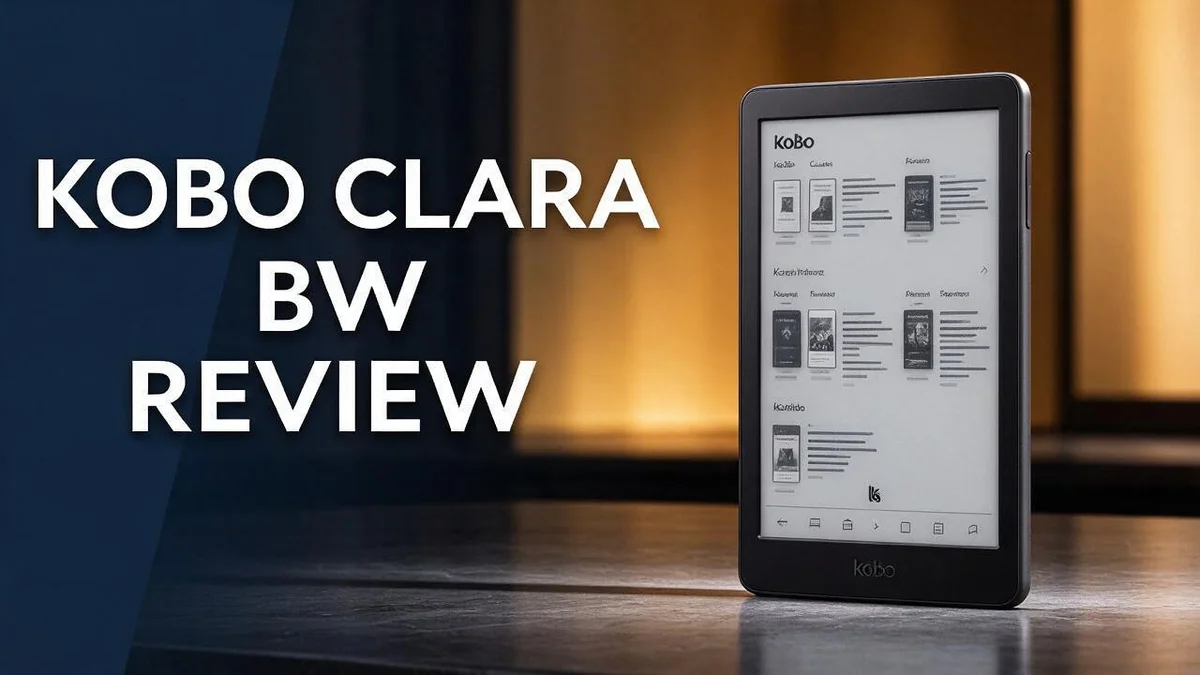
Kobo Clara BW Review: Is This Waterproof E-Reader Worth Buying?
Do you love reading before bed? The Kobo Clara BW could become your favorite reading companion.
This model has a 6 inch touchscreen and a Carta 1300 display. Its text looks sharp, and the screen feels easy on the eyes.
An adjustable front light helps you read at night. You can also change the warm tone to suit your mood.
The device is waterproof, so you can read by the pool or in the bath. Its battery lasts a long time on a single charge.
Some reviewers say the body feels plastic and a little slippery. Others praise the friendly software and the easy customization options.
In this review, we explore the design, reading experience, and daily performance. Let’s see if this reader earns a spot on your shelf.
In a Nutshell
-
Storage for a full library: The 16GB memory holds about 12,000 eBooks. You can carry your whole collection in one light device.
-
Warm light for late reading: The front light shifts to warmer tones. Your eyes can relax before you go to sleep.
-
Long battery life: One reviewer tested the device with wireless features turned off and still got strong results. You spend less time hunting for a charger.
-
Open to custom software: Tech fans can install KOReader. This adds extra fonts, layouts, and tools.
-
Quick, simple software: Menus respond fast and stay out of your way. Page turns feel smooth, so reading keeps its flow.
-
Mixed durability reports: A few forum users say their units stopped working after one or two years. Check the warranty terms before you decide.
Display and Reading Experience

Last update on 2026-10-21 / Affiliate links / Images from Amazon Product Advertising API Some of the links on this website are affiliate links, which means that at no additional cost to you, I earn a commission if you click through and make a purchase. I only recommend products and services that I believe will add value to my readers. Thank you for your support!
Reading on a screen can tire your eyes over time. The Kobo Clara BW aims to make long reading sessions feel more comfortable.
Text looks sharp on the page. One reviewer says the words appear crisper than on a basic Kindle.
Clear text matters most when you read small print or dense novels. Good contrast keeps every letter easy to follow.
This model shows content in black and white only. Books and articles look clean and simple without any distracting color.
You can change the text size to suit your eyes. Open the settings menu and pick a size that feels right.
Fonts, line spacing, and margins also adjust to your taste. Small changes can make a big difference during a long chapter.
Blue light control adds another comfort option. Many readers find this helpful when they read late in the evening.
Smooth reading flow helps you stay focused on the story. Pages turn without fuss, so your attention stays on the plot.
Many people read in different places each day. Bookworms who read on the couch, in bed, or on a commute will value steady text.
Reading gets more enjoyable when your eyes do not work hard. Comfort matters just as much as style.
Try a few sample pages before you settle on a setting. Your eyes will tell you which size and spacing feel best.
The reading experience feels calm and simple overall. Text stays clear, and the controls stay easy to find.
Lighting and Eye Comfort
Your eyes do a lot of work during long reading sessions. Good lighting can make that work feel much easier.
Dark rooms create a big contrast. When the room stays black and the page glows, your eyes must adjust again and again. A softer setup often feels kinder over time.
The front light spreads even illumination across the screen. This helps you avoid bright spots and harsh shadows on the page.
Reading outdoors works differently. Glossy phone screens reflect sunlight, but the pages on this reader look more like paper in daylight.
Try the lowest setting first. Many readers find that a dim glow works well in a quiet room. Start low, then raise the brightness slowly until the words feel clear.
Breaks matter too. Look up from the page every so often and focus on something far away. This simple habit gives your eye muscles a rest.
Posture changes how light hits your eyes. Hold the device at a comfortable distance, roughly the length of your arm.
Lighting changes often when you travel. On a plane or train, a steady screen helps you keep your place without squinting.
Your comfort depends on personal taste. Some readers want a cool, bright glow, while others prefer very soft light. Test a few levels and keep what feels best.
Lighting also affects how long you can read. Many people stop early because their eyes feel dry or sore. A well-lit page can help you read a little longer.
Set a brightness that matches the room you sit in. A level that works well in a sunny kitchen may feel harsh in a bedroom.
Small changes add up over weeks of reading. Give your eyes a gentle, steady light, and you may enjoy every chapter a little more.
Design and Build Quality
Hold the Kobo Clara BW and you notice its light weight right away. The compact body slides easily into a coat pocket or tote bag.
The outer shell uses plastic. It does not feel as premium as metal or glass. Some readers also find the surface a bit slippery, so a simple cover can improve your grip.
The front panel looks clean and simple. There is no clutter around the screen, so the page takes center stage.
You will not find physical page turn buttons on this model. Instead, you tap or swipe across the screen to move forward or back.
Touch controls handle every page turn. Some people love this simple layout. Others miss the tactile feel of buttons, especially when their fingers are damp or the screen is dirty.
The sealed body helps the device handle splashes in the kitchen or bathroom. Still, keep it away from deep water.
Think about where you read most. If you often read on a sofa, the slim profile sits well in one hand. If you carry it in a bag all day, a case protects the corners from bumps.
The slim edges make it easy to switch hands while you read. Build quality shapes daily use more than most people expect. A comfortable grip, simple controls, and a light frame make reading feel relaxed.
Pay attention to the back as well. The smooth finish looks neat, but it can show fingerprints over time.
Simple design choices often matter most in daily reading. A device that feels pleasant in your hands invites longer sessions with a book.
Pick up the device in a store if you can. Feel the weight, test the edges, and see whether the size suits your hands. Take time to test it before you commit.
Top 3 Alternatives
Kindle Paperwhite


Last update on 2026-10-21 / Affiliate links / Images from Amazon Product Advertising API Some of the links on this website are affiliate links, which means that at no additional cost to you, I earn a commission if you click through and make a purchase. I only recommend products and services that I believe will add value to my readers. Thank you for your support!
The Kindle Paperwhite is a strong choice for readers who love reading at night. Its glare free screen feels close to real paper. You can read in bright sunlight without eye strain.
The built in light shines evenly across the page. Battery life lasts for weeks on one charge. The device is also waterproof, so reading by the pool feels easy.
Many readers pick this model for long reading sessions. It stays light in the hand. Text size and fonts are easy to adjust.
Kobo Libra 2

Last update on 2026-10-31 / Affiliate links / Images from Amazon Product Advertising API Some of the links on this website are affiliate links, which means that at no additional cost to you, I earn a commission if you click through and make a purchase. I only recommend products and services that I believe will add value to my readers. Thank you for your support!
The Kobo Libra 2 gives readers more control over their reading experience. It has physical page turn buttons, which many people find comfortable. You can change fonts, margins, and line spacing with ease.
The screen shows text clearly in many lighting conditions. The device also supports library borrowing for many readers. People who enjoy customizing their books will appreciate this option.
Its design feels sturdy and comfortable for one hand. Readers can organize books into folders. This makes a big library easier to manage.
Amazon Kindle
Last update on 2026-10-21 / Affiliate links / Images from Amazon Product Advertising API Some of the links on this website are affiliate links, which means that at no additional cost to you, I earn a commission if you click through and make a purchase. I only recommend products and services that I believe will add value to my readers. Thank you for your support!
The Amazon Kindle is a simple way to start reading. It is light, so holding it for long sessions feels relaxed. Its screen is easy on the eyes.
Readers can store thousands of books in one place. The device connects quickly to a Wi Fi network. It works well for anyone who wants a basic and dependable reader.
Setup takes only a few minutes. Books download fast after purchase. This model suits new readers and busy commuters alike.
Battery Life and Durability
Battery life matters more than many readers expect. A long charge keeps your book ready when you need it.
The Kobo Clara BW earned praise for its long battery life in a hands on review.
That reviewer kept the wireless connection and Bluetooth switched off during testing.
Try the same habit at home. Switch off wireless features when you do not need them.
Light daily reading makes a single charge go further.
Fewer charges also mean less hassle.
Many people like a device that stays ready on a long trip. Plug it in overnight, then leave the cable alone for days.
Durability deserves just as much thought.
Some owners report units that stopped working after one or two years.
One forum post describes this problem, and it stands as anecdotal evidence. Single reports do not prove a pattern, but they still matter.
Treat the device with care from the first day.
Store it in a sleeve when you carry it in a bag. Keep it away from hot cars and direct sunlight.
Gentle handling can help it last longer. Also, avoid stacking heavy books on top of it.
Check the warranty terms before you commit.
Battery health also depends on how you store the device. Avoid leaving it fully drained for long periods. Charge it again when the battery runs low.
A quick top up before a trip can prevent surprises.
Good habits make a real difference over time. Keep the software current so the system runs smoothly.
Think about your reading routine each week. If you read for hours each night, plan charging around that schedule.
A simple weekly check keeps surprises away.
Battery life and durability work together for a happy reader. Good care and smart charging give you the best chance of years of reading.
Your reading time deserves a device that keeps up.
Software and Customization
The software feels calm and simple. Many readers want a device that stays out of the way, and this one does.
The home screen shows your library in a clean list. Your books, the store, and settings sit where you expect them.
Kobo software responds quickly to each tap. Pages turn without long pauses, so reading feels smooth.
Want more control over how things look? You can change fonts, line spacing, and margins. Small tweaks can make long chapters easier on your eyes.
Sideloading is another useful option. You can move your own EPUB and PDF files onto the device using a computer. This helps if you borrow files from a library or a friend.
Library management deserves a note. Books sort by title, author, or recent reading. Collections help you group books by genre, mood, or project.
Kobo’s dictionary and search tools help with unfamiliar words. Tap a word to see its meaning. Search finds names or topics across your book quickly.
Customization goes further for tech fans. The research notes that the device is easy to modify. Many owners install KOReader, a community program that adds extra features. Use this option with care, since changes can affect the device.
Keep the software updated. Updates bring fixes and new options. Check for them when you connect the device to a wireless network.
The menu may feel basic to power users. Advanced options exist, but they sit deeper in the settings. Spend a few minutes exploring before you decide.
Small changes can give you a reading setup that feels personal. Try one setting at a time so you can see what helps.
Test your setup before a long trip. Load your files at home, then check that everything opens.
Pros and Cons
Pros
- Sharper text than a basic Kindle, according to one reviewer.
- Warm light settings help you read in bed without harsh glare.
- Blue light control can ease eye strain during late night reading.
- Storage holds about 12,000 books in one small device.
Cons
- No color screen means comics and picture books look gray.
- Kobo Clara Colour suits families who want colorful kids’ books.
- Some store listings show the wrong display type, so check the model first.
Who Should Buy It
Some readers want a simple tool for words and nothing more. This model suits that goal well.
Bath and pool readers get real value here. The waterproof body lets you read near water without fear of splashes.
Commuters also benefit from this design. You can slip the device into a bag and read on a crowded train.
Many people switching from paper books want a calm screen. A clean page look helps them settle into long chapters.
Readers who focus on text are a strong match. Novels, essays, and long reports look sharp, so the words stand out clearly.
Students who read long articles may enjoy the adjustable light. They can set a comfortable warmth for late study sessions.
Night owls form another group. A warm glow at bedtime can make reading feel relaxed.
Magazine lovers who want full color pages should look elsewhere.
The Kindle Colorsoft is one option to compare. It stands as a direct rival for color fans.
Buyers already shopping on Amazon may feel more at home with that ecosystem.
The plain body may not impress everyone who wants a luxury feel.
Travelers who pack light gain from one device that carries a full library.
Book clubs and reading groups can benefit too. Members can each carry their current title without extra weight.
Older readers who want larger text can adjust settings with ease. Simple menus make changes quick and clear.
Busy readers often read in short bursts. Quick access to a book fits those small pockets of free time.
Anyone who reads daily in many places will find this design practical and easy to carry.
Visit a store and hold the device first. Your own grip tells you more than any spec sheet.
Final check: think about where you will read most. Choose the device that fits your habits, not just the latest trend. Your reading habits should guide the choice.
Final Verdict
The Kobo Clara BW earns a solid place on any shortlist for readers who focus on text. It offers clear words, gentle lighting, and a calm interface that keeps quiet.
Who will love it most? People who read novels, essays, and long articles every day. The device fits a steady reading habit well.
Shoppers who want a simple tool will feel at home here. It does not chase extra features, so the focus stays on the page.
If your goal is to read more each week, a simple device helps. Fewer distractions make it easier to build a daily reading habit.
The body feels light but slippery in the hand. A simple case or grip cover can make daily reading more comfortable. That small step helps over time.
Before you commit, ask yourself a few questions. Where will you read most? Do you need color on every page? How do you like to hold your device?
Your answers will point you toward the right model. Think about your favorite genres, your reading spots, and your daily routine.
Many buyers also check where they already buy books. Make sure your favorite titles and borrowing options fit your plan.
Compare it side by side with other devices in the same range. Look at screen type, light control, and build quality.
The bottom line is simple. The Kobo Clara BW suits calm, focused reading. It rewards people who want words first and distractions last.
Reading should feel relaxing, not like a chore. This device helps make that happen for most text lovers.
Choose it if you read often and value a clean, comfortable page. Your reading life will feel more relaxed with it in your hands.
Frequently Asked Questions
Is the Kobo Clara BW easy for beginners to use?
Yes, it suits new readers well. The touchscreen responds quickly. Setup takes only a few minutes, so you can start reading right away.
Can I borrow library books on it?
Many public libraries offer digital loans that work with Kobo devices. Check your local library’s app list before you buy. This helps you save time.
How long does the battery last?
Reviewers report long battery life when wireless connections stay off. Normal reading can last many days on one charge. Turning off Bluetooth and Wi-Fi when you finish reading helps the battery last even longer.
How does it compare to the Kindle Paperwhite?
The Kobo Clara BW supports common file types like EPUB, which gives you more freedom with your library. The Kindle Paperwhite works best with Amazon’s store. If you want flexible file options, the Kobo is a strong pick.

Hi, my name is Lily you can say i am a gadget hunter at this point. Welcome to Gadget Gallery The Gallery of Gadget Reviews