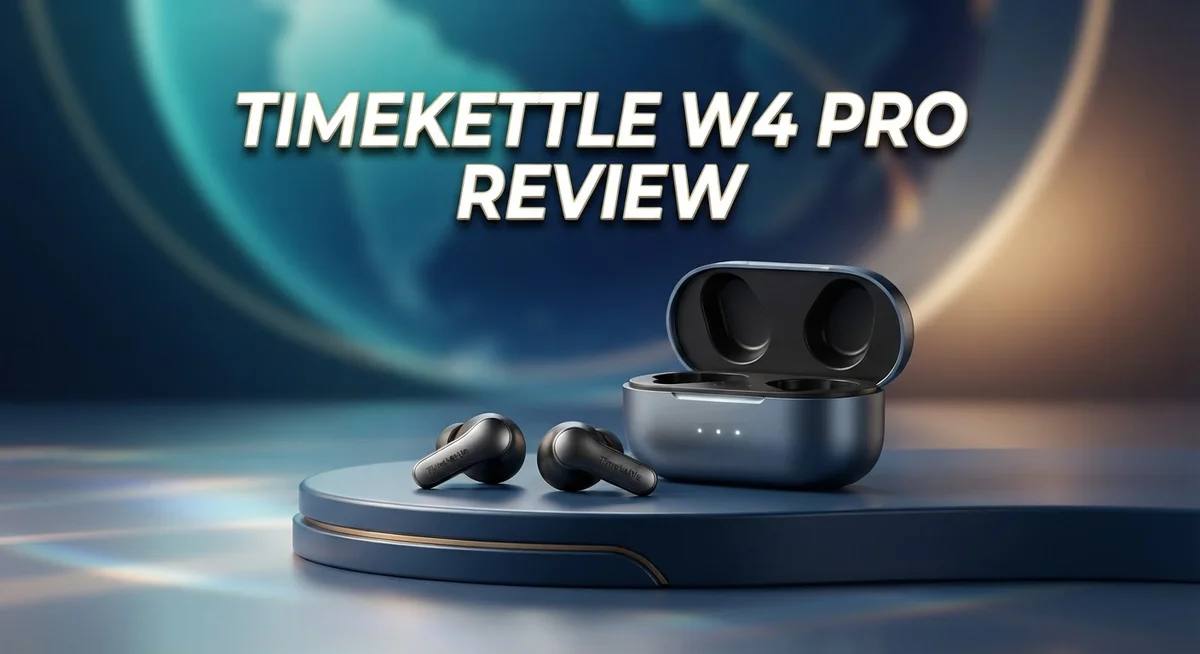
Timekettle W4 Pro Review: Is It Worth Buying?
Talking to someone in a different language can feel tricky. You want to connect. You want to understand each other fully.
The Timekettle W4 Pro steps in to solve this problem. It works as a real time translation earbud system. It supports 52 languages and 106 accents.
This device helps travelers explore new places with ease. It also helps business users hold conversations across language barriers. You can use it for calls, video chats, and online meetings too.
In a Nutshell
- Wide Language Range: It covers 52 languages and 106 accents. This makes it useful across many countries and regions.
- Multiple Translation Modes: You get One-on-One, Listen & Play, Voice Call, and Media Translation. Each mode fits a different daily situation.
- Works Across Platforms: The earbud connects to phone calls, video chats, and online conferences. It also supports Bluetooth for iOS and Android devices.
- Smart Subtitle Feature: Real time subtitles appear during conversations. This helps you follow along even in noisy settings.
- Mixed Performance in Some Areas: Noise cancellation feels weaker than the standard W4 model. Some users also report shaky results during business use.
- Customer Support Concerns: Service ratings sit low, around 2 out of 5 stars. This may affect your experience if issues come up.
Translation Modes and Language Support
The Timekettle W4 Pro gives you access to 52 languages and 106 accents across the globe. This breadth means you can communicate with people from almost any country you visit or work with.
The device offers four distinct translation modes to fit different situations. The One-on-One mode works best when you chat face-to-face with someone. Listen & Play lets you hear translations played back to you while the other person speaks. Voice Call mode handles phone conversations seamlessly. Media Translation tackles audio files, videos, and recorded content.
Each mode serves a specific purpose. If you attend a video conference with international participants, the Media Translation mode captures and translates spoken words in real time. For casual travel conversations, One-on-One mode keeps things simple and natural.
The real-time subtitle feature displays text translations as conversations happen. This helps you follow along even if you miss spoken words. Subtitles appear on your phone screen, making it easy to catch details.
Connectivity spans multiple platforms. The earbud works with phone calls, video chats through apps, and online conference tools. Bluetooth pairing with iOS and Android devices takes just seconds. You stay connected whether you use your smartphone, tablet, or computer.
One important note: noise cancellation on the W4 Pro falls short compared to the standard W4 model. If you need crystal-clear audio in loud environments, this matters. The device performs better in quieter settings or controlled spaces.
The translation engine handles both directions simultaneously. You speak, the earbud translates to the other person. They speak back, and you get the translation instantly. This bidirectional flow keeps conversations flowing naturally without awkward pauses.
Language support extends beyond just words. The 106 accent variations mean regional differences get recognized. A speaker from Mumbai sounds different from one in Delhi. The device picks up these nuances and translates accordingly.
The combination of modes, languages, and real-time features makes this earbud flexible for many situations. Travel, business calls, video meetings, and casual chats all work within this system. Understanding which mode fits each scenario helps you get the most from the device.

Last update on 2026-08-28 / Affiliate links / Images from Amazon Product Advertising API Some of the links on this website are affiliate links, which means that at no additional cost to you, I earn a commission if you click through and make a purchase. I only recommend products and services that I believe will add value to my readers. Thank you for your support!
Real-Time Performance and Accuracy
When you use the Timekettle W4 Pro in real conversations, speed matters most. The device delivers translations in under one second for most language pairs. This quick response keeps conversations flowing naturally without awkward pauses.
The accuracy varies depending on your accent and speaking pace. Clear speech produces better results than mumbling or rapid talking. The earbud captures words through its microphone and processes them instantly. You see the translated text appear on your phone screen almost immediately.
One-on-One mode works best for face-to-face chats. Both people hear translations through their own earbuds or speakers. The bidirectional flow means conversations feel balanced. You speak, they hear your words translated, and vice versa.
Voice Call mode handles phone conversations differently. The earbud translates what you hear from the other person. You can respond in your native language. The system sends your translated words to them. This setup works well for customer service calls or quick business discussions.
Media Translation mode handles videos and audio files. You can watch a foreign film with live subtitles. Podcasts become accessible in your language. This feature shines for learning or entertainment purposes.
The Listen and Play mode lets one person speak while the other listens. Then roles reverse. This structure helps when only one person wears the earbud.
Accuracy drops in noisy environments. Crowded restaurants or busy streets create challenges. Background noise confuses the microphone. The W4 Pro’s noise cancellation falls short here compared to the standard W4 model. Wind noise during outdoor use also causes occasional errors.
Technical glitches happen sometimes. The app may freeze during longer conversations. Connection drops occasionally occur with Bluetooth. These issues appear in user reports more frequently than ideal.
For casual travel and basic communication, the W4 Pro performs reliably. For critical business meetings or professional interpreting, results feel less dependable. The translation quality depends heavily on clear audio input and stable internet connection. Users report better experiences in controlled settings than in unpredictable real-world situations.
Design, Comfort, and Portability
The Timekettle W4 Pro feels light in your hand. The earbuds weigh just enough to stay secure without causing fatigue during long conversations. The design prioritizes comfort for extended wear throughout your day.
Each earbud fits snugly into your ear canal. The included ear tips come in multiple sizes so you find the perfect fit. This matters because a loose fit ruins both comfort and translation accuracy. The charging case is compact and slides easily into your pocket or bag.
The device’s portability stands out for travelers. You can pack it without adding noticeable weight to your luggage. The case charges the earbuds multiple times before needing a wall outlet. This means you stay connected during long trips across different time zones.
The build quality feels solid overall. The earbuds have a matte finish that resists fingerprints and dust. The buttons respond quickly when you tap them to switch modes or adjust volume. The charging contacts are protected from accidental damage.
One drawback appears in the design approach. The W4 Pro prioritizes translation features over ergonomic refinement. Some users report minor discomfort after wearing the earbuds for more than three hours straight. The standard W4 model actually handles this better due to its slightly different shape.
The case design deserves mention too. It’s not the smallest on the market, but it’s definitely pocket friendly. The LED indicator clearly shows battery status at a glance. You’ll always know when charging is needed.
Portability extends beyond just size. The device connects instantly to your phone via Bluetooth. You don’t need extra cables or adapters for most situations. This simplicity makes the W4 Pro ideal for spontaneous conversations with people from different countries.
The overall aesthetic feels modern and professional. You won’t look out of place wearing these in business meetings or casual settings. The neutral color options blend well with most styles. Design and comfort work together to create a device that disappears into your daily routine while delivering real-time translation power.
Top 3 Alternatives
Google Pixel Buds Pro


Last update on 2026-08-28 / Affiliate links / Images from Amazon Product Advertising API Some of the links on this website are affiliate links, which means that at no additional cost to you, I earn a commission if you click through and make a purchase. I only recommend products and services that I believe will add value to my readers. Thank you for your support!
Apple AirPods Max

Last update on 2026-08-28 / Affiliate links / Images from Amazon Product Advertising API Some of the links on this website are affiliate links, which means that at no additional cost to you, I earn a commission if you click through and make a purchase. I only recommend products and services that I believe will add value to my readers. Thank you for your support!
Anker Soundcore Space

Last update on 2026-08-29 / Affiliate links / Images from Amazon Product Advertising API Some of the links on this website are affiliate links, which means that at no additional cost to you, I earn a commission if you click through and make a purchase. I only recommend products and services that I believe will add value to my readers. Thank you for your support!
Connectivity and Device Compatibility
The Timekettle W4 Pro connects seamlessly across your devices. You can pair it with both iOS and Android phones without hassle. The Bluetooth connection works reliably for most users in typical conditions.
Phone calls translate in real time when you use the Voice Call mode. This feature lets you have conversations with people who speak different languages. The device handles incoming and outgoing calls with the same translation capability.
Video calls get support too. Whether you’re using Zoom, Google Meet, or similar platforms, the W4 Pro picks up audio and translates it. Media Translation mode works with videos and audio files you’ve already recorded.
Online conferences benefit from the W4 Pro’s ability to process multiple speakers. You can follow along even when participants speak different languages. The real-time subtitle feature displays translations as the conversation unfolds.
Bluetooth stability matters for all these features. The connection typically stays strong within standard range. Some users report occasional drops in crowded wireless environments, but this happens rarely.
The earbuds pair with your phone in minutes. Once connected, switching between apps feels natural. You don’t need special software beyond the Timekettle app itself.
One limitation stands out here: the noise cancellation performance lags behind the standard W4 model. In loud settings like airports or busy streets, background sounds can interfere with translation accuracy. This affects both phone calls and in-person conversations.
The device remembers your pairing preferences. You won’t need to reconnect every single time you use it. This convenience helps when you switch between multiple devices throughout your day.
Battery life impacts connectivity too. The earbuds hold their charge for several hours of active translation. The charging case extends this time significantly for longer trips.
Connectivity works best in moderate environments where you have decent phone signal and manageable background noise. For travelers moving between locations, this setup performs well. Business users in quiet offices will find the connection stable and reliable.
Customer Service and Support
Timekettle’s customer service receives mixed feedback from users. The company currently holds a 2 out of 5 star rating for support quality. This low score reflects frustration among some customers who encounter issues.
One major complaint involves hidden fees at checkout. Customers report unexpected customs duties and VAT charges appearing during purchase. These surprise costs create frustration and damage trust. The company should display all fees upfront before payment.
Response times vary significantly. Some users report quick replies to their questions. Others experience delays when seeking technical help. This inconsistency makes it hard to predict when you’ll get answers.
The support team handles warranty claims with moderate efficiency. If your W4 Pro develops a problem within the warranty period, you can expect assistance. However, the process sometimes feels slow and bureaucratic. Documentation requirements can be confusing for first time users.
Live chat support exists but has limitations. The team operates during specific hours only. If you need help outside those windows, you’ll wait for email responses. Weekend support remains sparse, which frustrates travelers in different time zones.
Returns and exchanges present another pain point. The process requires you to ship the device back first. You won’t receive a replacement until the company inspects your unit. This creates a gap where you lack a translation device.
Positive experiences do exist. Some customers praise the support team’s technical knowledge. Representatives can troubleshoot connection problems effectively. They understand the device’s features and limitations well.
The company provides online resources including FAQs and video guides. These materials help you solve common issues independently. A community forum allows users to share solutions with each other.
Overall, customer service needs improvement. The low ratings suggest the company should invest in faster response times and clearer communication. Better fee transparency would prevent checkout surprises. Expanding support hours would help international customers. If you purchase the W4 Pro, prepare for potentially frustrating support experiences. Consider this factor when deciding whether this device fits your needs.
Pros and Cons
Pros
- Real-time bidirectional translation works across 52 languages and 106 accents for genuine two-way conversations
- Simultaneous recording and playback lets you capture translations while the other person speaks
- Voice Call mode translates phone conversations instantly, plus video calls and online conferences get full support
- Light design and snug fit make these earbuds comfortable for extended wear during travel or work
- Bluetooth pairs quickly with iOS and Android devices, remembering your preferences for easy reconnection
Cons
- Hidden customs duties and VAT fees appear at checkout, adding unexpected costs to your purchase
- Noise cancellation falls short compared to the standard W4 model, affecting clarity in loud settings
- Accuracy drops noticeably in noisy environments, making business use risky in some situations
- Customer service ratings sit low at 2 out of 5 stars, with slow response times and limited live chat support
Who Should Buy It
The Timekettle W4 Pro works best for specific user types who need real-time translation in active conversations. If you travel internationally and speak with locals regularly, this device fits your needs. The earbuds handle 52 languages and 106 accents, so you can communicate almost anywhere.
Business professionals benefit from the Voice Call mode. You can translate phone conversations instantly without stopping the discussion. Video calls and online conferences get full support too. However, be aware that some users report mixed results in demanding business settings. The device works well for casual meetings but carries risk in high-stakes scenarios.
Journalists and content creators find value in the simultaneous recording and playback feature. You capture translations while interviews happen in real time. This saves hours of manual translation work later.
Remote workers who join international teams see immediate advantages. Conference calls become easier when everyone speaks different languages. The W4 Pro processes multiple speakers at once, though background noise can interfere.
Students studying abroad or learning new languages appreciate the real-time feedback. You practice conversations with native speakers and get instant translations. This accelerates language learning naturally.
Casual travelers prefer the standard W4 model over the Pro version. The regular W4 has better noise cancellation for crowded airports and busy streets. The Pro works in quieter environments more reliably.
Skip this device if you expect premium customer service. Timekettle’s support team receives low ratings. Response times vary, and hidden fees appear at checkout unexpectedly. Returns and exchanges can frustrate you.
Skip it too if you work in extremely noisy environments. Airports, construction sites, and loud bars challenge the noise cancellation. The microphone struggles to isolate your voice from background chaos.
The W4 Pro shines for one-on-one conversations and small group meetings. It excels during leisurely travel and casual business calls. It struggles with high-noise situations and demands reliability. Choose this device only if your communication style matches its strengths. Otherwise, explore alternatives that better fit your environment and expectations.
Final Verdict
The Timekettle W4 Pro stands out as a strong translation tool for people who need real conversations in real time. It shines in structured settings like meetings, interviews, and video calls.
This device fits a clear purpose. It helps people who talk across languages often and need accurate results fast.
Simultaneous recording and playback set this device apart from basic translators. You get a tool that captures conversations while translating them at the same time.
The W4 Pro is not perfect for every situation. Noisy places create challenges for its microphones and translation accuracy.
Compare it to the standard W4 if you mostly need translation during in-person chats. That model handles background noise better and costs less to maintain long term.
Choose the Pro version if you work remotely, conduct interviews, or handle international business calls often. The extra features justify the switch for these specific tasks.
Think about your daily needs before buying. A journalist recording interviews gains more value than someone chatting at a coffee shop.
Customer support remains a weak point across the board. Buyers should expect some friction if problems arise after purchase.
Despite these issues, the core translation technology works well. Fifty two languages and one hundred six accents give users broad coverage for global communication.
The device rewards patience and proper setup. Once configured, it delivers smooth translation across calls, videos, and live conversations.
Final thoughts: The Timekettle W4 Pro suits professionals and serious language learners more than casual users. Its advanced features solve specific problems that basic models cannot handle.
Skip this model if you want simple translation for occasional travel. Pick it if your work or lifestyle demands consistent, accurate, two way translation support.
Overall, the W4 Pro earns its place among serious tools for global communication. Just go in knowing its strengths and its limits before you commit.
Frequently Asked Questions
Does the W4 Pro work with my phone?
Yes. The W4 Pro pairs with both iOS and Android devices via Bluetooth. Connection is quick and your phone remembers your settings, so reconnecting takes seconds. You can use it immediately after pairing.
Can I use this for phone calls and video meetings?
Absolutely. The Voice Call mode translates phone conversations in real time. Video calls and online conferences get full support too. This makes the W4 Pro useful for remote workers and business professionals who join international teams regularly.
How many languages does it support?
The W4 Pro handles 52 languages across 106 accents. This wide range covers most travel destinations and business scenarios. You can switch between languages instantly during conversations.
Should I choose the W4 Pro or the standard W4?
Pick the standard W4 if you mainly chat face to face with people. It has better noise cancellation and works great for in person translation. Choose the Pro version if you record interviews, handle international calls, or work remotely with global teams. The Pro’s simultaneous recording and playback feature sets it apart for these specific needs.
What are the main drawbacks?
Customer service ratings are low at 2 out of 5 stars. Hidden customs duties and VAT fees may appear at checkout, raising your final cost. Noise cancellation is weaker than the standard model. Skip this device if you expect top tier support or work in extremely loud environments.

Hi, my name is Lily you can say i am a gadget hunter at this point. Welcome to Gadget Gallery The Gallery of Gadget Reviews