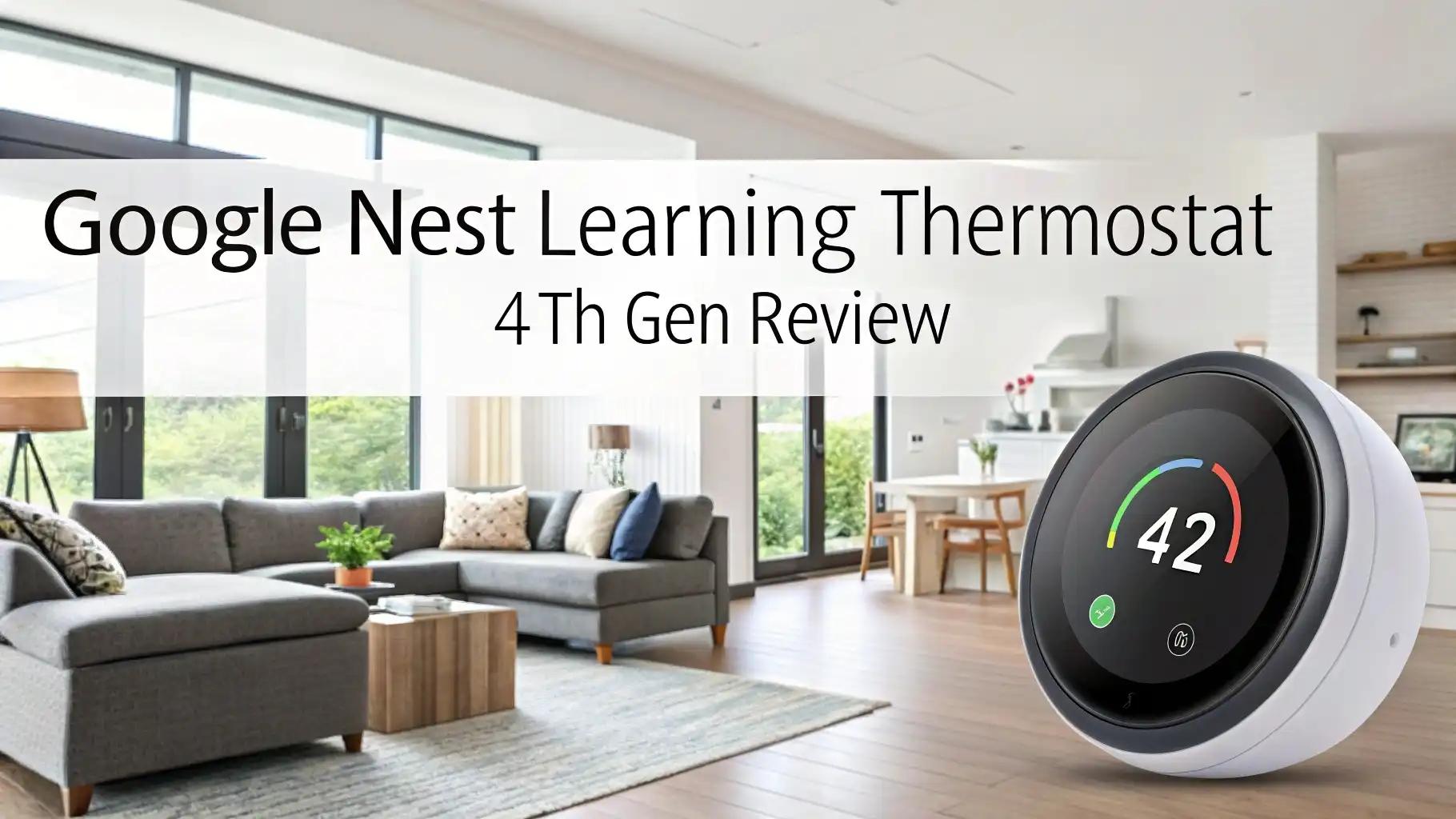
Google Nest Learning Thermostat 4th Gen Review
Smart thermostats have transformed how we control our home climate. The Google Nest Learning Thermostat stands at the forefront of this revolution.
This device promises to learn your habits and save money on energy bills. But does it deliver on these promises?
This comprehensive review explores every aspect of the newest 4th generation model. We examine its features, performance, installation process, and value proposition.
Key Takeaways
- Advanced AI Learning: The 4th generation model uses sophisticated algorithms to automatically create custom heating and cooling schedules based on your daily routines and preferences
- Significant Energy Savings: Users typically save 10-12% on heating bills and 15% on cooling bills, with average annual savings of $131-$145 according to Google’s data
- Premium Design Excellence: Features a 60% larger crystal display (2.7 inches) with 600×600 pixel resolution and elegant mirrored finish that enhances any home décor
- Comprehensive Smart Home Integration: Full Matter support enables seamless compatibility with Apple Home, Amazon Alexa, Samsung SmartThings, and Google Assistant ecosystems
- Enhanced Temperature Control: Includes Nest Temperature Sensor in the box and supports up to 6 additional sensors for precise multi-room climate management
- Professional Installation Available: While designed for DIY installation in 20-30 minutes, professional installation services are available through Handy for $155

Last update on 2026-08-29 / Affiliate links / Images from Amazon Product Advertising API Some of the links on this website are affiliate links, which means that at no additional cost to you, I earn a commission if you click through and make a purchase. I only recommend products and services that I believe will add value to my readers. Thank you for your support!
What Makes the Google Nest Learning Thermostat Special
The Google Nest Learning Thermostat represents twelve years of smart home innovation. This device goes beyond simple temperature control. It uses artificial intelligence to understand your lifestyle patterns. The thermostat observes when you wake up, leave home, and return each day. It notes your temperature preferences during different activities.
The learning algorithm creates a Smart Schedule automatically. This feature eliminates the need for manual programming. Traditional thermostats require complex scheduling inputs. The Nest Learning Thermostat builds these schedules through observation. It adjusts temperatures before you even realize you need changes.
The 4th generation model introduces several breakthrough features. Natural heating and cooling leverages outdoor conditions. Adaptive Eco mode prevents excessive temperature drops. Smart ventilation brings in fresh air when conditions are optimal. These features work together to maximize comfort while minimizing energy waste.
Design and Display Excellence

Last update on 2026-08-29 / Affiliate links / Images from Amazon Product Advertising API Some of the links on this website are affiliate links, which means that at no additional cost to you, I earn a commission if you click through and make a purchase. I only recommend products and services that I believe will add value to my readers. Thank you for your support!
The aesthetic appeal of the Nest Learning Thermostat sets it apart from competitors. The circular design maintains the iconic look of previous generations. However, the 4th generation model includes significant visual improvements. The display measures 2.7 inches with 600×600 pixel resolution. This represents a 60% increase over the previous model.
The mirrored crystal lens creates an elegant appearance. Three color options are available: Polished Gold, Obsidian, and Silver. Each finish complements different interior design styles. The device appears to float on the wall due to its thinner profile and smaller base.
The Dynamic Farsight technology adapts the display based on your distance. From 10 feet away, you see essential information like time or temperature. Moving closer reveals additional details including humidity levels and outdoor air quality. This intelligent display system provides relevant information without overwhelming users.
The stainless steel bangle around the display serves as the primary control mechanism. Users rotate this ring to adjust temperatures and navigate menus. The tactile feedback feels satisfying and precise. This physical control method works even when smartphone apps are unavailable.
Smart Learning Capabilities
The heart of the Nest Learning Thermostat lies in its artificial intelligence. The device uses multiple data sources to understand your preferences. Motion sensors detect when rooms are occupied. Temperature sensors monitor actual conditions throughout your home. Humidity and ambient light sensors provide additional environmental context.
The learning process begins immediately after installation. The thermostat starts with a basic schedule template. It sets comfort mode at 6:15 AM and sleep mode at 10 PM. From there, the system observes your manual adjustments. Each temperature change teaches the algorithm about your preferences.
Smart Schedule suggestions appear as notifications in the Google Home app. The thermostat explains why it wants to make specific changes. This transparency helps users understand the system’s decision-making process. Users can accept these suggestions or reject them based on personal preferences.
The learning continues throughout seasonal changes. The 4th generation model handles these transitions more smoothly than previous versions. The system now explains its actions through notifications. This prevents the mysterious behavior that sometimes frustrated earlier users.
Top 3 Alternatives for Google Nest Learning Thermostat


Last update on 2026-08-29 / Affiliate links / Images from Amazon Product Advertising API Some of the links on this website are affiliate links, which means that at no additional cost to you, I earn a commission if you click through and make a purchase. I only recommend products and services that I believe will add value to my readers. Thank you for your support!

Last update on 2026-08-29 / Affiliate links / Images from Amazon Product Advertising API Some of the links on this website are affiliate links, which means that at no additional cost to you, I earn a commission if you click through and make a purchase. I only recommend products and services that I believe will add value to my readers. Thank you for your support!

Last update on 2026-08-29 / Affiliate links / Images from Amazon Product Advertising API Some of the links on this website are affiliate links, which means that at no additional cost to you, I earn a commission if you click through and make a purchase. I only recommend products and services that I believe will add value to my readers. Thank you for your support!
Energy Efficiency and Cost Savings
Energy savings represent the primary motivation for most smart thermostat purchases. The Google Nest Learning Thermostat delivers impressive results in this area. Independent studies show average savings of 10-12% on heating costs. Cooling bill reductions typically reach 15% annually.
These savings translate to real dollar amounts. Google estimates annual savings between $131 and $145 for typical users. The thermostat pays for itself within two years based on these calculations. Energy Star certification confirms the device’s efficiency credentials.
Several features contribute to these energy savings. Eco Temperature presets automatically activate when the home is empty. The system uses multiple signals to detect occupancy. Phone locations provide one data point. Motion sensors in the thermostat offer another indicator. Nest Protect smoke detectors add additional occupancy confirmation.
Adaptive Eco mode represents a significant improvement over previous generations. Earlier models sometimes allowed temperatures to drift too far from comfort settings. The new adaptive system considers outdoor weather conditions. It keeps indoor temperatures close enough to comfort levels for quick recovery.
Installation Process and Requirements
Installing the Google Nest Learning Thermostat requires basic electrical knowledge. Most homeowners complete the installation in 20-30 minutes. The process involves working with low-voltage wiring connections. Those uncomfortable with electrical work should hire professional installers.
The installation begins with turning off power to the HVAC system. Users photograph existing wiring before disconnecting the old thermostat. The Google Home app guides users through each connection step. Clear labeling on the Nest base plate simplifies wire placement.
Compatibility extends to most 24V heating and cooling systems. Supported systems include gas, electric, oil, forced air, heat pump, and radiant configurations. The 4th generation model handles up to three heating stages and two cooling stages. Humidifier, dehumidifier, and ventilation systems also work with the device.
The thermostat includes patented power sharing technology. This eliminates the need for a C wire in most installations. However, Google recommends installing a C wire when possible. The Nest Power Connector provides an alternative for systems lacking appropriate wiring.
Professional installation services are available through Handy. This service costs $155 at the time of purchase. Professional installation guarantees proper wiring and system configuration. It also provides peace of mind for users concerned about electrical work.
Smart Home Integration and Matter Support
The 4th generation Nest Learning Thermostat introduces Matter support for the first time. This industry standard enables compatibility with multiple smart home platforms. Users can add the thermostat to Apple Home, Amazon Alexa, Samsung SmartThings, and Google Assistant ecosystems.
Setting up Matter integration happens after initial configuration through Google Home. Users generate a Matter code within the thermostat settings. Scanning this code with other platforms adds the device to those systems. Response times remain instantaneous across all platforms thanks to local routing.
Voice control works seamlessly across different assistants. Google Assistant provides the most comprehensive control options. Siri and Alexa handle basic temperature adjustments and mode changes effectively. The Matter standard ensures consistent performance regardless of the chosen platform.
Geofencing capabilities automatically adjust temperatures based on location. The system uses phone locations to determine occupancy. Multiple family members can install the Google Home app for accurate detection. The system also uses Nest device interactions and motion sensors for occupancy confirmation.
Temperature Sensor Technology

Last update on 2026-08-29 / Affiliate links / Images from Amazon Product Advertising API Some of the links on this website are affiliate links, which means that at no additional cost to you, I earn a commission if you click through and make a purchase. I only recommend products and services that I believe will add value to my readers. Thank you for your support!
The 4th generation model includes a Nest Temperature Sensor in the box. This mushroom-shaped device measures 2.18 inches in diameter. The tan finish blends well with most room décors. Users can place sensors on shelves, desks, or mount them on walls.
Temperature sensors enable room-specific climate control. The thermostat can target temperatures in occupied rooms rather than relying solely on its location. Users can pair up to six sensors with each thermostat unit. This allows for comprehensive monitoring throughout large homes.
The new sensor system supports average temperature targeting. Users can select multiple sensors and aim for average temperatures across selected rooms. This feature provides more efficient heating and cooling than targeting individual rooms. Competitors like Ecobee have offered this capability for years.
Sensor scheduling integrates with the Smart Schedule system. Users can tie different sensors to specific time periods. For example, office sensors handle daytime temperature control. Bedroom sensors take priority during evening hours. This automation eliminates manual adjustments throughout the day.
Additional sensors cost $39.99 each or $99.99 for a three-pack. The investment proves worthwhile for homes with significant temperature variations between rooms. Sensors use Bluetooth connectivity for reliable communication with the main thermostat unit.
Advanced Features and Capabilities
The 4th generation model introduces several innovative features not found in previous versions. Natural heating and cooling pauses HVAC operation when outdoor conditions can naturally achieve desired temperatures. This feature works particularly well during transitional seasons.
Smart ventilation automatically activates ventilation systems when outdoor air quality is good. The system considers both air quality and temperature compatibility. This feature requires compatible ventilation equipment in the HVAC system.
Adaptive Eco mode represents a significant improvement over traditional eco settings. The system considers outdoor weather conditions and home thermal characteristics. It maintains temperatures close enough to comfort settings for quick recovery upon return.
Filter reminders help maintain HVAC system efficiency. Users configure reminder schedules based on filter types and usage patterns. Regular filter changes improve air quality and system performance. The app sends notifications when replacements are due.
The Soli radar sensor provides advanced motion detection. This technology works more reliably than traditional PIR sensors. It detects subtle movements and breathing patterns. The sensor contributes to occupancy detection and automatic display activation.
Mobile App Experience and Controls
The Google Home app serves as the primary control interface for the Nest Learning Thermostat. The app provides comprehensive climate control from anywhere with internet access. Users can adjust temperatures, change modes, and view system status remotely.
The main thermostat screen features an intuitive dial interface. Current and target temperatures display prominently. Mode selection includes heating, cooling, and off options. The hold function maintains specific temperatures or comfort states for defined periods.
Energy Dashboard provides detailed usage tracking. Daily, weekly, and monthly charts show heating and cooling patterns. Users can identify trends and optimization opportunities. Historical data helps evaluate the effectiveness of schedule changes.
Schedule configuration happens through dedicated menus. Users can set different temperatures for each day of the week. Time-based scheduling allows for multiple temperature changes throughout each day. Comfort, Eco, and Sleep states provide preset configurations for different situations.
The app includes comprehensive device management features. Users can view Wi-Fi connection information, serial numbers, and MAC addresses. Matter integration settings allow connection to other smart home platforms. Presence sensing configuration controls automatic away mode activation.
Performance and Reliability
Real-world testing reveals excellent performance across multiple metrics. Temperature accuracy remains within one degree of target settings. Response times to app commands happen instantly. Voice control through various assistants works reliably.
The Wi-Fi connection stability proves robust in testing environments. Dual-band support helps maintain connections in congested network areas. The device automatically reconnects after temporary network outages. Local processing ensures basic functionality during internet disruptions.
Battery life for wireless operation exceeds expectations. The internal battery maintains operation during brief power outages. Power sharing technology keeps the battery charged during normal operation. Users rarely need to worry about battery maintenance.
System compatibility testing shows broad support for various HVAC configurations. The thermostat successfully controls single-stage and multi-stage systems. Heat pump operation includes proper auxiliary heat management. Humidifier and dehumidifier control works as advertised.
Software updates arrive automatically through Wi-Fi connections. Google provides regular feature improvements and bug fixes. The company commits to five years of security updates from the initial sale date. This longevity protects the investment in smart home technology.
Comparison with Previous Generations
The 4th generation model represents significant improvements over its predecessor. The larger display provides better visibility from across rooms. Higher resolution makes text and graphics much clearer. The mirrored finish creates a more premium appearance.
Processing power increases enable more sophisticated learning algorithms. The new model handles seasonal transitions more smoothly. Transparent decision-making helps users understand system behavior. Notifications explain why the thermostat makes specific adjustments.
Enhanced sensor technology provides better environmental monitoring. The Soli radar sensor offers more reliable motion detection. Improved occupancy sensing reduces false away mode activation. Multiple sensor inputs create more accurate presence detection.
Matter support represents the most significant connectivity improvement. Previous generations required Google’s ecosystem for full functionality. The new model works natively with Apple Home, Alexa, and SmartThings. This cross-platform compatibility appeals to users with diverse smart home setups.
Energy saving features receive substantial upgrades. Natural heating and cooling leverage outdoor conditions more effectively. Adaptive Eco mode prevents excessive temperature swings. Smart ventilation brings fresh air automatically when conditions permit.
Value Proposition and Pricing
At $279.99, the Google Nest Learning Thermostat 4th generation commands a premium price. This cost places it among the most expensive smart thermostats available. However, the included temperature sensor adds approximately $40 in value. The total package pricing becomes more reasonable with this consideration.
Energy savings help justify the premium pricing. Annual savings of $131-$145 mean the thermostat pays for itself within two years. These savings continue for the device’s entire lifespan. Users in extreme climates may see even higher savings potential.
The premium design and build quality support the higher price point. Materials and construction exceed expectations for durability and appearance. The device serves as an attractive home accent in addition to its functional benefits. This aesthetic value appeals to design-conscious homeowners.
Matter support provides future-proofing value. Users can integrate the thermostat with any smart home platform. This flexibility protects the investment against changing ecosystem preferences. The cross-platform compatibility adds significant long-term value.
Professional installation services cost an additional $155 through Handy. This option provides peace of mind for users uncomfortable with electrical work. The total investment reaches approximately $435 with professional installation. Many users consider this reasonable for a premium smart home device.
Frequently Asked Questions
How much money can the Google Nest Learning Thermostat save on energy bills?
According to Google’s studies, users typically save 10-12% on heating bills and 15% on cooling bills. This translates to average annual savings of $131-$145. The actual savings depend on your home’s size, insulation, local energy costs, and usage patterns. Most users see the thermostat pay for itself within two years through energy savings.
Is the Google Nest Learning Thermostat difficult to install?
Most homeowners can install the thermostat themselves in 20-30 minutes following the step-by-step instructions in the Google Home app. The installation involves basic low-voltage wiring connections. However, if you’re uncomfortable working with electrical connections, professional installation is available through Handy for $155. The device works with most 24V heating and cooling systems.
What smart home platforms work with the 4th generation Nest Learning Thermostat?
The 4th generation model supports Matter, making it compatible with Apple Home, Amazon Alexa, Samsung SmartThings, and Google Assistant. You must initially set up the thermostat through Google Home, then generate a Matter code to share it with other platforms. Voice control works across all supported assistants, though Google Assistant provides the most comprehensive features.
How does the learning feature actually work?
The thermostat uses AI algorithms to observe your daily routines and temperature adjustments. It monitors when you wake up, leave home, return, and go to sleep. The device also notes your manual temperature changes and preferences. Over time, it creates a Smart Schedule that automatically adjusts temperatures based on your patterns. The system continues learning and suggests schedule improvements through app notifications.
Can I use the Nest Learning Thermostat without a C wire?
Yes, the thermostat includes patented power sharing technology that eliminates the C wire requirement in most installations. However, Google recommends installing a C wire when possible for optimal performance. For systems that need additional power support, the Nest Power Connector provides an alternative solution. Without proper power, the thermostat may experience connectivity issues or battery drain.
How many temperature sensors can I use with the thermostat?
You can pair up to six Nest Temperature Sensors with each thermostat. The 4th generation model includes one sensor in the box. Additional sensors cost $39.99 each or $99.99 for a three-pack. The sensors enable room-specific temperature control and support average temperature targeting across multiple rooms. This ensures even heating and cooling throughout your home.

Hi, my name is Lily you can say i am a gadget hunter at this point. Welcome to Gadget Gallery The Gallery of Gadget Reviews