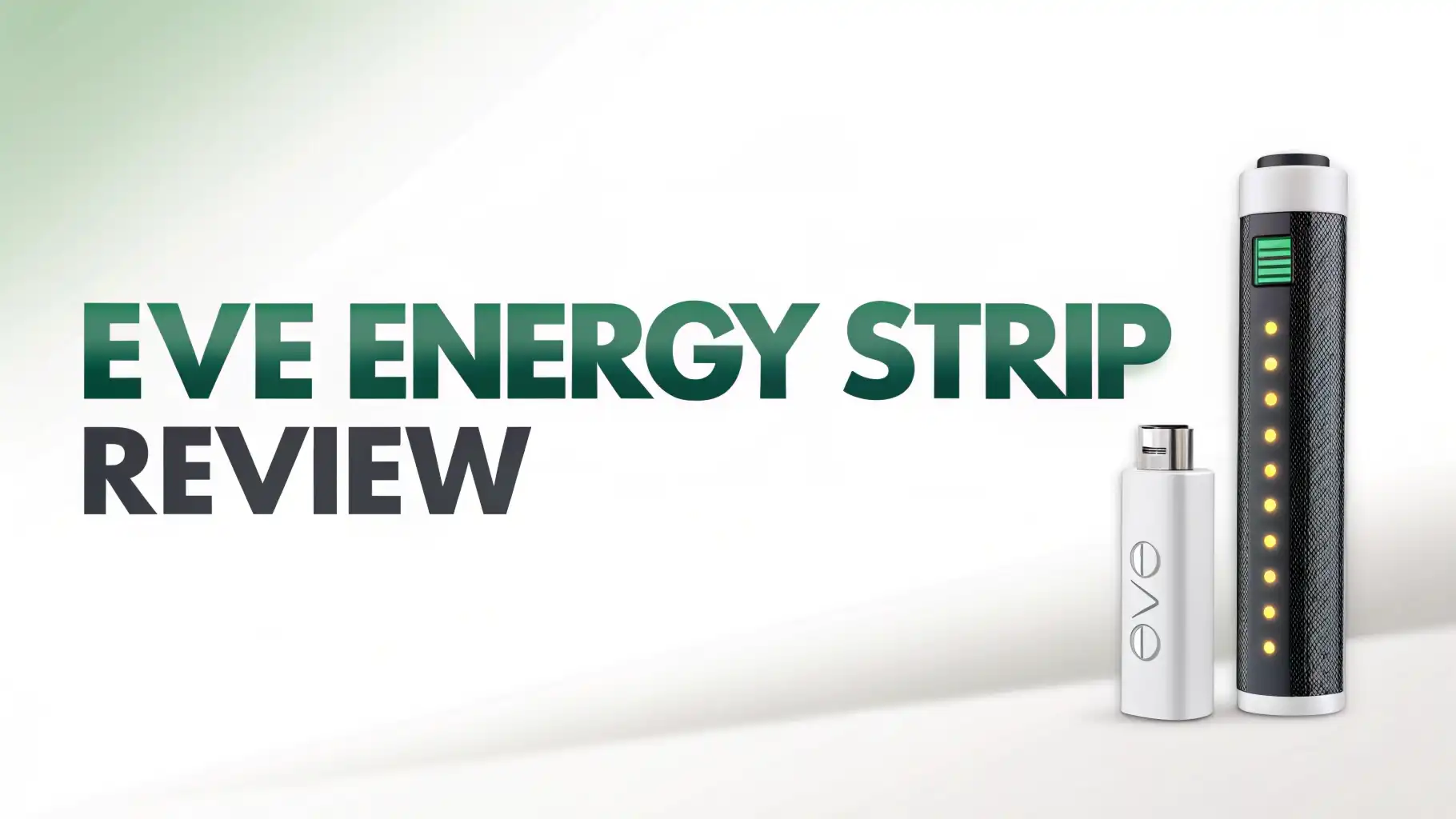
Eve Energy Strip Review 2026: Is This Worth Your Money?
Are you tired of juggling multiple smart plugs around your home? Does your entertainment center look like a tangled mess of cables and adapters? The Eve Energy Strip might just be the elegant solution you have been searching for.
This premium smart power strip brings Apple HomeKit integration directly to your outlets, letting you control three devices independently while monitoring your energy usage.
But with a price tag that sits higher than many competitors, does it deliver enough value to justify the investment? Let’s find out in this detailed review.
Key Takeaways:
- Three Independent Smart Outlets: Each outlet can be controlled separately through the Apple Home app, Eve app, or Siri voice commands. This means you can turn off your TV while keeping your gaming console on standby.
- Energy Monitoring Built In: Track your power consumption and see how much your devices cost to run each month. The strip monitors total energy usage across all three outlets, helping you identify energy vampires in your home.
- Premium Build Quality: Unlike plastic competitors, the Eve Energy Strip features an aluminum frame with matte black finish. It feels solid and looks professional, earning a Red Dot Design Award for its aesthetics.
- Advanced Protection Features: Your expensive electronics stay safe with overcurrent protection (15.2A), overvoltage protection (126V), surge protection, and a thermal circuit breaker. This is not just a smart device, it is a guardian for your equipment.
- Apple HomeKit Exclusive: This power strip works exclusively with Apple’s ecosystem. You need an iPhone, iPad, or HomePod to use it. No Alexa, no Google Assistant, just pure Apple integration through Wi-Fi connection.
- Generous 6.3 Foot Cable: The long power cord gives you flexibility in placement, and the outlets are spaced apart to accommodate larger power adapters without blocking neighboring sockets.


Last update on 2026-08-29 / Affiliate links / Images from Amazon Product Advertising API Some of the links on this website are affiliate links, which means that at no additional cost to you, I earn a commission if you click through and make a purchase. I only recommend products and services that I believe will add value to my readers. Thank you for your support!
Eve Energy Strip Design and Build Quality
The first thing you notice about the Eve Energy Strip is how different it looks from typical power strips. This device screams premium quality.
The aluminum frame wraps around sleek black housing, creating a modern look that fits perfectly with Apple’s design language. It does not look like something you want to hide behind furniture. Many users actually display it proudly on their desks.
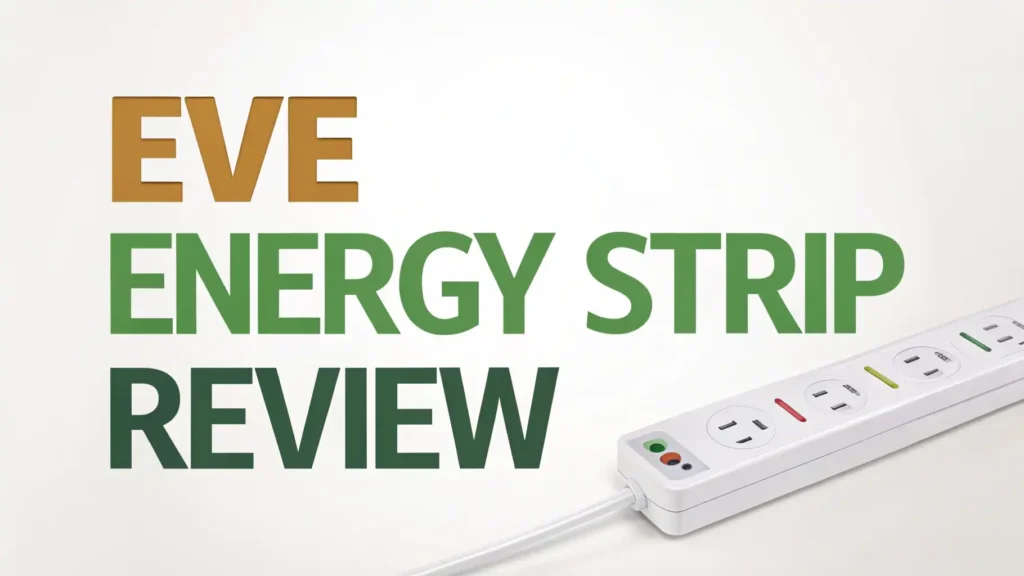
The three outlets sit at 90-degree angles, which is brilliant design thinking. This spacing means your bulky power adapters will not block the other outlets. Each outlet has its own physical button with a white LED indicator showing power status.
You can control devices manually even when your phone is not nearby. The overall dimensions make it compact enough for desk use but substantial enough to feel durable. At 1800W maximum load and 15A current rating, it handles most home electronics with ease.
Setting Up Your Eve Energy Strip
Getting started with the Eve Energy Strip is refreshingly simple for Apple users. You plug it into your wall outlet, open the Home app on your iPhone, and scan the HomeKit code on the device.
The setup takes about two minutes from unboxing to first use. The strip connects directly to your Wi-Fi network without requiring a hub or bridge, which keeps your smart home setup clean and simple.
Once connected, you can name each outlet individually in the Home app. This organization makes voice control much more intuitive. Instead of saying “turn on outlet two,” you say “turn on the desk lamp.”
The Eve app offers additional features like detailed energy monitoring and scheduling options. Both apps work smoothly, though the Eve app provides more granular control over power usage tracking.
The integration with Apple Home means you can create scenes and automations. Set your entertainment center to turn on when you arrive home. Create a goodnight scene that shuts down all three outlets simultaneously. The automation possibilities are limited only by your imagination and your other HomeKit devices.
Smart Control Features That Actually Work
Voice control through Siri works flawlessly with the Eve Energy Strip. You can control each outlet individually or all three together.
Commands like “Hey Siri, turn off the TV outlet” execute instantly. The response time is impressive, with almost no lag between command and action. This reliability makes voice control genuinely useful rather than a frustrating gimmick.
The physical buttons on each outlet provide backup control. This feature proves invaluable when your Wi-Fi is down or your phone battery is dead.
Each button toggles its outlet on and off, with the LED indicator providing instant visual feedback. The buttons have a satisfying click and are easy to press even in the dark.
Remote control through the Home app works from anywhere with internet connection. Forgot to turn off your space heater before leaving for vacation? No problem. Pull out your phone and shut it down remotely. This peace of mind alone makes the smart features worthwhile for many users.
Top 3 Alternatives For Eve Energy Strip

Last update on 2026-08-29 / Affiliate links / Images from Amazon Product Advertising API Some of the links on this website are affiliate links, which means that at no additional cost to you, I earn a commission if you click through and make a purchase. I only recommend products and services that I believe will add value to my readers. Thank you for your support!

Last update on 2026-07-05 / Affiliate links / Images from Amazon Product Advertising API Some of the links on this website are affiliate links, which means that at no additional cost to you, I earn a commission if you click through and make a purchase. I only recommend products and services that I believe will add value to my readers. Thank you for your support!

Last update on 2026-06-28 / Affiliate links / Images from Amazon Product Advertising API Some of the links on this website are affiliate links, which means that at no additional cost to you, I earn a commission if you click through and make a purchase. I only recommend products and services that I believe will add value to my readers. Thank you for your support!
Energy Monitoring: Know What You Are Spending
The energy monitoring feature sets the Eve Energy Strip apart from basic smart plugs. The device tracks your total power consumption across all three outlets and displays it in the Eve app.
You can see real-time wattage, historical usage by day or month, and even projected costs based on your electricity rates. This visibility helps you identify which devices are draining your wallet.
The energy data appears in easy-to-read graphs. You can spot patterns like which hours use the most power or how much energy your devices consume in standby mode.
Many users discover that their entertainment centers waste significant power when “off.” Armed with this knowledge, you can create automations to cut power completely when devices are not in use.
One limitation is that energy monitoring applies to all three outlets combined, not individually. You cannot isolate which specific device uses how much power.
For detailed per-device monitoring, you would need individual smart plugs. However, for monitoring an entire system like an entertainment center or home office, the combined tracking works well.
Protection Features Keep Your Gear Safe
The Eve Energy Strip takes electrical protection seriously. Overvoltage protection kicks in at 126V, safeguarding your electronics from power surges.
Overcurrent protection triggers at 15.2A, preventing overload situations that could damage your devices or start fires. A thermal circuit breaker at 15A provides additional safety if the strip overheats.
These protection features work silently in the background. You probably will never notice them until they save your expensive electronics from a power spike.
The peace of mind is worth considering, especially if you are connecting valuable equipment like computers, TVs, or audio systems. The strip meets all relevant safety certifications, giving you confidence in its protective capabilities.
The surge protection is particularly valuable. Power surges happen more often than most people realize, whether from lightning strikes, utility company issues, or even large appliances cycling on in your home. The Eve Energy Strip acts as a buffer between these surges and your electronics.
HomeKit Integration: The Apple Advantage
For Apple users, the HomeKit integration is the Eve Energy Strip’s biggest selling point. The strip appears in your Home app alongside your other smart devices.
You can include it in scenes with your lights, thermostats, and other accessories. Create a “Movie Night” scene that dims the lights and turns on your TV, sound system, and streaming device all at once.
The presence-based automation is particularly clever. Set the strip to turn off automatically when everyone leaves home. Have it turn on when the first person arrives. This automation happens completely in the background, no phone interaction needed. Your home just works the way you want it to.
Siri Shortcuts take things even further. Create custom voice commands that trigger complex sequences. Say “Start my workday” to turn on your desk lamp, computer monitor, and phone charger simultaneously.
The deep Apple ecosystem integration makes the Eve Energy Strip feel like a natural extension of your devices rather than a separate gadget you have to manage.
Performance: Does It Deliver Daily?
After weeks of testing, the Eve Energy Strip proves remarkably reliable. The Wi-Fi connection stays solid without random disconnects that plague some smart home devices.
Commands execute quickly whether through voice, app, or physical buttons. The outlets handle power loads from small phone chargers to large monitors without any issues.
The maximum load of 1800W (15A at 120V) covers most household electronics. You can safely connect TVs, computers, gaming consoles, and similar devices.
However, you should not use it for high-power appliances like space heaters, window AC units, or power tools. These devices can exceed the safe load limit and should plug directly into wall outlets.
The device runs cool even under continuous use. The thermal management appears well designed, with no concerning heat buildup around the outlets or housing. This cool operation contributes to the strip’s longevity and safety.
What Users Are Saying: Real World Experiences
Customer reviews paint a mostly positive picture. Users consistently praise the build quality and design, noting that it feels premium compared to plastic competitors.
The HomeKit integration receives high marks for reliability and ease of use. Many reviews mention that setup took just minutes even for users new to smart home technology.
The energy monitoring feature gets mixed reactions. Some users love seeing their power consumption data and use it to reduce their electricity bills.
Others find the combined monitoring of all three outlets limiting, wishing they could see per-outlet usage. A few reviews mention that the energy data can take a day or two to start appearing accurately.
Common complaints center on the price and the HomeKit-only limitation. Android users and those with Alexa or Google Assistant ecosystems cannot use this device at all. Some reviews wish for more outlets, noting that three outlets feel limiting for complex setups.
Comparing Eve Energy Strip To The Competition
At around $75, the Eve Energy Strip costs significantly more than alternatives like the Kasa HS300 (six outlets for $40) or Meross HomeKit power strips (four outlets for $43).
What justifies this premium? The build quality stands out immediately. The aluminum frame and overall construction feel more durable than plastic competitors.
The Kasa HS300 offers more outlets and works with Alexa and Google Assistant, but it lacks HomeKit support.
The Meross HomeKit power strip matches the Eve on compatibility but uses cheaper materials and has slightly less reliable energy monitoring. The Eve Energy Strip positions itself as the premium option for Apple users who value design and reliability over outlet quantity.
For users deep in the Apple ecosystem, the seamless integration and premium feel justify the higher price. If you want the cheapest smart power strip or need many outlets, better options exist. But if you want quality construction, reliable operation, and perfect Apple integration for a specific area like your desk or entertainment center, the Eve Energy Strip delivers.
Who Should Buy The Eve Energy Strip?
The ideal buyer for the Eve Energy Strip is an Apple ecosystem enthusiast who values quality and design. You already use HomeKit devices throughout your home. You appreciate well-designed products that work reliably without constant troubleshooting. You are willing to pay more for premium materials and construction.
This power strip makes perfect sense for your home office desk, where you need to control your monitor, desk lamp, and phone charger.
It excels in entertainment centers controlling your TV, sound system, and streaming device. It works beautifully in bedrooms managing bedside lamps, phone chargers, and white noise machines.
You should skip this product if you use Android devices, need more than three outlets, or want to save money. The HomeKit-only limitation makes it useless for non-Apple users.
If you need six or more outlets, the Kasa HS300 or similar alternatives make more sense. Budget-conscious shoppers will find capable smart power strips for less money, though without the premium build quality.
Installation Tips and Best Practices
To get the most from your Eve Energy Strip, start by planning your outlet assignments. Put your most used device on the outlet closest to the physical buttons for easy manual control. Name each outlet clearly in the Home app using descriptive names like “Desk Lamp” rather than “Outlet 1.” This naming makes voice control much more intuitive.
Place the strip where the long cable reaches comfortably without stretching. Avoid routing the power cable under rugs or through doorways where it might get damaged.
The strip works best when it sits flat on a surface or mounts to a wall using the included mounting points. Keep the strip away from heat sources and ensure good air circulation around it.
Set up your automations thoughtfully. Start simple with basic schedules, then expand to presence-based automation once you understand how they work. Check the energy monitoring data regularly in the first week to understand your baseline power consumption, then set goals for reduction if desired.
Long Term Value and Durability
The Eve Energy Strip is built to last. The aluminum frame protects the internals from minor impacts and wear.
The electrical components meet high safety standards and should provide years of reliable service. The Wi-Fi connectivity uses standard protocols that will remain compatible with future iOS versions, protecting your investment.
Eve has a good track record of supporting their products with software updates. The company regularly releases app updates that add features and improve performance.
This ongoing support means your power strip gets better over time rather than becoming obsolete. The energy monitoring data becomes more valuable as you accumulate months of historical information.
At $75, the upfront cost is higher than alternatives. However, the combination of quality construction, reliable operation, and energy savings can justify this investment over several years.
The energy monitoring alone might help you reduce electricity costs enough to offset part of the purchase price. The protection features provide insurance for your expensive electronics.
What Is The Eve Energy Strip?
The Eve Energy Strip is a smart power strip with three independently controlled outlets designed specifically for Apple HomeKit users. Think of it as three smart plugs built into one elegant package. Each outlet connects to your Wi-Fi network and responds to commands from your iPhone, iPad, or Siri voice assistant.
This device goes beyond basic on/off control. It monitors your total energy consumption, tracks power costs, and provides detailed usage history.
The advanced protection features safeguard your electronics from power surges, overcurrent, and overvoltage situations. Physical buttons on each outlet allow manual control even when your smart devices are not available.
The Eve Energy Strip represents a premium approach to smart power management. It prioritizes quality materials, reliable operation, and seamless Apple integration over features like lots of outlets or multi-platform compatibility. For Apple users who value these priorities, it delivers excellent performance and a satisfying user experience.
Frequently Asked Questions
Does the Eve Energy Strip work without Wi-Fi?
Yes, the physical buttons on each outlet work without Wi-Fi. You can manually turn outlets on and off at any time. However, you lose smart features like app control, voice commands, and energy monitoring when Wi-Fi is unavailable. The strip remembers its last state if power is lost.
Can I use the Eve Energy Strip with Android phones?
No, the Eve Energy Strip requires Apple HomeKit, which only works with iPhone and iPad devices. Android users cannot set up or control this device. If you use Android, consider alternatives like the Kasa HS300 or Meross power strips that support Google Assistant and Alexa.
How accurate is the energy monitoring?
The energy monitoring is quite accurate for total consumption across all three outlets. It typically shows within 2-5% of actual usage. However, it measures combined usage rather than per-outlet usage. The data updates every few seconds for real-time monitoring and stores historical data indefinitely.
Can I control each outlet independently?
Yes, complete independent control is one of the main features. You can turn any combination of the three outlets on or off through the app, voice commands, or physical buttons. Each outlet can have its own schedule and automation rules.
What devices should I not plug into this power strip?
Avoid high-power devices that draw more than 15A or 1800W. This includes space heaters, window air conditioners, power tools, and kitchen appliances like microwaves or toasters. Also avoid daisy-chaining other power strips or extension cords, which creates safety hazards.
Does the Eve Energy Strip require a subscription?
No, the Eve Energy Strip has no monthly fees or subscriptions. All features including energy monitoring are included with your purchase. Your energy data stores in the app on your device, not on cloud servers requiring subscription access.
Can I use this outdoors or in damp locations?
No, the Eve Energy Strip is designed for indoor use only in dry locations. It lacks weatherproofing for outdoor use or damp environments like bathrooms. For outdoor smart outlets, Eve makes a separate Eve Energy Outdoor product specifically designed for weather exposure.

Hi, my name is Lily you can say i am a gadget hunter at this point. Welcome to Gadget Gallery The Gallery of Gadget Reviews